
Melitta F230-101
Melitta Purista F230-101 Automatic Coffee Machine User Manual
Model: F230-101
Introduction
The Melitta Purista F230-101 is a compact and efficient automatic coffee machine designed to deliver perfect coffee with ease. Focusing on essential features, it ensures a rich aroma and excellent taste for every cup. Its slim design makes it suitable for any kitchen countertop.

Figure 1: Front view of the Melitta Purista F230-101 Automatic Coffee Machine, showcasing its sleek silver and black design with the control panel and coffee spout.
Important Safety Instructions
Please read all instructions carefully before using the appliance. Keep this manual for future reference.
- Do not immerse the appliance, power cord, or plug in water or other liquids.
- Ensure the voltage indicated on the appliance matches your local mains voltage before connecting.
- Always unplug the machine from the power outlet before cleaning, maintenance, or if it will be unused for a long period.
- Do not operate the appliance with a damaged cord or plug, or if the appliance malfunctions or has been damaged in any manner.
- Keep children away from the appliance during operation.
- Use only cold, fresh water in the water tank.
- Do not open the brewing unit cover during operation.
- Only use whole coffee beans in the bean container. Do not use ground coffee, instant coffee, or caramelized beans.
Setup and First Use
1. Unpacking
Carefully remove all packaging materials from the coffee machine. Retain packaging for future transport if needed.
2. Initial Cleaning
Before first use, clean the water tank, drip tray, and coffee grounds container with warm water and a mild detergent. Rinse thoroughly and dry.
3. Filling the Water Tank
Remove the water tank from the side of the machine. Fill it with fresh, cold tap water up to the MAX mark (1 Liter capacity). Replace the tank securely.

Figure 2: Side view of the Melitta Purista F230-101, illustrating the removable water tank on the left side.
4. Filling the Bean Container
Open the lid of the bean container located on top of the machine. Fill with whole coffee beans (approx. 125g capacity). Close the lid firmly to preserve freshness.
5. First Use / Priming
- Place a cup under the coffee spout.
- Plug the machine into a power outlet.
- Press the power button (ⓘ) to turn on the machine. The machine will perform an automatic rinse cycle.
- Wait until the display indicates the machine is ready for use.
Operating the Coffee Machine
Control Panel Overview
The Melitta Purista features an intuitive control panel for easy operation:
- Power Button (ⓘ): Turns the machine on/off.
- Single Cup Button (☕): Brews a single cup of coffee.
- Double Cup Button (2x ☕): Brews two cups of coffee simultaneously.
- Strength Adjustment Button (•••): Cycles through 3 coffee strength levels.
- Service Button (☕ service): Accesses maintenance menus and special functions.
- Rotary Knob: Adjusts coffee volume and navigates menus.
Making Coffee
- Ensure the water tank is filled and the bean container has enough beans.
- Place one or two cups under the height-adjustable coffee spout.
- Select your desired coffee strength by pressing the Strength Adjustment Button (•••).
- Press the Single Cup Button (☕) for one cup or the Double Cup Button (2x ☕) for two cups.
- The machine will grind the beans and brew the coffee. The brewing process will stop automatically.

Figure 3: The Melitta Purista F230-101 dispensing coffee into two cups simultaneously, demonstrating its 2-cup function.
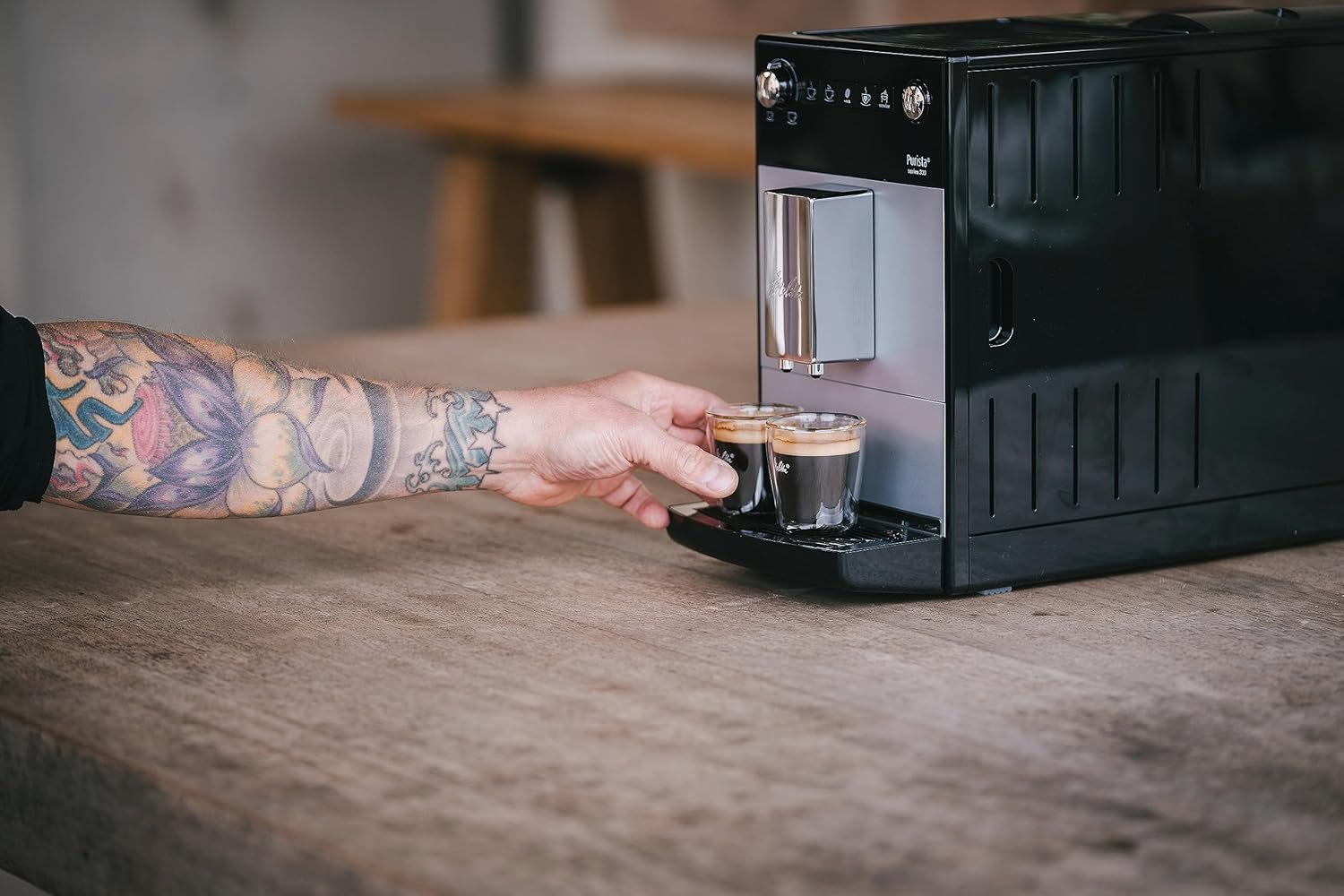
Figure 4: A hand positioning two small coffee cups under the adjustable coffee spout of the Melitta Purista, ready for brewing.
Adjusting Grind Fineness
The grind fineness can be adjusted using the rotary knob inside the bean container. Turn clockwise for finer grind (stronger coffee) and counter-clockwise for coarser grind (milder coffee). Adjust only when the grinder is running.
Adjusting Coffee Volume
You can adjust the volume of coffee per cup using the rotary knob. Turn the knob before pressing the brew button to select your desired volume (from 25 ml to 220 ml). The machine can also memorize your preferred settings.
Maintenance and Cleaning
Regular cleaning and maintenance ensure optimal performance and longevity of your Melitta Purista coffee machine.
1. Daily Cleaning
- Drip Tray and Coffee Grounds Container: Empty and rinse daily. These parts are dishwasher-safe.
- Coffee Spout: Wipe with a damp cloth.
2. Brewing Unit Cleaning
The brewing unit is removable for easy cleaning. Open the side panel, remove the brewing unit, rinse it thoroughly under running water, and let it air dry before reinserting.
3. Descaling Program
The machine will prompt you when descaling is required. Follow the on-screen instructions or refer to the Service menu. Use only Melitta descaling products.
4. Automatic Rinse and Cleaning Programs
The machine performs an automatic rinse cycle upon startup and shutdown. Regular cleaning programs can be initiated via the Service menu to ensure hygiene.
Troubleshooting
| Problem | Possible Cause | Solution |
|---|---|---|
| No coffee is dispensed. | Water tank empty; brewing unit blocked; coffee spout clogged. | Fill water tank; clean brewing unit; clean coffee spout. |
| Coffee is too weak. | Incorrect coffee strength setting; grind too coarse; old beans. | Increase strength setting; adjust grind to finer; use fresh beans. |
| Machine displays "Descale". | Limescale buildup. | Run the descaling program. |
| Machine is noisy during grinding. | Foreign object in grinder; beans are too oily. | Contact customer service; try different beans. |
Specifications
- Brand: Melitta
- Model: F230-101 (6766667)
- Color: Silver/Black
- Dimensions (L x W x H): 20 x 45.5 x 32.5 cm
- Weight: 8 kg
- Water Tank Capacity: 1 Liter
- Bean Container Capacity: Approx. 125g
- Power: 1400 Watts
- Voltage: 230 Volts AC
- Material: Plastic, Stainless Steel
- Features: Silent conical grinder, Digital display, Height-adjustable coffee spout, Removable brewing unit, Automatic shut-off, Dishwasher-safe parts (drip tray, grounds container), OneTouch function, Automatic rinse and cleaning programs, Cup warmer, 2-cup function.
Warranty and Support
Melitta products are manufactured to the highest quality standards. For information regarding warranty coverage, please refer to the warranty card included with your purchase or visit the official Melitta website.
For technical support, spare parts, or service inquiries, please contact Melitta customer service. Contact details can typically be found on the Melitta website or in your product documentation.
Related documentsF230-101


Ask a question about this manual
Ask about setup, troubleshooting, compatibility, parts, safety, or missing instructions. Manuals+ will review the question and use this page’s manual context to help answer it.