
SIMPSON PS61002-S
SIMPSON PowerShot PS61002-S 3500 PSI Gas Pressure Washer Instruction Manual
Model: PS61002-S | Brand: SIMPSON
Introduction
This manual provides essential instructions for the safe operation, setup, maintenance, and troubleshooting of your SIMPSON PowerShot PS61002-S Gas Pressure Washer. Please read this manual thoroughly before operating the unit.
Important Safety Information
WARNING: Read and understand all instructions before operating this pressure washer. Failure to follow all instructions listed below may result in electric shock, fire, and/or serious injury.
- Always wear appropriate personal protective equipment, including eye protection, hearing protection, and sturdy footwear.
- Never point the spray gun at people, animals, or electrical devices.
- Ensure all connections are secure before starting the unit.
- Operate the pressure washer in a well-ventilated area to prevent carbon monoxide poisoning.
- Keep children and pets away from the operating area.
- Do not operate the unit if any parts are damaged or missing.
What's in the Box
Your SIMPSON PowerShot PS61002-S pressure washer comes with the following components:

Image: All components included with the SIMPSON PowerShot PS61002-S pressure washer, neatly arranged.
- Ergonomic Spray Gun: M22 Connection spray gun with QC Spray lance.
- Quick Connect Nozzles: Five stainless steel tips (0°, 15°, 25°, 40°, and Soap) for various spray patterns.
- 5/16" x 25' MorFlex Hose: High-pressure hose, non-marring, abrasion-resistant, and equipped with M22 connections.
- Engine Oil: 10W-30 oil for initial engine fill.
- Siphon Tube: For drawing cleaning solutions.
Setup Instructions
- Unpacking: Carefully remove all components from the packaging.
- Handle Assembly: Attach the handle to the main unit using the provided hardware.
- Wheel Attachment: Ensure the 10-inch pneumatic tires are securely attached to the frame.

Image: Detail of the durable 10-inch pneumatic tire, designed for easy maneuverability.
- Engine Oil: Fill the Honda GX200 engine with the supplied 10W-30 engine oil. Refer to the engine manual for exact capacity and procedure.
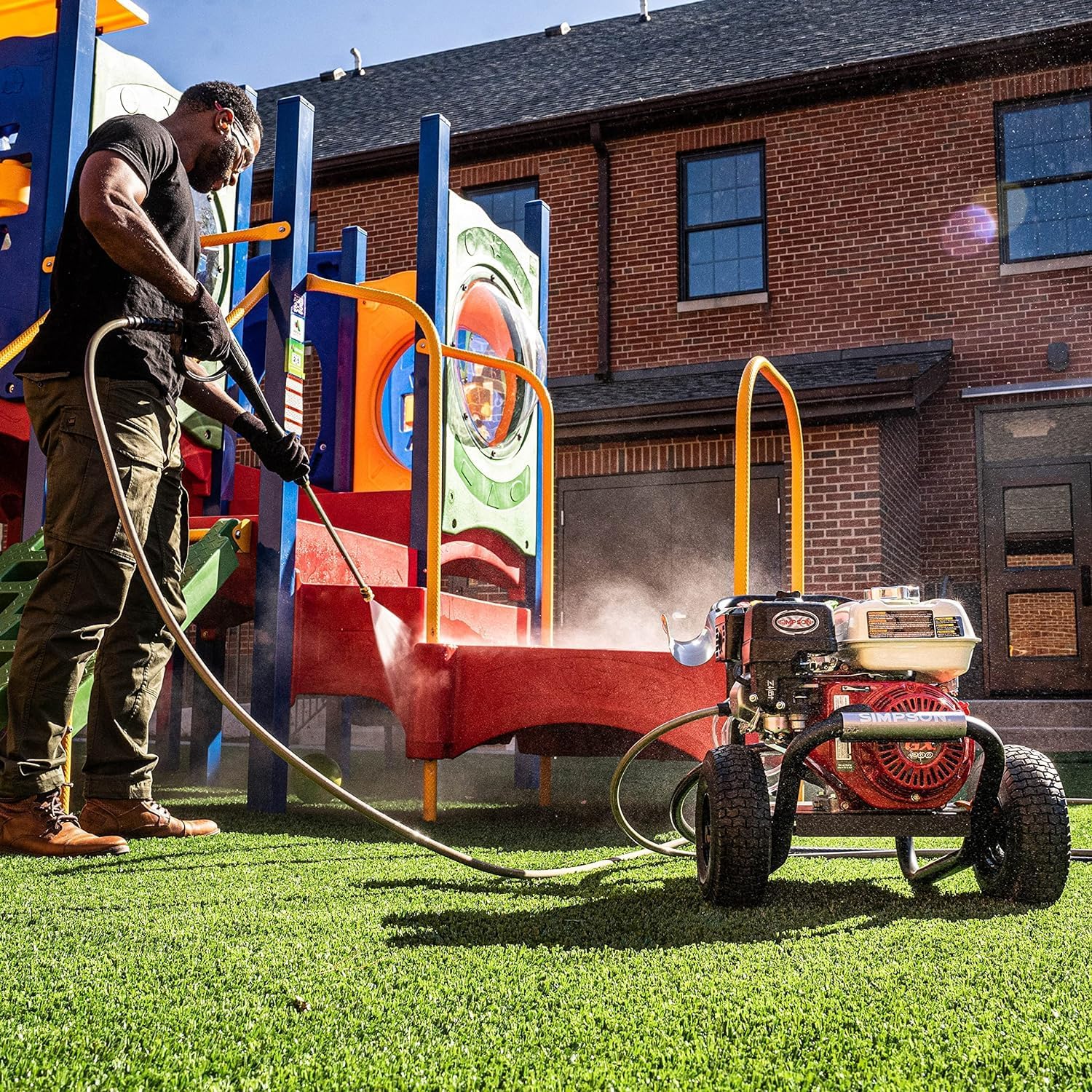
Image: The Honda GX200 engine, highlighting its robust design.
- Fuel: Fill the fuel tank with fresh, unleaded gasoline. Do not use E85 or E15 fuel.
- High-Pressure Hose Connection: Connect the 25-foot MorFlex high-pressure hose to the pump outlet and the spray gun. Ensure connections are tight.

Image: Secure connection of the high-pressure hose to the pump, ready for operation.
- Water Supply: Connect a garden hose (minimum 5/8" diameter) to the water inlet of the pressure washer. Ensure the water supply is turned on fully before starting the engine.
- Nozzle Selection: Choose the appropriate quick-connect nozzle for your cleaning task and insert it into the spray gun lance.

Image: Various quick-connect nozzles (0°, 15°, 25°, 40°, and soap) for diverse cleaning applications.
Operating Instructions
- Starting the Engine:
- Ensure the fuel valve is open and the engine switch is in the "ON" position.
- If the engine is cold, apply choke.
- Pull the recoil starter handle firmly until the engine starts.
- Once started, gradually open the choke (if used).
- Using the Spray Gun:
- Hold the spray gun firmly with both hands.
- Point the nozzle at the cleaning surface, maintaining a safe distance.
- Squeeze the trigger to begin spraying. Release the trigger to stop.
- Always engage the trigger lock when not spraying to prevent accidental discharge.
- Nozzle Usage:
- 0° (Red): Pinpoint stream for tough, concentrated cleaning. Use with extreme caution.
- 15° (Yellow): Narrow spray for intense cleaning on smaller areas.
- 25° (Green): Medium spray for general cleaning.
- 40° (White): Wide spray for gentle cleaning and rinsing.
- Soap (Black): Low-pressure spray for applying detergents.

Image: A person demonstrating the use of the pressure washer to clean outdoor brick stairs, showcasing its cleaning power.
- Applying Detergent:
- Insert the siphon tube into your detergent container.
- Attach the black soap nozzle to the spray gun.
- The pressure washer will automatically draw detergent when operating at low pressure with the soap nozzle.
- Shutting Down:
- Release the spray gun trigger.
- Turn off the engine switch.
- Turn off the water supply.
- Squeeze the spray gun trigger to release any remaining pressure in the system.
Official Product Video: SIMPSON PowerShot PS61002 Pressure Washer Overview
Video: An official overview of the SIMPSON PowerShot PS61002 Pressure Washer, demonstrating its features and operation.
Maintenance
Regular maintenance ensures optimal performance and longevity of your pressure washer.
- Engine Oil: Check engine oil level before each use. Change oil according to the Honda GX200 engine manual.
- Air Filter: Inspect and clean the air filter regularly. Replace if damaged.
- Spark Plug: Inspect and clean the spark plug annually. Replace if necessary.
- Fuel System: Use a fuel stabilizer if storing the unit for extended periods. Drain fuel if storing for more than 30 days without stabilizer.
- Pump Maintenance: The AAA AX300 pump is maintenance-free. However, ensure the thermal relief valve is clear to prevent overheating.

Image: The AAA AX300 axial cam pump, a key component for delivering high pressure.
- Nozzles: Clean nozzles regularly to prevent blockages. Use the included nozzle cleaning tool if necessary.
- Hose and Gun: Inspect the high-pressure hose and spray gun for any damage or leaks before each use.
Troubleshooting
| Problem | Possible Cause | Solution |
|---|---|---|
| Engine will not start | No fuel, low oil, engine switch off, choke position incorrect. | Add fuel, check oil level, turn engine switch ON, adjust choke. |
| Low pressure | Clogged nozzle, insufficient water supply, air in pump. | Clean nozzle, ensure full water flow, purge air from pump. |
| Pulsating pressure | Air in pump, clogged inlet filter, restricted water flow. | Purge air, clean inlet filter, check water supply. |
Specifications
| Feature | Detail |
|---|---|
| Model Number | PS61002-S |
| Pressure (PSI) | 3500 |
| Flow Rate (GPM) | 2.5 |
| Engine | Honda GX200 |
| Pump | AAA AX300 Axial Cam Pump with PowerBoost |
| Hose Length | 25 feet MorFlex |
| Frame | Welded, powder-coated steel |
| Tires | 10-inch pneumatic |
| Dimensions (L x W x H) | 21" x 24" x 34" |
| Weight | 74 lbs |
| Compliance | 49-State Compliant |

Image: A diagram illustrating the dimensions of the pressure washer for reference.
Warranty and Support
Your SIMPSON PowerShot PS61002-S pressure washer is backed by comprehensive warranties:
- Engine Warranty: 3-Year Engine Warranty (Honda GX200).
- Pump Warranty: 2-Year Pump Warranty (AAA AX300).
- Frame Warranty: 10-Year Frame Warranty.
For technical support, parts, or warranty claims, please contact SIMPSON customer service. Refer to the product packaging or official SIMPSON website for contact details.
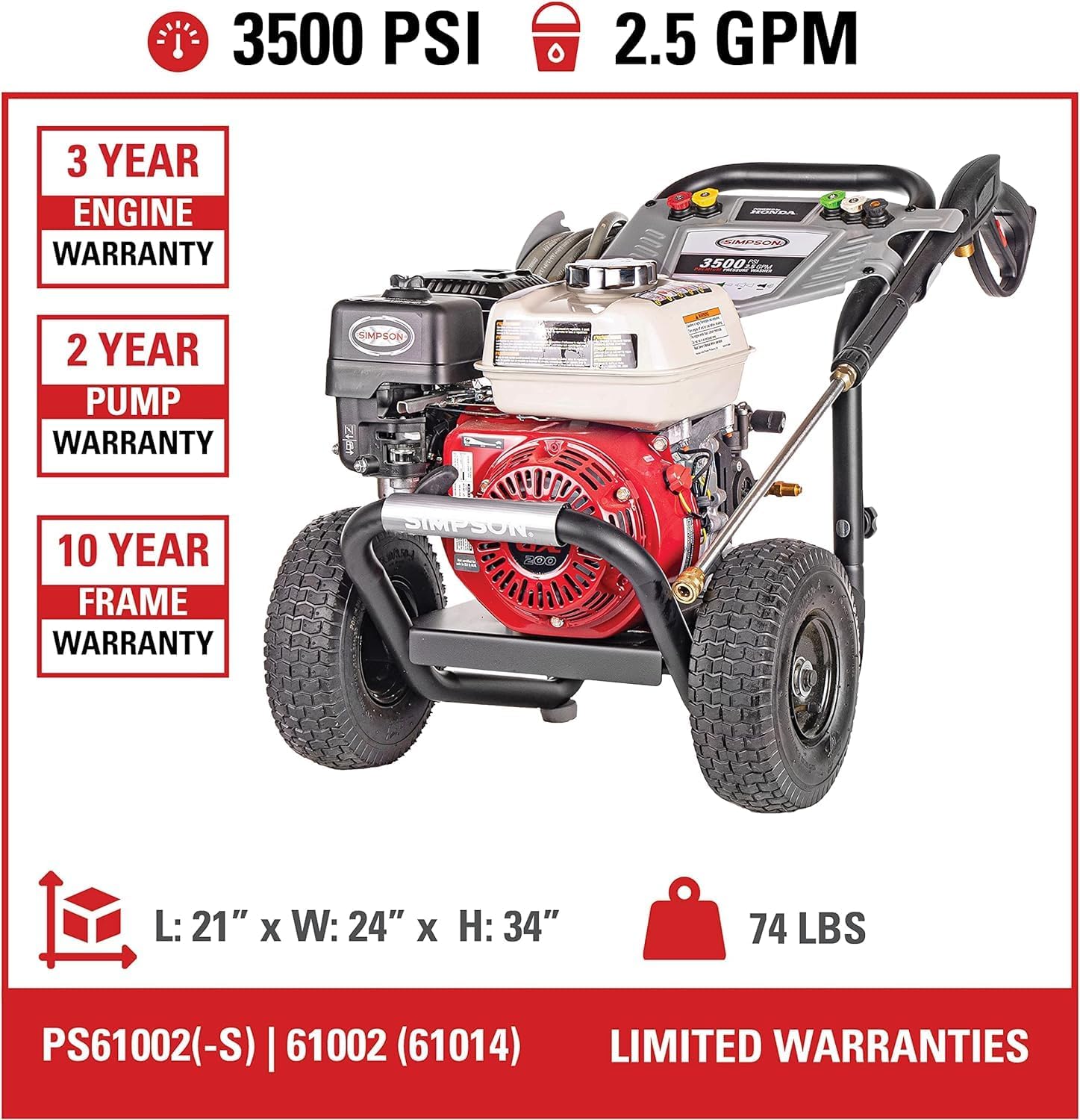
Image: Visual representation of the warranty periods for the engine, pump, and frame of the pressure washer.
Related documentsPS61002-S


Ask a question about this manual
Ask about setup, troubleshooting, compatibility, parts, safety, or missing instructions. Manuals+ will review the question and use this page’s manual context to help answer it.