
EPOS SDW 30 HS
Sennheiser SDW 30 HS (507059) Single-sided Headset User Manual
Model: SDW 30 HS | Brand: EPOS
Introduction
This manual provides comprehensive instructions for the Sennheiser SDW 30 HS (507059) single-sided headset, designed for use with SDW 5036 and SDW 5035 systems. Please read this manual carefully before using your headset to ensure proper operation and to maximize its lifespan.
What's in the Box
Upon unboxing your Sennheiser SDW 30 HS, you should find the following components:
- Sennheiser SDW 30 HS Single-sided Headset

Image: The package contents typically include the IMPACT SDW 30 HS headset, a USB Dongle, a USB Cable, a Compliance Sheet, a Quick Guide, and a Safety Guide.
Setup
Follow these steps to set up your Sennheiser SDW 30 HS headset for optimal performance.
Initial Charging
Before first use, ensure the headset is fully charged. Connect the headset to a power source using the provided USB cable. The charging indicator will show the charging status.
Connecting to a Device
The SDW 30 HS is designed for use with Sennheiser SDW 5036 and SDW 5035 systems. Connectivity is primarily via DECT. Optional Bluetooth connectivity is available via the BTD 800 USB dongle (sold separately or included with specific bundles).
- For DECT Connection (with SDW 5036/5035 base):
- Ensure your SDW 5036 or SDW 5035 base station is powered on and properly connected to your communication system.
- Follow the pairing instructions specific to your SDW 5036 or SDW 5035 base station to connect the SDW 30 HS headset. Refer to the base station's manual for detailed pairing procedures.
- For Bluetooth Connection (with BTD 800 USB dongle):
- Plug the BTD 800 USB dongle into an available USB port on your computer.
- The dongle will automatically attempt to pair with the headset. Ensure the headset is in pairing mode (refer to the headset's quick guide for specific button presses).
- Once paired, the headset will be ready for use with your computer's audio applications.
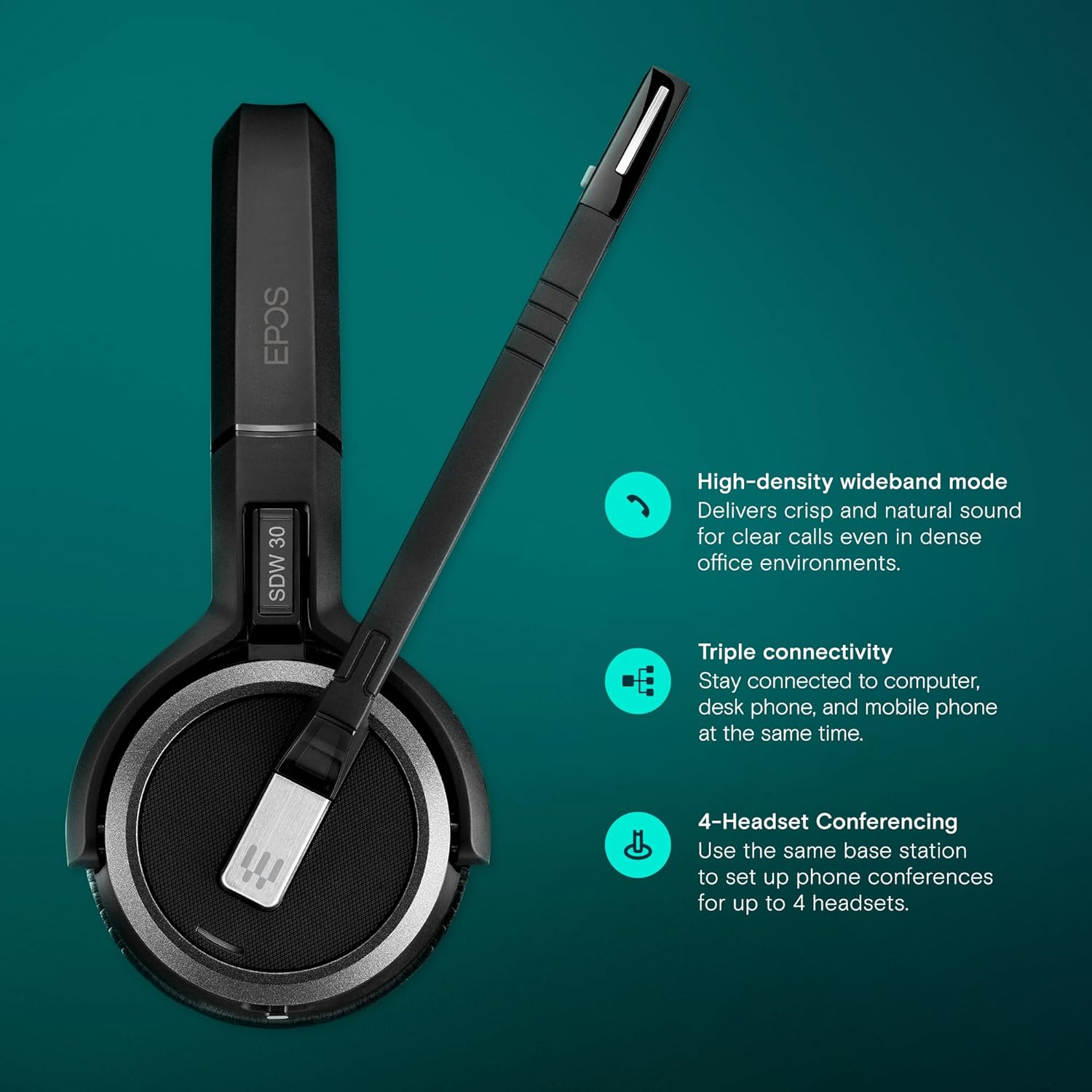
Image: The headset supports triple connectivity, allowing connection to computer, desk phone, and mobile phone simultaneously when used with a compatible base station. It also features high-density wideband mode for clear calls and supports 4-headset conferencing.
Operating Instructions
Understand the basic functions and controls of your SDW 30 HS headset.
Wearing the Headset
The SDW 30 HS is a single-sided headset designed for comfortable, all-day wear. Adjust the headband to fit securely on your head. Position the microphone boom approximately two fingers' width from the corner of your mouth for optimal voice pickup.

Image: The Sennheiser SDW 30 HS headset, designed for single-sided wear, features an adjustable headband and a flexible microphone boom for comfortable and clear communication.
Basic Controls
The headset features intuitive controls for managing calls and audio. Specific button functions may vary slightly depending on the connected device and software (e.g., UC platforms).
- Call Control: Typically, a dedicated button on the earcup or microphone boom allows you to answer, end, or reject calls.
- Volume Adjustment: Buttons for increasing or decreasing audio volume are usually located on the earcup.
- Mute Microphone: A button or a specific action (e.g., raising the microphone boom) can mute/unmute your microphone.

Image: The headset is designed to empower users with total flexibility, ensure enhanced security for calls, provide all-day wearing comfort, increase productivity, and deliver superior EPOS sound quality.
Battery Life
The SDW 30 HS offers up to 9 hours of talk time on a single charge, ensuring reliable performance throughout your workday. Actual battery life may vary based on usage patterns and environmental factors.

Image: The Sennheiser SDW 30 HS headset provides up to 9 hours of battery life, supporting extended periods of use.
Maintenance
Proper care and maintenance will extend the life of your Sennheiser SDW 30 HS headset.
- Cleaning: Use a soft, dry cloth to clean the headset. Do not use liquid cleaners or solvents.
- Storage: Store the headset in a cool, dry place away from direct sunlight and extreme temperatures.
- Battery Care: To preserve battery health, avoid fully discharging the battery frequently. Charge the headset regularly, even if not in constant use.
Troubleshooting
If you encounter issues with your SDW 30 HS headset, refer to the following common problems and solutions.
| Problem | Possible Cause | Solution |
|---|---|---|
| No audio from headset | Headset not powered on; Not paired; Volume too low; Incorrect audio output selected on device. | Ensure headset is powered on and charged. Re-pair with base station/dongle. Increase headset volume. Check audio settings on your computer/phone and select the headset as the output device. |
| Microphone not working | Microphone muted; Incorrect audio input selected on device; Microphone boom not positioned correctly. | Unmute the microphone. Check audio settings on your computer/phone and select the headset microphone as the input device. Adjust the microphone boom closer to your mouth. |
| Poor sound quality | Interference; Out of range; Low battery. | Move closer to the base station/dongle. Ensure no other DECT or strong wireless devices are causing interference. Charge the headset. |
| Headset not pairing | Headset not in pairing mode; Base station/dongle not in pairing mode; Interference. | Refer to the quick guide for specific pairing instructions for both the headset and your base station/dongle. Ensure no other devices are attempting to pair simultaneously. |
If the issue persists, please refer to the full safety and quick guides included with your product or visit the EPOS support website for further assistance.

Image: The headset incorporates EPOS ActiveGard technology, designed to protect users from acoustic shock and prevent hearing damage during calls.
Specifications
Detailed technical specifications for the Sennheiser SDW 30 HS headset.
| Feature | Detail |
|---|---|
| Model Name | SDW 30 HS |
| Manufacturer Part Number | 507059 |
| Brand | EPOS |
| Connectivity Technology | DECT, Optional Bluetooth connectivity via BTD 800 USB dongle. |
| Wireless Communication Technology | Bluetooth |
| Headphones Jack | 3.5 mm Jack |
| Included Components | Headset Only |
| Item Weight | 4 Ounces (approx. 113 grams) |
| Product Dimensions | 6.5 x 2.4 x 6.5 inches |
| Frequency Range | 1900 MHz |
| Control Method | Remote |
| Audio Driver Type | Dynamic Driver |
| Earpiece Shape | Over-ear cups |
| Color | Black |
| Ear Placement | Over Ear |
| Form Factor | On Ear |
| Noise Control | Active Noise Cancellation |
| Compatible Devices | Single-sided headset for Sennheiser SDW 5036 and SDW 5035 |
| UPC | 840064404334, 615104276482 |
Warranty and Support
Specific warranty details for the Sennheiser SDW 30 HS headset are typically provided with the product documentation at the time of purchase. For the most up-to-date warranty information and support resources, please visit the official EPOS website or contact their customer service.
You can find more information and support at the EPOS Store on Amazon.
Related documentsSDW 30 HS


Ask a question about this manual
Ask about setup, troubleshooting, compatibility, parts, safety, or missing instructions. Manuals+ will review the question and use this page’s manual context to help answer it.