
ReplacementScrews RSMAZNLG41401
ReplacementScrews M4 14mm Screws for LG TV Stands - Instruction Manual
Model: RSMAZNLG41401
1. Product Overview
This manual provides essential information for the proper use and compatibility of ReplacementScrews M4 14mm screws, designed specifically for attaching original stands to compatible LG televisions. This set includes four black machine screws with integrated washers, engineered for a precise fit and to prevent damage to your TV or stand.
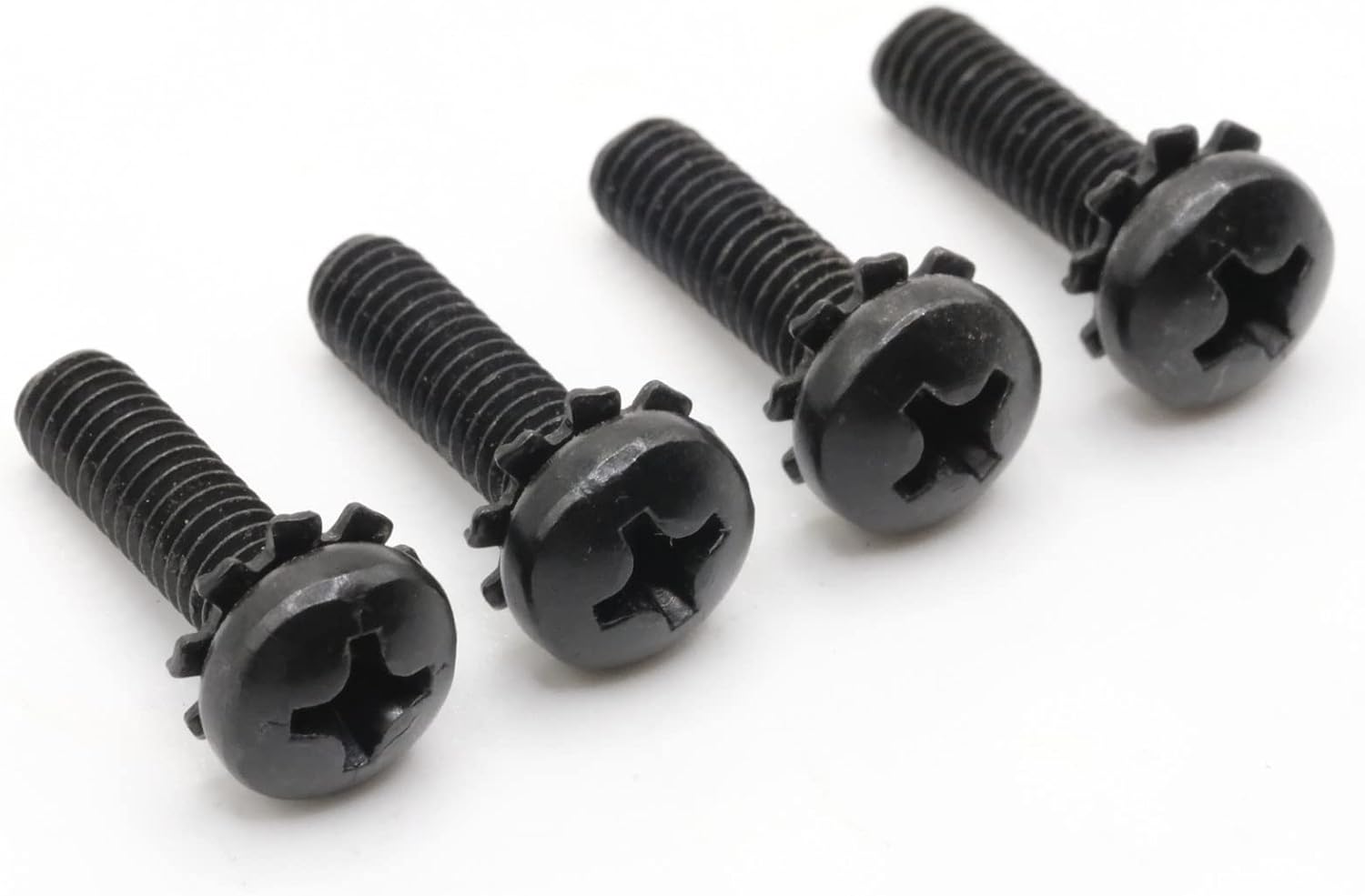
Image: A set of four black M4 14mm screws, showing their pan head and integrated washer design.
2. Compatibility and Important Notes
These screws are specifically manufactured for LG TV stands that require M4 x 14mm screws. It is crucial to verify the screw specifications in your television's official user manual before attempting installation.
- Metric Size: The screws are M4 (4mm diameter) with a length of 14mm. The length is measured from the underside of the head to the tip of the screw.
- Stand Use Only: These screws are exclusively for attaching the original factory TV stand to the television. They are not suitable for wall mounting applications.
- OEM Match: Designed to match the original equipment manufacturer (OEM) specifications for a secure and aesthetically consistent fit.

Image: A close-up of the screw heads, showing the Phillips drive system and the integrated serrated washer for secure fastening.
3. Setup and Installation
Follow these steps to properly install your LG TV stand using the ReplacementScrews M4 14mm screws:
- Prepare the TV: Carefully place your LG television face down on a soft, clean, and stable surface to prevent screen damage. Ensure the area is clear and well-lit.
- Identify Screw Holes: Locate the screw holes on the back of your LG TV, typically near the bottom edge, where the stand attaches. These holes are designed to receive the M4 screws.
- Position the Stand: Align the TV stand with the corresponding mounting points on the television. Ensure the stand is correctly oriented according to your TV's manual.
- Insert Screws: Insert one M4 14mm screw into each designated hole, passing through the stand's mounting bracket and into the TV's threaded insert.
- Tighten Screws: Using a Phillips head screwdriver, gently tighten each screw. Tighten them evenly, alternating between screws, until they are snug. Do not overtighten, as this can strip the threads or damage the TV casing. The integrated washer will help distribute pressure and secure the connection.
- Verify Stability: Once all screws are tightened, carefully lift the TV to ensure the stand is securely attached and stable before placing it in its final viewing position.

Image: The screws displayed upright, illustrating their full threaded length and the integrated washer at the base of the head.
4. Maintenance
These screws require minimal maintenance. To ensure longevity and continued secure fastening:
- Periodic Check: Periodically check the tightness of the screws, especially if the TV is frequently moved or adjusted. Retighten if necessary, but avoid overtightening.
- Cleaning: If cleaning is required, wipe the screws with a dry, soft cloth. Avoid abrasive cleaners or solvents.
- Storage: Store any unused screws in a dry place to prevent corrosion.
5. Troubleshooting
If you encounter issues during installation, consider the following:
- Screws Do Not Fit:
- Verify your TV manual specifies M4 x 14mm screws for the stand. These screws are not universal.
- Ensure you are attempting to attach the original LG TV stand, not a universal stand or wall mount.
- Screws Are Loose After Tightening:
- Ensure the stand is correctly aligned with the TV's mounting points.
- Check if the TV's internal threads are stripped. If so, professional repair may be needed.
- Screw Head Stripped:
- This usually occurs from using an incorrect size screwdriver or overtightening. Always use a properly sized Phillips head screwdriver.
6. Specifications
| Attribute | Detail |
|---|---|
| Brand | ReplacementScrews |
| Model Number | RSMAZNLG41401 |
| Material | Carbon Steel |
| Thread Size | M4 |
| Length | 14mm (approx. 9/16") |
| Drive System | Phillips |
| Head Style | Pan Head with Integrated Washer |
| Exterior Finish | Black Oxide |
| Color | Black |
| Number of Pieces | 4 |
| Item Weight | 0.23 Ounces (total for set) |
7. Warranty and Support
For any questions regarding compatibility, installation, or product defects, please contact ReplacementScrews customer support. While specific warranty details are not provided in this manual, the manufacturer stands behind the quality and compatibility of their products.
For further assistance, please visit the official ReplacementScrews Store on Amazon or refer to your LG television's original user manual.
Ask a question about this manual
Ask about setup, troubleshooting, compatibility, parts, safety, or missing instructions. Manuals+ will review the question and use this page’s manual context to help answer it.