
Introduction
This manual provides comprehensive instructions for the BYHUBYENG 200E-B Wrist Pager Watch. This device is designed to enhance communication efficiency in various service environments, such as restaurants, cafes, hospitals, and nursing homes. It functions as a receiver for call buttons, alerting staff through silent vibration and displaying the caller's number.
The BYHUBYENG 200E-B Wrist Pager Watch is compatible exclusively with BYHUBYENG call buttons.
Product Overview
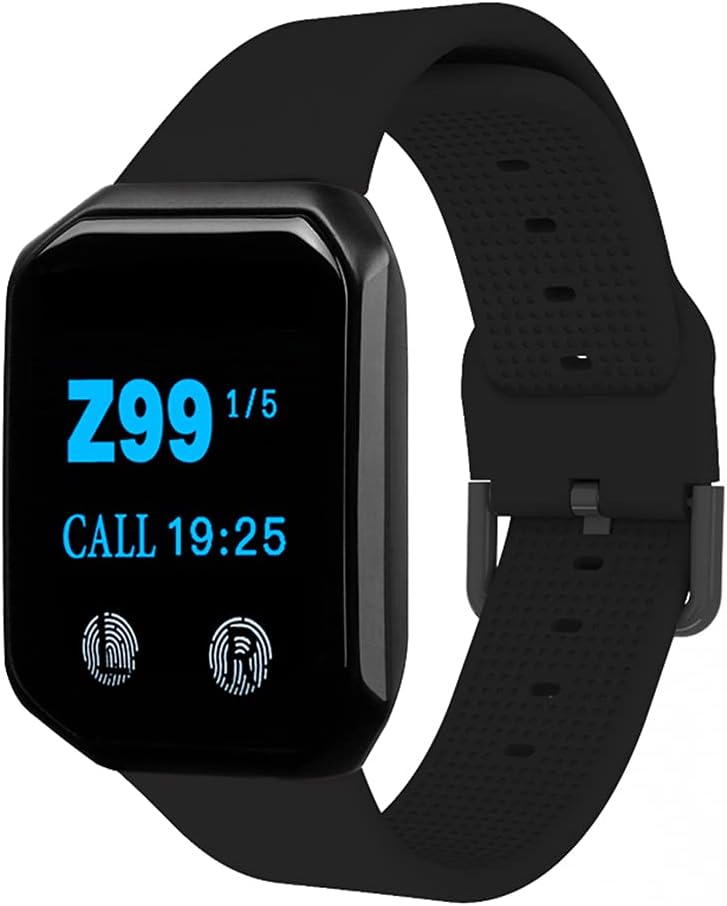
Figure 1: BYHUBYENG 200E-B Wrist Pager Watch. This image displays the front view of the black wrist pager watch, showing its digital display.
Key Features:
- Massive Capacity: Supports up to 200 call buttons (001-ZZZ).
- Waterproof Design: IPX67 rated for durability.
- Reminder Methods: Silent vibration and display number.
- Display Modes: Two options: 1 group of 3 digits or 4 groups of 2 digits.
- Multi-language Support: English, Japanese, Chinese.
- Long Range: Receiving distance up to 100m (328ft), extendable with BYHUBYENG repeaters.
- Rechargeable: Equipped with a durable lithium battery.
- Data Copy Function: Allows copying data from one pager to another for easy number matching.

Figure 2: User-friendly Design Features. This image highlights various features of the wrist pager, including its rechargeable battery, stable signal, IPX67 waterproof rating, vibration and silent prompt, adjustable reminder time, smart pairing, signal amplifying support, portability, multi-language conversion, and data copy function.
Setup
1. Charging the Device:
Before initial use, fully charge the wrist pager. Connect the provided USB charging cable to the charging port on the back of the pager and to a standard USB power adapter (not included).

Figure 3: Wrist Pager Charging and Strap Details. This image shows the back of the wireless wrist pager with its charging contacts and the USB charging cable, along with details of the soft silicone strap and multi-vacancy adjustment.
2. Pairing with Call Buttons:
The BYHUBYENG 200E-B wrist pager is designed to work with BYHUBYENG call buttons. Refer to the specific instructions provided with your BYHUBYENG call buttons for detailed pairing procedures. The pager supports smart pairing and can copy data from one alert pager to another for easy number matching.
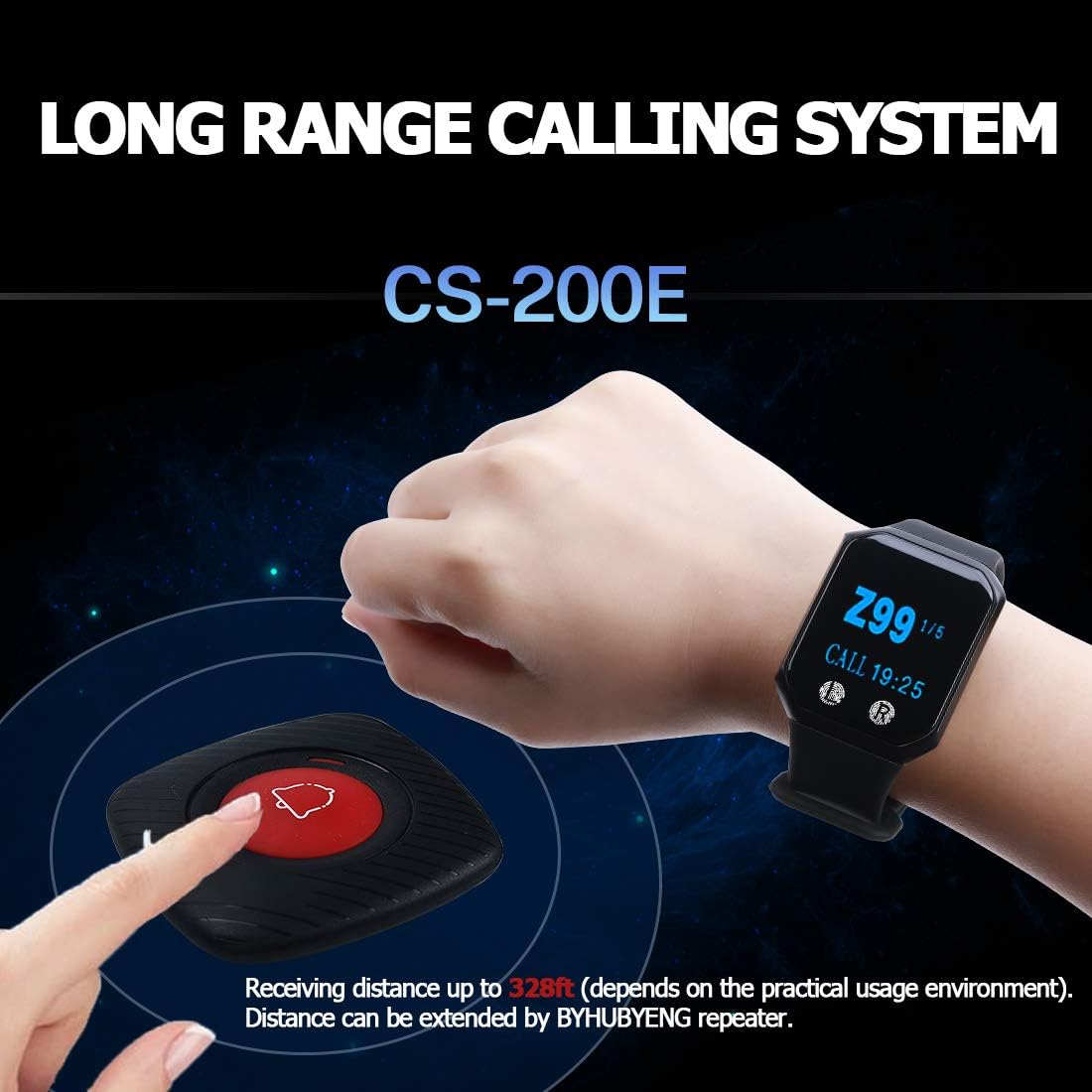
Figure 4: Long Range Calling System. This image illustrates the interaction between the wrist pager and a call button, demonstrating the long receiving distance of up to 328ft (100m).
Operating Instructions
1. Receiving a Call:
When a BYHUBYENG call button is pressed, the wrist pager will vibrate silently and display the corresponding call number on its screen. The display will show either 1 group of 3 digits or 4 groups of 2 digits, depending on the selected display mode.
2. Display Modes:
The pager offers two display modes. Consult the device's on-screen menu or accompanying quick start guide for instructions on how to switch between these modes.
3. Language Settings:
The device supports English, Japanese, and Chinese. To change the language, navigate through the pager's settings menu.
4. Signal Amplification:
For extended range requirements, BYHUBYENG repeaters can be used to amplify the signal. Refer to the repeater's manual for setup and operation.

Figure 5: Strong Anti-interference. This image demonstrates the pager's ability to handle multiple calls simultaneously and shows the availability of the pager in two colors (black and red), along with various compatible call button designs.
Maintenance
- Cleaning: Wipe the pager with a soft, damp cloth. Avoid using harsh chemicals or abrasive cleaners.
- Water Resistance: The pager is IPX67 waterproof, meaning it can withstand immersion in water up to 1 meter for 30 minutes. However, it is not recommended for prolonged underwater use. Ensure the charging port is dry before charging.
- Battery Care: To prolong battery life, avoid fully discharging the battery frequently. Charge the device regularly.
- Storage: Store the pager in a cool, dry place when not in use.
Troubleshooting
| Problem | Possible Cause | Solution |
|---|---|---|
| Pager not receiving calls. |
|
|
| Display is blank. |
|
|
| Vibration not working. |
|
|
Specifications

Figure 6: Product Parameter Diagram. This image provides a diagram with dimensions and technical specifications for the wrist pager.
- Model: 200E-B (also referred to as "wireless caregiver pager")
- Working Voltage: AC 100-240V (for charging adapter, pager itself is DC powered)
- Wireless Frequency: 433MHz
- Working Temperature: -10 °C to 50 °C
- Receiving Distance: Up to 100m (328ft) in open areas (actual range depends on environment).
- Waterproof Rating: IPX67
- Dimensions: Approximately 45mm (height) x 35mm (width) x 10mm (thickness) for the watch face.
- Color: Black
Warranty and Support
The BYHUBYENG 200E-B Wrist Pager Watch comes with a 12-month warranty from the date of purchase. BYHUBYENG also provides lifelong technical support for this product.
For technical assistance, warranty claims, or any inquiries, please contact BYHUBYENG customer service through the official channels provided at the point of purchase or on the BYHUBYENG website.