
APEXEL HB100MM
APEXEL Professional Macro Photography Lens User Manual
Model: HB100MM | Brand: APEXEL
1. Introduction
The APEXEL Professional Macro Photography Lens is engineered to transform your smartphone into a powerful macro camera, allowing you to capture intricate details of small objects with exceptional clarity. Featuring a professional optical design with 5 quality glass lenses and multi-layer coatings, this lens ensures high-definition views without distortion or vignetting. Its large aperture design provides beautiful bokeh backgrounds, enhancing the professional quality of your close-up shots.
This manual provides detailed instructions for setup, operation, maintenance, and troubleshooting to help you maximize your experience with the APEXEL Macro Lens.
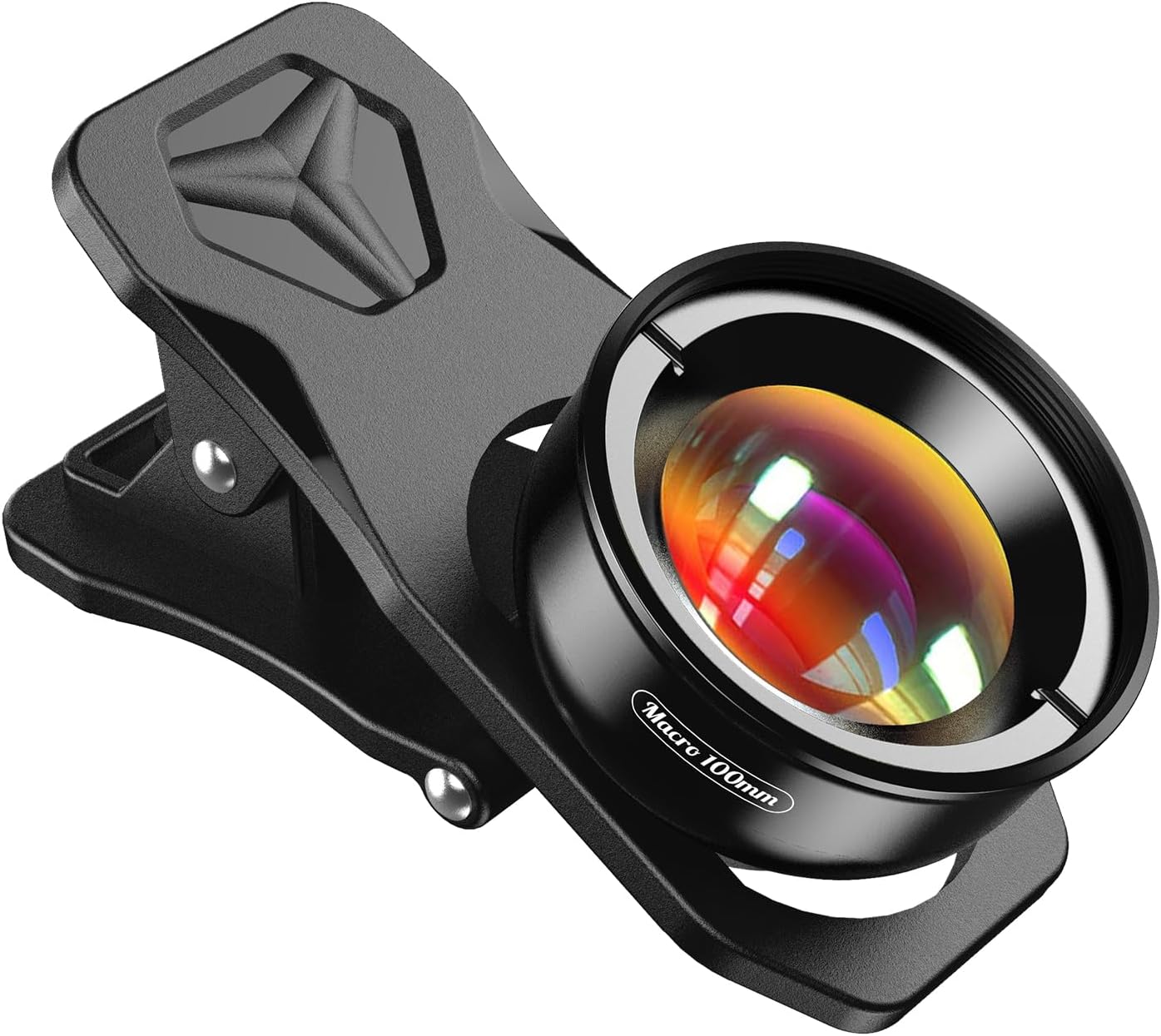
Image: The APEXEL Professional Macro Photography Lens with its universal clip.
2. Package Contents
Please verify that all the following items are included in your package:
- 1 x APEXEL Macro Lens (100MM)
- 1 x Universal Clip
- 1 x Instruction Manual
- 1 x Cleaning Cloth
- 1 x Waterproof Storage Bag

Image: All items included in the APEXEL Macro Lens package.
3. Setup and Installation
The APEXEL Macro Lens is designed for easy and quick installation without the need for special apps or phone cases. Follow these steps to attach the lens to your smartphone:
- Open the Clip: Gently open the universal clip and position it over your phone's main camera lens. Ensure the phone camera is flat; if your phone has a case, you may need to remove it for optimal fit.
- Align the Lens: Align the macro lens threads with the cell phone clip threads. The clip's design ensures smooth alignment, preventing shifting.
- Rotate to Install: Carefully rotate the macro lens onto the clip until it is securely fastened.

Image: Visual guide for the 3-step quick installation process.
The longest distance from the clip’s top to the lens’s center is up to 1.38 inches (3.5 cm), making it compatible with nearly all smartphones, including iPhone, Samsung Galaxy and Note, Google Pixel, Huawei, Oneplus, and more. For best fit, measure your device thickness before ordering if unsure.

Image: Universal clip compatibility and dimensions for various smartphone models.
4. Operating Instructions
Once the lens is securely attached, open your smartphone's camera application. The APEXEL Macro Lens provides 10X magnification, allowing you to capture sharp details of small subjects.
Optimal Working Distance
The optimum working distance between the lens and the observed object is approximately 1.5-2.7 inches (4-7 cm). This lens is specifically designed for close-up photography and is not intended for zooming in on distant subjects.

Image: Optimal working distance for macro photography.
Capturing Macro Shots
Position your phone with the attached macro lens within the optimal working distance of your subject. The lens's large aperture (F1.8) contributes to outstanding bokeh backgrounds, making your subject stand out with a natural, soft blur.

Image: Comparison of a subject without and with 10X macro magnification.

Image: Examples of subjects suitable for macro photography with the lens.
Smartphone Camera Settings
For certain smartphone models, especially newer ones, you may need to adjust camera settings to ensure proper macro functionality and avoid automatic focus enhancements that can interfere with the lens.
- For iPhone 13 and newer: Go to Settings > Camera. Turn off 'Macro Control' on the camera screen and ensure you are using the main camera.
- For Samsung Galaxy S22/S23 Ultra: Open the camera app and tap the close-up focus enhancement icon. Disable this function if it is illuminated yellow.

Image: Adjusting macro control settings on iOS and Samsung Galaxy phones.
5. Maintenance and Care
Proper care will extend the life and performance of your APEXEL Macro Lens:
- Cleaning the Lens: Use the provided cleaning cloth to gently wipe the lens surfaces. DO NOT clean the lens with alcohol or harsh chemicals, as this may damage the protective coating on the lens.
- Storage: When not in use, store the lens in the waterproof storage bag to protect it from dust, moisture, and scratches.
- Handling: Handle the lens and clip with care to prevent damage. Avoid dropping the lens or applying excessive force to the clip.
6. Troubleshooting
If you encounter issues while using your APEXEL Macro Lens, refer to the following common problems and solutions:
| Problem | Possible Cause | Solution |
|---|---|---|
| Black ring or dark corners in photos | Lens not perfectly aligned with phone camera; phone case interfering; phone's internal macro mode active. | Ensure the lens is centered over your phone's main camera. Remove your phone case if it obstructs the lens. Disable any automatic macro or focus enhancement settings on your phone (refer to Section 4). |
| Lens feels loose or falls off the clip | Lens not securely screwed onto the clip; clip not firmly attached to the phone; elastic/grip wear over time. | Ensure the lens is fully rotated and tightened onto the clip. Verify the clip is securely positioned on your phone. If the clip's grip has weakened, contact APEXEL support for assistance. |
| Cannot achieve focus | Subject is outside the optimal working distance (1.5-2.7 inches / 4-7 cm); phone's auto-focus interfering. | Adjust the distance between the lens and the subject until it is within the optimal range. Ensure any phone-specific macro or focus enhancement settings are disabled. |
| Lens does not fit my phone model | Phone camera module or thickness is incompatible with the universal clip. | While designed for wide compatibility, some specific phone models (e.g., iPhone 12 Pro with certain camera layouts) may have fit issues. Contact APEXEL support for free clip replacement if incompatible. |
7. Specifications
| Feature | Detail |
|---|---|
| Product Dimensions | 1.57 x 3.94 x 3.94 inches |
| Item Weight | 4.2 ounces |
| Model Number | HB100MM |
| Brand | APEXEL |
| Lens Type | Macro Lens |
| Focal Length Description | F1.8 |
| Compatible Mountings | ALL iPhone models, Samsung Galaxy and Note, Google Pixel, Huawei, and more |
| Date First Available | June 26, 2019 |
8. Warranty and Support
APEXEL stands behind the quality of its products. If you have any questions, concerns, or require assistance with your APEXEL Macro Lens, please do not hesitate to contact us. Our customer support team is available to help with product inquiries, troubleshooting, and warranty claims.
Please refer to the contact information provided on the product packaging or the official APEXEL website for the most up-to-date support channels.
Related Documents - HB100MM
 |
Apexel Macro Lens and Lens Light Kit User Manual Comprehensive user manual for the Apexel Macro Lens and Lens Light Kit. Includes installation instructions, compatibility guide for iPhone models, and troubleshooting tips for optimal photography. |
 |
APEXEL APL-TM6 Smartphone Telephoto Macro Lens User Manual Comprehensive user manual for the APEXEL APL-TM6 smartphone lens kit, including telephoto and macro lenses. Learn about product features, installation, usage, precautions, and warranty. |
 |
Apexel HD Clear 2-in-1 Kit 120° Wide Angle P 15X Macro // Apexel HD 110° Wide Angle Lens User Manual User manual for Apexel smartphone lenses, including the HD Clear 2-in-1 Kit (120° Wide Angle, 15X Macro) and HD 110° Wide Angle Lens. Covers installation, lens effects, usage, FAQs, and warranty information. |
 |
Apexel APL-22X105-4IN1 4-in-1 Camera Lens Kit with Tripod - User Manual User manual for the Apexel APL-22X105-4IN1 4-in-1 camera lens kit, featuring a 22x telephoto lens and tripod. Includes setup, usage, and care instructions. |
 |
APEXEL 20-60X Super Zoom Lens: Portable Monocular Telescope for Photography & Outdoor Use Explore the APEXEL 20-60X Super Zoom Lens, a waterproof, multi-functional monocular/binocular telescope. Includes cleaning cloth and storage bag, ideal for bird watching, camping, concerts, and sports. |
 |
Apexel 60X Telescope Lens with Camera Tripod User Manual Comprehensive user manual for the Apexel 60X Telescope Lens with Camera Tripod, covering setup, usage, and warranty information. |
Ask a question about this manual
Ask about setup, troubleshooting, compatibility, parts, safety, or missing instructions. Manuals+ will review the question and use this page’s manual context to help answer it.