
Product Overview
The Dioche 7-Inch Wired Video Intercom System provides enhanced security and communication for villas, houses, offices, and apartments. This system features a 7-inch digital color LCD screen for clear video display, a durable outdoor camera with infrared night vision, and dual-way intercom functionality. It is designed for easy wall-mounted installation and offers adjustable settings for image brightness, chrominance, and volume.

Figure 1: The Dioche 7-Inch Wired Video Intercom System, showing the outdoor camera unit and two indoor monitor units.
Package Contents
Before beginning installation, please verify that all components listed below are present in your package:
- 2 x Indoor Unit (7-inch LCD Monitor)
- 1 x Outdoor Camera Unit
- 2 x 5-meter Connection Line
- 2 x Power Supply Adapter
- 2 x Mounting Screws Set (with wall anchors)
- 1 x Instruction Manual
- 3 x Adapter Cable (for wiring connections)

Figure 2: All included components of the video intercom system, including indoor monitors, outdoor camera, power adapters, cables, and mounting hardware.
Video 1: An unboxing and overview of the Dioche 7-Inch Video Intercom System components.
Setup and Installation
This section provides instructions for setting up and installing your Dioche Video Intercom System. Ensure power is disconnected before performing any wiring.
1. Outdoor Camera Installation
Select a suitable location for the outdoor camera, typically near your main entrance. Ensure it is protected from direct heavy rain and is at a height that allows for optimal viewing of visitors.
- Mark the drilling points on the wall using the mounting bracket as a template.
- Drill holes and insert the provided wall anchors.
- Secure the mounting bracket to the wall using the mounting screws.
- Connect the outdoor camera's wiring to the main connection line. Refer to the wiring diagram in the included instruction manual for specific connections.
- Attach the outdoor camera unit to the mounted bracket.

Figure 3: Example of the outdoor camera unit installed on a building exterior, demonstrating its discreet wall-mounted design.
2. Indoor Monitor Installation
Choose a convenient location inside your home or office for the indoor monitors, such as a hallway or living area.
- Mark and drill holes for the indoor monitor's mounting plate.
- Secure the mounting plate to the wall.
- Connect the adapter cables to the indoor monitor's ports. These cables will connect to the main connection line from the outdoor camera and the power supply.
- Attach the indoor monitor to its mounting plate.

Figure 4: The 7-inch indoor LCD monitor mounted on a wall, providing a clear view of the outdoor area.
3. Wiring Connections
The system uses wired connections for stable performance. Ensure all connections are secure.
- Connect the 5-meter lines between the outdoor camera and the indoor monitors.
- Connect the power supply adapters to the indoor monitors and then to a power outlet.
- Ensure all adapter cables are correctly plugged into their respective ports on the indoor units.
Operating Instructions
Learn how to use the various functions of your Dioche Video Intercom System.
1. Receiving a Call
- When a visitor presses the doorbell button on the outdoor unit, the indoor monitor will ring and display the visitor's image.
- Press the Answer button (typically a phone icon) on the indoor monitor to establish two-way audio communication.
2. Two-Way Intercom
The system supports hands-free two-way communication between the indoor monitor and the outdoor camera.
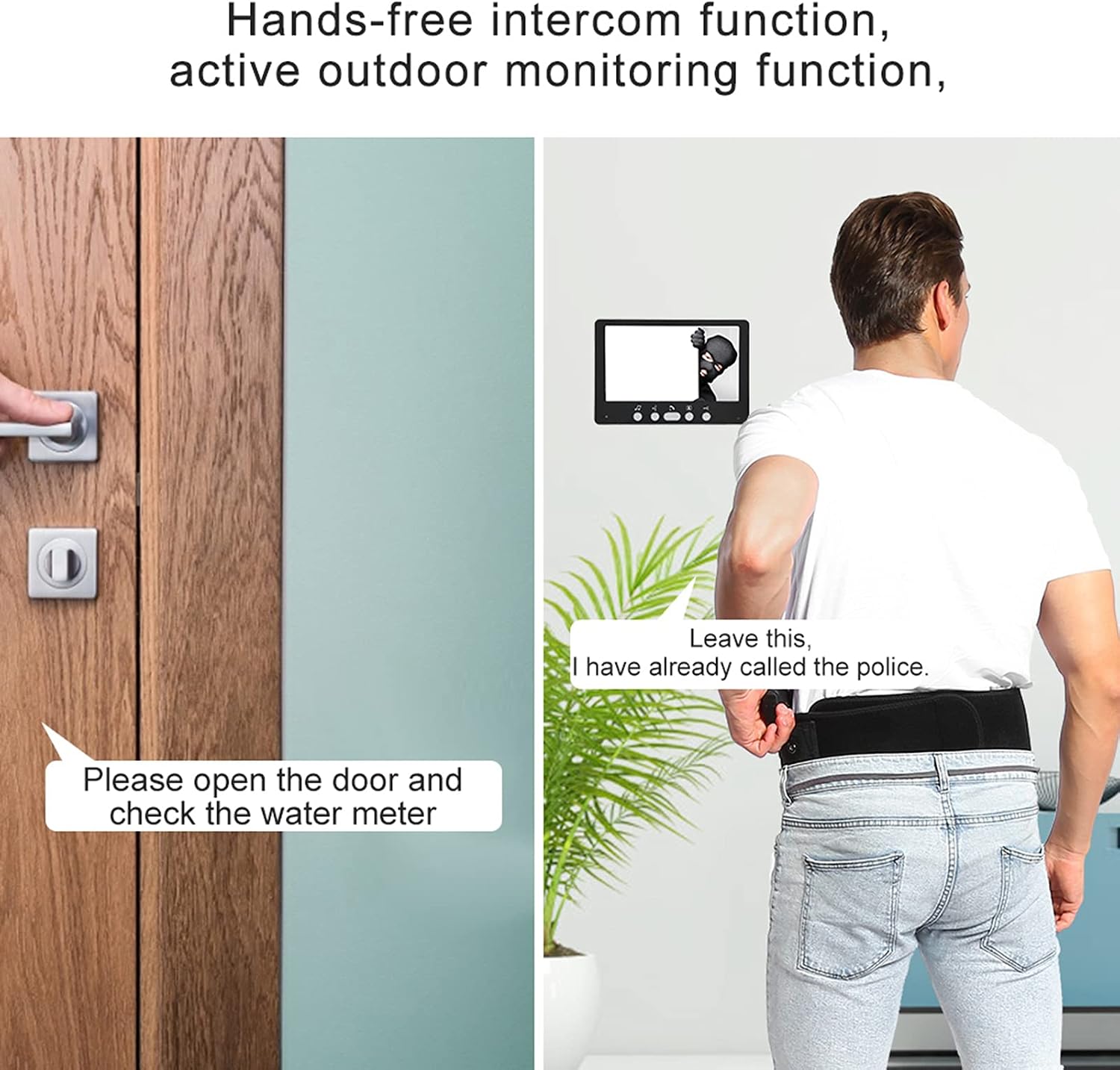
Figure 5: The hands-free intercom function allows for clear two-way communication with visitors at your door.
3. Monitoring Outdoor Area
You can actively monitor the outdoor area at any time.
- Press the Monitor button (typically an eye icon) on the indoor monitor to view the live feed from the outdoor camera.
- The outdoor camera features infrared night vision for clear viewing in low-light conditions.

Figure 6: The outdoor camera's night vision capabilities ensure visibility even in complete darkness, with automatic infrared activation.
4. Unlocking Function
If connected to an electronic lock (not included), you can unlock the door directly from the indoor monitor.
- Press the Unlock button (typically a key icon) on the indoor monitor to activate the electronic lock.
5. Adjusting Settings
The indoor monitor allows for customization of various display and audio settings.
- Use the dedicated buttons or on-screen menu (if available) to adjust:
- Image Brightness
- Image Chrominance (Color Saturation)
- Ringer Volume
- Call Volume
- Choose from 16 polyphonic ringtones for your doorbell.
Maintenance
Proper maintenance ensures the longevity and optimal performance of your intercom system.
- Cleaning: Use a soft, dry cloth to clean the indoor monitors and outdoor camera. For stubborn dirt, a slightly damp cloth can be used, but avoid abrasive cleaners or excessive moisture.
- Outdoor Unit Care: The outdoor unit is made of zinc alloy for durability. Periodically check for any debris or obstructions around the camera lens and microphone/speaker.
- Wiring Inspection: Occasionally inspect all visible wiring for any signs of wear, damage, or loose connections.
- Software Updates: Check the manufacturer's website or contact support for any available firmware updates that may improve performance or add features.
Troubleshooting
This section addresses common issues you might encounter with your Dioche Video Intercom System.
| Problem | Possible Cause | Solution |
|---|---|---|
| No image on indoor monitor. | Power disconnected; loose wiring; faulty camera/monitor. | Check power supply connection. Verify all wiring connections are secure. If issue persists, contact support. |
| No audio during intercom. | Volume too low; faulty microphone/speaker; wiring issue. | Adjust volume settings on the indoor monitor. Check audio wiring connections. |
| Doorbell not ringing. | Ringer volume too low; faulty doorbell button; wiring issue. | Increase ringer volume. Check doorbell button functionality. Inspect wiring to the outdoor unit. |
| Poor image quality (blurry, distorted). | Dirty camera lens; improper lighting; faulty camera/monitor. | Clean the camera lens. Ensure adequate lighting for the outdoor unit (though night vision assists in darkness). Adjust brightness/chrominance settings. |
| Electronic lock not unlocking. | Incorrect wiring to lock; lock malfunction; insufficient power. | Verify wiring to the electronic lock. Ensure the lock itself is functional. Consult a professional if unsure about lock wiring. |
Specifications
Detailed technical specifications for the Dioche 7-Inch Wired Video Intercom System:
- Indoor Monitor:
- Screen: 7-inch Digital Color LCD
- Display Ratio: 16:9 Widescreen
- Power Consumption: Low
- Design: Ultra-thin, Aluminum Panel, Electroplated Buttons
- Adjustable Settings: Image Brightness, Chrominance, Volume
- Ringtones: 16 Polyphonic
- Outdoor Camera:
- Material: Aluminum Alloy Case
- Camera Sensor: OV1030 700 line
- Lens: 3/6MM, 92 degrees Field of View
- Night View: Infrared function (low open 10 infrared open)
- International Protection Rating: IP54
- General:
- Brand: Dioche
- Model: B07TP1877G
- Color: Black
- Material: ABS+PMMA Panel (for indoor unit)
- Switching Power Supply: AC110-240V--50Hz DC15V 1.2A
- Machine Current: Less than 800mA
- Call Delay Time: 120S ± 10%
- Monitoring Delay Time: 60S ± 10%
- Connectivity Technology: Wired
- Video Capture Resolution: 720p
- Item Weight: 3.34 pounds
- UPC: 708223482350
- Country of Origin: China
Warranty and Support
For warranty information, technical support, or service inquiries, please refer to the contact details provided in your product packaging or visit the official Dioche website. Keep your purchase receipt as proof of purchase for warranty claims.
For additional support, you may visit the Dioche Store on Amazon.