
Introduction
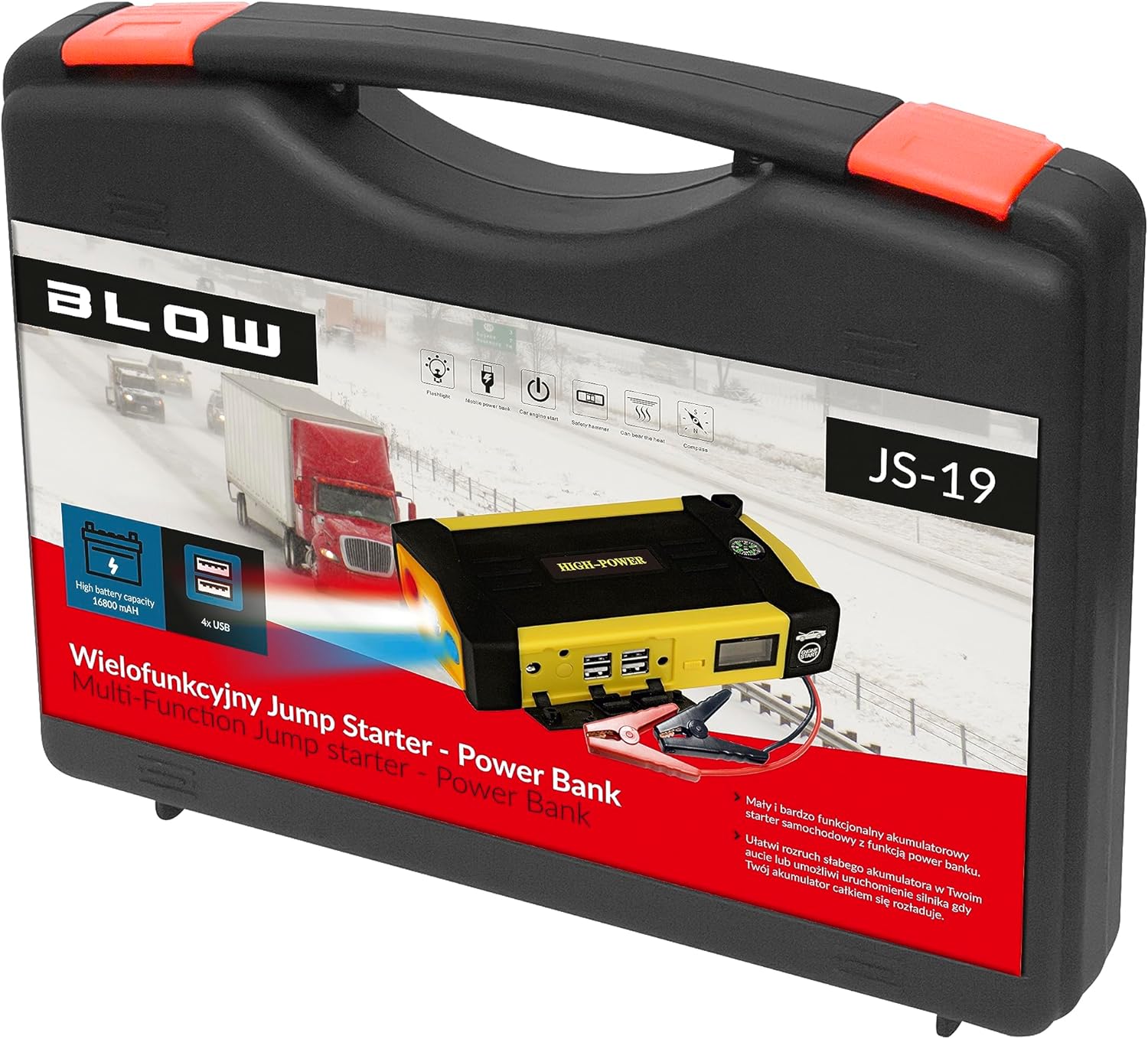
Thank you for choosing the Blow JS-19 16800 mAh Powerbank Jump Starter. This versatile device is designed to provide emergency jump-starting for vehicles, act as a portable power bank for electronic devices, and offer an integrated LED flashlight for various situations. Please read this manual carefully before using the product to ensure safe and optimal performance.
Important Safety Instructions
- Always ensure the jump starter is fully charged before use, especially for jump-starting a vehicle.
- Do not attempt to jump-start a vehicle if the battery indicator shows less than 50% charge.
- Connect the red clamp to the positive (+) terminal of the vehicle battery and the black clamp to the negative (-) terminal or a suitable ground point on the vehicle chassis.
- Avoid short-circuiting the jump starter clamps by touching them together.
- Do not expose the device to extreme temperatures, direct sunlight, or moisture.
- Keep out of reach of children.
- If the device becomes excessively hot during use, disconnect it immediately and allow it to cool down.
- Do not disassemble or modify the device. This will void the warranty and may cause damage or injury.
Package Contents
Carefully unpack the box and ensure all items are present and in good condition. If any items are missing or damaged, please contact your retailer.

Included accessories for the Blow JS-19 Powerbank Jump Starter, featuring smart jump cables, various charging adapters (wall, car), and a multi-device USB charging cable.
- Blow JS-19 Powerbank Jump Starter Unit
- Smart Jump Cables (Red/Black)
- AC Wall Charger
- Car Charger
- Multi-device USB Charging Cable
- Various DC Adapter Tips
- User Manual (this document)
Product Overview
Familiarize yourself with the different parts and functions of your Blow JS-19 Powerbank Jump Starter.

Front view of the Blow JS-19 Powerbank Jump Starter, displaying the digital charge indicator, 'ENGINE START' button, and an integrated compass.

Rear view of the Blow JS-19 Powerbank Jump Starter, showing the multiple USB output ports, the main ON/OFF switch, and the dedicated jump start cable connection ports.
Components:
- Jump Start Port: Connection point for the smart jump cables.
- USB Output Ports: For charging smartphones, tablets, and other USB-powered devices.
- LED Display: Shows battery charge percentage and operational status.
- ON/OFF Switch: Powers the unit on or off.
- LED Flashlight: Provides illumination.
- Compass: Integrated for navigation assistance.
- Safety Hammer/Glass Breaker: Located on the side for emergency situations.
- DC Input Port: For charging the jump starter unit.
Setup and Initial Charging
Before first use, it is recommended to fully charge the Blow JS-19 Powerbank Jump Starter. This ensures maximum performance and extends battery life.
- Connect the AC wall charger to the DC Input Port on the jump starter.
- Plug the AC wall charger into a standard electrical outlet.
- The LED display will show the charging progress. Charge until the display indicates 100%.
- Once fully charged, disconnect the charger.
Note: For optimal battery health, recharge the unit every 3-6 months if not in regular use.
Operating Instructions
1. Jump Starting a Vehicle
Ensure the jump starter has at least 50% charge before attempting to jump-start a vehicle.
- Turn off the vehicle's ignition and all accessories (lights, radio, etc.).
- Connect the smart jump cables to the jump start port on the Blow JS-19 unit. Ensure a secure connection.
- Connect the red (+) clamp to the positive terminal of the vehicle's battery.
- Connect the black (-) clamp to the negative terminal of the vehicle's battery or a solid, unpainted metal part of the engine block/chassis.
- Ensure the clamps are securely attached and not touching any moving parts.
- Press the 'ENGINE START' button on the jump starter (if applicable, or ensure the unit is powered on).
- Start the vehicle's engine. If it doesn't start immediately, wait 30 seconds before trying again. Do not crank for more than 3 seconds per attempt.
- Once the vehicle starts, immediately remove the black (-) clamp first, then the red (+) clamp from the vehicle battery.
- Disconnect the smart jump cables from the Blow JS-19 unit.
2. Using as a Power Bank
The Blow JS-19 can charge various electronic devices via its USB output ports.
- Turn on the Blow JS-19 unit using the ON/OFF switch.
- Connect your device's USB charging cable to one of the USB output ports on the jump starter.
- Connect the other end of the cable to your electronic device.
- Charging will begin automatically. The LED display will show the remaining charge of the power bank.
- Once your device is charged, disconnect it from the power bank. Turn off the power bank to conserve battery.
3. Using the LED Flashlight
The integrated LED flashlight provides illumination in low-light conditions.
- Turn on the Blow JS-19 unit using the ON/OFF switch.
- Locate the flashlight button (refer to Product Overview for exact location).
- Press the button once to turn on the flashlight.
- Press again to cycle through different modes (e.g., steady light, strobe, SOS).
- Press and hold, or cycle through all modes, to turn off the flashlight.
Maintenance
- Recharging: Recharge the unit after each jump-start or heavy use. For long-term storage, recharge every 3-6 months to maintain battery health.
- Storage: Store the jump starter in a cool, dry place, away from direct sunlight and extreme temperatures. Keep it in its protective carrying case when not in use.
- Cleaning: Use a soft, dry cloth to clean the exterior of the unit. Do not use harsh chemicals or abrasive cleaners.
- Cable Care: Inspect jump cables and clamps for any damage before each use. Replace if frayed or damaged.
The Blow JS-19 Powerbank Jump Starter and its complete set of accessories organized within its protective carrying case.
Troubleshooting
| Problem | Possible Cause | Solution |
|---|---|---|
| Vehicle does not start after jump-start attempt. | Jump starter battery is low; clamps are not properly connected; vehicle battery is severely damaged; other vehicle issues. | Ensure jump starter is fully charged (>50%). Check clamp connections for proper contact. Consult a mechanic if vehicle still won't start. |
| Jump starter not charging. | Charger not connected properly; faulty charger or cable; unit malfunction. | Check all connections. Try a different outlet. If issue persists, contact customer support. |
| USB devices not charging. | Jump starter is off; USB cable is faulty; device is incompatible. | Ensure jump starter is powered on. Try a different USB cable. Check device compatibility. |
| LED flashlight not working. | Jump starter is off; low battery. | Ensure jump starter is powered on. Recharge the unit. |
Specifications
| Feature | Value |
|---|---|
| Brand | Blow |
| Model Number | JS-19 (5900800000000) |
| Battery Capacity | 16800 mAh |
| Battery Type | Lithium-ion |
| Voltage | 5 Volts (USB Output) |
| Vehicle Service Type | Car |
| Item Weight | 5 Kilograms |
| Product Dimensions (L x W x H) | 2.79 x 24.64 x 16.51 cm |
Warranty and Support
This product is covered by a standard manufacturer's warranty. Please refer to the warranty card included in your package for specific terms and conditions. For technical support, troubleshooting assistance, or warranty claims, please contact your retailer or the Blow customer service department.
Please have your model number (JS-19) and proof of purchase ready when contacting support.


