
VTech VTH80-520405
VTech KidiMagic Starlight Alarm Clock User Manual
Model: VTH80-520405
Introduction
The VTech KidiMagic Starlight Alarm Clock is a versatile and interactive device designed for children aged 6 to 12 years. It combines the functions of an alarm clock, a star projector, a light effects generator, a speaker, a radio, and a game console. This manual provides essential information for setting up, operating, and maintaining your KidiMagic Starlight.
Important Note: The default language of this product is French. Please refer to the "Language Settings" section for information on language options, if available, or be aware that some voice prompts and display text may be in French.
Safety Information
- WARNING: Not suitable for children under 6 years due to small parts and potential choking hazards.
- Adult supervision is recommended during initial setup and play.
- Do not immerse the unit in water or expose it to excessive moisture.
- Use only the specified batteries (4 x LR6/AA) or a compatible AC adapter (not included).
- Replace original batteries at the first sign of failure for optimal performance.
- Avoid direct eye exposure to the projection light for extended periods.
What's in the Box
Upon opening the package, ensure all the following items are present:
- 1 x VTech KidiMagic Starlight Alarm Clock
- 1 x MP3 Connection Cable
- 4 x LR6 (AA) Batteries (pre-installed for demo purposes, replace for full use)
- 1 x User Manual (this document)

Image: Front view of the KidiMagic Starlight product packaging, showing the pink star alarm clock inside the box.
Setup
1. Battery Installation / Power Connection
The KidiMagic Starlight operates on 4 x LR6 (AA) batteries or an optional AC adapter (not included). For initial setup, it is recommended to replace the pre-installed demo batteries with fresh ones.
- Locate the battery compartment on the back of the unit.
- Using a screwdriver, open the battery compartment cover.
- Insert 4 new LR6 (AA) batteries, ensuring correct polarity (+/-).
- Replace the battery compartment cover and secure it with the screw.
- Alternatively, connect a compatible VTech AC adapter (sold separately) to the DC input jack.

Image: Rear view of the KidiMagic Starlight, highlighting the battery compartment and power input.
2. Exiting Demo Mode
For optimal operation, you must exit the demo mode. This usually involves pressing and holding a specific button or following on-screen prompts upon first power-up. Refer to the on-screen instructions or the quick start guide included in the packaging for precise steps.
3. Initial Settings (Time & Date)
Upon first use or after battery replacement, you will need to set the current time and date. Use the navigation buttons (usually arrows) and the OK button to adjust and confirm the settings on the display screen.
Operating Instructions
General Navigation
The KidiMagic Starlight features a central display screen surrounded by various function buttons. Use the directional buttons to navigate menus and the 'OK' button to select options.

Image: The KidiMagic Starlight alarm clock, displaying its screen and surrounding control buttons for various functions.
1. Alarm Clock Function
- Access the 'Alarm' menu from the main screen.
- Set up to two different alarm times.
- Choose from a selection of 6 melodies or relaxing nature sounds for your alarm tone.
- Enable or disable the alarm as needed.
2. Time Projection
The KidiMagic Starlight can project the time onto the ceiling, surrounded by sparkling stars or flowers.
- Locate the projection lens at the top of the star.
- Ensure the room is dark for best projection visibility.
- Adjust the angle of the unit to position the projection correctly on the ceiling.

Image: The KidiMagic Starlight in action, projecting the digital time and star patterns onto a ceiling.
3. Light Effects & Color Changing
The star changes color with soft, magical light effects. It features 7 different color variations and 12 light effects.
- Motion Detection: Pass your hand over the top of the star to trigger a magical color change.
- Explore the different light effect modes through the settings menu.

Image: A visual representation of the KidiMagic Starlight's color-changing capabilities, showing three units glowing in different hues.
4. Speaker & MP3 Playback
The KidiMagic Starlight can function as a speaker for external audio devices.
- Connect your MP3 player or other audio device to the KidiMagic Starlight using the included MP3 cable.
- Adjust the volume using the dedicated volume buttons on the unit.

Image: The KidiMagic Starlight with musical notes, illustrating its capability to function as a speaker for music playback.
5. Radio Function
Tune into your favorite FM radio stations.
- Navigate to the 'Radio' menu.
- Use the navigation buttons to scan for and select FM stations.
- Save your preferred stations for quick access.
6. Games
The KidiMagic Starlight includes 8 games, including 5 magical clairvoyance games.
- Select the 'Games' option from the main menu.
- Follow the on-screen instructions to play the various games.
- The clairvoyance games involve the unit "reading your mind" to guess a chosen card or drawing.
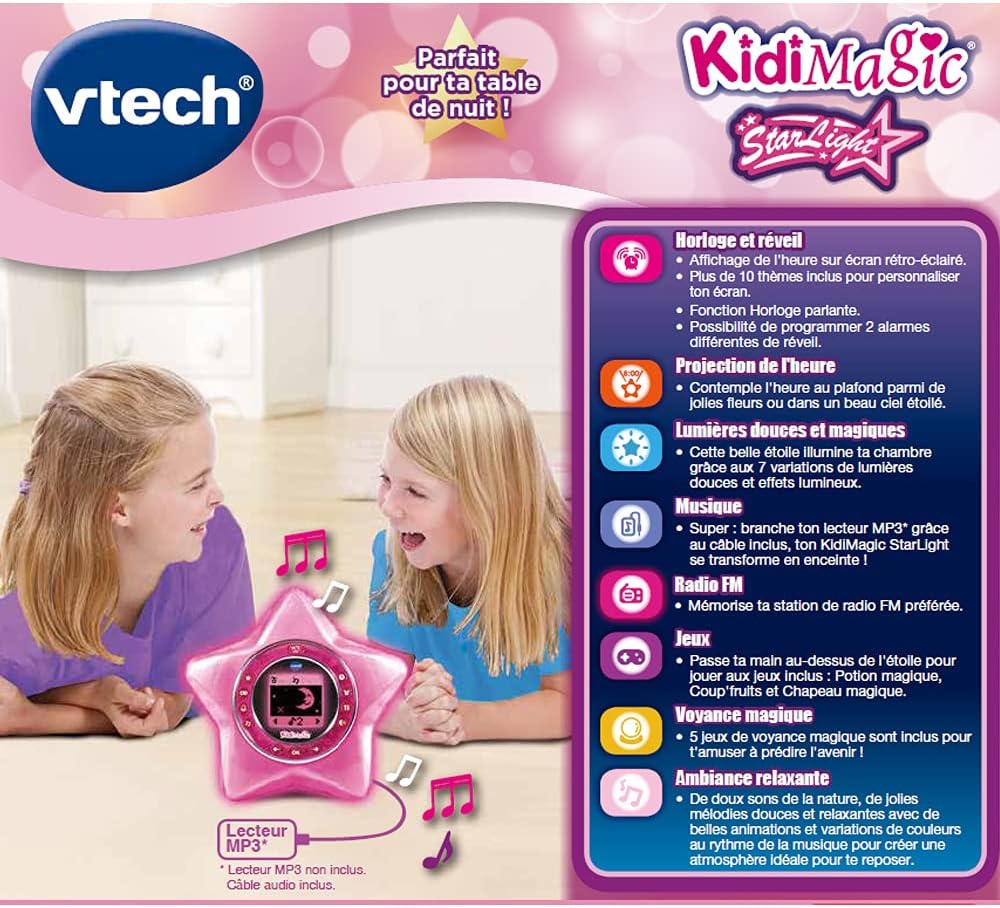
Image: The KidiMagic Starlight's screen displaying a game, featuring two animated characters, indicating its interactive game functions.
7. Screen Customization
Customize the backlit screen with over 10 different themes.
- Access the 'Settings' or 'Display' menu.
- Browse through the available themes and select your preferred one.
Maintenance
- Cleaning: Wipe the unit with a slightly damp cloth. Do not use harsh chemicals or abrasive cleaners.
- Battery Care: Remove batteries if the unit will not be used for an extended period to prevent leakage.
- Storage: Store the KidiMagic Starlight in a cool, dry place away from direct sunlight and extreme temperatures.
Troubleshooting
| Problem | Possible Cause | Solution |
|---|---|---|
| Unit does not turn on. | Low or dead batteries; incorrect battery polarity; AC adapter not connected (if applicable). | Replace batteries with new ones, ensuring correct polarity. Check AC adapter connection. |
| Projection is dim or unclear. | Room is too bright; projection lens is dirty; unit is too far from the surface. | Ensure room is dark. Gently clean the projection lens with a soft cloth. Move the unit closer to the projection surface. |
| Motion detection not working. | Obstruction over the sensor; hand not close enough or moving too fast. | Ensure nothing is blocking the sensor area. Pass your hand slowly and closely over the star. |
| Sound is distorted or absent. | Volume too low; MP3 cable not fully inserted; radio signal weak. | Increase volume. Re-insert MP3 cable firmly. Adjust radio antenna or reposition unit for better signal. |
| Product is in French. | Default language setting. | This model's default language is French. Check the settings menu for a language option, though it may not be available for all functions. |
Specifications
| Feature | Detail |
|---|---|
| Model Number | VTH80-520405 |
| Recommended Age | 6 - 12 years |
| Power Source | 4 x LR6 (AA) batteries (included for demo) or optional AC adapter (not included) |
| Item Weight | 14.1 ounces (approx. 400g) |
| Light Effects | 7 color variations, 12 light effects |
| Games | 8 games (including 5 clairvoyance games) |
| Melodies/Sounds | 6 melodies, relaxing nature sounds |
| Display | Backlit screen with over 10 themes |
| Connectivity | MP3 cable input |
| Default Language | French |
Warranty and Support
VTech products are designed with quality and durability in mind. For warranty information and customer support, please refer to the official VTech website or contact their customer service department.
- Online Support: Visit the official VTech website for FAQs, product registration, and support resources. www.vtechkids.com
- Contact Information: Refer to the product packaging or VTech's website for regional customer service contact details.
Product Serial Number: 3417765204050 (This number can be found on the product packaging and may be required for warranty claims or support inquiries.)
Ask a question about this manual
Ask about setup, troubleshooting, compatibility, parts, safety, or missing instructions. Manuals+ will review the question and use this page’s manual context to help answer it.