
Introduction
Thank you for choosing the PRUNUS J-725C Portable Radio. This compact and versatile device offers FM radio reception, MP3 playback via USB and TF card, an alarm clock, and an integrated LED flashlight. Designed for ease of use and portability, it features a long-lasting rechargeable battery, making it ideal for various indoor and outdoor activities. Please read this manual carefully to ensure proper operation and maintenance of your device.
Product Overview
The PRUNUS J-725C is a small, lightweight radio packed with features. Its intuitive design includes a digital display, numeric keypad for direct tuning, and dedicated function buttons.

Figure 1: Front view of the PRUNUS J-725C Portable Radio, showing the speaker grille, display, keypad, and antenna.
- Compact and Portable: Measuring 135 x 66 x 28mm and weighing only 192g, it's easy to carry with its removable strap.
- Long Battery Life: Equipped with a 3000mAh rechargeable battery, providing up to 30 hours of playback at 1/3 volume.
- FM Radio: Supports FM (87.5-108MHz) with automatic station scanning and storage for up to 99 stations.
- MP3 Player: Plays MP3 files from Micro SD/TF cards and USB drives.
- Alarm Clock: Features an integrated clock and alarm function.
- Emergency Flashlight: Built-in LED flashlight for convenience in low-light conditions.
- Clear Sound: 3W built-in speaker delivers clear audio. Includes a 3.5mm headphone jack.

Figure 2: Size comparison of the PRUNUS J-725C radio with an iPhone, highlighting its compact and portable design.

Figure 3: Diagram illustrating the universal compatibility of the PRUNUS J-725C, supporting FM radio, MP3 playback from Micro SD/TF cards and USB drives, and AUX input.
Setup
- Charging the Battery:
The radio comes with a built-in rechargeable lithium battery. Before first use, fully charge the device.
- Connect the supplied Micro USB charging cable to the radio's charging port.
- Connect the other end of the cable to a compatible USB power source (e.g., USB adapter, computer USB port, power bank).
- The charging indicator light will be red during charging and turn green when fully charged.

Figure 4: Illustration of the PRUNUS J-725C's enduring battery life, indicating up to 30 hours of playback on a single charge.
- Inserting Storage Devices (for MP3 Playback):
To play MP3 files, insert a Micro SD/TF card or a USB drive into the respective slots on the side of the radio. Ensure the device is inserted correctly.
Operating Instructions
Power On/Off
- To turn on the radio, slide the power switch (usually on the side or top) to the "ON" position.
- To turn off, slide the power switch to the "OFF" position.
FM Radio Operation
- Automatic Scan and Store:
Extend the telescopic antenna for better reception. Press the SCAN button. The radio will automatically scan for available FM stations and save them to memory. Up to 99 stations can be stored.

Figure 5: The PRUNUS J-725C features a one-key scan function to automatically find and save FM radio stations.
- Manual Tuning / Station Selection:
Use the numeric keypad (0-9) to directly input the frequency of a desired station (e.g., for 106.2 MHz, press 1-0-6-2). Alternatively, use the Previous/Next buttons (◀◀ / ▶▶) to navigate through saved stations or fine-tune the frequency.
MP3 Player Operation
- Insert a Micro SD/TF card or USB drive with MP3 files. The radio will automatically switch to MP3 playback mode.
- Use the Play/Pause button (▶▶) to start or pause playback.
- Use the Previous/Next buttons (◀◀ / ▶▶) to skip tracks.
- Press the MODE button to switch between FM radio and MP3 playback modes if both a storage device and FM signal are present.
Alarm Clock Function
- Refer to the detailed instructions in the included owner's manual for setting the clock and alarm. The display shows time when not actively tuning.

Figure 6: The PRUNUS J-725C features integrated clock and alarm functions, providing convenience for daily use.
LED Emergency Flashlight
- Press the LED button to turn the flashlight on or off.
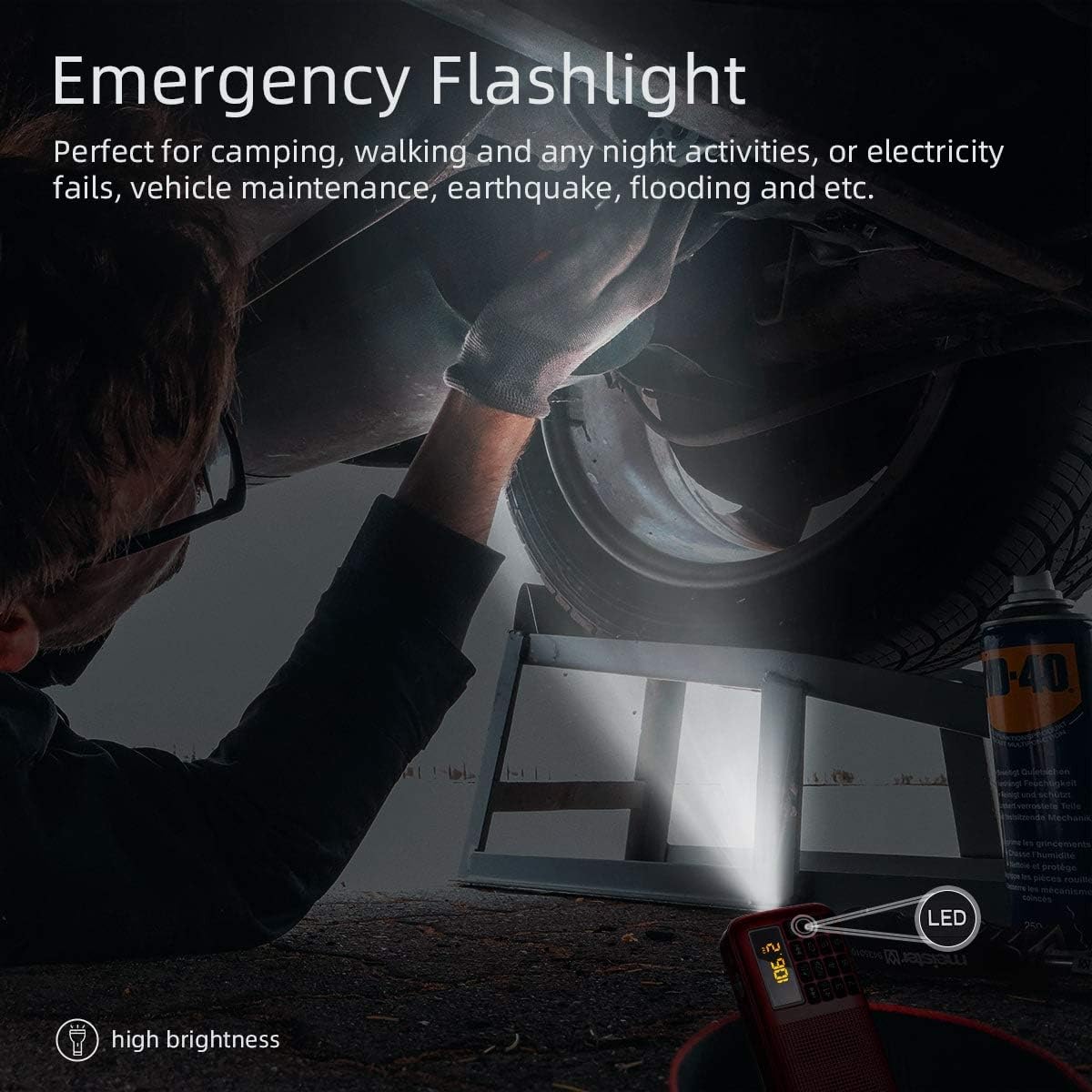
Figure 7: The PRUNUS J-725C's built-in LED flashlight provides illumination for emergencies or low-light situations.
Volume Control
- Adjust the volume using the rotary knob located on the side of the radio.
Headphone Use
- Plug standard 3.5mm headphones into the headphone jack for private listening. The internal speaker will automatically mute.
Maintenance
- Cleaning: Use a soft, dry cloth to clean the radio's exterior. Do not use abrasive cleaners or solvents.
- Battery Care: To prolong battery life, avoid fully discharging the battery frequently. Recharge the radio regularly, especially if it will not be used for an extended period.
- Storage: Store the radio in a cool, dry place away from direct sunlight and extreme temperatures.
- Water Resistance: Note that this radio has no IPX rating and is not waterproof. Avoid exposure to water or high humidity.
Troubleshooting
| Problem | Possible Cause | Solution |
|---|---|---|
| No power / Radio does not turn on. | Battery is depleted. Power switch is off. | Charge the battery. Ensure the power switch is in the "ON" position. |
| Poor FM reception / Static. | Antenna not extended. Weak signal area. Interference. | Fully extend the telescopic antenna. Relocate the radio to an area with better signal. Avoid placing near electronic devices that may cause interference. |
| MP3 files not playing. | Incorrect file format. Storage device not inserted correctly or corrupted. | Ensure files are in MP3 format. Reinsert the Micro SD/TF card or USB drive. Try a different storage device. |
| Alarm not sounding. | Alarm not set correctly. Volume too low. | Verify alarm settings. Increase volume. |
Specifications
| Feature | Detail |
|---|---|
| Model | J-725C (Model 725) |
| Dimensions (L x W x H) | 13.5 x 2.8 x 6.6 cm (5.31 x 1.10 x 2.59 inches) |
| Weight | 192 g |
| Tuner Technology | FM (87.5-108 MHz) |
| Speaker Output Power | 3 Watts |
| Battery Capacity | 3000 mAh (2 x Lithium Battery) |
| Power Source | Battery Powered (Rechargeable via Micro USB) |
| Supported Media | Micro SD/TF Card, USB Drive (MP3 files) |
| Connectivity | 3.5mm Audio Jack, USB |
| Special Features | Built-In Flashlight, Alarm Clock |
Warranty and Support
PRUNUS offers a 1-year warranty and lifetime technical service for the J-725C Portable Radio. If you encounter any issues or have questions regarding your product, please refer to the contact information provided with your purchase or visit the official PRUNUS website for support.
For further assistance, please retain your proof of purchase.


