
1. Introduction
Product Overview
The Philips Sonicare ExpertClean 7500 is a rechargeable electric power toothbrush designed to enhance your oral hygiene. It features advanced technology to remove plaque effectively and improve gum health. This manual provides essential information for the proper use and maintenance of your device.
What's in the Box
- 1 Philips Sonicare ExpertClean 7500 Handle
- 1 Charging Travel Case
- 1 Charger Base
- 1 Premium Plaque Control Brush Head
- 1 Premium Gum Health Brush Head

Image 1.1: Contents of the Philips Sonicare ExpertClean 7500 package, including the handle, charging base, travel case, and two brush heads.
Key Features
- Plaque Removal: Designed to remove up to 10 times more plaque compared to a manual toothbrush.
- Pressure Sensor: Alerts you when brushing too hard to protect gums and teeth.
- Timer Function: Ensures brushing for the dentist-recommended 2 minutes.
- Personalized Care: Offers 4 brushing modes and 3 intensity settings.
- Smart Feedback: Provides progress reports to help improve brushing habits.
- BrushSync Technology: Reminds you when to replace the brush head.
- Travel Ready: Includes a charging travel case for convenience.
2. Safety Information
Please read all instructions carefully before using this product. Keep this manual for future reference.
- Keep out of reach of children.
- Avoid contact with skin and eyes.
- If ingested, seek medical help immediately.
- Do not use this product if it appears damaged in any way.
- Consult your dentist before use if you have severe periodontal disease or have undergone oral surgery.
3. Setup
Charging the Toothbrush
- Place the charger base on a stable, dry surface.
- Plug the charger into an electrical outlet.
- Place the toothbrush handle onto the charger base. The battery indicator lights will illuminate to show charging status.
- For first use, charge the toothbrush for at least 24 hours to ensure a full battery.
Attaching a Brush Head
- Align the brush head with the metal shaft on the toothbrush handle.
- Push the brush head down firmly until it clicks into place.
- To remove, pull the brush head straight up from the handle.

Image 3.1: Illustration of how different Philips Sonicare click-on brush heads attach to the handle.
4. Operating Instructions
Powering On/Off
- Press the power button once to turn the toothbrush on.
- Press the power button again to turn the toothbrush off.
Selecting Brushing Modes
Your ExpertClean 7500 offers four brushing modes:
- Clean: For daily superior cleaning.
- White+: For removing surface stains.
- Gum Health: For gentle cleaning along the gumline.
- Deep Clean+: For an invigorating deep clean.
To select a mode, press the mode button repeatedly until the desired mode is indicated by the light on the handle.
Adjusting Intensity
The toothbrush has three intensity settings (low, medium, high). To adjust, press the intensity button. The selected intensity will be indicated by the lights on the handle.
Using the Pressure Sensor
The built-in pressure sensor alerts you if you apply too much pressure while brushing. If you press too hard, the handle will vibrate differently, and the pressure sensor light will illuminate. Reduce pressure immediately to avoid damaging your gums and teeth.

Image 4.1: Visual representation of the pressure sensor activating when excessive force is applied during brushing.
Timer Function
The toothbrush features a 2-minute SmarTimer and a QuadPacer. The SmarTimer ensures you brush for the recommended duration, while the QuadPacer signals every 30 seconds to move to the next quadrant of your mouth, ensuring thorough cleaning.
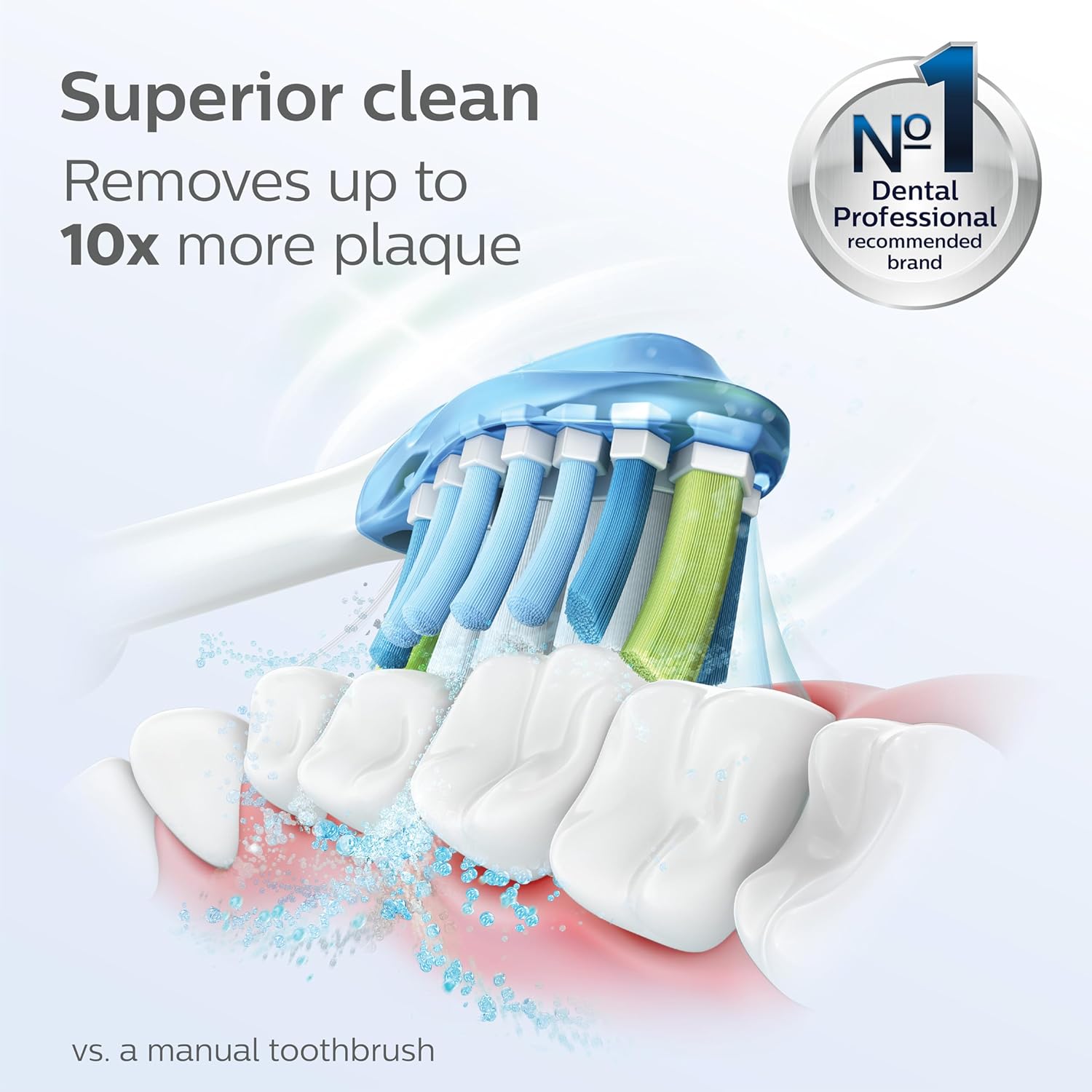
Image 4.2: A Philips Sonicare brush head in action, demonstrating its effectiveness in removing plaque from teeth surfaces.
5. Maintenance
Cleaning the Toothbrush
- After each use, rinse the brush head and bristles thoroughly under running water.
- Wipe the handle with a damp cloth. Do not immerse the handle in water.
- Clean the charger base periodically with a damp cloth, ensuring it is unplugged first.
Brush Head Replacement
The BrushSync technology tracks brush head usage and reminds you when it's time for a replacement. A light on the handle will illuminate to indicate this. Dentists recommend replacing brush heads every 3 months for optimal performance.

Image 5.1: The BrushSync indicator light on the toothbrush handle, signaling that a brush head replacement is due.
Charging Travel Case
The included travel case allows you to charge your toothbrush on the go. Simply place the handle in the case and connect the USB cable to a power source. This ensures your toothbrush is always ready for use during travel.
6. Troubleshooting
If you encounter issues with your Philips Sonicare ExpertClean 7500, refer to the table below for common problems and solutions.
| Problem | Possible Cause | Solution |
|---|---|---|
| Toothbrush does not turn on. | Battery is depleted. | Place the handle on the charger for at least 24 hours. |
| Reduced brushing power. | Low battery or worn brush head. | Recharge the toothbrush. Replace the brush head if the BrushSync indicator is on. |
| Pressure sensor light constantly on. | Applying too much pressure. | Reduce the pressure applied during brushing. |
| Toothbrush stops before 2 minutes. | Battery is very low. | Recharge the toothbrush. |
7. Specifications
| Feature | Detail |
|---|---|
| Model Number | HX9690/05 |
| Product Dimensions | 3.07 x 6.81 x 9.41 inches |
| Weight | 1.08 Pounds |
| Power Source | Battery Powered (1 A battery included) |
| Age Range | Adult |
| Special Features | Brushing Timer, Customizable Modes/Intensities, Pressure Sensor |
8. Warranty and Support
Philips Sonicare products are manufactured to high-quality standards. For information regarding warranty coverage, product registration, or technical support, please visit the official Philips Sonicare website or contact their customer service. Keep your proof of purchase for warranty claims.
Online Support: www.philips.com/sonicare


