
Introduction
Thank you for choosing the Geeni Hawk 2 Smart Security Outdoor Camera. This manual provides detailed instructions for setting up, operating, maintaining, and troubleshooting your new security camera. The Geeni Hawk 2 is designed to provide reliable outdoor surveillance with features such as 1080p HD video, night vision, motion detection, and two-way audio, all accessible via the Geeni Smart Home app.
Key Features
- Full 1080p HD Video: Capture clear, high-resolution footage with a wide-angle lens.
- Infrared Night Vision: Monitor your property day and night with enhanced visibility in low-light conditions.
- Smart Motion Detection & Alerts: Receive instant notifications on your smartphone when motion is detected.
- Two-Way Audio: Communicate with visitors or deter intruders using the built-in microphone and speaker.
- IP66 Weatherproof Design: Durable construction ensures reliable operation in various weather conditions, from -4°F to 122°F (-20°C to 50°C).
- Wi-Fi Connectivity: Connects to your home's 2.4 GHz Wi-Fi network; no separate hub required.
- Local Storage: Supports Micro SD card (up to 128GB, 16GB included) for continuous recording.
- Voice Control Compatibility: Works seamlessly with Amazon Alexa and Google Home for convenient voice commands.
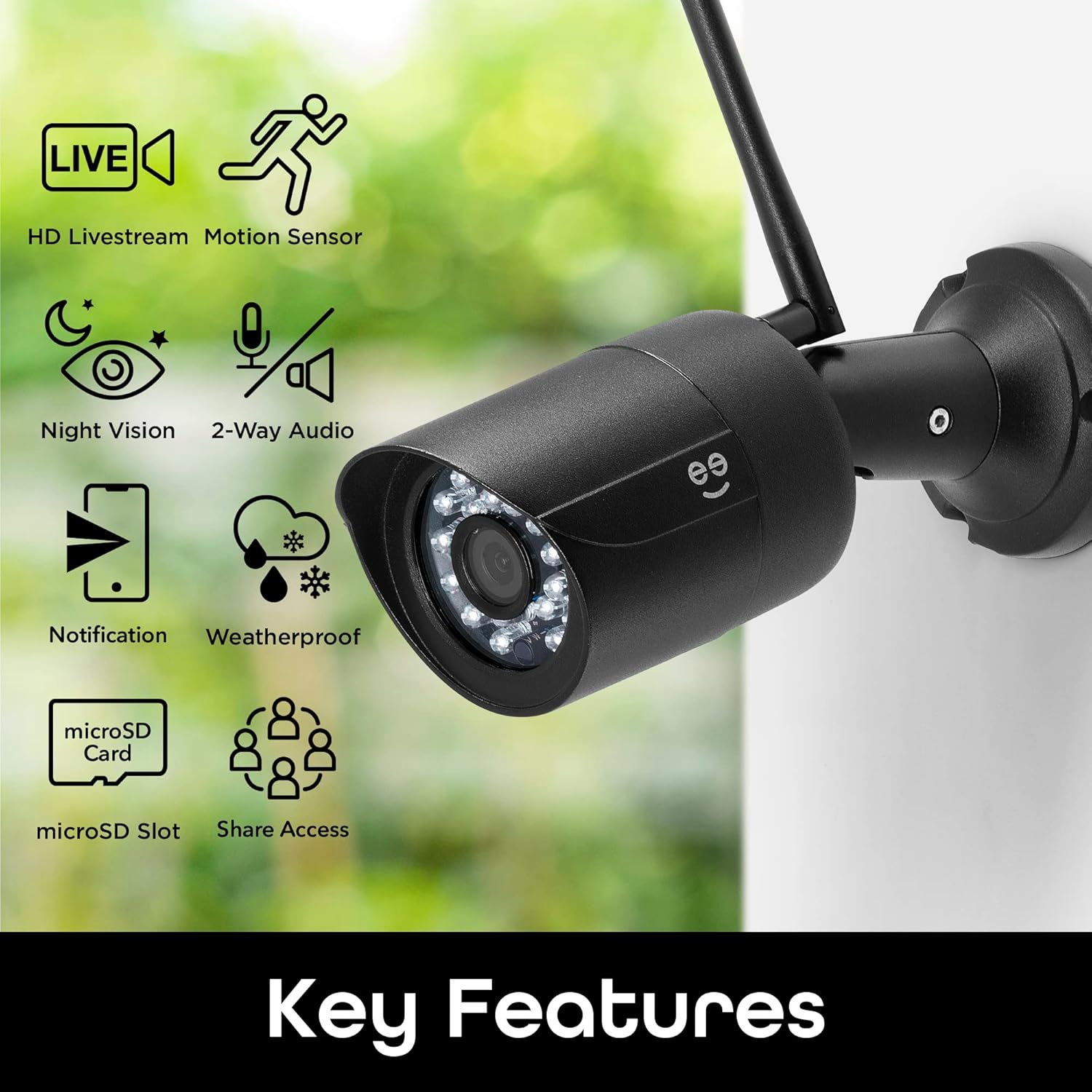
Image: Visual representation of the Geeni Hawk 2 camera's key features, including HD livestream, motion sensor, night vision, 2-way audio, notifications, weatherproof design, microSD card slot, and share access.
What's in the Box
Please check the contents of your package to ensure all items are present:
- Geeni Hawk 2 Smart Security Outdoor Camera
- Power Adapter (USB cable and wall plug)
- Mounting Screws and Wall Anchors
- Hex Key (for adjustment)
- User Manual (this document)
- 16GB Micro SD Card (pre-installed or included separately)

Image: The Geeni Hawk 2 camera, its retail packaging, power adapter, mounting hardware, and antenna, illustrating the complete package contents.
Setup Guide
Follow these steps to set up your Geeni Hawk 2 camera:
- Download the Geeni App: Search for "Geeni" in the Apple App Store or Google Play Store and download the application to your smartphone.
- Create an Account: Open the Geeni app and follow the on-screen instructions to create a new account or log in if you already have one.
- Power On the Camera: Connect the camera to a power source using the provided USB cable and wall plug. The camera's indicator light will begin to flash, indicating it is ready for pairing.
- Add Device in App: In the Geeni app, tap the "+" icon in the top right corner to add a new device. Select "Video Camera" or the specific camera model if listed.
- Connect to Wi-Fi: Follow the in-app prompts to connect the camera to your 2.4 GHz Wi-Fi network. Ensure your phone is also connected to the same 2.4 GHz network during setup. You may need to scan a QR code displayed on your phone screen with the camera lens.
- Mount the Camera: Once connected, choose a suitable outdoor location for mounting. Use the provided screws and anchors to securely attach the camera to a wall or desired surface. Ensure the camera has a clear view and is within Wi-Fi range.

Image: A visual guide showing the three main steps for setting up the Geeni Hawk 2 camera: downloading the app, connecting to a power source, and setting up through the Geeni app to control from anywhere.
Operating Instructions
Live View and Recording
Access the live feed of your camera anytime, anywhere through the Geeni app. You can manually record video or capture screenshots directly from the live view interface.

Image: A smartphone displaying the live feed from the Geeni Hawk 2 camera, showing a car in a driveway, with options for HD, video recording, microphone, and screenshot, indicating remote 24/7 access.
Motion Detection and Alerts
The camera features smart motion detection. When motion is detected, you will receive push notifications on your smartphone. You can adjust the motion sensitivity settings within the Geeni app to minimize false alerts.

Image: A smartphone screen showing multiple motion detection alerts from the Geeni Hawk 2 camera, with timestamps and thumbnail previews of detected movement, highlighting the instant alert feature.
Two-Way Audio
Use the two-way audio feature to speak through the camera's built-in speaker and listen through its microphone. This is useful for communicating with delivery personnel or family members, or for deterring unwanted visitors.
Night Vision
The Geeni Hawk 2 automatically switches to infrared night vision in low-light conditions, providing clear black-and-white video footage even in complete darkness.

Image: A smartphone displaying a black-and-white night vision feed from the Geeni Hawk 2 camera, showing a darkened porch and backyard, demonstrating its ability to view clearly in low light.
Storage Options
The camera supports local storage via a Micro SD card (up to 128GB). Continuous recording or event-based recording can be configured in the app. Footage can be reviewed directly from your smartphone.
Voice Control Integration
Integrate your Geeni Hawk 2 camera with Amazon Alexa or Google Home for hands-free control. For example, you can say, "Alexa, show me the front door camera" to view the live feed on compatible smart displays.

Image: A smart display showing the live feed from the Geeni Hawk 2 camera, with text indicating compatibility with Alexa and Google Home, demonstrating voice control functionality.
Maintenance
To ensure optimal performance and longevity of your Geeni Hawk 2 camera, follow these maintenance guidelines:
- Clean the Lens: Periodically wipe the camera lens with a soft, dry cloth to remove dust, dirt, or water spots that may affect image clarity. Avoid abrasive cleaners.
- Check Connections: Ensure all power and mounting connections remain secure, especially after severe weather.
- Software Updates: Keep the Geeni app updated to the latest version to benefit from new features, bug fixes, and security enhancements. The app will typically notify you of available firmware updates for the camera.
- Weather Protection: While the camera is IP66 weatherproof, ensure its power connection is protected from direct exposure to heavy rain or standing water if not explicitly designed for such exposure.

Image: The Geeni Hawk 2 camera mounted outdoors, covered in raindrops, with text indicating "1080p image clarity, rain or shine," demonstrating its certified weatherproof capability.
Troubleshooting
If you encounter issues with your Geeni Hawk 2 camera, refer to the following common problems and solutions:
| Problem | Possible Cause | Solution |
|---|---|---|
| Camera is offline/disconnected. | Weak Wi-Fi signal, power interruption, incorrect Wi-Fi password. | Check Wi-Fi signal strength at camera location. Ensure power adapter is securely connected. Re-enter Wi-Fi password in app or reset camera and re-pair. |
| Cannot connect to Wi-Fi during setup. | Incorrect Wi-Fi band (not 2.4 GHz), wrong password, camera too far from router. | Ensure your router is broadcasting a 2.4 GHz network. Double-check Wi-Fi password. Move camera closer to router during setup. |
| Poor image quality. | Dirty lens, low light, network bandwidth issues. | Clean the camera lens. Ensure adequate lighting for optimal color vision. Check your internet speed and Wi-Fi connection. |
| Motion alerts are too frequent or not received. | Sensitivity settings, network issues, app notification settings. | Adjust motion detection sensitivity in the Geeni app. Check your phone's notification settings for the Geeni app. Ensure stable internet connection. |
| Two-way audio not working. | Microphone/speaker blocked, app permissions, volume settings. | Ensure nothing is obstructing the microphone or speaker. Check app permissions for microphone access. Adjust volume settings in the app and on your phone. |
For further assistance, please refer to the official Geeni support resources or contact customer service.
Specifications
| Feature | Detail |
|---|---|
| Model Number | CW020 |
| Video Resolution | 1080p HD |
| Field of View | 95° wide-angle |
| Night Vision | Infrared LEDs |
| Audio | Two-Way Audio (Built-in Mic & Speaker) |
| Connectivity | Wi-Fi (2.4 GHz only) |
| Power Source | Corded Electric (Wall Plug) |
| Local Storage | Micro SD card (up to 128GB, 16GB included) |
| Weather Resistance | IP66 Weatherproof |
| Operating Temperature | -4°F to 122°F (-20°C to 50°C) |
| Dimensions (L x W x H) | 1.32 x 0.98 x 0.98 inches |
| Weight | 1.47 pounds |
| Compatible Devices | iPhone, Android Smartphones |
| Voice Assistants | Amazon Alexa, Google Home |
Warranty and Support
Geeni products are designed for reliability and performance. This product typically comes with a 1-year limited warranty from the date of purchase, covering defects in materials and workmanship under normal use.
For warranty claims, technical support, or additional information, please visit the official Geeni support website or refer to the full user manual available online:
- Official User Manual (PDF): Download Here
- Geeni Brand Store: Visit Geeni Store on Amazon
Please retain your proof of purchase for warranty purposes.