
Zeerkeer TK905B 4G
Zeerkeer TK905B 4G GPS Tracker User Manual
Model: TK905B 4G
Product Overview
The Zeerkeer TK905B 4G GPS Tracker is a robust and versatile tracking device designed for vehicles and other assets. It offers real-time location monitoring, advanced alarm functions, and a long-lasting battery, all without mandatory monthly subscriptions. Its magnetic design allows for discreet and easy installation.
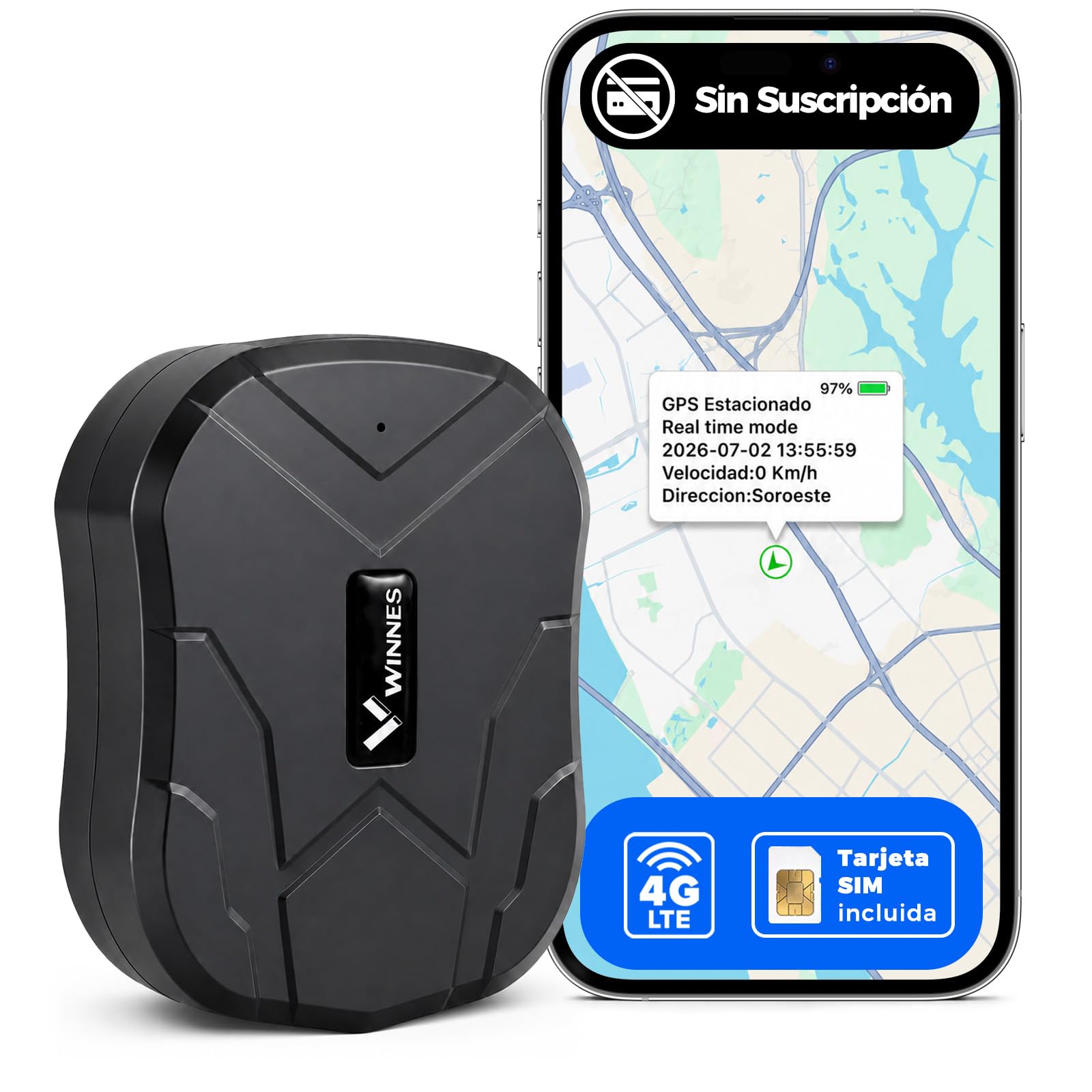
Image: Zeerkeer TK905B 4G GPS Tracker, a compact black device.
- 4G GPS+LBS Positioning: Utilizes dual positioning for high accuracy (up to 5 meters outdoors) and reliable tracking.
- Extended Battery Life: Equipped with a 10000 mAh rechargeable battery, providing up to 100 days of standby time or approximately 30 days with 4 hours of daily use.
- No Subscription Required: Operates with a standard SIM card (included) requiring SMS functionality and about 50 MB of monthly data.
- Smart Alarms & Geofence: Features vibration, movement, geofence, and low battery alarms, with up to 6 months of route history.
- Powerful Magnetic Mount: Five integrated magnets ensure stable and discreet attachment to metallic surfaces without complex wiring.
What's in the Box
Verify that all components are present in your package:
- 1 x Zeerkeer TK905B 4G GPS Tracker
- 1 x USB Charging Cable
- 1 x User Manual
- 1 x SIM Card

Image: Visual representation of the package contents, including the GPS tracker, pouch, user manual, SIM card, adapters, and USB cable.
Setup Guide
Follow these steps to set up your Zeerkeer TK905B 4G GPS Tracker:
- Insert the SIM Card: Open the SIM card slot cover on the device. Insert the provided SIM card or your own compatible SIM card. Ensure the SIM card's PIN is deactivated before insertion if using your own.
- Charge the Device: Connect the tracker to a power source using the provided USB charging cable. Ensure it is fully charged before first use.
- Add Tracker to App/Web Platform: Download the official tracking application (available for iOS/Android) or access the web platform. Follow the on-screen instructions to register your device using its unique ID.
- Configure and Start Tracking: Once registered, configure necessary settings such as APN (if not automatically detected), tracking intervals, and alarm preferences within the app or web platform. Place the device in an open area for initial GPS signal acquisition.

Image: Visual guide showing the three setup steps: SIM insertion, app/web addition, and tracking configuration.
SIM Card Information
The tracker supports both your own local SIM card and the included SIM card. For optimal performance, ensure your SIM card has SMS functionality and approximately 50 MB of data per month.
- Using Your Own SIM: Ensure the PIN is deactivated, SMS is active, and it provides around 50 MB of data monthly. Compatible with various carriers.
- Using the Included SIM: Offers a 1-day trial, automatic APN configuration, roaming in 91 countries, and coverage across Europe. Subscription plans are available after the trial period.

Image: Details on SIM card flexibility, outlining options for using a local SIM or the included SIM with its features and plans.
Operating Instructions
Real-time Tracking
Monitor the location of your device in real-time through the mobile application, web platform, or via SMS commands.
- Mobile App: View live location, route history, and manage settings directly from your iOS or Android smartphone.
- Web Platform: Access comprehensive tracking features, fleet management, and detailed reports from any PC.
- SMS Commands: Send specific SMS commands to the device's phone number to receive location links or status updates.

Image: Illustrates the multi-platform localization capabilities, showing the tracking interface on a laptop and a smartphone.
Alarm Functions
The TK905B offers several intelligent alarm features to enhance security:
- Vibration Alarm: Receive an alert if the device detects vibrations or impacts, indicating potential tampering or collision.
- Movement Alarm: Get notified if the device moves more than 300 meters from its last stationary position.
- Geofence Alarm: Set up virtual boundaries (geofences) and receive alerts when the device enters or exits these predefined zones.
- Speed Alarm: Define a speed limit; if the device exceeds this limit, an alert will be sent.
- Low Battery Alarm: Receive a notification when the battery level drops below 20%, ensuring you can recharge in time.

Image: Depicts a smartphone displaying various alert types from the tracker, such as vibration, overspeed, geofence entry/exit, and low battery.
Route History
The device stores up to 6 months of route history, allowing you to review past movements and activities through the app or web platform.
Maintenance
- Charging: Recharge the device using the provided USB cable when the low battery alert is received. Avoid overcharging.
- Cleaning: Wipe the device with a soft, dry cloth. Do not use harsh chemicals or abrasive cleaners.
- Water Resistance: The TK905B has an IP65 rating, meaning it is protected against dust and low-pressure water jets. Avoid submerging the device in water.
- Storage: Store the device in a cool, dry place when not in use for extended periods.
Troubleshooting
| Problem | Possible Cause | Solution |
|---|---|---|
| Device not turning on | Low battery; device malfunction. | Charge the device for several hours. If it still doesn't turn on, contact support. |
| No GPS signal | Device is indoors or in an area with poor signal; SIM card issue. | Move the device to an open outdoor area. Check SIM card insertion and activation. |
| No alerts received | Alarm settings not configured; app notifications disabled; SIM card data/SMS issues. | Verify alarm settings in the app/web platform. Check phone notification settings. Ensure SIM card has active data/SMS. |
| Inaccurate location | LBS positioning (indoors) is less accurate than GPS (outdoors); weak GPS signal. | For best accuracy, use the device outdoors with a clear view of the sky. |
If you encounter issues not listed here or if the suggested solutions do not resolve the problem, please contact Zeerkeer customer support.
Specifications
- Model: TK905B 4G
- Dimensions: 9 x 7.2 x 3.2 cm
- Weight: 235 g
- Battery: 10000 mAh rechargeable
- Standby Time: Up to 100 days
- Daily Use (4h/day): Approximately 30-35 days
- Connectivity: 4G/GSM
- Positioning: GPS + LBS (Location Based Service)
- GPS Accuracy: Up to 5 meters (outdoors)
- Water Resistance: IP65 (Dustproof and splash-proof)
- Special Features: Strong magnetic mount, vibration alarm, movement alarm, geofence, speed alarm, low battery alarm, 6-month route history.
- Compatible Devices: PC, Smartphone (iOS/Android), Tablet
- Material: Plastic

Image: Highlights key features and specifications such as 10000 mAh battery, 100 days standby, IP65 rating, GPS+LBS, and physical dimensions.
Warranty
The Zeerkeer TK905B 4G GPS Tracker comes with a 1-year warranty from the date of purchase. This warranty covers manufacturing defects and malfunctions under normal use. Please retain your proof of purchase for warranty claims.
For warranty service, please contact Zeerkeer customer support with a detailed description of the issue and your purchase information.
Support
For any questions, technical assistance, or support regarding your Zeerkeer TK905B 4G GPS Tracker, please contact our customer service team:
- Email: della@zeerkeer.com
- Official Website: https://mytkstar.com/
- WhatsApp: +86 15792866351
Our professional support team is available to assist you with APN configuration, fleet account management, and any other inquiries.

Image: Illustrates the professional remote support offered by Zeerkeer, including email, help center, quick guide, and technical support.
Ask a question about this manual
Ask about setup, troubleshooting, compatibility, parts, safety, or missing instructions. Manuals+ will review the question and use this page’s manual context to help answer it.