

Image: The Tobo BR608 Cassette to MP3 Converter shown with connected headphones and a USB flash drive, illustrating its primary functions.
Introduction
The Tobo BR608 is a portable, standalone device designed to convert audio from cassette tapes directly into MP3 format. This converter allows you to save your analog music collection onto a USB flash drive without the need for a computer. It also functions as a portable cassette player, offering playback capabilities for both cassettes and recorded MP3 files. Its compact design and user-friendly interface make it ideal for digitizing your audio tapes.
Product Features
- Standalone MP3 Conversion: Converts cassette audio directly to MP3 files on a USB flash drive without requiring a PC.
- Automatic Reverse Function: Features auto-reverse for continuous playback or recording of both sides of a cassette.
- Playback Capability: Allows playback of recorded MP3 files directly on the device, as well as standard cassette playback.
- Audio Output: Includes a 3.5mm audio jack for connecting headphones or external speakers.
- Adjustable Bit Rate: Records MP3s at 128 Kbps.
- Automatic/Manual Song Separation: Offers options to separate songs automatically or manually during recording.
- OTG Functionality: Supports On-The-Go (OTG) for direct USB flash drive connection.
Product Diagram and Controls
Familiarize yourself with the various parts and controls of your Tobo BR608 device.

Image: Tobo BR608 Cassette to MP3 Converter with labeled controls. This image displays the top, side, and front views of the device, highlighting the numbered buttons and ports for easy identification.
- Previous: Skips to the previous track during MP3 playback.
- Next: Skips to the next track during MP3 playback.
- Press to Start/Stop Playback: Initiates or pauses MP3 playback.
- Press to Start/Stop Recording: Begins or ends the recording process from cassette to USB.
- Playback Volume Increase: Increases the volume during playback.
- Playback Volume Decrease: Decreases the volume during playback.
- LED Indicator: Displays device status (e.g., power, recording).
- Rewind: Rewinds the cassette tape.
- Fast Forward: Fast forwards the cassette tape.
- Auto Reverse: Activates or deactivates the automatic tape reversal function.
- Direction: Changes the playback/recording direction of the cassette tape.
- Stop: Stops cassette playback or recording.
- Play Cassette: Starts cassette playback.
Setup
1. Powering the Device
The Tobo BR608 can be powered by two AA batteries or via a USB power source.
- Battery Installation: Open the battery compartment cover on the back of the device. Insert two AA batteries, ensuring correct polarity (+/-). Close the cover securely.
- USB Power: Connect the provided USB cable to the device's USB port and to a USB power adapter (not included) or a computer's USB port.
2. Inserting a Cassette Tape
Open the cassette compartment by sliding the "OPEN" switch. Insert your cassette tape with the desired side facing up. Close the compartment firmly until it clicks.
3. Connecting a USB Flash Drive
Insert a USB flash drive into the USB port on the side of the device. Ensure the drive is formatted to FAT32. The device supports USB drives up to 1GB for optimal performance.

Image: A hand inserting a USB flash drive into the side port of the Tobo BR608 Cassette to MP3 Converter. This illustrates the correct way to connect external storage.
Operating Instructions
1. Recording Cassette to MP3
- Ensure a cassette tape is inserted and a USB flash drive is connected.
- Press the Play Cassette button (13) to start playing the tape.
- Press the Record button (4) to begin recording. The LED indicator (7) will illuminate, indicating recording is in progress.
- To separate songs automatically, the device will attempt to detect pauses. For manual separation, briefly press the Record button (4) again during recording to create a new MP3 file for the next track.
- To stop recording, press the Record button (4) again. The LED indicator will turn off.
- To stop cassette playback, press the Stop button (12).

Image: A visual representation of the cassette to MP3 conversion process. It shows a cassette tape and a USB drive, with arrows indicating the audio transfer from the cassette player to the USB drive.
2. Playing Cassette Tapes
- Insert a cassette tape.
- Connect headphones to the audio output jack or use the built-in speaker (if available).
- Press the Play Cassette button (13) to start playback.
- Use the Rewind (8) and Fast Forward (9) buttons to navigate the tape.
- Press the Auto Reverse button (10) to enable continuous playback of both sides of the tape. The Direction button (11) can manually change the tape direction.
- Adjust the volume using the Volume Increase (5) and Volume Decrease (6) buttons.
- Press the Stop button (12) to end playback.
3. Playing Recorded MP3 Files
- Ensure a USB flash drive containing MP3 files is connected.
- Press the Play/Stop Playback button (3) to start playing the first MP3 file.
- Use the Previous (1) and Next (2) buttons to navigate between tracks.
- Adjust the volume using the Volume Increase (5) and Volume Decrease (6) buttons.
- Press the Play/Stop Playback button (3) again to pause or stop playback.

Image: The Tobo BR608 device with headphones connected to its audio output jack, illustrating the playback function.
Maintenance
- Cleaning: Use a soft, dry cloth to clean the exterior of the device. Do not use liquid cleaners or solvents.
- Tape Head Cleaning: Periodically clean the tape heads with a specialized cassette head cleaning kit to ensure optimal audio quality and prevent tape damage.
- Storage: When not in use for extended periods, remove batteries to prevent leakage. Store the device in a cool, dry place away from direct sunlight and extreme temperatures.
- USB Drive Care: Always safely remove the USB drive from the device when not in use to prevent data corruption.
Troubleshooting
| Problem | Possible Cause | Solution |
|---|---|---|
| Device does not power on. | Batteries are dead or incorrectly inserted. USB cable is not connected or faulty. | Replace batteries with new ones, ensuring correct polarity. Check USB cable connection and try a different USB port or adapter. |
| Poor audio quality during playback or recording. | Dirty tape heads. Worn-out cassette tape. Low battery power. | Clean the tape heads using a cleaning kit. Try a different cassette tape. Ensure batteries are fresh or use USB power. |
| Recording stops unexpectedly or fails. | USB flash drive is full or incompatible. Tape issues (e.g., tangled, worn). | Ensure the USB drive has sufficient free space and is formatted to FAT32. Try a different USB drive. Check the cassette tape for damage. |
| USB flash drive not recognized. | Incorrect format (not FAT32). Drive capacity too large. Loose connection. | Format the USB drive to FAT32. Use a USB drive with a capacity of 1GB or less for best compatibility. Reinsert the USB drive firmly. |
| MP3 files sound degraded when played back on the device. | Device's internal playback quality. | While the device records at 128 Kbps, playback quality can vary. For higher fidelity, transfer MP3s to a computer and use dedicated audio software. |
Specifications
| Feature | Detail |
|---|---|
| Model Number | BR608 |
| Brand | Tobo |
| Power Source | 2 x AA Batteries (not included) or USB Power |
| Audio Channel | L/R |
| Bit Rate | 128 Kbps |
| Memory Storage Capacity | 1 GB (recommended for USB flash drive) |
| Hardware Interface | USB |
| Digital Media Format | MP3 Audio |
| Compatibility | Windows XP, Windows 7, Windows 10, Mac OS |
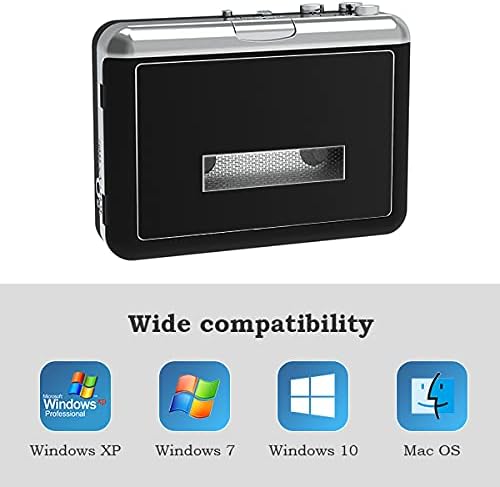
Image: The Tobo BR608 device shown alongside logos for Windows XP, Windows 7, Windows 10, and Mac OS, indicating its broad compatibility.
Warranty Information
Warranty information for the Tobo BR608 is not explicitly provided in the product details. Please refer to your point of purchase or the manufacturer's official website for specific warranty terms and conditions.
Customer Support
Customer support contact details are not explicitly provided. For assistance, please contact the retailer from whom you purchased the device or visit the Tobo brand's official website for potential support resources.


