
Waleaf Vitesse Gaming Desk 55 inch
Vitesse Gaming Desk 55 inch User Manual
Model: Vitesse Gaming Desk 55 inch
Brand: Waleaf
Introduction
This manual provides comprehensive instructions for the assembly, operation, maintenance, and troubleshooting of your Vitesse 55-inch Gaming Desk. Designed for optimal gaming and computing experiences, this T-shaped desk features a spacious carbon fiber desktop, integrated cable management, and convenient accessories like a cup holder, headphone hook, and gaming handle rack. Please read this manual thoroughly before assembly and use to ensure proper setup and longevity of your product.

Image: The Vitesse 55-inch Gaming Desk, showcasing its spacious design with two monitors, keyboard, mouse, and gaming accessories. The desk features a black carbon fiber texture and sturdy T-shaped legs.
Safety Information
Please observe the following safety guidelines to prevent injury or damage to the product:
- This desk has a maximum weight capacity of 260 kg (573 lbs). Do not exceed this limit, as it could lead to structural failure and potential injury.
- For assembly, it is recommended to have two people to ensure stability and prevent accidents.
- Keep all small parts and packaging materials away from children to prevent choking hazards.
- Ensure all screws and fasteners are securely tightened before use. Periodically check for loose connections.
- Do not stand or sit on the desk.
- Avoid placing hot items directly on the desktop surface without protective padding.
Setup and Assembly
The Vitesse Gaming Desk is designed for fast and straightforward assembly. It is recommended to assemble the desk with two people.
Package Contents:
- Desktop sections
- T-shaped leg frames
- Support beams
- Large mouse pad
- Cup holder
- Headphone hook
- Gaming handle rack
- Cable management box
- Assembly hardware (screws, bolts, Allen wrench)
- Instruction manual
Assembly Steps:
- Unpack all components and verify against the parts list in the included instruction manual. Ensure no parts are missing or damaged.
- Attach the T-shaped leg frames to the main support beams using the provided hardware. Do not fully tighten screws until all components are aligned.
- Carefully place the desktop sections onto the assembled frame. Align the pre-drilled holes with the frame.
- Secure the desktop to the frame using the remaining screws. Gradually tighten all screws across the entire desk structure to ensure even pressure and stability.
- Install the cup holder, headphone hook, and gaming handle rack in your desired locations on the desk. These accessories typically screw into the underside of the desktop.
- Place the large mouse pad on the desktop.
- Utilize the cable management box to organize and route your cables for a tidy setup.

Image: A detailed diagram illustrating the dimensions of the Vitesse 55-inch Gaming Desk, including the desktop length (55.1"), width (23.6"), and height (29.5"). Also shown are the dimensions for the cup holder and gaming handle rack.
Operating and Features
Your Vitesse Gaming Desk is designed to enhance your gaming and computing experience with several integrated features.
Wide Desktop & Large Mouse Pad:
The 55.1"L x 23.6"W carbon fiber desktop provides ample space for multiple monitors, your PC, keyboard, mouse, and other gaming peripherals. The included high-quality, ultra-smooth mouse pad covers a significant portion of the desktop, ensuring precise and comfortable mouse movements.
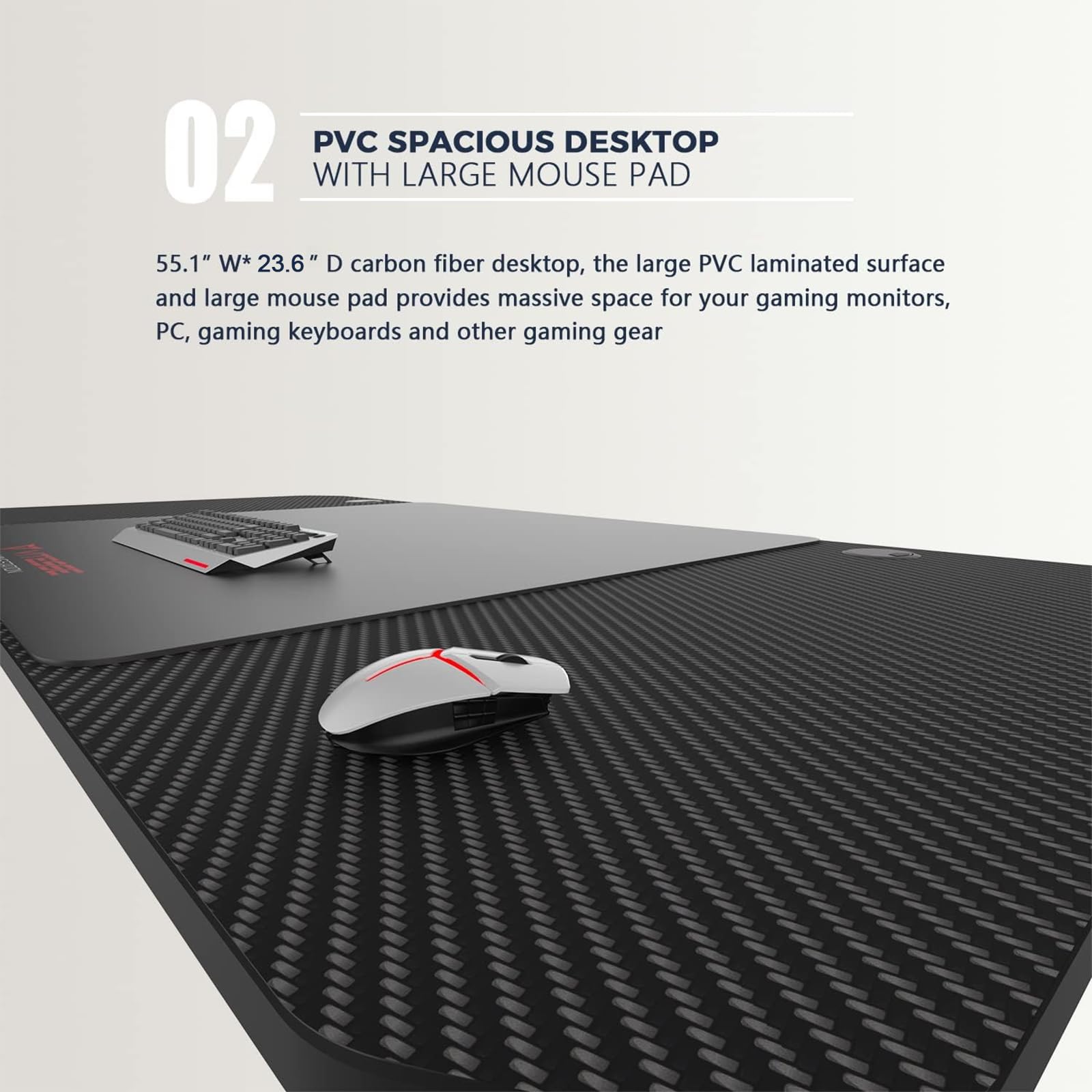
Image: A close-up view of the Vitesse Gaming Desk's PVC carbon fiber textured desktop, highlighting the large, smooth mouse pad area. A gaming keyboard and mouse are positioned on the desk, demonstrating the ample space available.
Integrated Accessories:
- Cup Holder: Conveniently located to keep your beverages secure and prevent spills on your gaming setup.
- Headphone Hook: Provides a dedicated spot to hang your gaming headset, keeping it within reach and off the desktop.
- Gaming Handle Rack: A multi-functional rack designed to store game controllers, CDs/DVDs, or even your phone, helping to keep your gaming area organized.

Image: A detailed view of the Vitesse Gaming Desk's integrated accessories, including the headphone hanger and the cup holder. A red gaming headset hangs from the hook, and a red cup is placed in the holder, demonstrating their practical use.
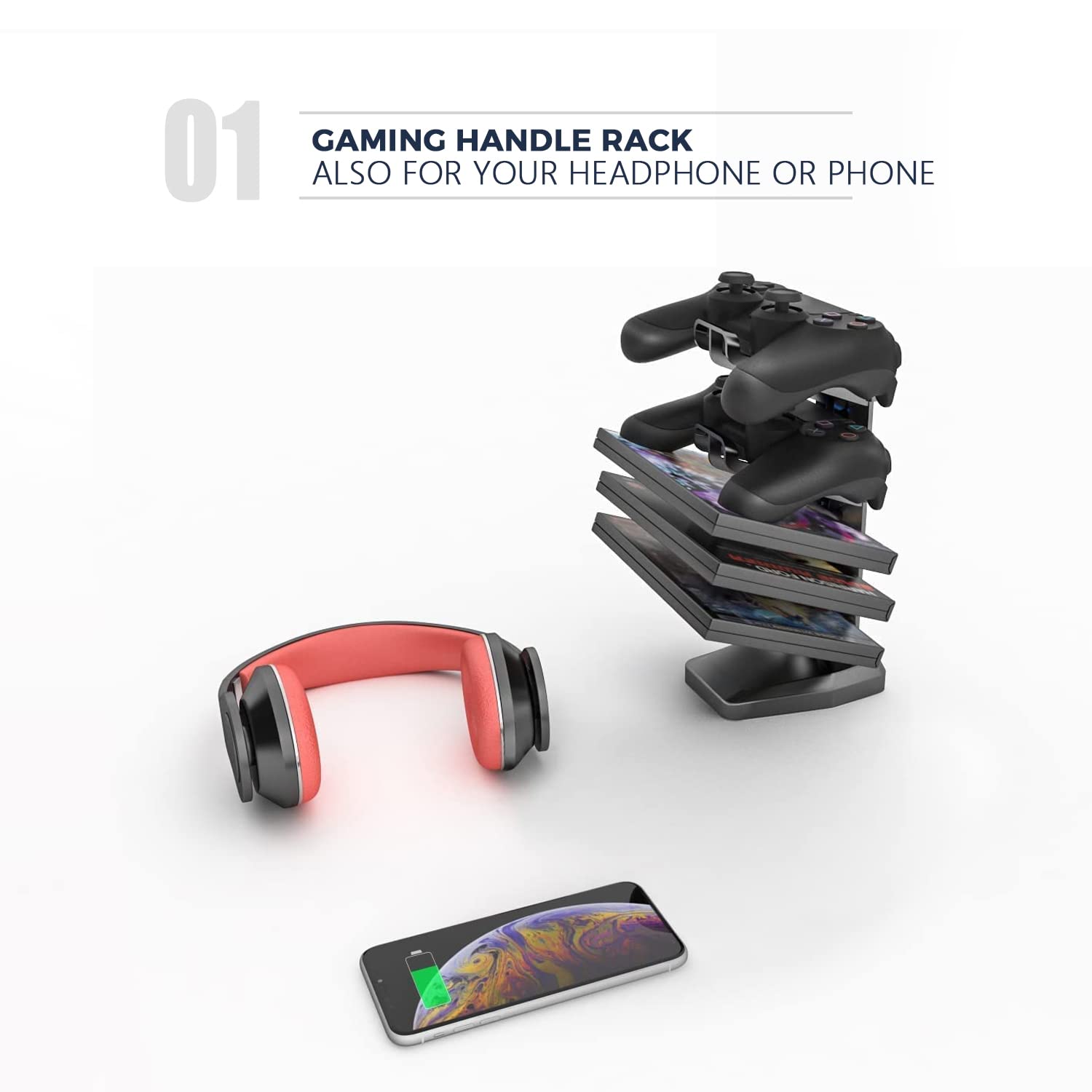
Image: The gaming handle rack accessory, designed to store multiple game controllers and media. A pair of headphones and a smartphone are also shown, indicating its versatility for organizing various gaming and personal items.
Cable Management:
The desk includes a cable management box and pass-through holes to help keep your wires organized and out of sight, contributing to a cleaner and safer workspace.

Image: An illustration of the Vitesse Gaming Desk's cable management features. Cables are shown routed through a pass-through hole on the desktop and collected in an under-desk cable management tray, promoting a tidy setup.
Maintenance
Maintaining your Vitesse Gaming Desk is simple and helps ensure its longevity.
- Cleaning: The high-quality materials make cleaning convenient. Wipe the desktop and frame with a damp cloth. Avoid abrasive cleaners or harsh chemicals that could damage the finish.
- Regular Checks: Periodically inspect all screws and fasteners to ensure they remain tight. Re-tighten if necessary to maintain stability.
- Mouse Pad Care: The large mouse pad can be wiped clean with a damp cloth. For deeper cleaning, follow the care instructions specific to the mouse pad material.
Troubleshooting
If you encounter any issues with your Vitesse Gaming Desk, refer to the following common troubleshooting tips:
Desk Wobbles:
- Ensure all assembly screws are fully and evenly tightened. Uneven tightening can cause instability.
- Check if the floor surface is even. The desk features adjustable feet to compensate for uneven flooring. Adjust each foot until the desk is stable.
- Verify that all frame components are correctly aligned and seated.
Parts Missing or Damaged:
- Carefully re-check all packaging materials to ensure no small parts were overlooked.
- Contact customer support immediately if parts are genuinely missing or arrived damaged. Refer to the "Warranty and Support" section for contact information.
Difficulty Assembling:
- Review the assembly instructions carefully, paying close attention to diagrams and part orientation.
- It is often helpful to loosen all screws slightly, adjust the alignment of components, and then re-tighten them gradually.
Specifications
| Feature | Detail |
|---|---|
| Brand | Waleaf |
| Model | Vitesse Gaming Desk 55 inch |
| Product Dimensions | 55.1"L x 23.6"W x 29.5"H (approx. 140L x 60W x 75H cm) |
| Item Weight | 40.3 Pounds (approx. 18.28 kg) |
| Maximum Recommended Load | 136.08 Kilograms (approx. 300 lbs) |
| Top Material Type | Plastic (Carbon Fiber Laminated Surface) |
| Base Material | Stainless Steel |
| Finish Type | Stainless Steel |
| Special Feature | Waterproof, T-Shape Design, Cable Management, Cup Holder, Headphone Hook, Gamepad Holder |
| Assembly Required | Yes |
| Care Instructions | Wipe with Damp Cloth |
Warranty and Support
Waleaf stands behind the quality of its products.
- Warranty: Free replacement or parts guarantee for any quality problem within 365 days from the date of purchase.
- Customer Service: For any questions, concerns, or warranty claims, please feel free to contact Waleaf customer service. Refer to your purchase documentation or the retailer's website for specific contact methods.
Related documentsVitesse Gaming Desk 55 inch

Ask a question about this manual
Ask about setup, troubleshooting, compatibility, parts, safety, or missing instructions. Manuals+ will review the question and use this page’s manual context to help answer it.