
Introduction
This manual provides essential instructions for the proper setup, operation, and maintenance of your RCA RPJ144 Indoor/Outdoor 100-Inch Portable Projector Screen. Please read this manual thoroughly before assembly and use to ensure optimal performance and longevity of your product.
Important Safety Information
Proposition 65 Warning: This product contains chemicals known to the State of California to cause cancer and birth defects or other reproductive harm.
- Always ensure the screen is securely assembled and stabilized, especially when used outdoors.
- Avoid placing the screen in high wind conditions without adequate additional weighting or anchoring.
- Keep the screen material away from sharp objects to prevent damage.
- Do not expose the screen to extreme temperatures or open flames.
Setup Instructions
The RCA RPJ144 projector screen is designed for straightforward assembly. For best results and ease of setup, it is recommended that two people assemble the screen.
Package Contents:
- Projection Screen Material
- Frame Poles (various lengths)
- Connector Joints
- Base Stands
- Ground Stakes
Assembly Steps:
- Unpack Components: Carefully remove all components from the packaging and verify that all parts are present.
- Assemble the Frame: Connect the frame poles using the provided connector joints. Ensure all connections are secure. The frame should form a rectangular structure.
- Attach Screen Material: Lay the assembled frame flat. Carefully attach the projection screen material to the frame. The screen typically has reinforced edges or grommets that fit over the frame poles or hooks. Ensure the screen is taut and evenly stretched across the frame.
- Attach Base Stands: Insert the bottom frame poles into the base stands. Ensure the stands are stable and flat on the ground.
- Position and Stabilize: Stand the assembled screen upright in your desired location. For outdoor use, insert the ground stakes through the designated loops or holes in the base stands or frame to secure the screen to the ground. In windy conditions, consider adding additional weights to the base stands for enhanced stability.

Image: Front view of the RCA RPJ144 Portable Projector Screen fully assembled. The screen is white with a black border, supported by two silver-colored vertical poles and flat base stands.
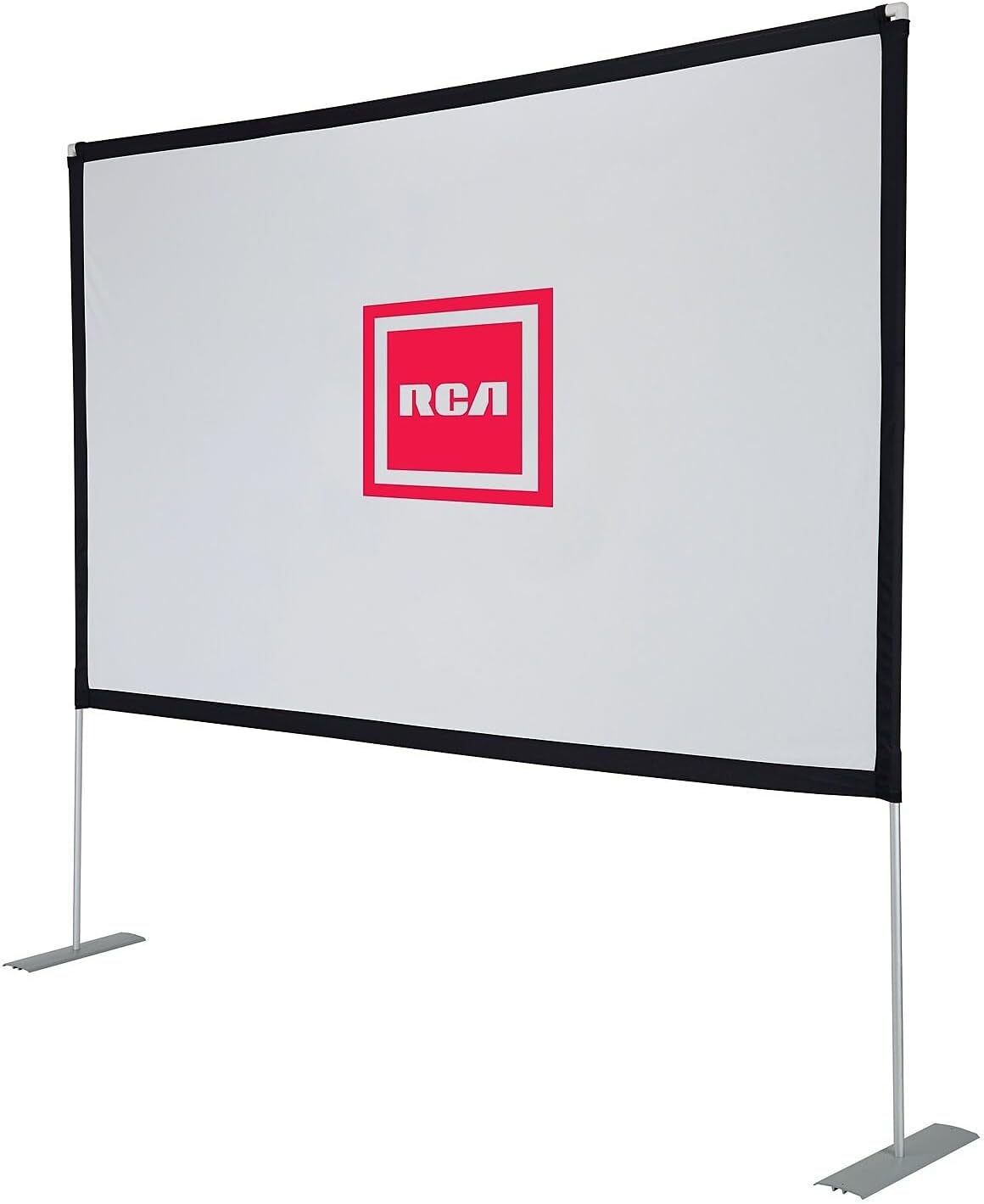
Image: Angled view of the RCA RPJ144 Portable Projector Screen, showing the depth of the frame and the stability of the base stands. The screen surface is smooth and taut.
Operating Instructions
The RCA RPJ144 screen is designed to provide a clear projection surface for various media.
Projection Guidelines:
- Aspect Ratio: The screen supports a 16:9 aspect ratio, which is standard for HDTV and most modern video content.
- Screen Material: The screen features a silk white, 1.0 gain matte surface. This material provides a wide viewing angle and is suitable for various projection environments. Black masking borders enhance picture contrast.
- Optimal Viewing: For the best image quality, use the screen in a dark environment. Ambient light can reduce the perceived contrast and brightness of the projected image.
- Projector Placement: Position your projector directly in front of the screen, centered horizontally and vertically, to avoid keystone distortion. Adjust the projector's focus and zoom settings to fill the screen area.
Maintenance and Care
Proper care will extend the life and maintain the performance of your projector screen.
- Cleaning the Screen: Gently wipe the screen surface with a soft, damp cloth. Use mild soap and water if necessary, but avoid harsh chemicals or abrasive cleaners, which can damage the screen material. Allow the screen to air dry completely before storage.
- Frame Care: Periodically check all frame connections for tightness. Clean the frame poles and base stands with a damp cloth as needed.
- Storage: When not in use, disassemble the screen and store all components in a dry, cool place, away from direct sunlight and extreme temperatures. Store the screen material rolled or folded loosely to prevent creases.
- Outdoor Use: While the screen material is durable for outdoor use, prolonged exposure to harsh weather conditions (heavy rain, strong winds, extreme heat/cold) is not recommended. Disassemble and store the screen during adverse weather to prevent damage.
Troubleshooting
Refer to the following common issues and solutions:
| Problem | Possible Cause | Solution |
|---|---|---|
| Image appears dim or washed out | High ambient light; projector settings; screen material translucency. | Ensure the viewing area is as dark as possible. Adjust projector brightness and contrast. Note that the screen material may be somewhat translucent; for optimal clarity, especially in brighter conditions, position the screen against a dark wall or backdrop to prevent light from passing through. |
| Screen is unstable or falls over | Improper assembly; insufficient stabilization (especially outdoors); strong winds. | Verify all frame connections are secure. Ensure base stands are flat. Use ground stakes for outdoor use. In windy conditions, add sandbags or other weights to the base stands. Consider disassembling in very strong winds. |
| Creases or wrinkles on screen surface | Improper storage; screen not stretched tautly. | Ensure the screen is stretched evenly and tautly across the frame during assembly. For storage, roll the screen material instead of folding tightly. Minor creases may relax over time when the screen is set up. |
| Difficulty assembling alone | Large size of screen. | While possible, assembly is significantly easier and safer with two people due to the screen's size and flexibility of components during initial setup. |
Specifications
| Feature | Detail |
|---|---|
| Model Number | RPJ144 |
| Brand | RCA |
| Screen Diagonal | 100 inches / 254 cm |
| Aspect Ratio | 16:9 (HDTV Format) |
| Screen Material | Silk White, Matte Surface |
| Gain | 1.0 |
| Viewing Angle | Wide |
| Mounting Type | Inside Mount, Outside Mount, Ground Mount, Freestanding |
| Item Weight | 6.75 pounds |
| Product Dimensions (Packaged) | 33 x 7 x 4 inches |
Warranty Information
Specific warranty details for the RCA RPJ144 Portable Projector Screen are typically provided at the point of purchase or included with the product packaging. Please refer to your purchase documentation or contact the retailer or RCA customer support for comprehensive warranty information.
Customer Support
For further assistance, technical support, or inquiries regarding your RCA RPJ144 Portable Projector Screen, please contact RCA customer support or the retailer from whom you purchased the product.
- Visit the official RCA website for support resources.
- Refer to your purchase receipt for retailer contact information.


