
Introduction
This manual provides comprehensive instructions for the setup, operation, and maintenance of your 8Bitdo Sn30 Pro+ Bluetooth Controller. Designed for versatility, this gamepad is compatible with a wide range of platforms, offering a high-quality gaming experience.
Package Contents
- 8Bitdo Sn30 Pro+ Bluetooth Gamepad
- USB-C Charging Cable
- Instruction Manual (this document)
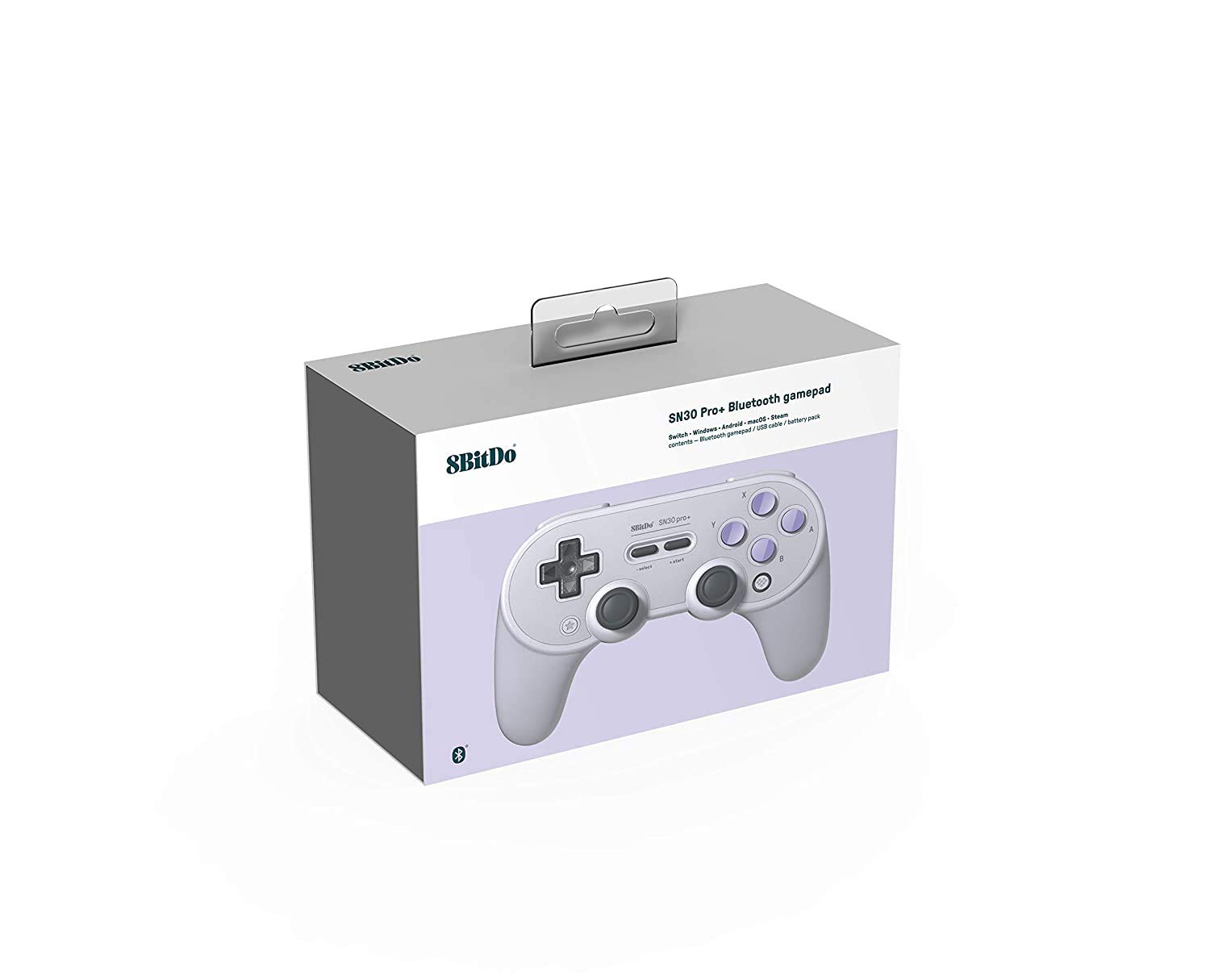
Figure 1: The 8Bitdo Sn30 Pro+ controller and its packaging.
Setup & Pairing
The Sn30 Pro+ controller supports multiple connection modes for various platforms. Ensure the controller is sufficiently charged before initial setup.
Switch Mode
1. Power on the controller by pressing Y + START.
2. The LED indicators will flash once per cycle.
3. Press the Pair button for 3 seconds to enter pairing mode. The LEDs will rapidly rotate.
4. On your Nintendo Switch, go to System Settings > Controllers and Sensors > Change Grip/Order.
5. The controller will appear as "8Bitdo SN30 Pro+" and connect automatically. LED indicators will become solid when connected.
Note: Switch compatibility does not support HD Rumble or Amiibo scanning.
Windows Mode (X-input)
1. Power on the controller by pressing X + START.
2. The LED indicators will flash twice per cycle.
3. Press the Pair button for 3 seconds to enter pairing mode. The LEDs will rapidly rotate.
4. On your Windows PC (Windows 7 and above, Bluetooth 4.0), go to Bluetooth settings and pair with "8Bitdo SN30 Pro+". LED indicators will become solid when connected.
macOS Mode
1. Power on the controller by pressing A + START.
2. The LED indicators will flash three times per cycle.
3. Press the Pair button for 3 seconds to enter pairing mode. The LEDs will rapidly rotate.
4. On your macOS device (macOS 10.7 and above), go to Bluetooth settings and pair with "Wireless Controller". LED indicators will become solid when connected.
Android Mode
1. Power on the controller by pressing B + START.
2. The LED indicators will flash four times per cycle.
3. Press the Pair button for 3 seconds to enter pairing mode. The LEDs will rapidly rotate.
4. On your Android device (Android 4.0 and above), go to Bluetooth settings and pair with "8Bitdo SN30 Pro+". LED indicators will become solid when connected.
Steam & Raspberry Pi
For Steam (Windows 7 and above, macOS 10.9 and above) and Raspberry Pi (Bluetooth 2.0 and above, 2B, 2B+, 3B, Zero), follow the Windows (X-input) pairing instructions. Additional system support may require downloading and installing firmware from 8bitdo's official website.

Figure 2: Compatibility overview for the Sn30 Pro+ controller.
Operating Instructions
Button Functions
The Sn30 Pro+ features a classic button layout with modern enhancements:
- D-Pad: Directional input.
- Left/Right Analog Sticks: Precise 360-degree movement control.
- A/B/X/Y Buttons: Standard action buttons.
- L1/R1 (Shoulder Buttons): Top-mounted action buttons.
- L2/R2 (Trigger Buttons): Analog triggers for pressure-sensitive input.
- START/SELECT: Game-specific functions.
- Home Button: Returns to system home screen.
- Star Button: Special function button (programmable via Ultimate Software).

Figure 3: Side view of the controller showing trigger buttons.
Advanced Customization (Ultimate Software)
The 8Bitdo Ultimate Software (available for Windows and macOS) allows for extensive customization:
- Button Mapping: Remap any button to your preferred function.
- Modifiable Vibration: Adjust the intensity of rumble feedback.
- Adjustable Joystick Sensitivity: Fine-tune analog stick response.
- Trigger Button Adjustment: Customize trigger dead zones and response curves.
- Macros: Create custom button sequences for complex actions.
Download the Ultimate Software from the official 8Bitdo website to unlock these features.
Charging & Battery
The Sn30 Pro+ controller is powered by a rechargeable Lithium Metal battery (included). Use the provided USB-C cable for charging.
- Connect the USB-C cable to the controller's port and the other end to a USB power source (e.g., PC, USB wall adapter).
- The LED indicators will show charging status and turn off when fully charged.
- Important: Please use only the USB cable included in the box to charge. Do not use other USB cables for charging.

Figure 4: Bottom view showing the battery compartment.
Maintenance & Care
- Keep the controller dry and away from extreme temperatures.
- Clean with a soft, dry cloth. Avoid harsh chemicals or abrasive materials.
- Store in a safe place to prevent accidental drops or damage.
Troubleshooting
- Controller not pairing: Ensure the controller is in the correct mode for your device (Switch, X-input, macOS, Android). Press the Pair button for 3 seconds to re-enter pairing mode.
- Connection issues: Ensure your device's Bluetooth is enabled and within range. Try forgetting the device on your system's Bluetooth settings and re-pairing.
- Buttons not responding: Ensure the controller is charged. Check for any custom button mappings in the Ultimate Software that might be causing unexpected behavior.
- Controller not waking up Switch: This controller cannot wake the Nintendo Switch from sleep mode. You must manually turn on the Switch first.
Specifications
| Feature | Detail |
|---|---|
| Model Number | 6922621500575 |
| Connectivity | Wireless Bluetooth, USB-C |
| Battery | 1 Lithium Metal battery (included) |
| Special Features | Rumble vibration, motion controls, button mapping, adjustable joystick sensitivity, adjustable hair trigger buttons |
| Product Dimensions | 1 x 1 x 1 inches |
| Item Weight | 12.8 ounces |
Warranty & Support
For warranty information and technical support, please visit the official 8Bitdo website or contact their customer service directly. Refer to the included user guide PDF for additional details.
Official User Guide (PDF): Download Here


