
Creative E2500
Creative SBS E2500 2.1 Speaker System User Manual
Model: E2500
Introduction
The Creative SBS E2500 is a high-performance 2.1 speaker system designed to deliver powerful and immersive audio. Featuring Bluetooth 5.0 connectivity, a down-firing subwoofer, and multiple input options including FM, USB, and Aux, this system is ideal for enhancing audio from your TV, computers, and laptops. This manual provides detailed instructions for setting up, operating, and maintaining your speaker system.

Figure 1: Creative SBS E2500 2.1 Speaker System
Package Contents
Please ensure all items are present in the package:
- Subwoofer
- Satellite Speakers (2 units)
- Warranty Card
- User Manual
- Audio Cables
Product Features
- 2.1 Speaker System with Far-field Drivers
- Down-firing Quality MDF Subwoofer
- Convenient Control Buttons on Subwoofer
- Bluetooth 5.0 Connectivity for wireless audio streaming
- Multiple Input Options: FM, USB, and Aux
- Remote Control for convenient operation
- Total System Power: 60W Peak / 30W RMS
- Subwoofer Diameter: 5 Inches
- Speaker Size: 130 Millimetres
- Maximum Range: 10 metres (Bluetooth)
Setup Guide
Follow these steps to set up your Creative SBS E2500 speaker system:
1. Placement
Place the subwoofer on a flat, stable surface, preferably on the floor for optimal bass response. Position the satellite speakers on either side of your listening area, facing towards you for the best stereo imaging.
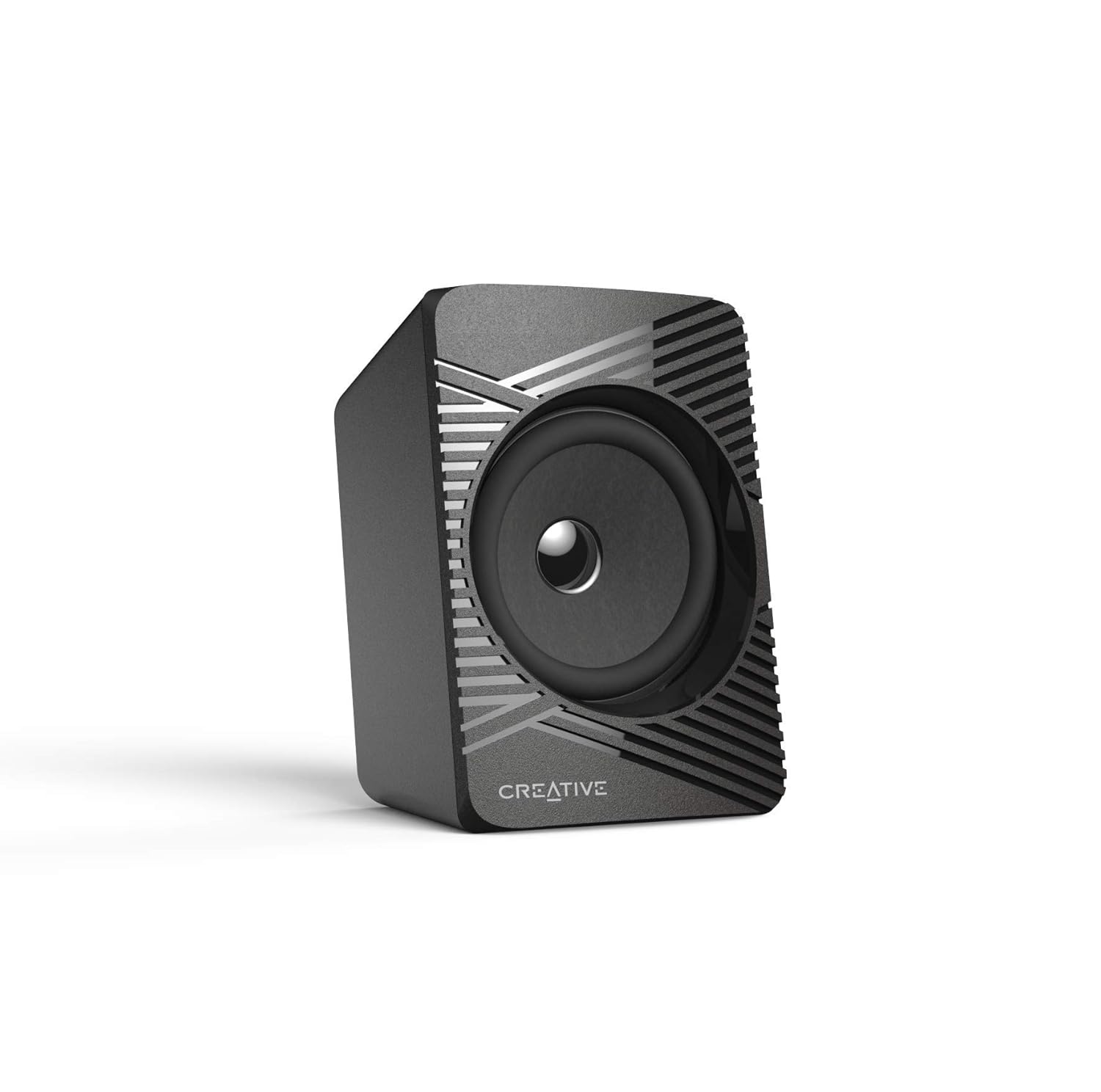
Figure 2: Recommended speaker placement in a room.
2. Connecting Speakers to Subwoofer
Connect the satellite speakers to the corresponding output ports on the rear of the subwoofer. Ensure the cables are securely inserted.

Figure 3: Subwoofer rear panel with speaker output and input ports.
3. Power Connection
Plug the power cable from the subwoofer into a standard wall outlet. The system is powered by corded electric.
4. Audio Source Connection
Choose your preferred audio input method:
- Auxiliary (Aux) Input: Use the provided audio cable to connect your device (e.g., TV, computer, laptop) to the "AUX INPUT" port on the rear of the subwoofer.
- USB Input: Insert a USB flash drive containing audio files into the USB port on the front panel of the subwoofer.
- Bluetooth: For wireless connection, refer to the "Bluetooth Pairing" section under Operating Instructions.
- FM Radio: Ensure the FM antenna is connected to the "ANTENNA" port on the rear of the subwoofer for optimal reception.
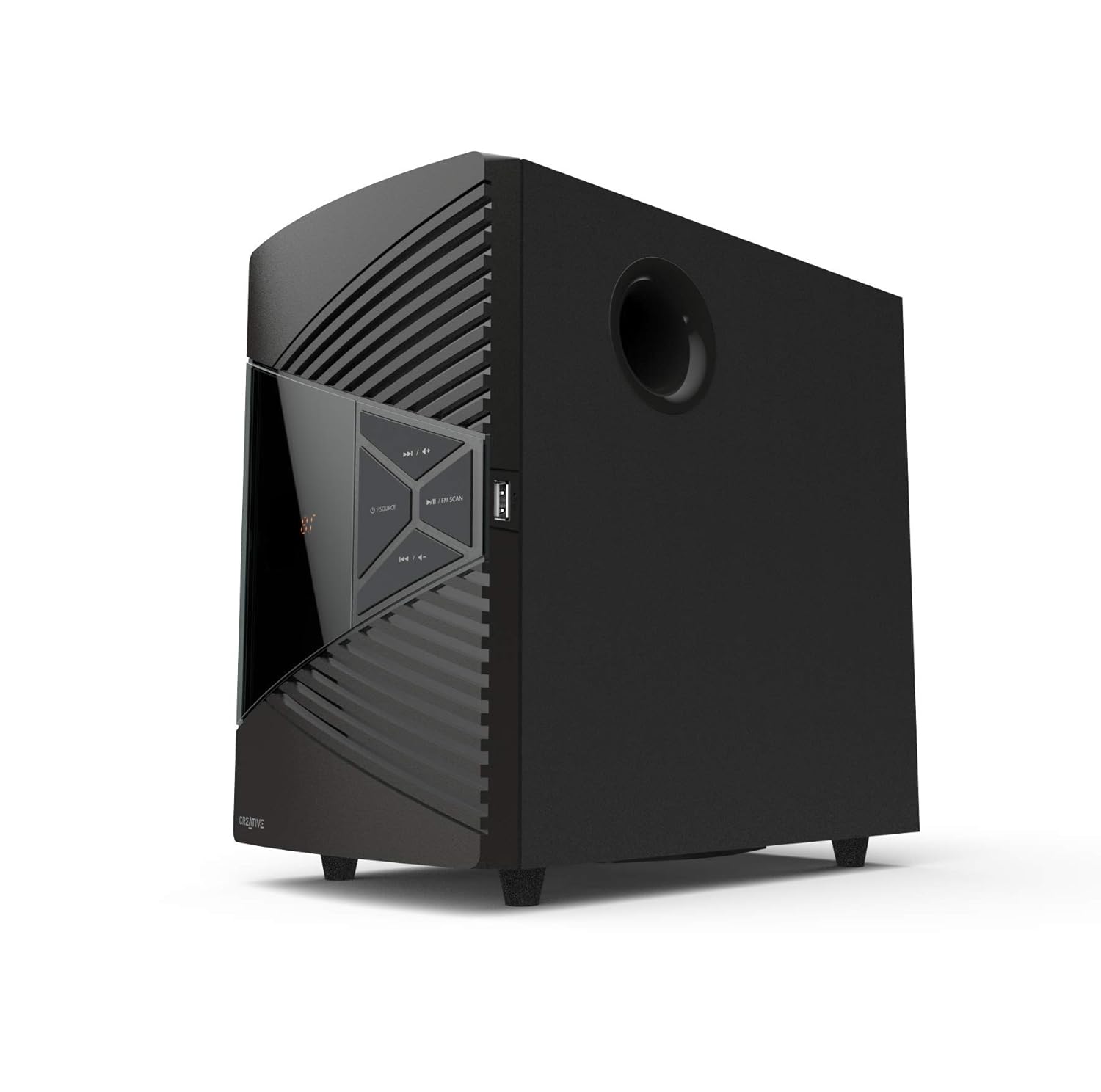
Figure 4: Subwoofer control panel with USB port.
Operating Instructions
Power On/Off
Press the Power button on the subwoofer's front panel or the remote control to turn the system on or off.
Mode Selection
Press the "Source" button on the subwoofer or the remote control to cycle through available input modes: Bluetooth, FM, USB, and Aux.
Volume Control
Adjust the volume using the dedicated volume buttons on the subwoofer or the "VOL+" and "VOL-" buttons on the remote control.
Bluetooth Pairing
- Switch the speaker system to Bluetooth mode. The LED display will indicate "BT".
- On your Bluetooth-enabled device, search for "Creative SBS E2500" in the list of available devices.
- Select "Creative SBS E2500" to pair. Once paired, the system will confirm the connection.
- If prompted for a password, enter "0000".
FM Radio Operation
- Switch to FM mode.
- Press the "Play/Pause" button to auto-scan and save available FM stations.
- Use the "Previous/Next Track" buttons to navigate between saved stations.
USB Playback
- Insert a USB flash drive into the USB port. The system will automatically switch to USB mode and begin playback.
- Use the "Play/Pause", "Previous Track", and "Next Track" buttons to control playback.
Remote Control Functions
The included remote control provides full functionality for your speaker system:

Figure 5: Remote Control for Creative SBS E2500.
- Power Button: On/Off.
- Number Pad (0-9): Direct track selection in USB mode, or direct frequency input in FM mode.
- AUX/USB/FM/BT Buttons: Direct mode selection.
- VOL+/-: Adjust volume.
- Play/Pause: Play/pause audio, auto-scan in FM mode.
- Previous/Next Track: Skip tracks, change FM stations.
- EQ/TUNING: Equalizer settings or manual tuning in FM mode.
Maintenance
To ensure the longevity and optimal performance of your Creative SBS E2500 speaker system, follow these maintenance guidelines:
- Cleaning: Use a soft, dry cloth to wipe down the surfaces of the subwoofer and satellite speakers. Avoid using abrasive cleaners, waxes, or solvents as they may damage the finish.
- Dust Prevention: Keep the speakers in a clean, dust-free environment. Dust can accumulate in vents and affect performance.
- Ventilation: Ensure proper ventilation around the subwoofer to prevent overheating. Do not block any ventilation openings.
- Cable Management: Keep cables organized and untangled to prevent damage and ensure stable connections.
- Avoid Moisture: Do not expose the speaker system to water or excessive moisture. This product is not waterproof.
- Temperature: Operate and store the system within recommended temperature ranges. Avoid extreme heat or cold.
Troubleshooting
If you encounter issues with your Creative SBS E2500 speaker system, refer to the following common problems and solutions:
| Problem | Possible Cause | Solution |
|---|---|---|
| No sound from speakers. |
|
|
| Bluetooth connection issues. |
|
|
| Poor FM reception. |
|
|
| USB playback not working. |
|
|
Specifications
| Feature | Detail |
|---|---|
| Model Name | SBS E2500 |
| Speaker Type | 2.1 Channel System with Subwoofer |
| Connectivity Technology | Bluetooth 5.0, Auxiliary, USB, FM Radio |
| Speaker Maximum Output Power | 60 Watts Peak |
| Speakers Nominal Output Power | 30 Watts RMS |
| Subwoofer Diameter | 5 Inches |
| Product Dimensions (Subwoofer) | 11.5D x 27W x 26.4H Centimeters |
| Item Weight | 2190 Grams (2.19 kg) |
| Maximum Bluetooth Range | 10 metres |
| Power Source | Corded Electric |
| Controller Type | Remote Control |
| Included Components | Subwoofer, Speakers, Warranty Card, User Manual, Cables |

Figure 6: Subwoofer dimensions.
Warranty and Support
The Creative SBS E2500 speaker system comes with a 1 Year Warranty. For warranty claims or technical support, please contact Creative Technology customer service.
Manufacturer: Creative Technology, CREATIVE LABS PTE LTD 31 INTERNATIONAL BUSINESS PARK #03-01 CREATIVE RESOURCE SINGAPORE 609921
Importer (India): Fortune Marketing Private Limited
For further assistance, please refer to the official Creative support website or the contact information provided on your warranty card.
Related documentsE2500


Ask a question about this manual
Ask about setup, troubleshooting, compatibility, parts, safety, or missing instructions. Manuals+ will review the question and use this page’s manual context to help answer it.