
SIMOLIO JH-712
SIMOLIO JH-712 Bluetooth Kids Headphones User Manual
Model: JH-712 | Brand: SIMOLIO
Introduction
This manual provides detailed instructions for the safe and effective use of your SIMOLIO JH-712 Bluetooth Kids Headphones. Please read this manual thoroughly before operating the device and retain it for future reference.
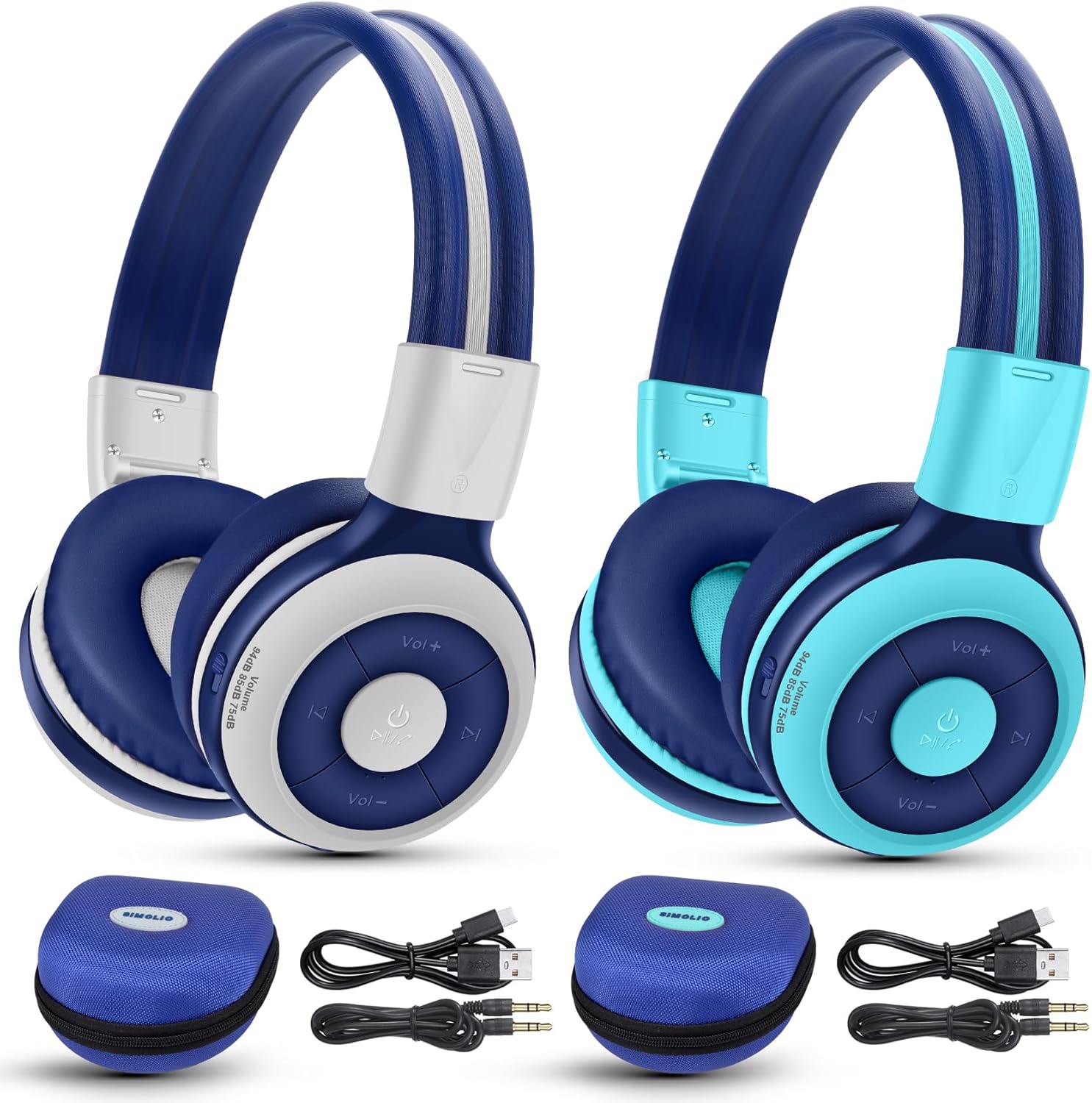
Image: The SIMOLIO JH-712 Bluetooth Kids Headphones, showcasing the mint and grey color options, complete with accessories.
Package Contents
Verify that all items are present in your package:
- SIMOLIO JH-712 Bluetooth Kids Headphones (2 units)
- Charging Cable (USB-C)
- AUX Cable (3.5mm audio cable)
- User Manual (this document)
- Carrying EVA Case (2 units)
Product Overview
Familiarize yourself with the components of your headphones.
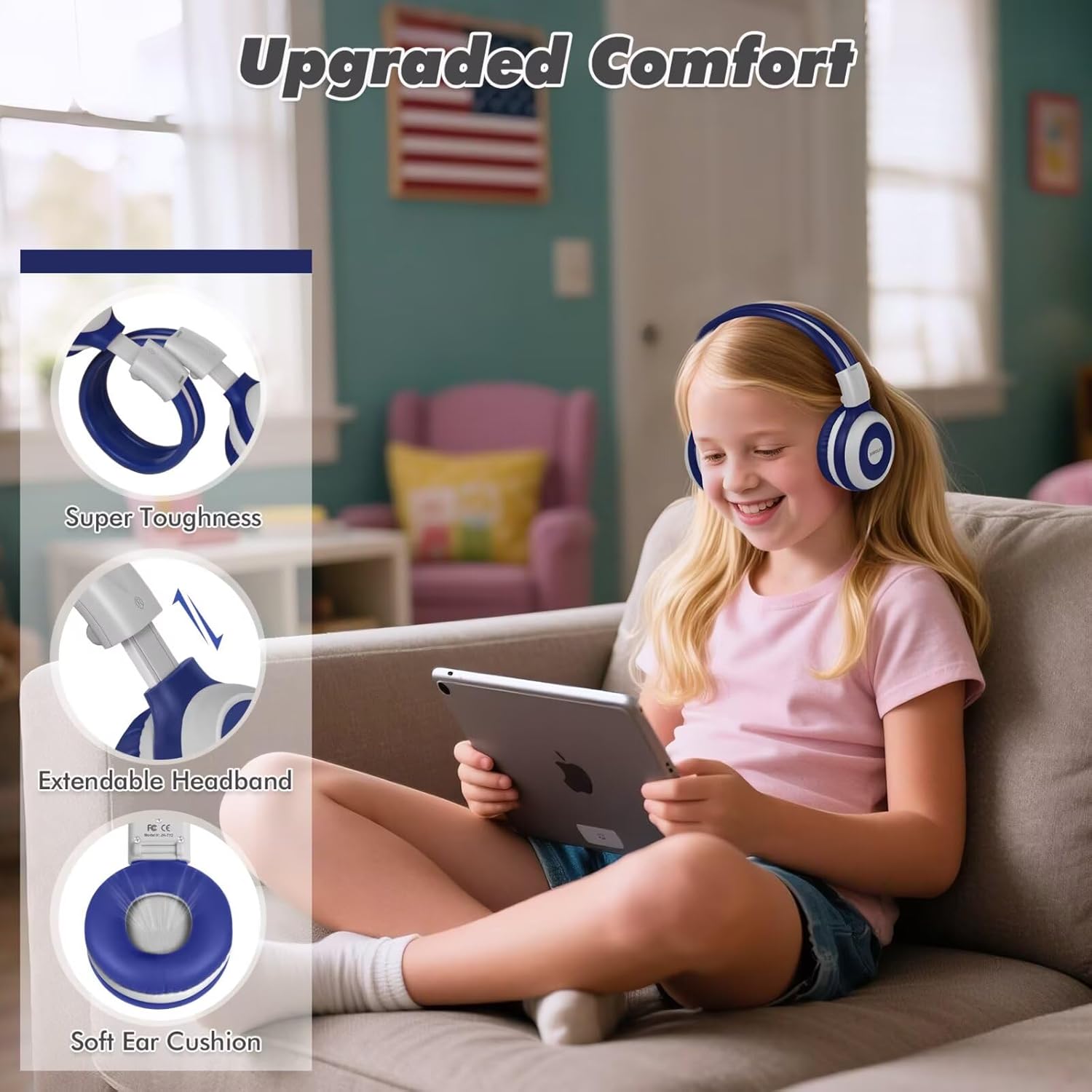
Image: Key features of the headphones, including super toughness, extendable headband, and soft ear cushions.
- Power Button/Multi-function Button: Used for power on/off, play/pause, answer/end calls.
- Volume Up/Next Track Button: Short press for volume up, long press for next track.
- Volume Down/Previous Track Button: Short press for volume down, long press for previous track.
- LED Indicator: Displays pairing status, charging status, and power.
- Microphone: For hands-free calls.
- 3.5mm Audio Jack: For wired connection.
- Charging Port (USB-C): For charging the headphones.
- Share Port: Allows another wired headphone to connect and share audio.
- Adjustable Headband: For a comfortable fit.
- Soft Ear Cushions: Designed for comfort and noise isolation.
Setup
1. Charging the Headphones
Before first use, fully charge the headphones.
- Connect the provided USB-C charging cable to the charging port on the headphones.
- Connect the other end of the cable to a USB power adapter (not included) or a computer's USB port.
- The LED indicator will show a red light during charging and turn off when fully charged.
- A full charge takes approximately 3 hours and provides up to 15 hours of playtime.
2. Bluetooth Pairing (Wireless Mode)
- Ensure the headphones are turned off.
- Press and hold the Power Button for approximately 5 seconds until the LED indicator flashes blue and red alternately. This indicates pairing mode.
- On your device (smartphone, tablet, laptop), enable Bluetooth and search for available devices.
- Select "SIMOLIO JH-712" from the list of devices.
- Once connected, the LED indicator will flash blue slowly.
- If a passcode is requested, enter "0000".

Image: Illustration of wireless and wired usage modes for the headphones.
3. Wired Connection (AUX Mode)
Use the wired connection when Bluetooth is not available or the battery is depleted.
- Connect one end of the provided 3.5mm AUX cable to the 3.5mm audio jack on the headphones.
- Connect the other end of the cable to the audio output jack of your device.
- The headphones will automatically switch to wired mode. The microphone functions only in Bluetooth mode.
Operating Instructions
Power On/Off
- Power On: Press and hold the Power Button for 2-3 seconds until the LED indicator flashes blue.
- Power Off: Press and hold the Power Button for 3-4 seconds until the LED indicator turns red and then off.
Volume Control and Limiting Modes
The headphones feature three distinct volume limiting modes for hearing protection.

Image: Visual representation of the three volume limiting modes: 75dB (Toddler Mode), 85dB (Study Mode), and 94dB (Travel Mode).
- Adjust Volume: Short press the Volume Up (+) or Volume Down (-) buttons.
- Change Volume Limiting Mode: The headphones automatically adjust to 75dB, 85dB, or 94dB based on the environment. Specific manual control for these modes is typically managed by the device's volume settings within these limits.
Music Playback
- Play/Pause: Short press the Power Button.
- Next Track: Long press the Volume Up (+) button.
- Previous Track: Long press the Volume Down (-) button.
Call Functions (Bluetooth Mode Only)
- Answer/End Call: Short press the Power Button.
- Reject Call: Long press the Power Button.
- Redial Last Number: Double-press the Power Button.

Image: Children engaged in online learning and video chats using the headphones' built-in microphone.
Share Port Function
The Share Port allows two users to listen to the same audio source simultaneously.
- Connect the primary SIMOLIO headphone to your device via Bluetooth.
- Connect one end of the 3.5mm AUX cable to the Share Port of the primary SIMOLIO headphone.
- Connect the other end of the AUX cable to the 3.5mm audio jack of a second headphone (can be another SIMOLIO headphone or any compatible wired headphone).
- Both headphones will now receive audio from the primary device.

Image: Two children sharing audio from a single device using the headphone's share port.
Maintenance
- Clean the headphones with a soft, dry cloth. Do not use abrasive cleaners or solvents.
- Avoid exposing the headphones to extreme temperatures, humidity, or direct sunlight.
- Store the headphones in the provided EVA case when not in use to protect them from damage.
- Do not attempt to disassemble or repair the headphones yourself. Contact customer support for assistance.
Troubleshooting
| Problem | Possible Cause | Solution |
|---|---|---|
| Headphones do not power on. | Low battery. | Charge the headphones fully. |
| Cannot pair via Bluetooth. | Headphones not in pairing mode; device Bluetooth off; too far from device. | Ensure headphones are in pairing mode (flashing blue/red). Turn on device Bluetooth. Move headphones closer to device (within 10 meters). |
| No sound in wireless mode. | Volume too low; headphones not connected; incorrect audio output selected on device. | Increase headphone and device volume. Re-pair headphones. Check device's audio output settings. |
| No sound in wired mode. | AUX cable not fully inserted; cable damaged; device volume too low. | Ensure AUX cable is fully inserted into both headphone and device. Try a different AUX cable. Increase device volume. |
| Microphone not working. | Using wired mode; device microphone settings. | The microphone only works in Bluetooth mode. Check your device's microphone input settings. |
Specifications
- Model Name: JH-712
- Connectivity Technology: Wireless (Bluetooth 5.0), Wired (3.5 mm Jack)
- Bluetooth Range: 10 Meters
- Audio Driver Type: Dynamic Driver (40mm)
- Frequency Range: 200 Hz - 10,000 Hz
- Volume Limiting: 3 levels (75dB/85dB/94dB)
- Battery Life: Up to 15 Hours (wireless mode)
- Charging Time: Approximately 3 Hours
- Included Components: Charging Cable, AUX Cable, User Manual, Carrying EVA Case
- Material: Stainless Steel (headband strips)
- Item Weight: 184 Grams (per headphone)
- Special Features: Foldable, Built-in Microphone, Volume Control, Share Port
- Age Range: Toddlers-Kids-Teens

Image: Detailed view of the 40mm dynamic driver, emphasizing extraordinary sound quality.
Warranty and Support
SIMOLIO provides a 12-month hassle-free warranty for this product. For warranty claims, technical support, or any inquiries, please contact SIMOLIO customer service through the retailer where the product was purchased or visit the official SIMOLIO website.
Online Support: Visit the SIMOLIO Store on Amazon
Related documentsJH-712


Ask a question about this manual
Ask about setup, troubleshooting, compatibility, parts, safety, or missing instructions. Manuals+ will review the question and use this page’s manual context to help answer it.