
Introduction
Thank you for purchasing the iHome Multiport 40W USB-C Charger. This manual provides essential information for the safe and efficient use of your device. Please read these instructions carefully before use and retain them for future reference.
Safety Information
- Do not expose the charger to liquids, moisture, or extreme temperatures.
- Do not disassemble or attempt to repair the charger. This may void the warranty and pose a safety risk.
- Ensure the charger is plugged into a properly grounded wall outlet.
- Keep out of reach of children.
- Unplug the charger during lightning storms or when unused for long periods.
Package Contents
The package includes the following items:
- Wall Charger
Setup
To set up your iHome Multiport 40W USB-C Charger:
- Unfold the Prongs: Gently pull out the foldable prongs from the charger body until they lock into place.
- Plug into an Outlet: Insert the charger into a standard AC wall outlet. The slim design allows for easy access to outlets, even in tight spaces.
- Connect Devices: Plug your USB-C charging cables (not included) into the two available USB-C ports on the charger. Connect the other end of the cables to your compatible devices.


Operating Instructions
The iHome Multiport 40W USB-C Charger is designed for efficient and fast charging of your compatible devices.
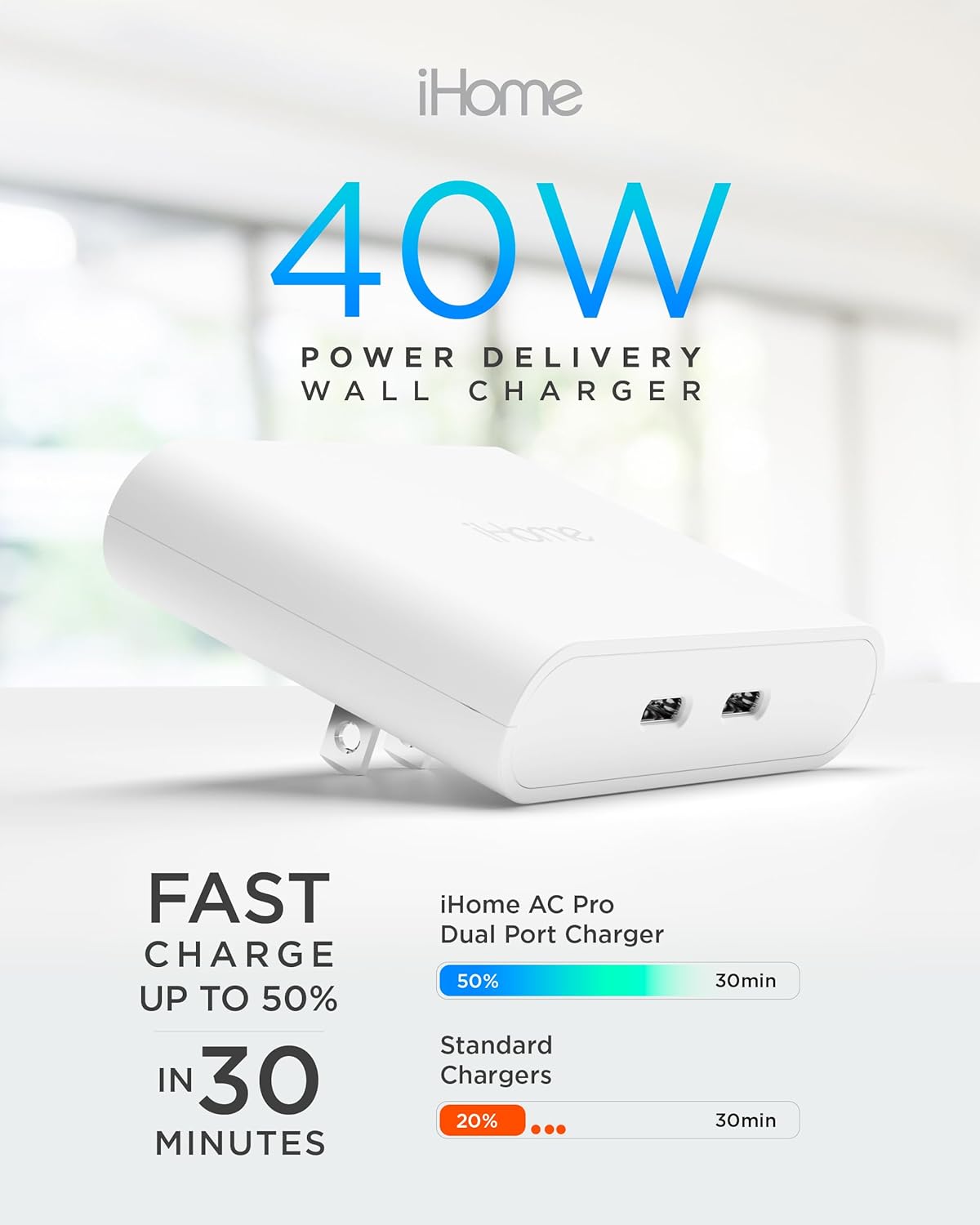
- Dual Port Charging: The charger features two USB-C ports, allowing you to charge two devices simultaneously.
- Fast Charging: Each USB-C port provides up to 20W Power Delivery when used individually, enabling devices to charge up to three times faster than standard chargers. When both ports are in use, the total 40W output is dynamically distributed to optimize charging speeds for both connected devices.
- Universal Compatibility: This charger is compatible with a wide range of devices, including iPhones, Samsung Galaxy phones, Google Pixel phones, iPads, Apple Watches, AirPods, game consoles, cameras, and other USB-C powered devices.


Official Product Video
Maintenance
To ensure the longevity and optimal performance of your charger:
- Clean the charger with a soft, dry cloth. Do not use abrasive cleaners or solvents.
- Store the charger in a cool, dry place when not in use.
- Avoid bending or crimping the charging cables excessively.
Troubleshooting
| Problem | Possible Cause | Solution |
|---|---|---|
| Device not charging | Loose connection; incompatible cable; faulty device. | Ensure cables are securely connected. Try a different cable or device to isolate the issue. Verify device compatibility. |
| Slow charging | Cable quality; device drawing too much power; multiple devices connected. | Use high-quality USB-C cables. If charging multiple devices, charging speed may be distributed. Ensure your device supports fast charging. |
| Charger is hot | Normal operation under load; poor ventilation. | A slight warmth is normal during operation. Ensure adequate ventilation around the charger. If excessively hot, discontinue use and contact support. |
Specifications
| Feature | Detail |
|---|---|
| Brand | iHome |
| Model Number | IHCT5104W-AZ |
| Connector Type | USB Type C |
| Total USB Ports | 2 |
| Wattage | 40W (Total) |
| Input Voltage | 5 Volts |
| Amperage | 3.6 Amps |
| Output Current | 5 Amps |
| Output Voltage | 5 |
| Color | White |
| Material | Plastic |
| Mounting Type | Wall Mount |
| Special Feature | Foldable Prongs, Slim Design, Fast Charging |
Warranty
This iHome product comes with a Limited Lifetime Warranty. For detailed information regarding warranty coverage, terms, and conditions, please refer to the official iHome website or contact customer support.
Support
For further assistance, technical support, or warranty claims, please visit the official iHome website or contact their customer service department. Contact information can typically be found on the product packaging or the official brand website.


