
Introduction
This manual provides essential instructions for the safe and efficient use of your LitezAll Motion Activated LED Spotlight, Model 23085. Please read this manual thoroughly before installation and operation, and retain it for future reference.

Image: Front view of the LitezAll Motion Activated LED Spotlight, showcasing its compact design with the LED light and motion sensor visible.
Product Features
- Motion Sensor Activation: Automatically illuminates when movement is detected.
- Bright LED Illumination: Provides focused and dependable light.
- Battery Operated: Requires no wiring or external power source.
- Wireless Installation: Flexible placement options for indoor or outdoor use.
- Compact Design: Suitable for various locations such as walkways, closets, garages, and entryways.
Setup and Installation
1. Battery Installation
- Locate the battery compartment cover on the back of the spotlight.
- Twist or slide the cover to open it.
- Insert 2 AA batteries, ensuring correct polarity (+/-) as indicated inside the compartment.
- Replace the battery compartment cover securely.
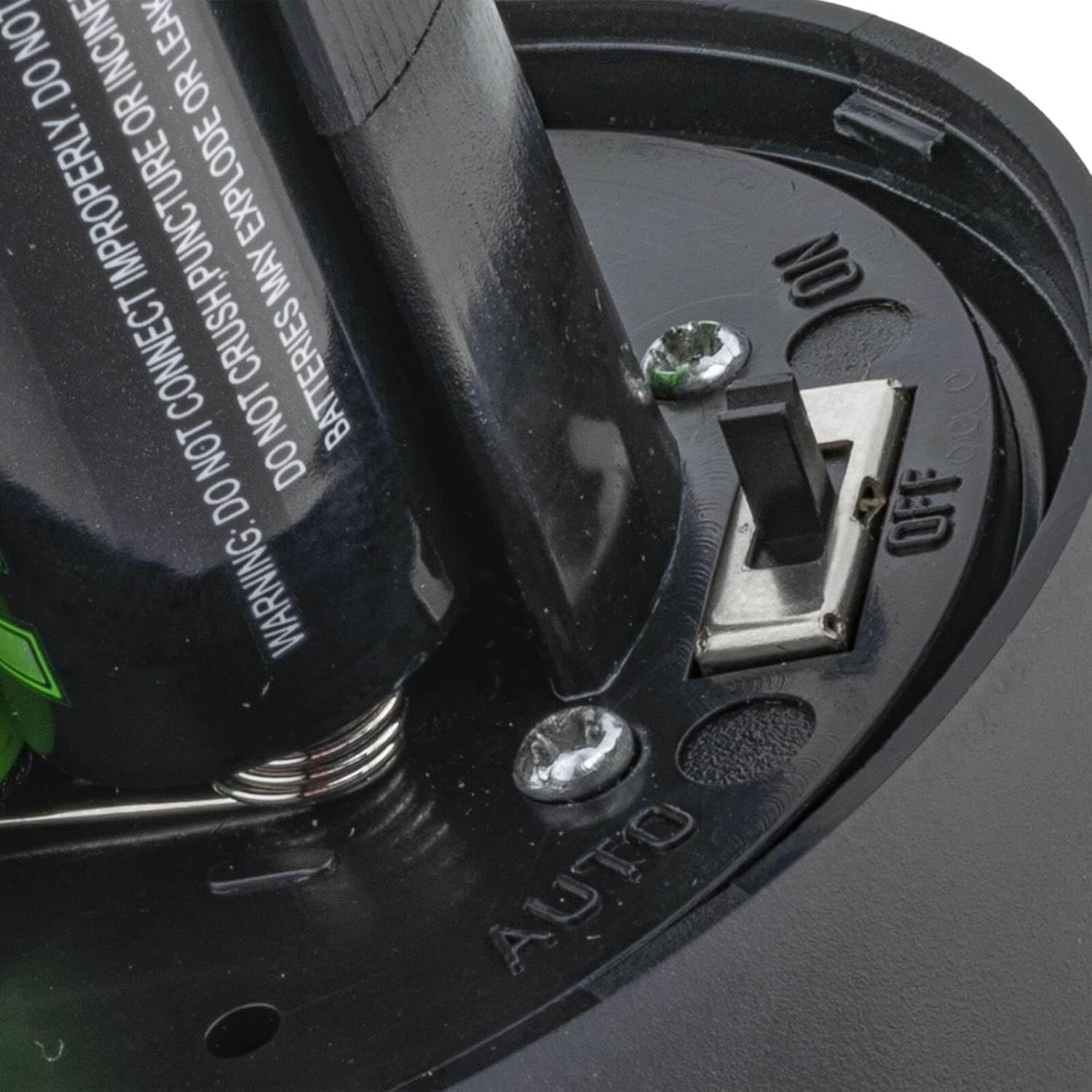
Image: Close-up view of the battery compartment with batteries inserted and the ON/OFF/AUTO switch clearly visible.
2. Mounting Options
The spotlight can be mounted using screws or adhesive (not included). For optimal performance, choose a location where the motion sensor has an unobstructed view of the area to be monitored.
- Screw Mounting:
- Identify a suitable mounting surface.
- Use the base of the spotlight as a template to mark the screw holes.
- Drill pilot holes if necessary.
- Secure the spotlight to the surface using appropriate screws.
- Adhesive Mounting:
- Ensure the mounting surface is clean, dry, and smooth.
- Apply a strong, weather-resistant adhesive tape (not included) to the base of the spotlight.
- Press the spotlight firmly onto the desired surface for several seconds.
- Note: For outdoor or high-traffic areas, screw mounting is recommended for greater security and durability.
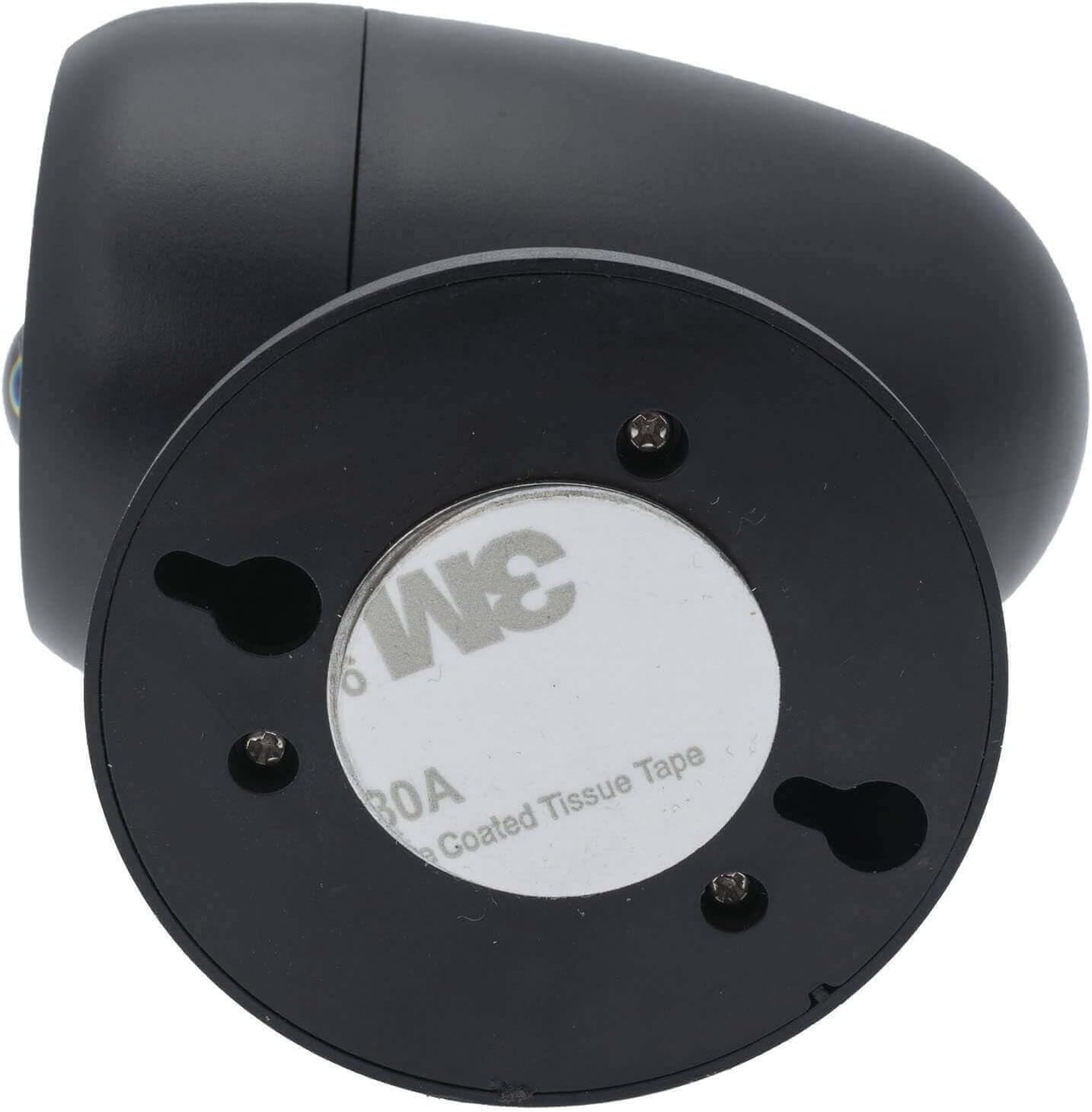
Image: Bottom view of the LitezAll spotlight, illustrating the keyhole slots for screw mounting and the circular adhesive pad for alternative installation.
Operating Instructions
Mode Selection
After battery installation, locate the switch inside the battery compartment (refer to Battery Installation image). This switch allows you to select the operating mode:
- OFF: The spotlight is turned off and will not activate.
- ON: The spotlight will remain continuously on.
- AUTO: The spotlight will activate automatically when motion is detected in low-light conditions.
Motion Sensor Functionality
In AUTO mode, the integrated motion sensor detects movement up to 10 feet away. The light will turn on when motion is sensed and will remain on for a short duration after motion ceases, then turn off automatically to conserve battery life. For optimal performance, ensure the sensor is not obstructed.

Image: Diagram showing a person walking and the LitezAll spotlight detecting motion up to 10 feet away, indicating its activation range.
Maintenance
Battery Replacement
When the light output diminishes or the spotlight fails to activate, it is time to replace the batteries. Follow the Battery Installation steps in the Setup section to replace the 2 AA batteries. Always use fresh batteries and dispose of old batteries responsibly.
Cleaning
To clean the spotlight, wipe the exterior with a soft, damp cloth. Do not use abrasive cleaners or immerse the unit in water. Ensure the motion sensor lens is kept clean for accurate detection.
Troubleshooting
| Problem | Possible Cause | Solution |
|---|---|---|
| Light does not turn on. |
|
|
| Light does not detect motion reliably. |
|
|
| Spotlight falls off mounting surface. |
|
|
Specifications
- Brand: LitezAll
- Model: 23085
- Item Weight: 8.8 ounces
- Product Dimensions: 6.75 x 4 x 9.5 inches
- Batteries: 2 AA batteries (included)
- Bulb Type: LED
- Special Features: Motion-Sensor
- Voltage: 6 Volts
- Wattage: 3.75
- First Available: June 14, 2019
Safety Information
- Do not mix old and new batteries.
- Do not mix alkaline, standard (carbon-zinc), or rechargeable (nickel-cadmium) batteries.
- Remove batteries if the product is not used for an extended period.
- Keep out of reach of children.
- Do not stare directly into the LED light.