1. Introduction
Thank you for purchasing the PRGR RED EYES POCKET HS-120 Speed Radar. This compact and portable device is designed to accurately measure various speeds, including golf club head speed, ball speed, and estimated carry distance. It is an invaluable tool for golfers and athletes looking to analyze and improve their performance during practice sessions. This manual provides detailed instructions on how to set up, operate, and maintain your device to ensure optimal performance and longevity.
2. Safety Information
Please read and understand the following safety precautions before using the device:
- Do not expose the device to extreme temperatures, direct sunlight, or high humidity.
- Avoid dropping the device or subjecting it to strong impacts.
- Keep the device away from water and other liquids. If it gets wet, power it off immediately and allow it to dry completely before attempting to use it again.
- Do not attempt to disassemble or repair the device yourself. Refer all servicing to qualified personnel.
- Use only the specified battery type (AAA batteries). Ensure correct polarity when inserting batteries.
- Remove batteries if the device will not be used for an extended period to prevent leakage.
- Keep out of reach of children.
3. Package Contents
Verify that all items are present in your package:
- PRGR RED EYES POCKET HS-120 Speed Radar Unit
- Carrying Pouch
- AAA Batteries (4 pcs)
- Instruction Manual (this document)
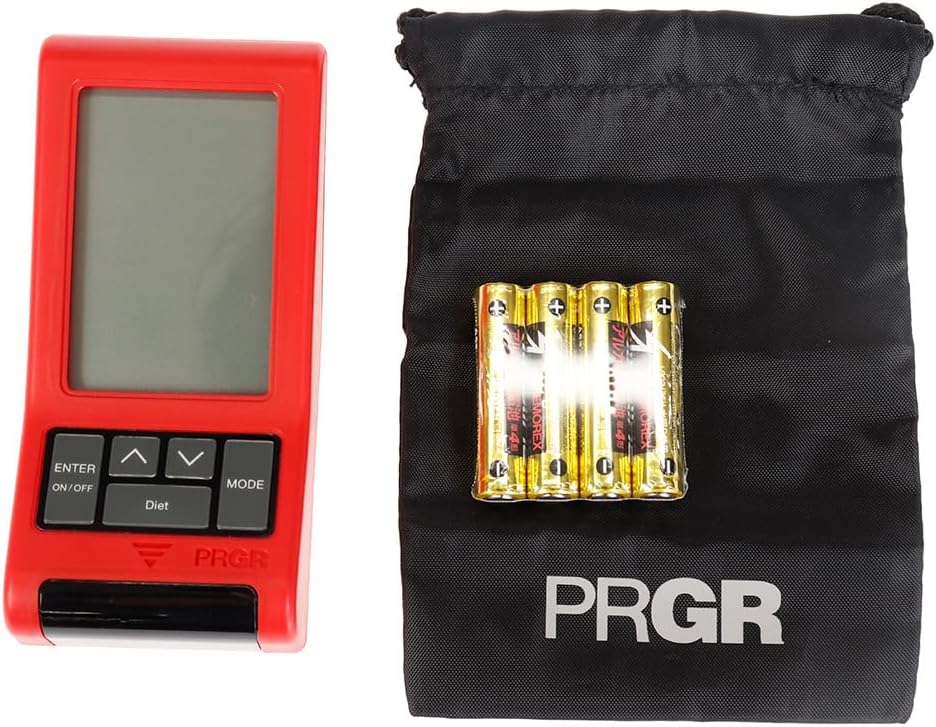
Figure 3.1: PRGR Red Eyes Pocket HS-120 with carrying pouch and batteries.
4. Product Overview
Familiarize yourself with the components of your PRGR RED EYES POCKET HS-120:
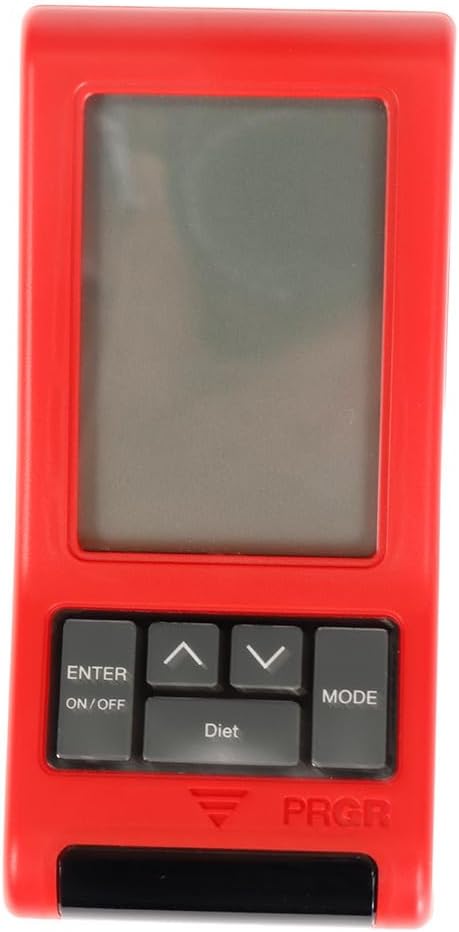
Figure 4.1: Front View (Display, Control Buttons)

Figure 4.2: Back View (Battery Compartment, Tripod Mount)

Figure 4.3: Side View

Figure 4.4: Control Buttons (ENTER/ON/OFF, Up/Down, MODE)
Key Components:
- Display Screen: Shows measurement readings, mode, and settings.
- ENTER/ON/OFF Button: Powers the device on/off and confirms selections.
- Up/Down Buttons: Navigate menus and adjust settings.
- MODE Button: Switches between different measurement modes (e.g., Golf, Baseball) and settings.
- Sensor Window: The area where the radar detects speed. Keep clear of obstructions.
- Battery Compartment: Located on the back, holds 4 AAA batteries.
- Tripod Mount: Allows for stable positioning on a tripod (tripod not included).
5. Setup
5.1. Battery Installation
- Locate the battery compartment cover on the back of the device.
- Slide the cover open.
- Insert 4 AAA batteries, ensuring correct polarity (+/-) as indicated inside the compartment.
- Close the battery compartment cover securely.
5.2. Powering On/Off
- To power on: Press and hold the ENTER/ON/OFF button for approximately 1 second.
- To power off: Press and hold the ENTER/ON/OFF button for approximately 2 seconds until the display turns off. The device will also automatically power off after a period of inactivity to conserve battery life.
5.3. Initial Settings
Upon first power-on or after battery replacement, you may need to set the date, time, and preferred measurement units. Use the Up/Down buttons to adjust values and the ENTER button to confirm and move to the next setting.
6. Operating Instructions
6.1. Selecting Measurement Mode
Press the MODE button to cycle through available measurement modes. The PRGR RED EYES POCKET HS-120 supports various modes, including:
- Golf Mode: Measures club head speed, ball speed, and estimated carry distance.
- Baseball Mode: Measures bat swing speed and ball speed.
- Other Modes: May include general speed measurement or calorie consumption tracking.
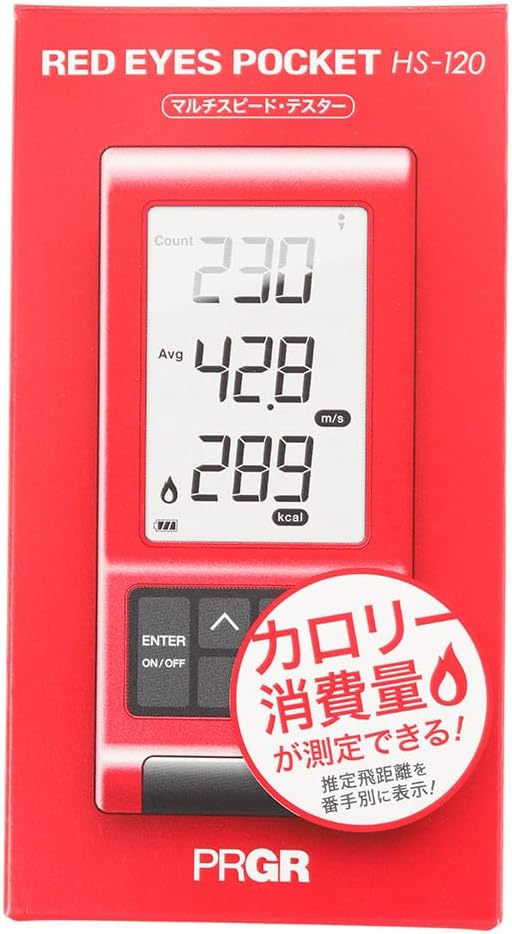
Figure 6.1: Retail packaging indicating multi-speed testing and calorie consumption features.
6.2. Taking a Measurement (Golf Mode Example)
- Place the device on a flat, stable surface approximately 1 meter (3 feet) behind the ball, aligned with your swing path. Ensure there are no obstructions between the device and the ball/club.
- Select 'Golf Mode' using the MODE button.
- Prepare for your swing.
- Execute your swing. The device will automatically detect the club head speed and ball speed.
- The measured values (Head Speed, Ball Speed, Estimated Carry Distance) will be displayed on the screen.
- The device can also track calorie consumption, which may be displayed or accessible via a dedicated 'Diet' button as seen on the device.
6.3. Understanding Display Readings
The display typically shows:
- HS (Head Speed): Your club head speed in meters per second (m/s) or miles per hour (mph).
- BS (Ball Speed): The speed of the ball immediately after impact.
- Carry: Estimated carry distance based on your swing and ball speed.
- Calorie Consumption: An estimate of calories burned during your session (if applicable to the selected mode).
- Count/Avg: Number of swings taken and average speed.
6.4. Reviewing Past Data
The device stores a certain number of past measurements. Use the Up/Down buttons to scroll through previous readings. Consult the on-screen prompts or the device's quick guide for specific instructions on data review.
7. Maintenance
- Cleaning: Wipe the device with a soft, dry cloth. Do not use abrasive cleaners or solvents. Ensure the sensor window is clean and free of dust or smudges for accurate readings.
- Storage: Store the device in its carrying pouch in a cool, dry place when not in use. Avoid storing in areas with extreme temperatures or high humidity.
- Battery Care: Replace batteries when the low battery indicator appears. If the device will not be used for an extended period, remove the batteries to prevent potential leakage and damage.
8. Troubleshooting
| Problem | Possible Cause | Solution |
|---|---|---|
| Device does not power on. | Dead or incorrectly inserted batteries. | Check battery polarity. Replace with new AAA batteries. |
| No reading or inaccurate reading. | Incorrect device placement; sensor obstructed; environmental interference. | Ensure device is 1 meter behind the ball and aligned. Clean sensor window. Avoid using near strong electromagnetic fields. Ensure sufficient distance from other objects. |
| Display is dim or flickering. | Low battery. | Replace batteries. |
| Buttons are unresponsive. | Temporary software glitch; low battery. | Remove and reinsert batteries. Replace batteries if low. |
If the problem persists after trying these solutions, please contact customer support.
9. Specifications
| Feature | Detail |
|---|---|
| Model Number | HS-120 (GM042) |
| Color | Gray, Red |
| Size | Free Size |
| Handedness | Ambidextrous |
| Material | Plastic |
| Batteries | 4 x AAA (Included) |
| Series Name | RED EYES |
| Package Dimensions | 14.6 x 8 x 4.6 cm |
| Weight | 162 g |
| First Available on Amazon.co.jp | June 18, 2019 |
10. Warranty and Support
This product comes with a manufacturer's warranty. Please refer to the warranty card included in your package for specific terms and conditions. For technical support, troubleshooting assistance, or warranty claims, please contact PRGR customer service through their official website or the retailer where you purchased the product. Keep your purchase receipt as proof of purchase.
For more information, visit the official PRGR website or contact your local distributor.


