
Delta DOP-107BV
Delta DOP-107BV HMI Touch Panel User Manual
Human Machine Interface
1. Product Overview
The Delta DOP-107BV is a 7-inch Human Machine Interface (HMI) touch panel designed for industrial automation applications. It provides a user-friendly interface for controlling and monitoring various processes.

Figure 1.1: Front view of the Delta DOP-107BV HMI Touch Panel, showing the 7-inch display and the Delta logo.
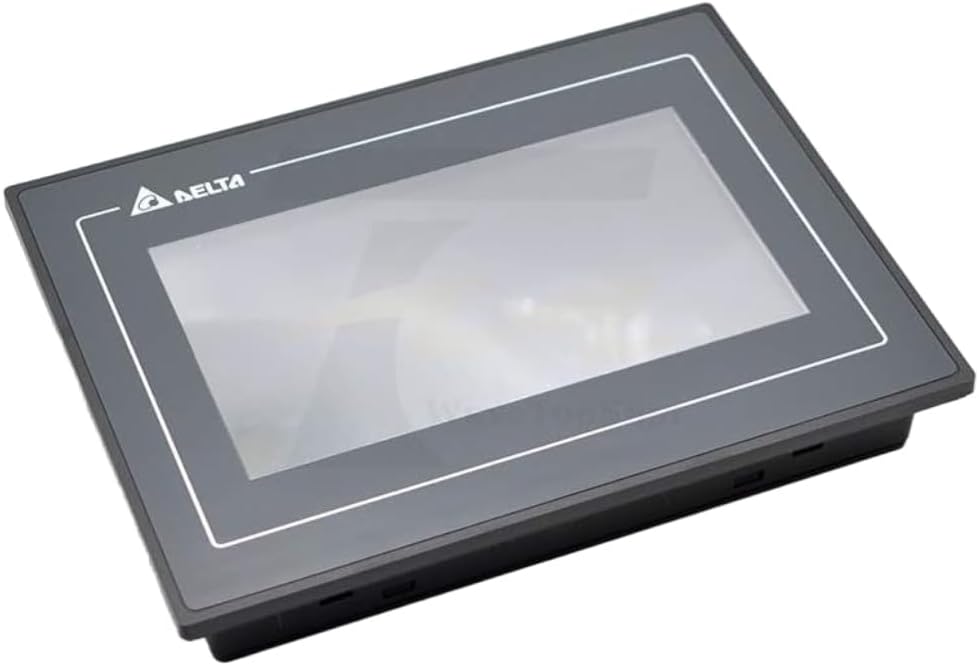
Figure 1.2: Angled view of the DOP-107BV, highlighting its slim profile and design.
2. Package Contents
Upon unpacking, please verify that all items listed below are present and in good condition.
- Delta DOP-107BV HMI Touch Panel
- Mounting hardware (clips, screws)
- User Manual / Documentation
- Power connector

Figure 2.1: Overview of the package contents for the DOP-107BV HMI.

Figure 2.2: The DOP-107BV HMI securely packaged with its accompanying accessories.
3. Specifications
Detailed technical specifications for the Delta DOP-107BV HMI Touch Panel are provided below.

Figure 3.1: Key technical parameters of the DOP-107BV HMI.

Figure 3.2: Comprehensive list of DOP-107BV HMI specifications.
| Feature | Description |
|---|---|
| Model | DOP-107BV |
| Display Size | 7 inches |
| Display Type | 7" TFT LCD, 65,536 Colors |
| Resolution | 800 x 480 |
| Processor | ARM Cortex-A8 800MHz CPU |
| Memory | 256 MB RAM, 256 MB ROM (Flash ROM) |
| Input Mode | Touch screen input |
| Communication Ports | 1 COM port, 1 extension COM port, USB Host, USB Client |
| Operating Temperature | 0°C ~ 50°C (32°F ~ 122°F) |
| Storage Temperature | -20°C ~ 60°C (-4°F ~ 140°F) |
| Panel Protection Class | IP65 |
| Certifications | CE / UL certified |
| Pressing Times | >1,000K times |
| Item Weight | 2.7 pounds |
| Package Dimensions | 11.5 x 8.5 x 4.5 inches |
4. Physical Dimensions
The following diagram illustrates the physical dimensions of the DOP-107BV HMI in millimeters and inches.

Figure 4.1: Dimensional drawing of the DOP-107BV HMI, showing height, width, and depth measurements.
5. Setup and Installation
5.1 Rear Panel and Connections
Familiarize yourself with the rear panel of the DOP-107BV, which houses all necessary connection ports.

Figure 5.1: Rear view of the DOP-107BV HMI, displaying the product label, USB ports, and COM port.

Figure 5.2: Close-up of the rear panel, indicating the USB Host, USB Slave, and COM1 ports, along with the power input area.
5.2 Power Connection
The DOP-107BV requires a DC 24V power input. Ensure the power supply meets the specified voltage and current requirements (24V DC, 370mA max). Connect the power cable to the designated terminal block on the rear panel. Observe polarity.
5.3 Communication Connections
- USB Host: For connecting USB devices such as flash drives for data transfer or firmware updates.
- USB Slave: For connecting the HMI to a PC for programming and configuration using Delta's software.
- COM1 (RS-232/RS-485/RS-422): This port is used for communication with PLCs or other industrial devices. Refer to the specific communication protocol documentation for wiring details.
- Extension COM Port: An additional communication port for expanded connectivity options.
5.4 Mounting
The DOP-107BV is designed for panel mounting. Cut an opening in the control panel according to the dimensions provided in Section 4. Secure the HMI using the provided mounting clips and screws. Ensure a tight fit to maintain the IP65 front panel protection rating.
6. Operating Instructions
6.1 Powering On/Off
To power on the HMI, connect the 24V DC power supply. The HMI will boot up automatically. To power off, disconnect the power supply. It is recommended to save any unsaved project data before powering off.
6.2 Touch Screen Operation
The DOP-107BV features a resistive touch screen. Use a finger or a non-sharp stylus for interaction. Avoid using sharp objects that could damage the screen surface.
6.3 Project Download and Upload
Project files are created using Delta's HMI software (e.g., DOPSoft). Projects can be downloaded to the HMI via the USB Slave port or a USB flash drive connected to the USB Host port. Consult the software manual for detailed instructions on project management.
6.4 System Settings
Access system settings to configure network parameters, display brightness, date/time, and other system-level functions. Refer to the comprehensive software manual for detailed navigation and configuration options.
7. Maintenance
7.1 Cleaning the Display
To clean the touch screen, use a soft, lint-free cloth dampened with a mild, non-abrasive cleaner. Do not spray cleaner directly onto the screen. Avoid using harsh chemicals, solvents, or abrasive materials.
7.2 Environmental Considerations
Ensure the operating environment adheres to the specified temperature (0°C ~ 50°C) and humidity ranges. Avoid exposure to direct sunlight, excessive dust, moisture, or corrosive gases to prolong the life of the device.
7.3 Firmware Updates
Periodically check Delta's official website for firmware updates. Firmware updates can improve performance, add new features, or resolve known issues. Follow the instructions provided with the firmware package carefully.
8. Troubleshooting
| Problem | Possible Cause | Solution |
|---|---|---|
| HMI does not power on. | No power supply; incorrect voltage; faulty power cable. | Check power connection and voltage (24V DC). Ensure power cable is securely connected. |
| Touch screen unresponsive. | Screen calibration issue; physical damage; software freeze. | Restart the HMI. If issue persists, attempt screen recalibration via system settings. Inspect for physical damage. |
| Communication error with PLC. | Incorrect wiring; wrong communication settings; incompatible protocol. | Verify wiring according to PLC and HMI manuals. Check communication parameters (baud rate, data bits, parity, stop bits). Ensure correct protocol is selected. |
| Project download fails. | Incorrect USB connection; software version mismatch; corrupted project file. | Ensure USB Slave port is used for PC connection. Verify HMI software compatibility. Try re-exporting the project file. |
9. Warranty and Support
9.1 Warranty Information
Delta products typically come with a standard manufacturer's warranty. For specific warranty terms and conditions, please refer to the warranty card included with your product or visit the official Delta Electronics website. Keep your purchase receipt as proof of purchase.
9.2 Technical Support
For technical assistance, product inquiries, or service requests, please contact Delta Electronics customer support or your local authorized distributor. You can find contact information on the official Delta website:
When contacting support, please have your product model number (DOP-107BV) and serial number ready.
Related documentsDOP-107BV


Ask a question about this manual
Ask about setup, troubleshooting, compatibility, parts, safety, or missing instructions. Manuals+ will review the question and use this page’s manual context to help answer it.