
1. Introduction
Thank you for choosing the GYMAX Foldable Treadmill. This manual provides essential information for the safe assembly, operation, and maintenance of your new fitness equipment. Please read this manual thoroughly before use and retain it for future reference.
2. Important Safety Information
To ensure your safety and prolong the life of your treadmill, please observe the following precautions:
- Always consult with a physician before starting any new exercise program.
- Place the treadmill on a flat, stable surface with adequate clearance around it.
- Keep children and pets away from the treadmill during operation.
- Ensure the emergency stop key is properly attached before starting the treadmill. In case of an emergency, pull the safety key to stop the machine immediately.
- Do not run on the treadmill if you feel dizzy, faint, or experience any pain. Stop exercising immediately.
- Wear appropriate athletic footwear and clothing.
- Do not use the treadmill if it is damaged or malfunctioning.
- Maximum user weight capacity: 220 lbs (100 kg).
3. Product Features
The GYMAX Foldable Treadmill is designed for convenient and effective home workouts, offering a range of features to enhance your exercise experience.
- Durable & Comfortable Running Belt: Made of wear-resistant and anti-slip PVC, with a high-elastic Bakelite board for shock absorption, protecting joints and muscles.
- Scientific Workout with Data Monitoring: An LCD screen displays time, speed, distance, and calories burned. Integrated pulse sensors monitor heart rate.
- Stable Frame: Constructed from high-quality steel for stability and durability, supporting up to 220 lbs.
- Adjustable Speed: Speed range of 0.5-7.5 MPH to accommodate walking, jogging, and running.
- 12 Preset Programs (P1-P12): Offers various workout intensities and routines.
- Convenient & Safe Design: Foldable for space-saving storage, equipped with built-in wheels for easy transport, and an emergency stop knob for user safety.
- Integrated Holders: Features cup holders and a device holder for your phone or tablet.

Image: Treadmill console highlighting key features like the emergency stop, cup holders, device holder, and transport wheels.
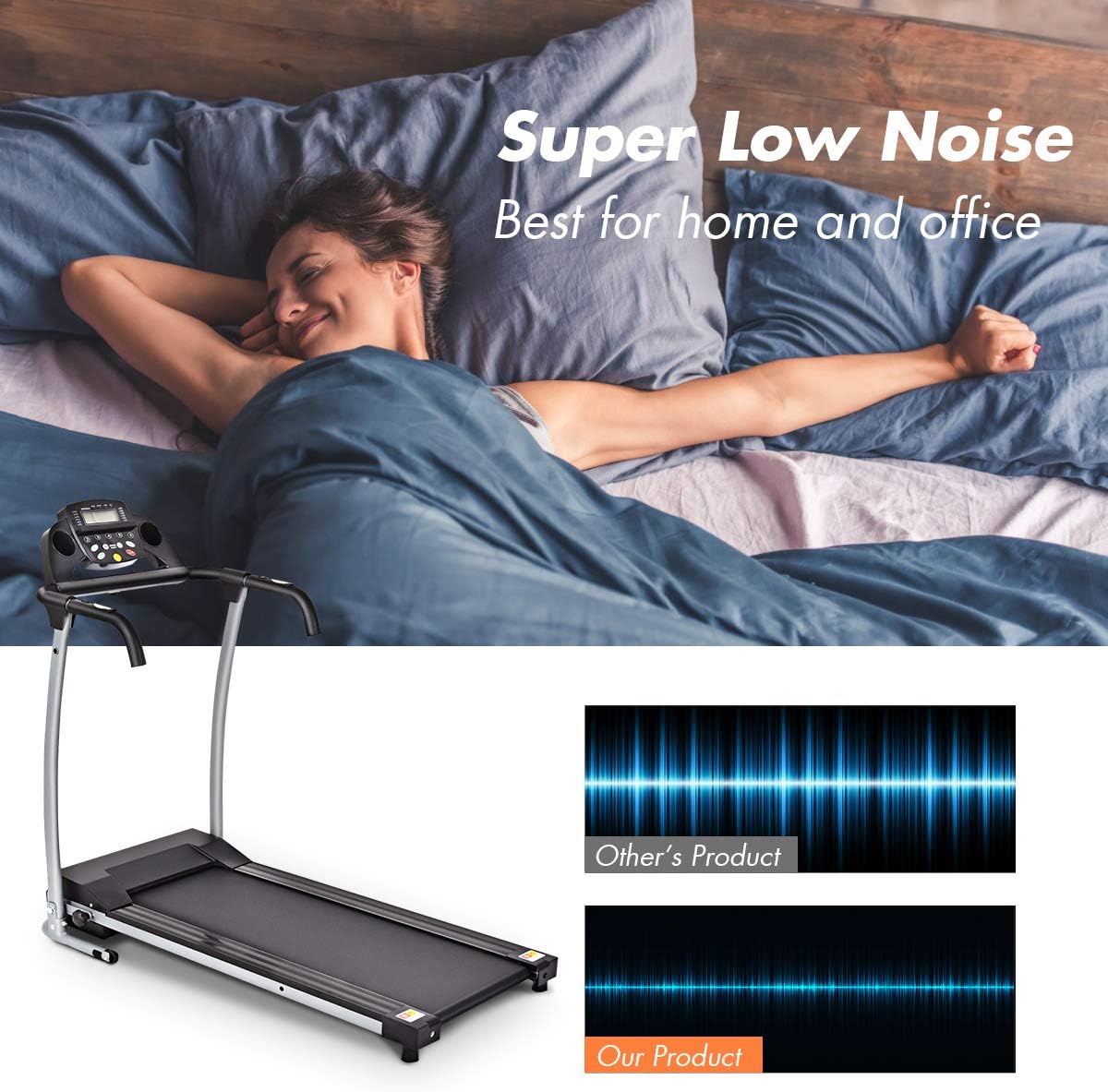
Image: Illustration of the treadmill's low noise operation, suitable for home and office environments.
4. Assembly and Setup
The GYMAX Foldable Treadmill is designed for easy assembly. Follow these steps to set up your treadmill:
- Unpack: Carefully remove all components from the packaging. Ensure all parts listed in the packing list are present.
- Positioning: Place the treadmill base on a flat, level surface. Ensure there is sufficient space around the unit for safe operation and access.
- Unfolding: Gently lift the console and handlebars into the upright position. Secure them using the provided knobs or locking mechanisms. Refer to the specific instructions in your included manual for detailed steps on securing the uprights.
- Incline Adjustment: The treadmill features an 8-degree manual incline. Adjust the red flap at the rear of the treadmill to set the desired incline level.
- Power Connection: Plug the power cord into a grounded electrical outlet.
Video: Demonstrates the folding and incline adjustment features of a treadmill. This video is provided by ApexNexus, a seller.
5. Operating Instructions
Familiarize yourself with the control panel and basic operations before starting your workout.
5.1 Control Panel Overview

Image: The treadmill's control panel, showing the LCD display and various monitoring icons for time, speed, distance, calories, and heart rate.
- LCD Display: Shows workout data including time, speed, distance, and calories.
- Start/Stop Button (Green): Press to start or stop the treadmill belt.
- Pause Button (Red): Press to temporarily pause your workout. Press again to resume.
- Speed Adjustment Buttons (+/-): Increase or decrease the treadmill speed.
- Program (P/M) Button: Selects between manual mode and preset programs.
- Heart Rate Sensors: Located on the handlebars, grip them to monitor your pulse.
- Emergency Stop Key: A red clip that attaches to your clothing. If pulled, the treadmill will stop immediately.
5.2 Starting a Workout
- Attach the emergency stop key to your clothing and the console.
- Step onto the treadmill belt, placing your feet on the side rails.
- Press the green Start button. The belt will begin to move at a low speed.
- Carefully step onto the moving belt and adjust the speed using the +/- buttons to your desired pace.
5.3 Adjusting Speed
Use the speed +/- buttons on the console to increase or decrease the running belt speed. The speed can be adjusted from 0.5 MPH to 7.5 MPH.

Image: Demonstrates the treadmill's adjustable speed range, suitable for different workout intensities from walking to intensive training.
6. Workout Programs
Your treadmill includes 12 preset programs (P1-P12) designed to offer varied workout challenges. To select a program:
- From standby mode, press the P/M button to cycle through the available programs.
- Once you have selected your desired program, press the green Start button to begin.
- The treadmill will automatically adjust speed according to the program's profile.
You can also use the manual mode to control speed directly.
Video: Shows the operation of the treadmill's control panel, including starting, stopping, and adjusting speed, as well as cycling through preset programs. This video is provided by XINDARONG, a seller.
7. Maintenance
Regular maintenance ensures optimal performance and longevity of your treadmill.
7.1 Cleaning
- Wipe down the console and other surfaces with a damp cloth after each use. Avoid abrasive cleaners.
- Periodically vacuum underneath the treadmill to prevent dust and debris buildup.
7.2 Lubrication
The running belt requires periodic lubrication to reduce friction and wear. Refer to your specific product manual for the recommended lubrication schedule and type of lubricant.
7.3 Belt Adjustment
If the running belt feels loose or is slipping, it may need adjustment. Consult your product manual for instructions on how to properly tension and center the running belt.
8. Troubleshooting
If you encounter issues with your treadmill, refer to the following common problems and solutions:
| Problem | Possible Cause | Solution |
|---|---|---|
| Treadmill does not start | Power cord not plugged in; Emergency stop key not engaged; Power switch off. | Check power connection; Ensure emergency stop key is in place; Turn on power switch. |
| Running belt slips | Belt too loose; Belt needs lubrication. | Adjust belt tension (refer to manual); Lubricate the running belt. |
| Unusual noise during operation | Loose parts; Belt misalignment; Motor issue. | Check for loose bolts and tighten; Adjust belt alignment; If noise persists, contact customer support. |
| Display not working | Loose connection; Console malfunction. | Check all cable connections; If issue persists, contact customer support. |
For issues not listed here or if solutions do not resolve the problem, please contact GYMAX customer support.
9. Specifications
Detailed specifications for your GYMAX Foldable Treadmill (Model 84885B6F6):
- Model Number: 84885B6F6
- Product Dimensions (L x W x H): 124 x 61 x 113 cm (48.8 x 24 x 44.5 inches)
- Folded Dimensions (L x W x H): Approximately 61 x 64.8 x 123.2 cm (24 x 25.5 x 48.5 inches)
- Item Weight: 25.85 kg (57 lbs)
- Maximum Weight Capacity: 220 lbs (100 kg)
- Speed Range: 0.5 - 7.5 MPH
- Horsepower: 2 HP
- Number of Programs: 12 Preset Programs
- Display Type: LCD
- Frame Material: Alloy Steel
- Running Belt Material: Acrylonitrile Butadiene Styrene (ABS), Alloy Steel, Polyvinyl Chloride (PVC)
- Special Features: Compact Design, Foldable, Heart Rate Monitor, Portable, Wheeled
- Power Source: Corded Electric
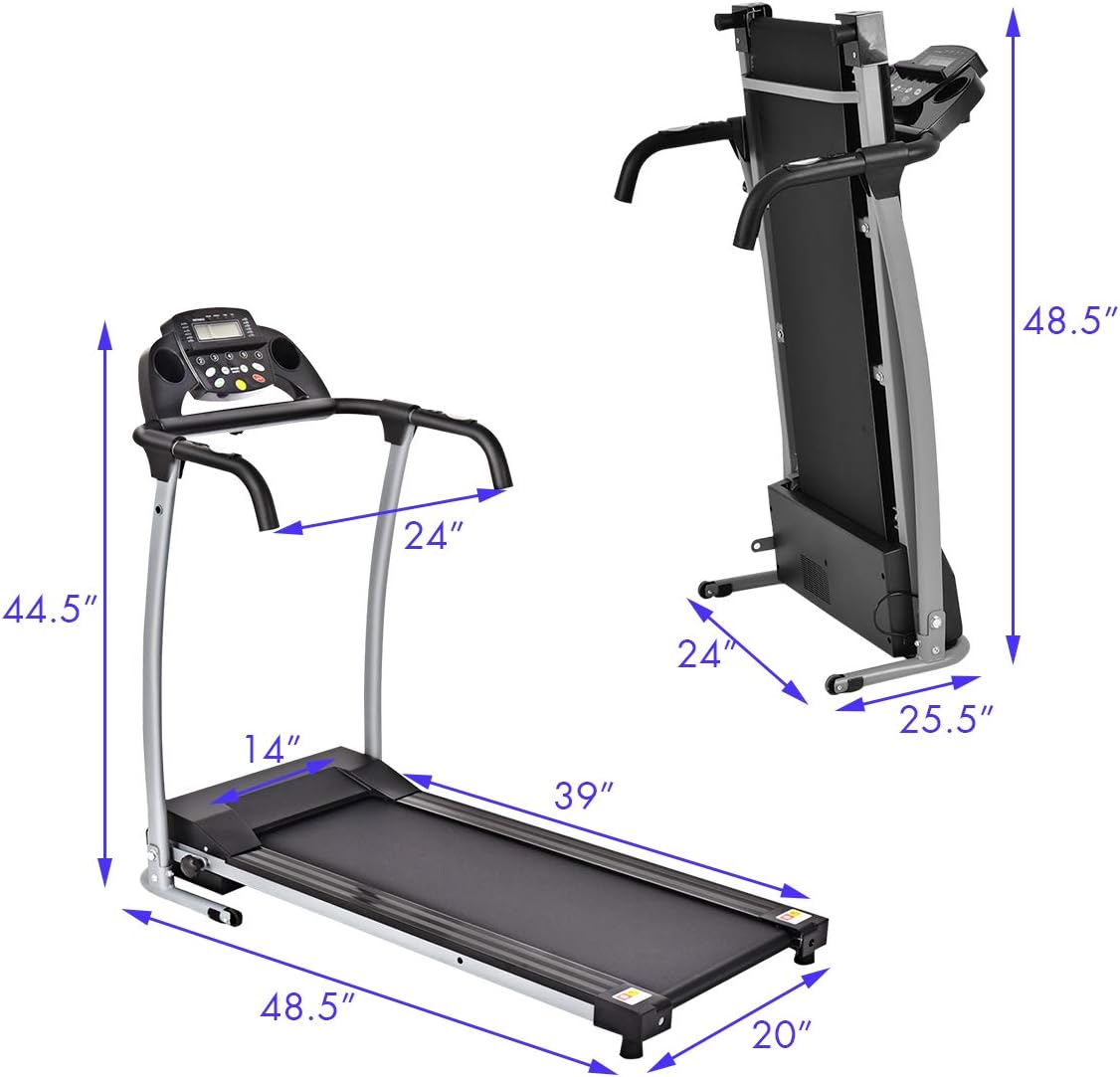
Image: Dimensional diagram of the treadmill, showing its size when unfolded and folded for storage.
10. Warranty and Support
For warranty information, product support, or to inquire about replacement parts, please contact GYMAX customer service. Keep your purchase receipt and model number (84885B6F6) handy when contacting support.
Manufacturer: GYMAX
Seller: Gymax
Return Policy: Eligible for Return or Refund within 30 days of receipt.

