
Introduction
This manual provides essential information for the setup, operation, maintenance, and troubleshooting of your Nyko Dualies Controller Set for Nintendo Switch. Please read these instructions carefully to ensure proper use and to maximize your gaming experience.

The Nyko Dualies Controller Set includes one red and one blue controller, designed as an alternative to Nintendo Switch Joy-Cons.
Setup
1. Pairing the Controllers
To pair your Nyko Dualies with your Nintendo Switch console, navigate to the 'Controllers' menu on your Switch. Select 'Change Grip/Order' and follow the on-screen instructions to register new controllers. If you encounter issues, a firmware update may be required.
2. Charging the Controllers
Connect the included USB-C charge cable to the USB-C port on each Dualie controller and to a compatible USB power source. The LED indicators on the controllers will show charging status. Note that the included cable does not support charging while playing. An additional USB-C cable is required for simultaneous charging and playing.
3. Firmware Update
Depending on your Switch OS version, a firmware update may be necessary for optimal performance and to resolve potential connectivity or functionality issues. Visit the official Nyko website (nyko.com) for the latest firmware and detailed update instructions. A PC with an internet connection is required for this process.

The package includes the Dualies Motion Controller Set and a USB-C charge cable. Compatible with Nintendo Switch, Switch OLED, and Switch Lite consoles.
Operating Instructions
1. Basic Controls
Each Dualie controller features an analog stick, a D-pad (left controller) or A/B/X/Y buttons (right controller), shoulder buttons (L/R, ZL/ZR), and +/- buttons. The controllers are designed for comfortable grip and precise input during gameplay.
2. Motion Control
The integrated 6-axis gyroscope allows for accurate motion control in compatible games. Tilt and move the controllers to interact with gameplay elements as required by the game.

The built-in 6-axis gyroscope detects controller tilts and converts them into directional input for motion-controlled games.
3. Rumble Vibration
The Dualies provide rumble vibration feedback, enhancing immersion by allowing you to feel in-game actions and events.
4. Adjustable Turbo Function
The adjustable turbo function allows a single button press to register as multiple presses, which can be useful for certain in-game actions. Refer to the Nyko website or the included manual for specific instructions on activating and customizing the turbo feature.
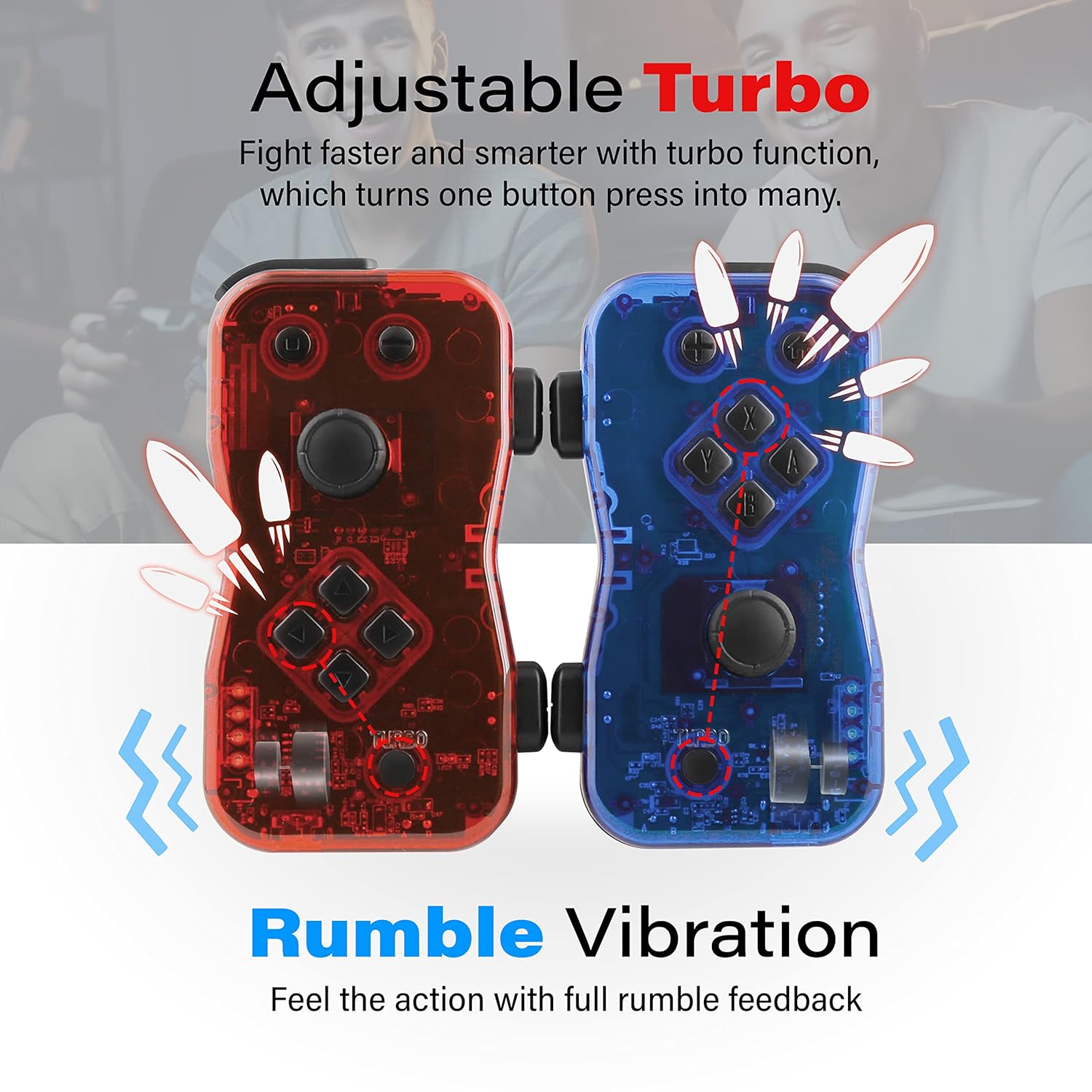
The controllers feature an adjustable turbo function for rapid button presses and rumble vibration for tactile feedback during gameplay.
5. Multiplayer Capability
The Dualies support both solo and two-player gameplay. For multiplayer, ensure both controllers are paired to the Nintendo Switch console. Up to three sets of Dualies can be connected simultaneously for multi-player gaming.
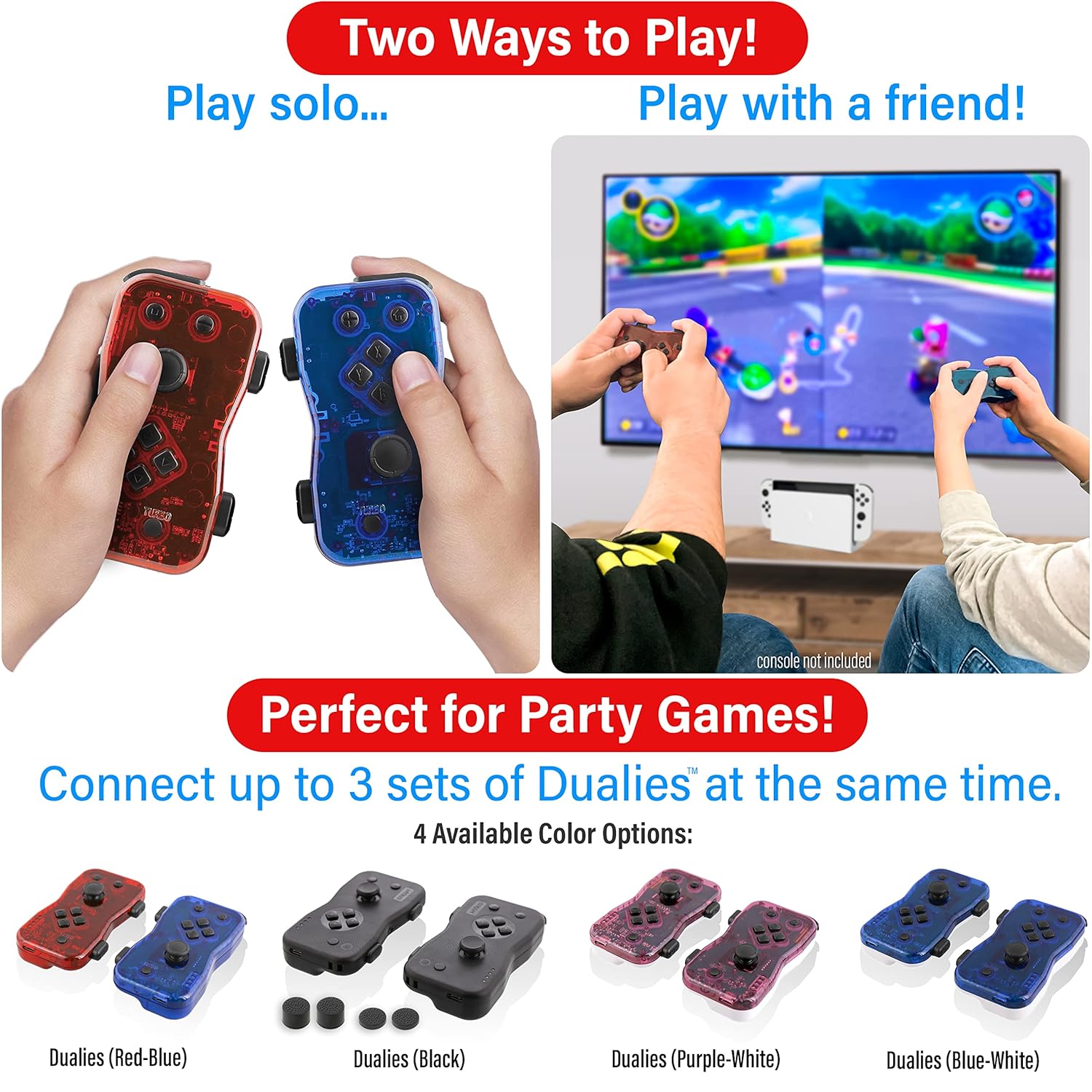
Nyko Dualies can be used individually for solo play or paired for two-player cooperative or competitive gaming.
Maintenance
1. General Care
Keep the controllers clean and dry. Avoid exposing them to extreme temperatures, humidity, or direct sunlight. Do not drop or subject the controllers to strong impacts.
2. Cleaning
To clean the controllers, gently wipe them with a soft, dry cloth. For stubborn dirt, a slightly damp cloth can be used, ensuring no moisture enters the internal components. For potential stick drift, consult online resources or Nyko's support for specific cleaning or calibration procedures.
Troubleshooting
1. Connectivity Issues
- Controllers not connecting or frequently disconnecting: Ensure the controllers are fully charged. Attempt to re-pair them with the Switch console. A firmware update may resolve persistent connectivity issues.
2. Firmware Update Issues
- Firmware update fails or 'bricks' a controller: Carefully re-read the instructions on the Nyko website. Ensure all steps are followed precisely. Contact Nyko support if the issue persists.
3. Motion Control / Gyroscope Inaccuracy
- Inaccurate motion controls: Perform a calibration through the Nintendo Switch system settings. If issues persist, check for available firmware updates on the Nyko website.
4. Button Unresponsiveness
- Buttons are unresponsive: Ensure the controller is charged and properly connected to the Switch. If the issue continues, it may indicate a hardware fault.
5. Charging Issues
- Controller not charging: Verify the USB-C cable and power source are functional. Ensure the cable is securely connected to the controller's USB-C port.
Specifications
| Feature | Detail |
|---|---|
| Brand Name | Nyko |
| Model Name | NYKO87268 |
| Model Number | 87268 |
| Compatible Devices | Nintendo Switch |
| Controller Type | Gamepad |
| Connectivity Technology | USB C |
| Additional Features | Rumble, Motion Control (6-axis gyroscope), Adjustable Turbo |
| Button Quantity | 16 |
| Power Source | Corded Electric (via USB-C) |
| Item Weight | 0.2 Kilograms |
| Item Dimensions (D x W x H) | 7"D x 5"W x 1.8"H |
| Color | Red/Blue |
| Included Components | 6-foot Type-C charge cable |
Warranty
The Nyko Dualies Controller Set comes with a 90-day warranty from the date of purchase. For warranty claims or detailed information regarding coverage, please contact Nyko customer support directly. Proof of purchase may be required.
Support
For further assistance, access to the latest firmware updates, or detailed product information, please visit the official Nyko website at nyko.com. You may also contact Nyko customer support for technical issues, troubleshooting guidance, or warranty inquiries.


