
1. Product Overview
The Feit Electric Smart Wi-Fi Dimmer Switch allows you to transform your home into a smart home by providing remote control and dimming capabilities for your lighting. It functions as both a smart and a standard dimmer, compatible with a 2.4 GHz Wi-Fi network for smart features. This dimmer works with dimmable incandescent, halogen, CFL, or LED light bulbs.
Key features include:
- Remote Access: Control your lights from anywhere using the Feit Electric app.
- Voice Control: Compatible with Amazon Alexa and Google Assistant for hands-free operation.
- Scheduling & Timer: Set custom schedules and timers for your lighting.
- Grouping: Group up to 20 smart dimmers, even if on different circuits, and create a master dimmer to control others.
- Smooth Dimmability: Provides stepless dimming from 1% to 100%.
- Safety Features: Built with overload protection and fire-resistant housing.
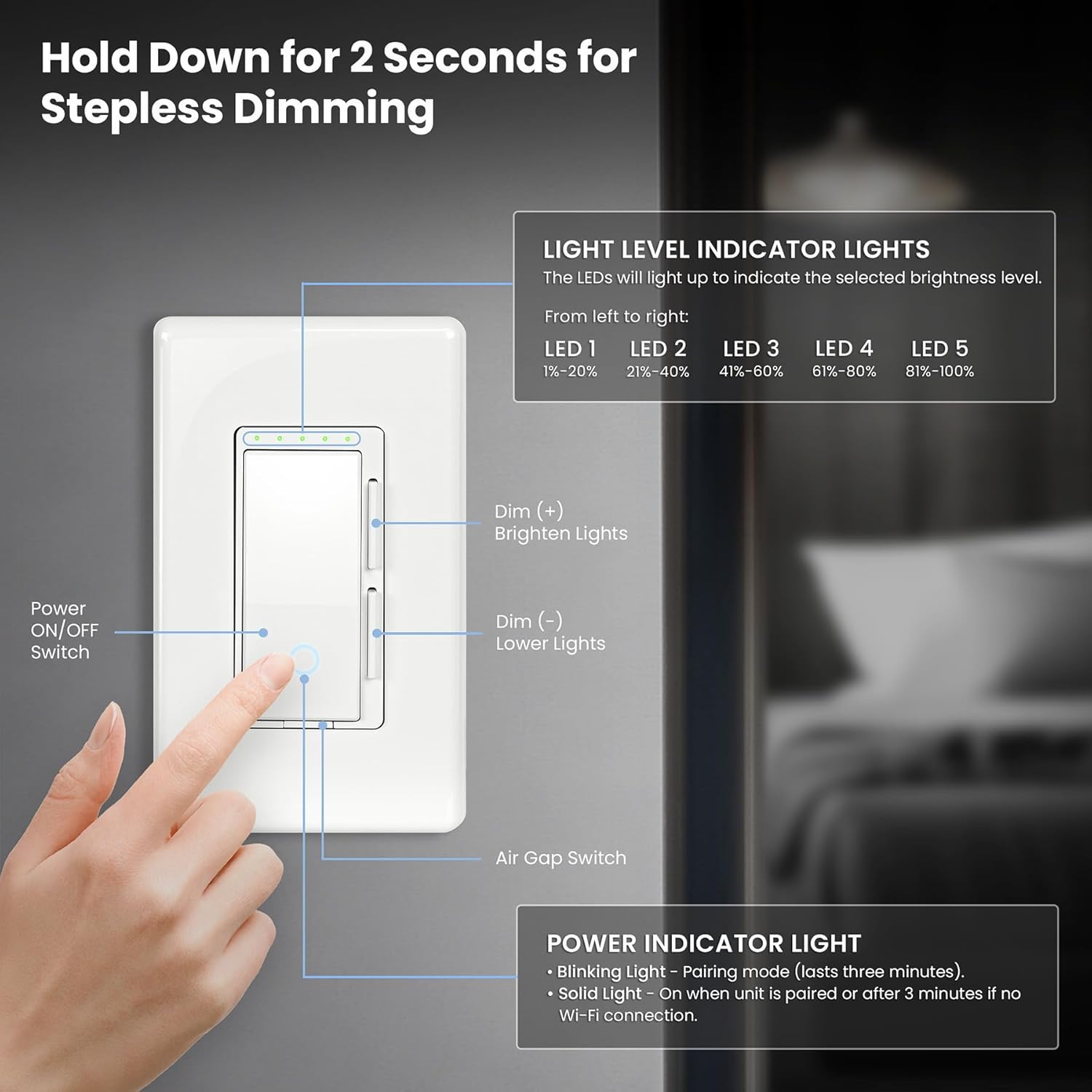
Image: Overview of the Feit Electric Smart Dimmer Switch highlighting its smart features like remote access, voice control, scheduling, and grouping.
2. What's Included
The product package includes the following items:
- 1 Smart Dimmer Light Switch
- 1 Screwless Decorative Wall Plate
- Installation Hardware (screws, wire nuts)

Image: The Feit Electric Smart Dimmer Switch, its decorative wall plate, and mounting screws, alongside the product packaging.
3. Specifications

Image: A detailed diagram illustrating the dimensions and key specifications of the Feit Electric Smart Dimmer Switch.
| Specification | Value |
|---|---|
| Model Number | DIM/WiFi |
| Product Dimensions (L x W x H) | 5 x 3 x 1.8 inches |
| Weight | 7.37 ounces |
| Operating Voltage | 120 Volts |
| Current Rating | 3.75 Amps |
| Max Wattage (Incandescent/Halogen) | 450W |
| Max Wattage (Dimmable LED/CFL) | 150W |
| Frequency | 60Hz |
| Wi-Fi Compatibility | 2.4 GHz Wi-Fi network only |
| Circuit Type | Single-pole, 3-way, 4-way compatible |
| Operation Mode | ON-OFF-ON |
| Actuator Type | Push Button |
4. Installation
4.1 Neutral Wire Requirement
A neutral wire is required for the installation of this smart dimmer switch. If your existing switch box does not have a neutral wire, this dimmer will not function. It is highly recommended to consult a licensed electrician for installation to ensure proper and safe wiring.
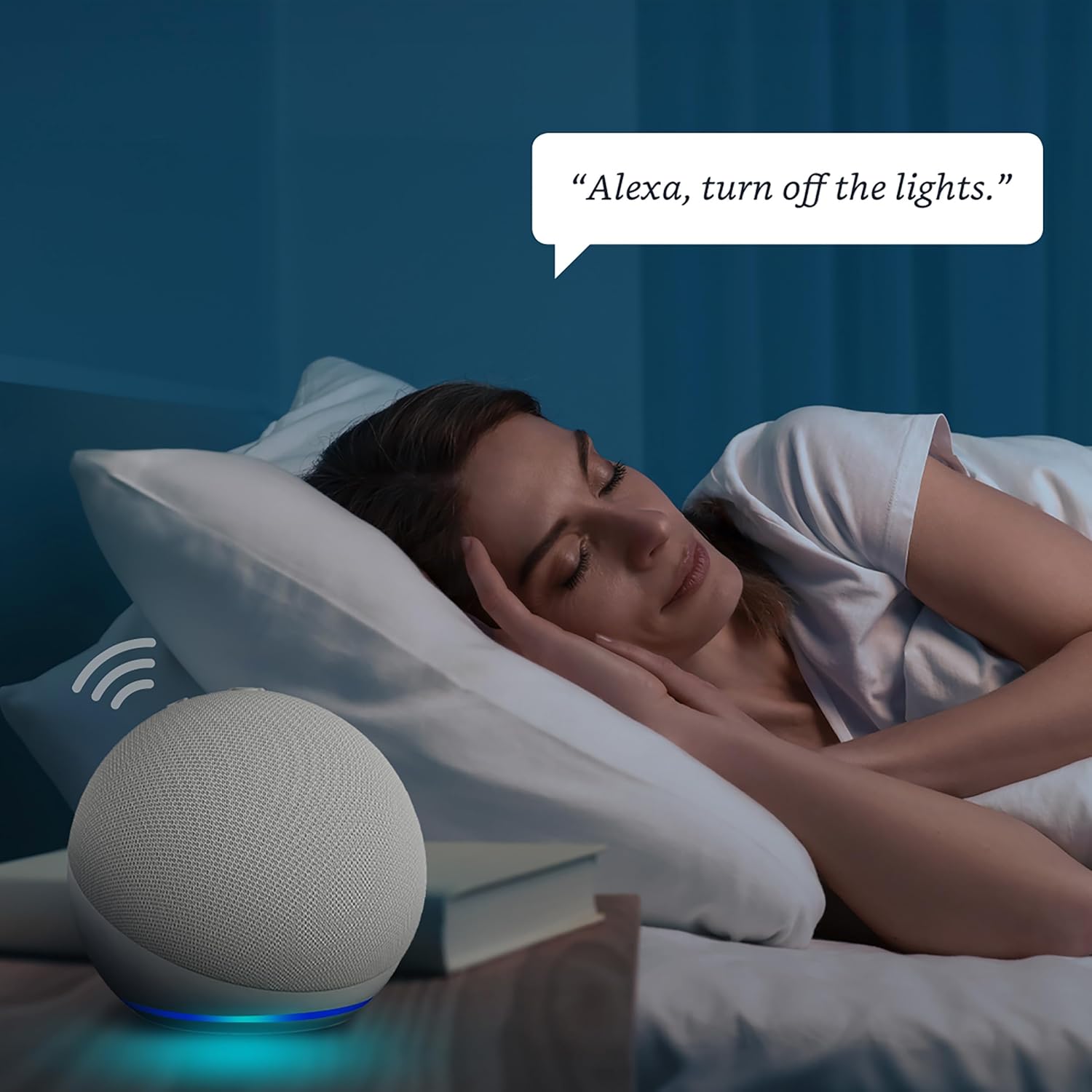
Image: A diagram showing how to identify a neutral wire (typically white) within a standard electrical switch box.
4.2 Wiring Compatibility
The Feit Electric Smart Dimmer Switch is compatible with:
- Single Pole Wiring: One smart dimmer on a circuit.
- 3-Way Wiring: One smart dimmer on a switch on the same circuit.
- 4-Way Wiring: Two smart dimmers on the same circuit.
4.3 Multi-Gang Installation
This dimmer supports 1-gang, 2-gang, and 3-gang installations. Note that only a 1-gang decorative wall plate is included. For multi-gang setups, you may need to purchase additional multi-gang cover plates separately. Before installation, always turn off power at the circuit breaker or fuse box.
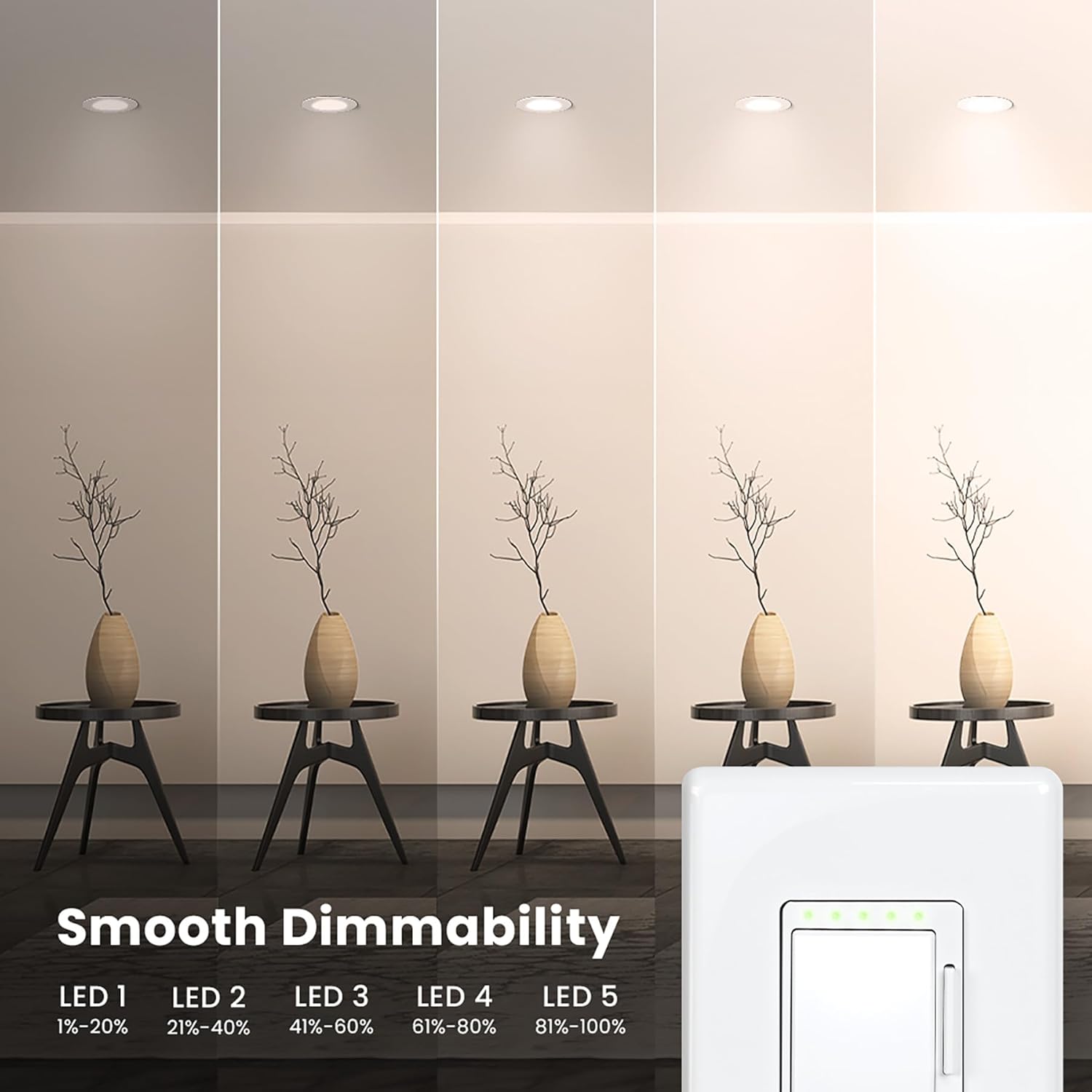
Image: Illustrations demonstrating various ways to control lights, including single dimmer, two dimmers, switch and dimmer, and multiple dimmers, along with multi-gang installation examples (1-gang, 2-gang, 3-gang).
5. Operation
5.1 Manual Dimming Control
The dimmer switch features a power ON/OFF switch and separate buttons for dimming (+) and brightening (-). Hold down the dimming or brightening button for 2 seconds for stepless dimming. The five LED indicator lights on the switch will illuminate to show the selected brightness level:
- LED 1: 1%-20% brightness
- LED 2: 21%-40% brightness
- LED 3: 41%-60% brightness
- LED 4: 61%-80% brightness
- LED 5: 81%-100% brightness
An air gap switch is also present for safety and maintenance.

Image: A close-up view of the smart dimmer switch, detailing the power ON/OFF switch, dimming/brightening buttons, air gap switch, and the five LED light level indicators.

Image: A visual representation of the smooth dimmability of the Feit Electric Smart Dimmer Switch, showing light levels from 1% to 100% in increments.
5.2 Smart Features and App Control
To utilize the smart features, connect the dimmer to your 2.4 GHz Wi-Fi network using the Feit Electric app. Once connected, you can control the dimmer remotely from anywhere, set schedules, and create timers for automated lighting routines.
5.3 Voice Control
The Feit Electric Smart Dimmer Switch is compatible with Amazon Alexa and Google Assistant. After connecting the dimmer to your Feit Electric app and linking it with your voice assistant, you can use voice commands to turn lights on/off or adjust brightness to a specific percentage.

Image: A woman in bed using a voice command with an Amazon Echo Dot to turn off the lights, demonstrating the convenience of voice control.

Image: An Amazon Echo Dot device, emphasizing the voice control capabilities of the Feit Electric Smart Dimmer Switch with both Alexa and Google Assistant.
6. Troubleshooting
- Dimmer not working after installation: Ensure a neutral wire is present in your switch box. This dimmer requires a neutral wire for operation.
- Cannot connect to Wi-Fi: Verify that your Wi-Fi network is 2.4 GHz. The dimmer is not compatible with 5 GHz networks. Ensure your mobile device is also connected to the 2.4 GHz network during setup.
- Voice control not responding: Check that the dimmer is properly connected to the Feit Electric app and that your Feit Electric account is linked to your Amazon Alexa or Google Assistant account. Ensure your voice assistant device is online and functioning correctly.
- Lights flickering or not dimming properly: Confirm that the light bulbs you are using are dimmable. Exceeding the maximum wattage (150W for LED/CFL, 450W for incandescent/halogen) can also cause issues.
- Power indicator light blinking: A blinking power indicator light typically means the unit is in pairing mode (lasts three minutes). A solid light indicates the unit is paired or has been without a Wi-Fi connection for over 3 minutes.
7. Warranty and Support
Your Feit Electric Smart Dimmer Switch comes with a 1-year warranty, ensuring peace of mind and product reliability. For any questions, issues, or immediate assistance, please contact Feit Electric customer support.

Image: Information regarding Feit Electric's 24/7 customer support, including a QR code to visit their help website.
Visit the official Feit Electric help center for comprehensive support and resources: help.feit.com/hc/en-us


