
Zizo SPK-AUZ2-RGD
ZIZO Aurora Z2 Portable Bluetooth Speaker Instruction Manual
Model: SPK-AUZ2-RGD | Brand: Zizo
Introduction
The ZIZO Aurora Z2 is a portable 14W Bluetooth speaker designed to deliver high-quality audio with an integrated 360° LED light show. It supports multiple playback options including Bluetooth, MicroSD, USB, and Aux Line-in, and features a rechargeable battery for extended use. This manual provides detailed instructions for setting up, operating, and maintaining your Aurora Z2 speaker.

Image: Front view of the ZIZO Aurora Z2 speaker, showcasing its vibrant 360-degree LED light display through the speaker grille. The speaker has a rose gold casing and a handle for portability.
Package Contents
Please check the box for the following items:
- ZIZO Aurora Z2 Portable Bluetooth Speaker
- USB Charging Cable
- Auxiliary (3.5mm) Audio Cable
- User Manual (this document)
Product Layout and Controls
Familiarize yourself with the various buttons and ports on your Aurora Z2 speaker:

Image: Close-up view of the ZIZO Aurora Z2 speaker's control panel. It features a digital display, DC5V charging port, MicroSD card slot, USB port, AUX input, microphone input, and various control buttons including power, mode/LED, previous track, play/pause, next track, and a rotary volume/power knob.
- DC5V Port: For charging the speaker using the provided USB cable.
- MIC Input: Connect an external microphone (not included).
- M/LED Button: Press to switch between playback modes (Bluetooth, MicroSD, USB, AUX). Press and hold to change LED light patterns.
- Previous Track Button: Short press for previous track. Long press for volume down.
- Play/Pause Button: Play or pause audio playback.
- Next Track Button: Short press for next track. Long press for volume up.
- MicroSD Card Slot: Insert a MicroSD card for audio playback.
- USB Port: Insert a USB drive for audio playback.
- AUX Input: Connect external audio devices via a 3.5mm audio cable.
- OFF/ON/Volume Knob: Rotate to turn the speaker ON/OFF and adjust the volume.
- Digital Display: Shows current mode, track information, and time.
Setup
1. Initial Charging
Before first use, fully charge the Aurora Z2 speaker. Connect the supplied USB charging cable to the DC5V port on the speaker and the other end to a USB power adapter (not included) or a computer's USB port. The charging indicator light will illuminate during charging and turn off when fully charged.
2. Powering On/Off
Rotate the OFF/ON/Volume knob clockwise to turn the speaker ON. Rotate it counter-clockwise until it clicks to turn the speaker OFF.
Operating Instructions
Bluetooth Pairing
- Turn on the Aurora Z2 speaker. It will automatically enter Bluetooth pairing mode, indicated by a flashing Bluetooth icon on the digital display and an audible prompt.
- On your mobile device (smartphone, tablet, laptop), enable Bluetooth and search for available devices.
- Select "ZIZO Aurora Z2" from the list of devices.
- Once paired, the speaker will emit an audible confirmation, and the Bluetooth icon on the display will stop flashing.
- You can now play audio from your device through the speaker.
Note: The speaker will automatically attempt to reconnect to the last paired device when powered on.
MicroSD and USB Playback
- Insert a MicroSD card or USB drive containing MP3 audio files into the respective slot/port on the speaker.
- The speaker will automatically switch to MicroSD or USB mode and begin playback. If not, press the M/LED button to cycle through modes until MicroSD or USB mode is selected.
- Use the Previous Track and Next Track buttons to navigate tracks, and the Play/Pause button to control playback.
AUX Line-in Playback
- Connect one end of the supplied 3.5mm auxiliary audio cable to the AUX input port on the Aurora Z2 speaker.
- Connect the other end of the cable to the headphone jack or audio output of your external audio device.
- Press the M/LED button to cycle through modes until AUX mode is selected.
- Control audio playback from your connected external device.
LED Light Show Control
The Aurora Z2 features a dynamic 360° LED light show. To change the light patterns, press and hold the M/LED button. Release the button when your desired light pattern is displayed.
Volume Adjustment
Rotate the OFF/ON/Volume knob to adjust the speaker's volume. Clockwise increases volume, counter-clockwise decreases volume.
Maintenance
- Cleaning: Use a soft, dry cloth to clean the speaker's exterior. Do not use abrasive cleaners or solvents.
- Storage: Store the speaker in a cool, dry place away from direct sunlight and extreme temperatures.
- Battery Care: To prolong battery life, avoid fully discharging the battery frequently. Charge the speaker regularly, even if not in use for extended periods.
- Water Resistance: This speaker is NOT waterproof. Avoid exposure to water or excessive moisture.
Troubleshooting
| Problem | Possible Solution |
|---|---|
| Speaker does not turn on. | Ensure the battery is charged. Connect the speaker to a power source using the USB charging cable. |
| No sound. | Check the volume level on both the speaker and your connected device. Ensure the correct input mode (Bluetooth, MicroSD, USB, AUX) is selected. Verify the audio cable is securely connected for AUX mode. |
| Bluetooth pairing fails. | Ensure the speaker is in Bluetooth pairing mode (flashing Bluetooth icon). Make sure your device's Bluetooth is enabled and within range (typically 10 meters). Try unpairing and re-pairing the device. |
| MicroSD/USB playback not working. | Ensure the MicroSD card or USB drive is inserted correctly and contains compatible MP3 audio files. Press the M/LED button to select the correct playback mode. |
| LED lights are not working or stuck. | Press and hold the M/LED button to cycle through light patterns. If unresponsive, try turning the speaker off and on again. |
Specifications
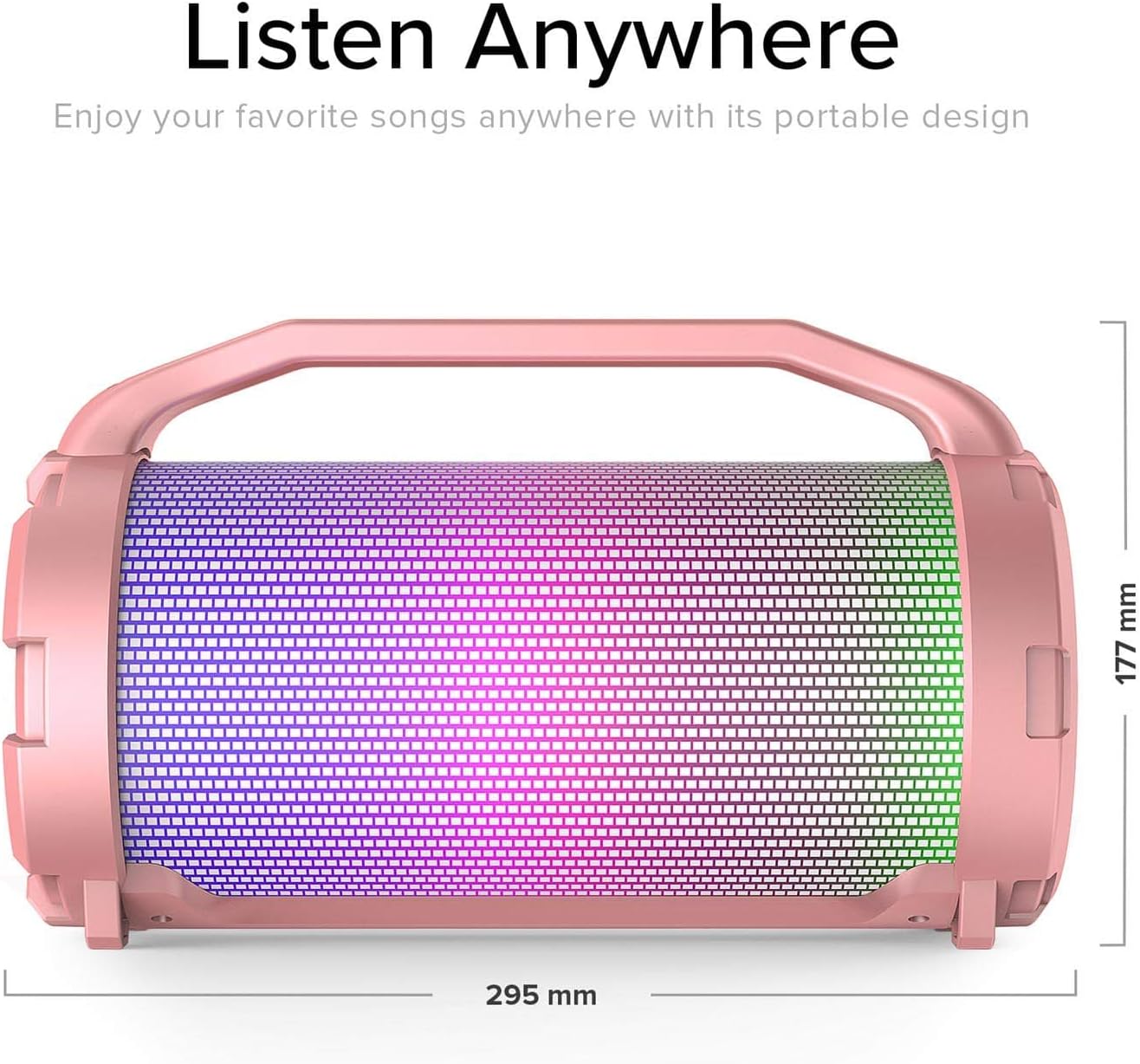
Image: Diagram showing the dimensions of the ZIZO Aurora Z2 speaker. The length is 295 mm and the height is 177 mm.
- Model: SPK-AUZ2-RGD (Aurora Z2)
- Brand: Zizo
- Maximum Speaker Power Output: 14 Watts
- Connectivity Technology: Bluetooth, USB, Wireless
- Audio Output Mode: Stereo
- Power Source: Battery Powered (Rechargeable Lithium-ion)
- Wireless Communication Technologies: Bluetooth
- Control Method: App (Note: The primary control for this device is via the physical buttons and knobs on the speaker itself, as described in the operating instructions.)
- Speaker Size: 1 Inch (likely driver size)
- Item Weight: Approximately 1.16 kg (2.56 Pounds)
- Color: Rose Gold
- Waterproof: No
- Package Dimensions: 32.59 x 21.89 x 16.31 cm
- Special Features: 360° Aurora Light Show, MicroSD Playback, USB Playback, Aux Line-in
Warranty and Support
For warranty information or technical support, please refer to the warranty card included with your purchase or contact Zizo customer service directly. Keep your proof of purchase for warranty claims.
Ask a question about this manual
Ask about setup, troubleshooting, compatibility, parts, safety, or missing instructions. Manuals+ will review the question and use this page’s manual context to help answer it.