1. Product Overview
The Realspace 36" W Steel 5-Shelf Cabinet is designed for organizing office supplies, tools, and other items. It features a durable steel construction and a putty finish. The cabinet includes one fixed shelf and four adjustable shelves, allowing for customized storage configurations. Access is secured by a magnetic door latch.
Key Features:
- Sturdy steel material construction.
- Five shelves for managing clutter (one fixed, four adjustable).
- Magnetic door latch for secure closure and easy access.
- Durable putty finish.
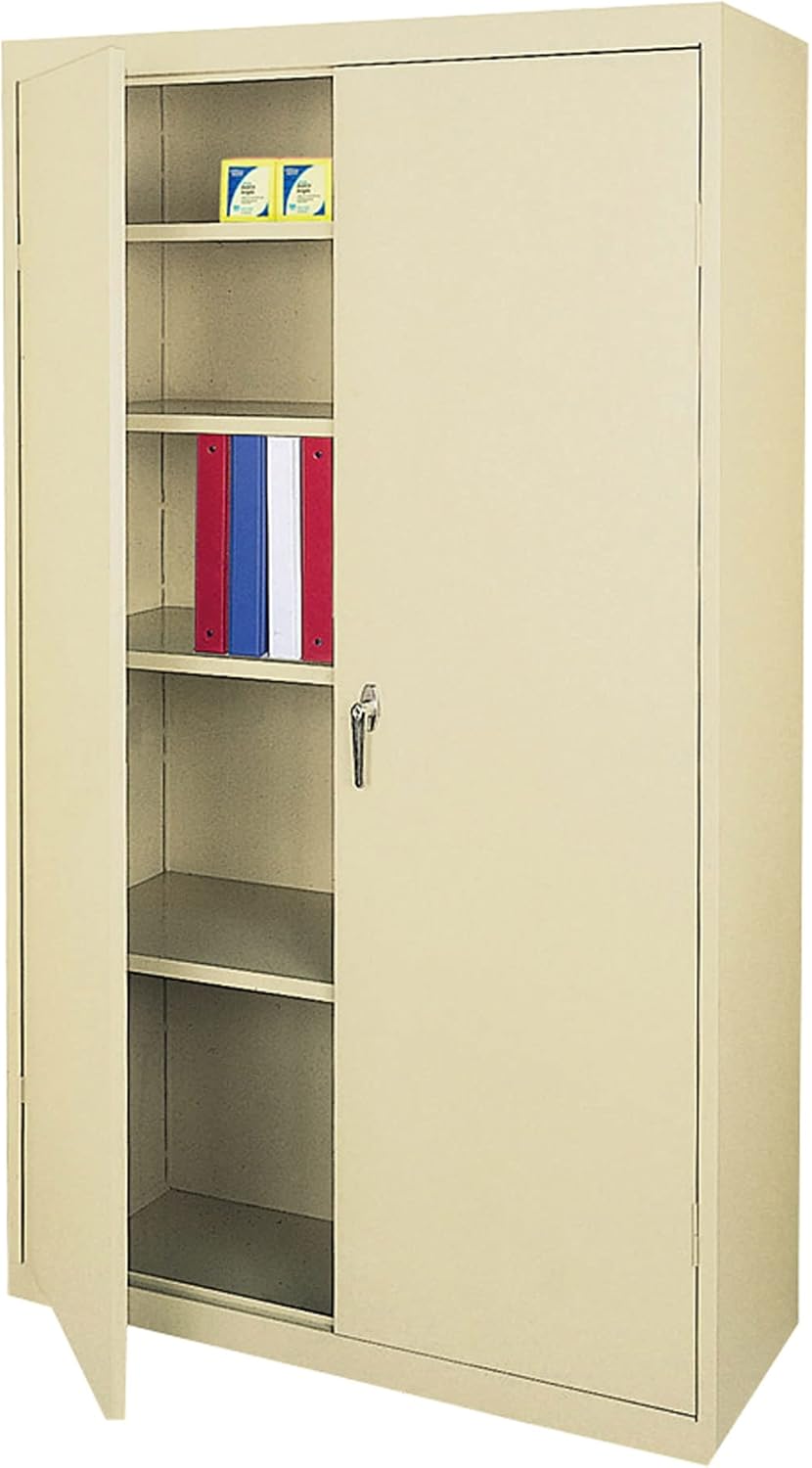
Image 1.1: Realspace 36" W Steel 5-Shelf Cabinet. The cabinet is a putty color. The left door is partially open, revealing four interior shelves. The top shelf contains two small yellow boxes, and the second shelf from the top holds several binders in red, blue, and white. A key is visible in the lock mechanism on the right door.
2. Setup and Assembly
Assembly of this cabinet is required. Due to its weight and size, it is recommended that more than one person handle the product during assembly to prevent injury. Always follow the assembly instructions carefully and use appropriate safety gear.
2.1 Safety Precautions
- Ensure all components are present before beginning assembly.
- Wear appropriate safety gloves to protect hands from sharp edges.
- Assemble on a soft, clean surface to prevent scratching the cabinet finish.
- Do not overtighten screws during assembly.
- Keep children and pets away from the assembly area.
2.2 Assembly Steps (General Guidelines)
Note: Detailed, step-by-step assembly instructions are typically included with the product packaging. Refer to those specific instructions for precise guidance. The following are general steps.
- Unpack Components: Carefully remove all parts from the packaging and verify against the parts list provided in your product's specific manual.
- Assemble Frame: Connect the side panels, back panel, and top/bottom panels using the provided hardware. Ensure all connections are secure.
- Install Fixed Shelf: Secure the fixed shelf into its designated position within the cabinet frame.
- Install Adjustable Shelves: Insert the shelf clips into the desired slots on the cabinet's interior side panels. Place the adjustable shelves onto these clips. Adjust height as needed.
- Attach Doors: Mount the cabinet doors to the frame using the hinges. Ensure doors swing freely and align correctly.
- Install Latch/Lock Mechanism: Attach the magnetic door latch and any locking mechanism according to the instructions.
- Final Check: Verify that all parts are securely fastened and the cabinet is stable.
3. Operating Instructions
3.1 Opening and Closing Doors
- To open, gently pull the door handle. The magnetic latch will release.
- To close, push the door firmly until the magnetic latch engages, securing the door.
3.2 Adjusting Shelves
The cabinet features four adjustable shelves to accommodate various item sizes.
- Empty Shelf: Remove all items from the shelf you wish to adjust.
- Remove Shelf: Carefully lift the shelf and remove it from the shelf clips.
- Relocate Clips: Remove the shelf clips from their current slots and insert them into the desired new slots on the cabinet's interior side panels. Ensure clips are level and securely seated.
- Reinstall Shelf: Place the shelf onto the relocated clips, ensuring it is stable and level before placing items back on it.
4. Maintenance
Regular maintenance will help preserve the appearance and functionality of your Realspace steel cabinet.
- Cleaning: Wipe surfaces with a soft, damp cloth and a mild detergent. Avoid abrasive cleaners or solvents, which can damage the finish. Dry thoroughly after cleaning.
- Dusting: Dust regularly with a dry, soft cloth.
- Hardware Check: Periodically check all screws and fasteners to ensure they remain tight. Retighten if necessary.
- Door Alignment: If doors become misaligned, adjust hinges as needed. Refer to the original assembly instructions for hinge adjustment details.
- Weight Distribution: Distribute weight evenly across shelves. Avoid placing excessively heavy items on a single shelf or concentrating weight in one area.
5. Troubleshooting
This section addresses common issues you might encounter with your cabinet.
| Problem | Possible Cause | Solution |
|---|---|---|
| Doors do not close properly or are misaligned. | Loose hinges, uneven floor, obstruction. | Check and tighten hinge screws. Ensure the cabinet is on a level surface; use shims if necessary. Check for any items obstructing the door path. |
| Shelves are wobbly or unstable. | Shelf clips not fully seated, uneven weight distribution. | Ensure all four shelf clips are fully inserted into the cabinet slots and are level. Redistribute items on the shelf evenly. |
| Cabinet feels unstable. | Loose assembly, uneven floor. | Verify all assembly hardware is securely tightened. Ensure the cabinet is placed on a flat, level surface. |
6. Specifications
| Feature | Detail |
|---|---|
| Brand | Realspace |
| Model Number | Realspace_36_5_Putty |
| Color | Putty |
| Material | Steel (Frame, Top, Back, Handle) |
| Dimensions (Overall) | 72"H x 36"W x 18"D |
| Shipping Dimensions | 75 x 20.25 x 8 inches |
| Item Weight | 98.4 - 98.5 Pounds |
| Number of Shelves | 5 (1 fixed, 4 adjustable) |
| Mounting Type | Floor Mount |
| Special Features | Adjustable shelves, Durability, Sturdy construction |
| Assembly Required | Yes |
| UPC | 735854021450 |
| ASIN | B07SQJN394 |
7. Warranty and Support
7.1 Warranty Information
Specific warranty details for the Realspace 36" W Steel 5-Shelf Cabinet are not provided in this manual. Please refer to the documentation included with your purchase or contact the retailer/manufacturer directly for warranty terms and conditions.
7.2 Customer Support
For further assistance, questions regarding assembly, missing parts, or product issues, please contact Realspace customer support or the seller from whom you purchased the product.
You may also visit the official Realspace store for more information: Realspace Store on Amazon