
KEiiD KD-240WF
KEiiD KD-240WF WiFi & Bluetooth 5.0 Stereo Digital Amplifier Receiver
User Manual
1. Important Safety Information
Please read all instructions carefully before operating this device and retain this manual for future reference. Adhere to all warnings and instructions marked on the product.
- Power Source: Only connect the amplifier to a power supply of the type described in this manual or as marked on the unit.
- Ventilation: Ensure proper ventilation. Do not block any ventilation openings. Install in accordance with the manufacturer's instructions.
- Water and Moisture: Do not expose this appliance to rain or moisture. Do not place objects filled with liquids, such as vases, on the apparatus.
- Heat: Do not install near any heat sources such as radiators, heat registers, stoves, or other apparatus (including amplifiers) that produce heat.
- Cleaning: Unplug this product from the wall outlet before cleaning. Do not use liquid cleaners or aerosol cleaners. Use a damp cloth for cleaning.
- Servicing: Do not attempt to service this product yourself as opening or removing covers may expose you to dangerous voltage or other hazards. Refer all servicing to qualified service personnel.
2. Product Overview
The KEiiD KD-240WF is a compact D-class stereo digital amplifier receiver designed for home audio and BGM (Background Music) systems. It features a Texas Instruments (TI) amplifier chip, delivering 2x 40W RMS output, suitable for bookshelf or other passive speakers (6-8 ohm suggested). This versatile unit offers multiple connectivity options and smart control features.
Key Features:
- Compact D-class RMS 2x 40W stereo amplifier with TI chip.
- WiFi Wireless Streaming with MUZO App control for multi-room synchronous or separate playback.
- Bluetooth 5.0 for stable wireless streaming up to 65 ft.
- Multiple input sources: USB, AUX (RCA), 1/4" wired microphone.
- Adjustable L/R balance and EQ options (Country/Pop/Jazz/Rock/Classic/Normal).
- Creative sleep timer function.
- Supports external music tools via Airplay (Spotify, TuneIn, Tidal, iHeart radio).
- Built-in 5-level safety protections (overload, over-voltage, over-current, short, self-protection).
3. Package Contents
Please check the box for the following items:
- KEiiD KD-240WF Receiver & Amplifier
- Remote Control (2x AAA batteries required, not included)
- WiFi/Bluetooth Antenna
- 1/4" Male to 1/8" Female Headphone Convertor
- 5 ft Audio Cord (RCA to 3.5mm)
- Power Cord
- User Manual

Figure 3.1: Package Contents
This image displays all items included in the KEiiD KD-240WF product package, such as the main amplifier unit, remote control, WiFi/Bluetooth antenna, various audio cables, and the user manual.
4. Product Layout and Connections
4.1 Front Panel

Figure 4.1: Front Panel Overview
This image shows the front panel of the KEiiD KD-240WF amplifier, highlighting the display screen, input selection buttons, playback controls, and rotary knobs for microphone, echo, balance, bass, treble, and master volume, along with the power switch.
- Display Screen: Shows current input, track information, and settings.
- Input Selectors: Buttons for USB, LINE2, LINE1 (AUX/RCA), OPT (Optical/SPDIF), BT (Bluetooth), WiFi.
- Playback Controls: Play/Pause, Next Track, Previous Track.
- EQ Button: Cycles through equalizer presets.
- Rotary Knobs: MIC (Microphone Volume), ECHO (Microphone Echo), BALANCE (Left/Right Balance), BASS, TREBLE, MASTER (Overall Volume).
- Input Jacks: LINE2 (3.5mm AUX), PHONES (Headphone Output), USB (for flash drives).
- Power Switch: Turns the unit on/off.
4.2 Rear Panel

Figure 4.2: Rear Panel Connections
This image illustrates the rear panel of the KEiiD KD-240WF amplifier, detailing the power input, speaker terminals, RCA audio input and output, microphone input, RJ45 LAN port, WPS button, and the WiFi/Bluetooth antenna connector.
- Power Supply (AC: 100-240V): Connect the provided power cord here.
- WiFi/BT Antenna: Screw in the included antenna for optimal wireless performance.
- Speaker Outputs (L & R): Connect your passive speakers (6-8 ohm suggested) here.
- Record / Audio Output (RCA): For connecting to another amplifier or recording device.
- RCA Input: For connecting external audio sources via RCA cables.
- MIC Input (1/4"): For connecting a wired microphone.
- RJ45 Jack: For wired internet connection.
- WPS Button: Press to disconnect WiFi or hold for 6-8 seconds to reset WiFi connection.
- Pager / Mixing Switch: Selects microphone priority mode (Pager) or mixed audio output (Mixing).
5. Setup Guide
5.1 Connecting Speakers
- Ensure the amplifier is powered off.
- Connect your passive speakers (6-8 ohm recommended) to the L (Left) and R (Right) speaker terminals on the rear panel. Ensure correct polarity (+ to + and - to -).
5.2 Connecting Audio Sources
- RCA/AUX Input: Connect devices like CD players, TVs, or other audio sources to the RCA Input jacks on the rear panel or the LINE2 (3.5mm) jack on the front panel.
- USB Input: Insert a USB flash drive into the front USB port for direct playback of audio files.
- Microphone Input: Connect a 1/4" wired microphone to the MIC Input on the rear panel.
5.3 Antenna Connection
Screw the provided WiFi/Bluetooth antenna firmly into the antenna connector on the rear panel. Ensure it is upright for optimal signal reception.
5.4 Power Connection
Connect the power cord to the AC input on the rear panel and then plug it into a standard wall outlet (AC 100-240V).
6. Operating Instructions
6.1 Power On/Off
Press the POWER switch on the front panel to turn the amplifier on or off.
6.2 Input Selection
Press the corresponding input button (USB, LINE2, LINE1, OPT, BT, WiFi) on the front panel or use the remote control to select your desired audio source.
6.3 Volume and Tone Control
- Master Volume: Rotate the MASTER knob on the front panel or use the volume buttons on the remote control to adjust the overall output volume.
- MIC Volume: Adjust the MIC knob for microphone volume.
- Echo: Adjust the ECHO knob for microphone echo effect.
- Balance: Use the BALANCE knob to adjust the left/right channel balance.
- Bass/Treble: Adjust the BASS and TREBLE knobs to fine-tune the audio's low and high frequencies.
- EQ Presets: Press the EQ button on the front panel or remote to cycle through preset equalizer modes: Country, Pop, Jazz, Rock, Classic, Normal.
6.4 Bluetooth Operation
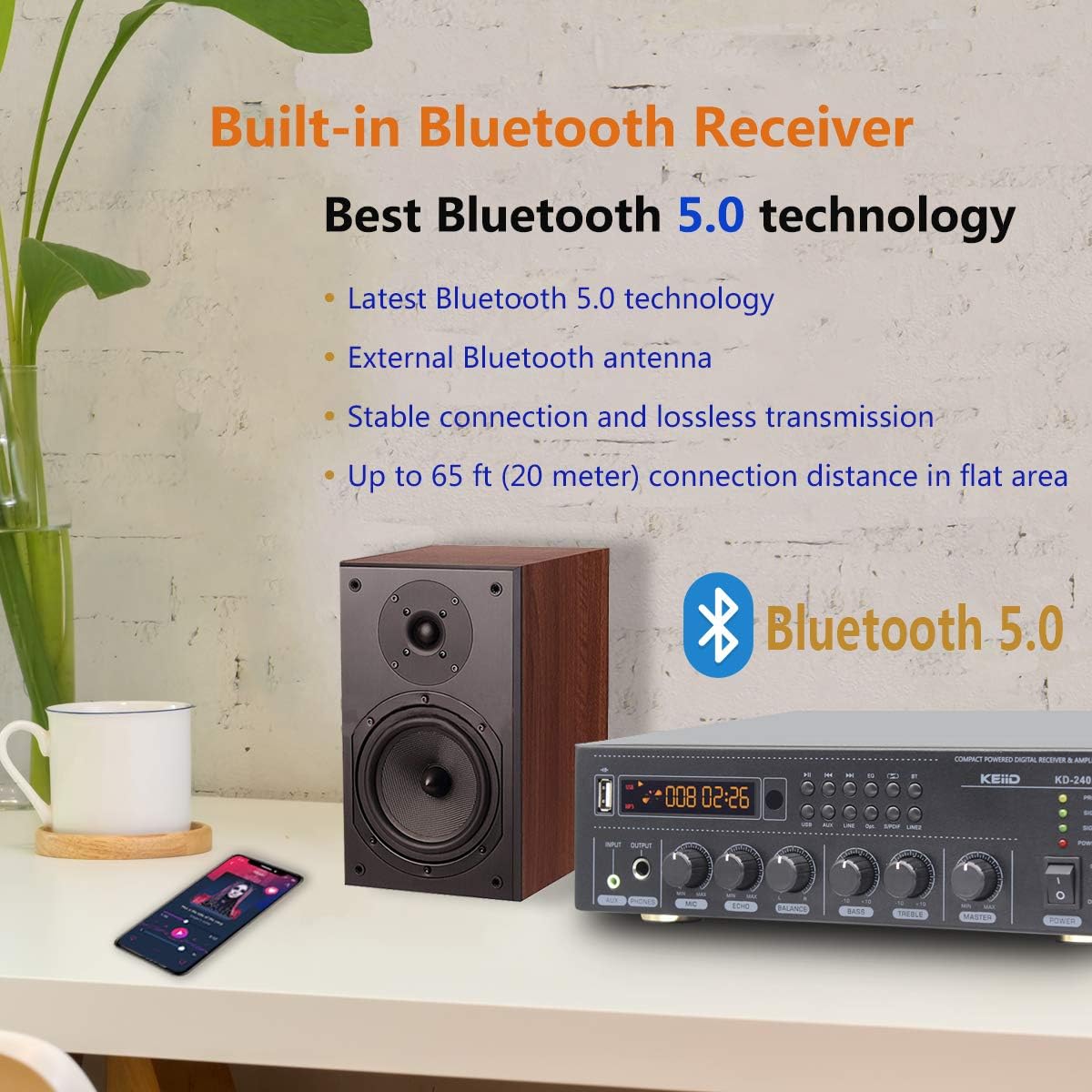
Figure 6.1: Bluetooth 5.0 Connectivity
This image emphasizes the Bluetooth 5.0 capability of the KEiiD KD-240WF amplifier, showing a mobile phone connected wirelessly to the unit, indicating stable and lossless audio transmission.
- Select 'BT' input on the amplifier. The display will show 'Bluetooth' or a similar indicator.
- On your Bluetooth-enabled device (smartphone, tablet, etc.), search for available Bluetooth devices.
- Select 'KEiiD KD-240WF' from the list to pair. Once connected, you can stream audio wirelessly.
6.5 WiFi Streaming and MUZO App Control

Figure 6.2: MUZO App Interface
This image displays the MUZO App interface on a smartphone, illustrating its capability to access various online music services and control the KEiiD amplifier for multi-room audio streaming.
- Download the 'MUZO' App from the App Store (iOS) or Google Play Store (Android).
- Ensure your amplifier is in WiFi mode.
- Follow the in-app instructions to connect the amplifier to your home WiFi network. You can also use the WPS button on the rear panel for quick connection (refer to section 4.2).
- Once connected, use the MUZO App to access thousands of online audio resources, control multi-room playback (synchronously or separately), and preset up to 10 online programs for one-key shift via remote control.
- The amplifier also supports Airplay for streaming from external music tools like Spotify, TuneIn, Tidal, and iHeart radio.
6.6 Sleep Timer
The sleep timer function allows the amplifier to automatically turn off after a set period (30-180 minutes). Refer to the remote control or MUZO App for setting the sleep timer.
6.7 Microphone Usage
Use the Pager / Mixing switch on the rear panel to select the microphone mode:
- Pager Mode: Microphone signal will override other media resources, ideal for hosting or conference calls.
- Mixing Mode: Microphone audio is mixed with other media, suitable for entertainment like karaoke.
7. Troubleshooting
If you encounter issues with your KEiiD KD-240WF, please refer to the following common problems and solutions:
| Problem | Possible Cause | Solution |
|---|---|---|
| No Power | Power cord not connected; Power outlet faulty; Unit in protection mode. | Ensure power cord is securely plugged in. Try a different outlet. Unplug unit for 5 minutes, then plug back in. |
| No Sound Output | Incorrect input selected; Volume too low; Speaker wires loose/incorrectly connected; Mute function active. | Select correct input. Increase master volume. Check speaker connections and polarity. Ensure unit is not muted. |
| Poor Sound Quality (Distortion/Noise) | Source audio quality is poor; Speaker impedance mismatch; Cables loose/damaged; EQ settings. | Test with a different audio source. Ensure speakers are 6-8 ohm. Check all audio cables. Adjust BASS/TREBLE/EQ settings. |
| Bluetooth Connection Issues | Device not in pairing mode; Amplifier too far from device; Interference. | Ensure amplifier is in BT mode and discoverable. Move device closer to amplifier. Avoid obstacles. Try re-pairing. |
| WiFi Connection Issues | Incorrect WiFi password; Router issues; Amplifier too far from router. | Double-check WiFi password in MUZO App. Restart router and amplifier. Move amplifier closer to router. Use WPS button to reset WiFi. |
If the problem persists after trying these solutions, please contact KEiiD customer support.
8. Specifications
| Feature | Specification |
|---|---|
| Model Number | KD-240WF |
| Product Dimensions | 10.24 x 9.06 x 3.15 inches (260 x 230 x 80 mm) |
| Item Weight | 3.52 pounds (1.6 kg) |
| Rated Power Output | RMS 2x 40W (into 6-8 ohm speakers) |
| Connectivity Technology | RCA, Bluetooth 5.0, Auxiliary (3.5mm), Wi-Fi, USB |
| Audio Output Mode | Stereo (2.0 Channel) |
| Frequency Response | 20Hz - 22kHz |
| Signal-to-Noise Ratio (S/N) | 80dB |
| Total Harmonic Distortion (THD) | <0.5% |
| Sleep Timer Range | 30-180 minutes |
| Color | Black |
9. Maintenance
- Cleaning: Use a soft, dry cloth to clean the exterior of the amplifier. Do not use abrasive cleaners or solvents.
- Ventilation: Periodically check that the ventilation openings are clear of dust and debris to prevent overheating.
- Storage: If storing the unit for an extended period, disconnect it from the power supply and store it in a cool, dry place.
10. Warranty and Support
The KEiiD KD-240WF comes with a 1-year warranty. In case of any fault or quality issues within this period, a new replacement will be provided.
For technical support or warranty claims, please contact KEiiD customer service through your purchase platform or the official KEiiD website.
Ask a question about this manual
Ask about setup, troubleshooting, compatibility, parts, safety, or missing instructions. Manuals+ will review the question and use this page’s manual context to help answer it.