
1. Introduction and Overview
The CyberPower SL700U uninterruptible power supply (UPS) system is designed to provide reliable surge protection and battery backup for your electronic equipment. This unit safeguards against power events such as surges and utility power failures, preventing data loss and damage to valuable electronics including computers, gaming consoles, and home networking equipment. Its slim profile allows for versatile installation, including wall-mount applications.

Figure 1: Top view of the CyberPower SL700U Standby UPS, highlighting the layout of outlets and controls.
2. Key Features
- Power Capacity: 700VA/370W provides sufficient battery backup for essential electronics.
- 8 NEMA 5-15R Outlets: Includes five battery backup & surge protected outlets and three surge protected outlets. Two outlets are widely spaced for larger plugs.
- 2 USB Charging Ports: Two Type A USB charging ports with a shared 2.4A output for mobile devices.
- Slim Profile Design: Allows for discrete installation and wall-mount options.
- GreenPower UPS High Efficiency Design: Reduces power consumption for an ultra-efficient system.
- LED Status Lights: Indicates power-on status and wiring fault.
- Warranty: Includes a 3-year warranty (including the battery) and a $100,000 Connected Equipment Guarantee.
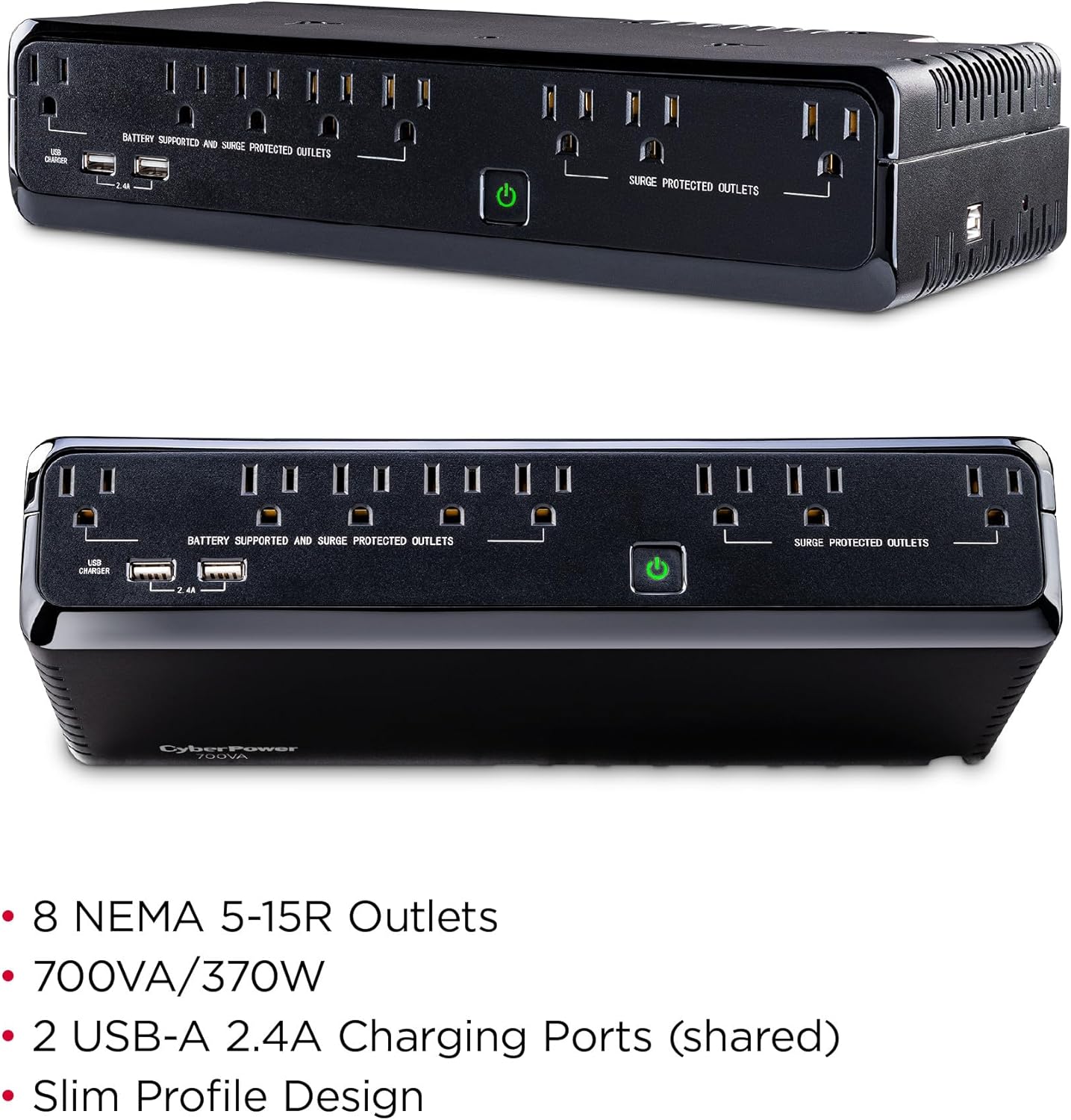
Figure 2: Detailed view of the UPS outlets, showing battery-supported and surge-protected sections, along with the USB charging ports.
3. Setup and Installation
- Initial Charging: Before first use, plug the UPS into a grounded AC outlet and allow it to charge for at least 8 hours to ensure optimal battery performance.
- Connecting Equipment:
- Connect critical devices (e.g., computers, monitors, routers) to the Battery Supported and Surge Protected Outlets. These outlets will provide power during outages.
- Connect less critical devices (e.g., printers, scanners) to the Surge Protected Outlets. These outlets offer surge protection but no battery backup.
- Use the USB Charging Ports to charge mobile devices.
- Placement: The slim profile allows for flexible placement. The unit can be placed horizontally on a desk or floor, or mounted vertically using the keyhole slots on the back for wall-mount applications. Ensure adequate ventilation around the unit.
- PowerPanel Personal Software: For advanced monitoring and control, download and install the free PowerPanel Personal Software from the CyberPower website. This software allows you to monitor UPS status, configure settings, and schedule shutdowns.

Figure 3: The CyberPower SL700U integrated into a desktop setup, providing power to a computer and other devices.
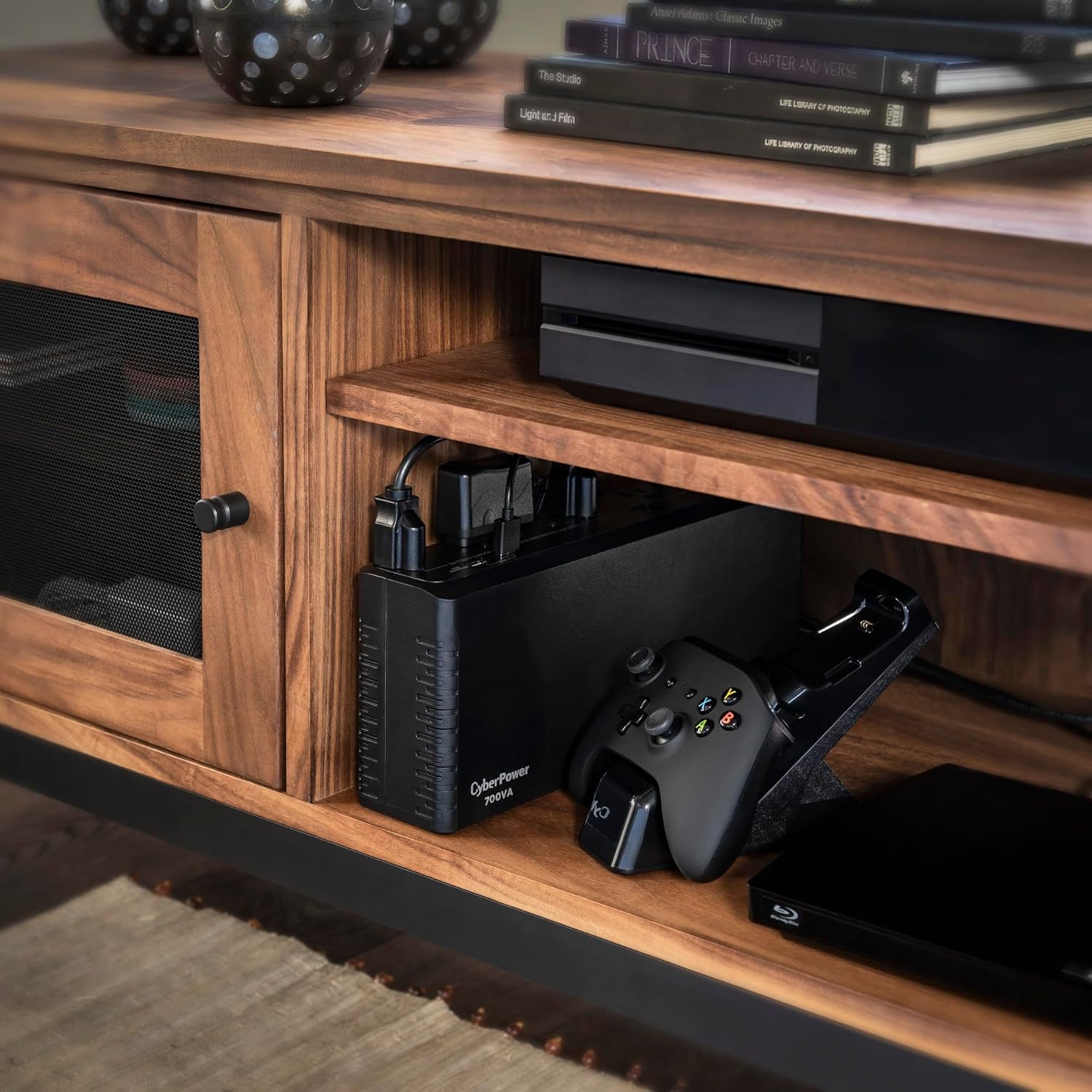
Figure 4: The slim design of the UPS allows it to be discreetly placed behind or beside other electronics.
4. Basic Operation
- Power Switch: To turn the UPS on, press the power button for approximately 2 seconds until you hear a constant tone (1 second) and then release. To turn off, press and hold the power button for 2 seconds.
- LED Indicators: The LED illuminates when the utility power is normal and the UPS outlets are providing power. It will flash when the UPS is on battery power.
- Alarm Settings: The audible alarm can be turned ON or OFF by quickly pressing the POWER button twice. The default setting is for the alarm to be ON. When the alarm is ON, the UPS will beep to notify you of power events.
Video 1: Official CyberPower overview of the SL700U Slimline UPS, demonstrating its features and operation.
5. Maintenance
Battery Replacement Procedures:
Servicing of batteries should be performed or supervised by personnel knowledgeable about batteries and the required precautions. Refer to the detailed instructions in the user manual for specific battery replacement steps. Always ensure the UPS is turned off and disconnected from the AC power source before servicing. Use only the specified replacement battery type to avoid voiding the warranty and ensuring safe operation.
- Turn off the UPS and unplug all connected equipment.
- Disconnect the UPS from the AC power source.
- Remove the battery compartment cover.
- Disconnect the battery wires and remove the old battery.
- Install the new battery, connecting the red wire to the positive (+) terminal and the black wire to the negative (-) terminal.
- Secure the battery compartment cover.
- Plug in and charge the UPS for 8 hours to ensure the UPS performs optimally.
6. Troubleshooting
| Problem | Possible Cause | Solution |
|---|---|---|
| Full-time surge protection outlets stop providing power. | Circuit breaker has been tripped due to an overload. | Turn the UPS off, unplug at least one piece of equipment. Wait 10 seconds, reset the circuit breaker by pressing the button, and then turn the UPS on. |
| The UPS does not perform expected runtime. | Battery is not fully charged. | Recharge the battery by leaving the UPS plugged in. |
| The UPS will not turn on. | Battery is worn out. | Contact CyberPower Systems for replacement batteries. |
| The UPS is not connected to a grounded outlet. | This UPS must be connected to a grounded outlet before turning on. | Plug the UPS into a grounded outlet. |
7. Technical Specifications
| Feature | Specification |
|---|---|
| Model Number | SL700U |
| Capacity | 700VA / 370W |
| Input Voltage | 120 Volts |
| Output Waveform | Simulated Sine Wave |
| Outlets | 8 NEMA 5-15R (5 Battery/Surge, 3 Surge Only) |
| USB Charging Ports | 2 Type A, 2.4A Shared |
| Battery Type | Lead Acid (1 x 12V battery included) |
| Product Dimensions (D x W x H) | 2.76" x 12.76" x 5.4" (7cm x 32.4cm x 13.7cm) |
| Item Weight | 6.77 pounds (3.07 kg) |
| Operating Temperature | 32°F to 104°F (0°C to 40°C) |

Figure 5: Dimensions of the CyberPower SL700U for planning placement.
8. Warranty and Support
- Product Warranty: The CyberPower SL700U comes with a 3-year limited warranty, which includes the battery.
- Connected Equipment Guarantee: This unit is backed by a $100,000 Connected Equipment Guarantee, providing peace of mind for your connected devices.
- Technical Support: For technical assistance, visit the official CyberPower website or contact their customer support.
- PowerPanel Personal Software: Free software is available for download to enhance UPS management and monitoring.


