
1. Product Overview
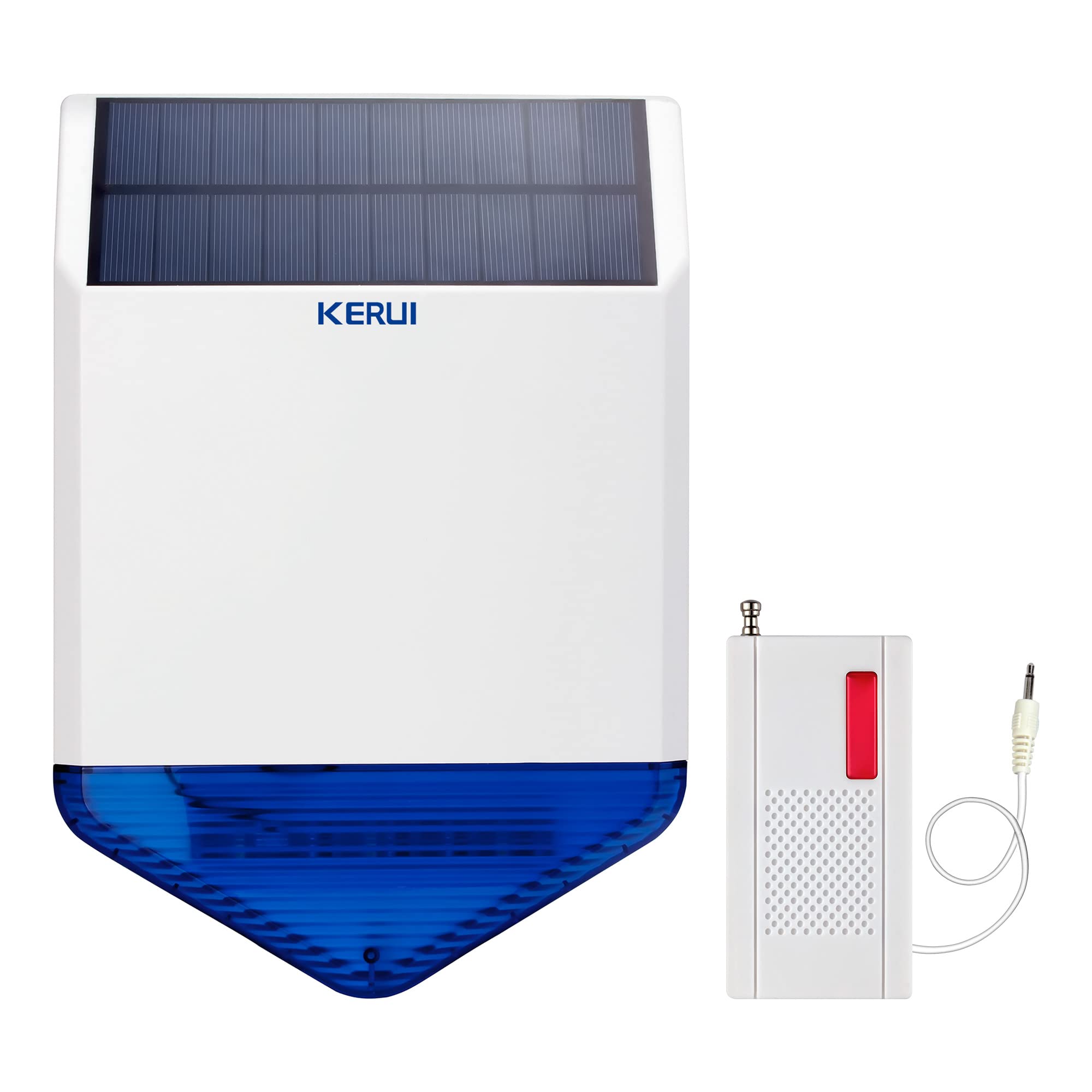
The KERUI SJ1 is an independent smart anti-theft alarm system designed for outdoor use. It functions as a solar-powered, waterproof wireless siren, providing both light and sound alerts. This system is capable of connecting up to 20 remote controls and 40 various detectors, offering comprehensive security for homes, hotels, apartments, shops, sheds, villas, and business offices.
Key features include:
- Independent Smart Anti-Theft System: Operates autonomously or integrates with existing KERUI alarm panels.
- High-Decibel Siren: Emits a powerful 110dB alarm sound to deter intruders.
- Strobe Light: Features a blue flashing light for visual deterrence during an alarm.
- Dual Power Sources: Equipped with a built-in rechargeable battery and an external DC power adapter.
- Solar Charging: Integrated solar panels automatically charge the battery, reducing energy costs.
- Weatherproof Design: Suitable for outdoor installation, resistant to rain and sun exposure.
- Expandable System: Supports connection with up to 20 remote controls and 40 detectors (e.g., infrared detectors, door magnets, emergency buttons).
2. Package Contents
Please check the package contents upon receipt to ensure all items are present and undamaged:
- 1 x KERUI SJ1 Solar Outdoor Strobe Wireless Siren
- 1 x EU Power Adapter
- 1 x User Manual (this document)
3. Product Components
Familiarize yourself with the main components of the KERUI SJ1 siren:

- Solar Panel: Located on the top, for charging the internal battery.
- Alert Light: Blue strobe light on the front, flashes during an alarm.
- Siren Speakers: Two speakers on the back for emitting alarm sounds.
- Battery Switch: Controls the internal battery power.
- Power Switch: Main power control for the device.
- Volume / Set Button: Adjusts alarm volume and used for system settings.
- Alarm Music / Alarm Time: Settings for alarm tone and duration.
- Terminal for Wired Accessories: Connection points for wired detectors or accessories.
- Anti-Tamper Button: Triggers an alarm if the siren is forcibly removed from its mounting location.
4. Specifications
| Parameter | Value |
|---|---|
| Model | SJ1 |
| Color | Blue, White |
| Alarm Loudness | 110dB (8-level adjustable) |
| Wireless Frequency | 433MHZ |
| Wireless Reception Range | Up to 100m (open space) |
| Max Alarm Duration | 5 minutes |
| Standby Current | <8mA |
| Alarm Current | <1000mA |
| Power Supply | Built-in 3.7V 2200mAh rechargeable battery, External 5V DC adapter, Solar charging |
| Working Temperature | -20 ℃ to 50 ℃ (-4 ℉ to 122 ℉) |
| Relative Humidity | <80% (non-condensing) |
| Dimensions (approx.) | 200mm (W) x 300mm (H) x 30mm (D) - Refer to Figure 3 for detailed dimensions. |
| UPC / GTIN | 736364250750 |
| ASIN | B07SKTW99B |

5. Setup
5.1 Powering the Siren
The KERUI SJ1 siren offers flexible power options to ensure continuous operation:
- Internal Rechargeable Battery: The siren comes with a built-in 3.7V 2200mAh rechargeable battery. Ensure the battery switch on the back of the unit is in the 'ON' position.
- Solar Charging: The integrated solar panel automatically charges the internal battery when exposed to sunlight. This is the primary method for maintaining battery charge in outdoor installations.
- External DC Power Adapter: For initial charging or in environments with insufficient sunlight, connect the provided 5V DC power adapter to the siren's power input.

5.2 Installation Location
The KERUI SJ1 siren is designed for both indoor and outdoor installation. For optimal performance, especially for solar charging, consider the following:
- Outdoor Installation: Mount the siren in a location that receives direct sunlight for a significant portion of the day. This ensures the solar panel can effectively charge the battery. The siren is waterproof and designed to withstand rain and sun exposure.
- Mounting Height: Install the siren at a height that is difficult for intruders to reach but still allows the sound to propagate effectively.
- Visibility: Position the siren where its flashing blue light is clearly visible during an alarm.

Use appropriate screws and wall plugs (not included) to securely mount the siren to a wall or suitable surface. Ensure the anti-tamper button on the back is pressed against the mounting surface when installed to prevent unauthorized removal.
6. Operating Instructions
6.1 Pairing with Detectors and Remote Controls
The KERUI SJ1 siren can be paired wirelessly with up to 20 remote controls and 40 various detectors (e.g., infrared detectors, door/window magnets, emergency buttons). Refer to the specific instructions for your KERUI alarm panel or individual detectors for detailed pairing procedures. Generally, the process involves putting the siren into a learning mode and then triggering the detector or pressing a button on the remote control.


6.2 Alarm Activation and Sound
When a paired detector is triggered, the KERUI SJ1 siren will activate:
- The blue strobe light will flash rapidly.
- The siren will emit a loud 110dB alarm sound.
- The alarm duration can be set up to 5 minutes.
6.3 Volume Adjustment
The alarm loudness is adjustable to 8 different levels. Use the "Volume / Set" button on the back of the siren to cycle through the volume settings. Refer to the detailed instructions in the full user manual for precise adjustment steps.
7. Maintenance
- Solar Panel Cleaning: Periodically clean the solar panel surface with a soft, damp cloth to ensure maximum charging efficiency. Avoid abrasive cleaners.
- Battery Health: The internal rechargeable battery is designed for long-term use. If the siren frequently runs out of power despite adequate sunlight, the battery may need replacement. Contact customer support for assistance.
- General Cleaning: Wipe the siren's exterior with a soft, dry cloth. Do not use harsh chemicals or solvents.
- Firmware Updates: Check the KERUI official website or contact customer support for any available firmware updates that might improve performance or add features.
8. Troubleshooting
| Problem | Possible Cause | Solution |
|---|---|---|
| Siren does not activate or is weak. | Low battery, power switch off, siren not paired, detector malfunction. | Ensure power switch is ON. Charge battery via solar panel (ensure direct sunlight) or external adapter. Verify siren is correctly paired with detectors. Check detector functionality. |
| Siren sounds continuously or without reason. | Anti-tamper button not fully pressed, faulty detector, interference. | Ensure siren is securely mounted and anti-tamper button is engaged. Check all paired detectors for false alarms. Temporarily unpair detectors to isolate the issue. |
| Solar charging is ineffective. | Insufficient sunlight, dirty solar panel, faulty solar panel. | Relocate siren to an area with more direct sunlight. Clean the solar panel surface. If problem persists, use the external power adapter or contact support. |
| Cannot pair with new detectors/remotes. | Siren not in learning mode, incorrect pairing procedure, maximum devices reached. | Refer to the pairing section of the manual for correct steps. Ensure the siren is in learning mode. Verify you have not exceeded the maximum of 20 remotes and 40 detectors. |
If you encounter issues not listed here or if the suggested solutions do not resolve the problem, please contact KERUI customer support for further assistance.
9. Warranty and Support
KERUI provides the following support for the SJ1 Solar Wireless Siren:
- Warranty: A 12-month warranty is provided from the date of purchase. This warranty covers manufacturing defects and malfunctions under normal use.
- Technical Support: Lifetime free technical support is available for all KERUI products.
- Customer Service: Friendly customer service is available within 24 hours for any inquiries or issues.
For warranty claims, technical assistance, or general inquiries, please visit the official KERUI store on Amazon or contact us directly via Amazon's messaging system. Please have your product model (SJ1) and purchase details ready when contacting support.

