
Product Overview
The Soundcore Anker Liberty Air 2 Wireless Earbuds offer exceptional audio clarity through diamond-inspired drivers, providing a 15% larger frequency bandwidth for clear treble and 2x more bass. Designed for versatility, they feature 4 microphones with cVc 8.0 noise reduction technology for crystal-clear calls, effectively reducing environmental noise by 60% while retaining 95% of your voice. Enjoy extended listening with up to 7 hours of playtime on a single charge, extendable to 28 hours with the compact charging case. The HearID technology personalizes your listening experience by mapping your hearing sensitivity across multiple frequencies to create custom EQ settings. These earbuds are also water-resistant with an IPX5 rating, making them suitable for various activities.

Image: Soundcore Anker Liberty Air 2 Wireless Earbuds in black, shown with their charging case.
What's in the Box
- Liberty Air 2 True Wireless Earphones
- Charging Case
- XS/S/M/L/XL EarTips (5 sizes)
- USB-C Cable
- Quick Start Guide
Setup
Initial Pairing
Follow these steps to pair your Soundcore Liberty Air 2 earbuds for the first time with a new device.
Video: Instructions on how to pair Soundcore Liberty Air 2 earbuds for the first time. This video demonstrates placing earbuds in the case, closing and opening the case, and connecting via Bluetooth settings on a phone.
Charging the Earbuds and Case
Place the earbuds into the charging case. The LED indicators on the case will show the charging status. The charging case can be charged via the included USB-C cable or wirelessly on a compatible charging pad.

Image: The Soundcore Liberty Air 2 charging case being charged wirelessly on a charging pad.
A 10-minute charge provides 2 hours of listening time. The earbuds offer 7 hours of playtime on a single charge, and the charging case extends this to a total of 28 hours.

Image: Visual representation of playtime: 7 hours on a single charge, 28 hours with the charging case, and 10 minutes of charge for 2 hours of playtime.
Operating Instructions
HearID Personalized Sound
Utilize the Soundcore App to create a custom set of EQ settings optimized for your ears. HearID maps your hearing sensitivity across multiple frequencies and intelligently analyzes the results for a truly personalized listening experience.
Video: Guide on how to use the HearID feature within the Soundcore app to personalize audio settings based on individual hearing profiles.

Image: A user interacting with the HearID personalized sound feature on the Soundcore app, showing an ear icon and text description.
Crystal-Clear Calls and Sound Quality
Each earbud is equipped with two microphones and cVc 8.0 noise reduction technology, ensuring your voice is highlighted while reducing background sounds for clearer calls. The diamond-inspired drivers maintain rigidity at high frequencies, reproducing music with enhanced clarity and bass.

Image: A person wearing Soundcore Liberty Air 2 earbuds, illustrating the crystal-clear calls feature with noise and voice level indicators.
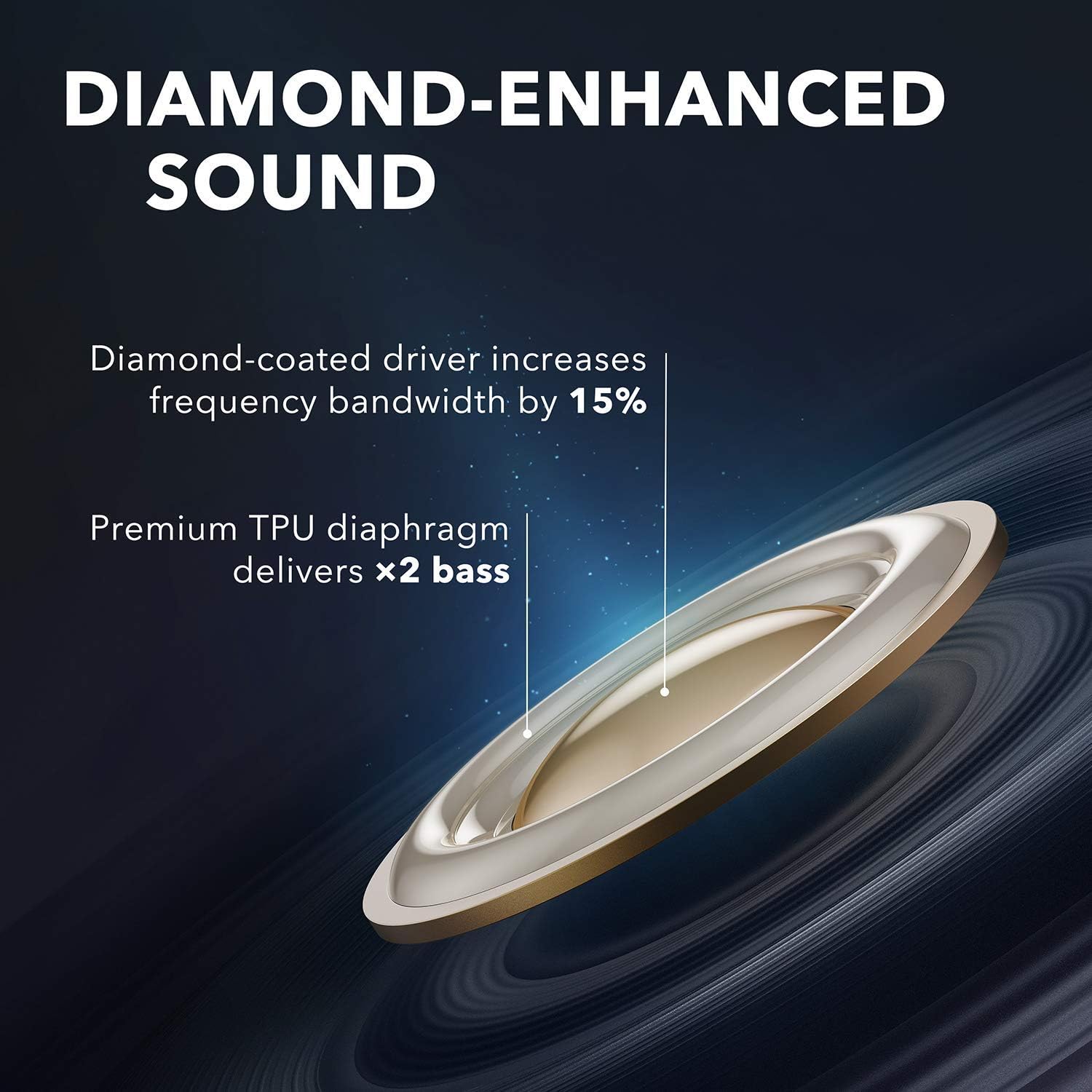
Image: Diagram illustrating the diamond-coated driver and premium TPU diaphragm for enhanced sound and bass.
Mono Mode
The earbuds support mono mode, allowing you to use either earbud independently while the other remains in the charging case.

Image: A single Soundcore Liberty Air 2 earbud placed on a smartphone, demonstrating the mono mode functionality.
Maintenance
The Liberty Air 2 earbuds are IPX5-rated, providing protection against rain and sweat. However, they are not designed for swimming, showering, or exposure to pool or ocean water. Avoid using them in a sauna or steam room. The charging case is not waterproof. Ensure the USB-C port is completely dry before charging.
Regularly clean the earbuds and eartips to maintain optimal performance and hygiene. Choose from the 5 sizes of EarTips provided to find your perfect fit for enhanced passive noise cancellation and comfort.
Troubleshooting
Resetting Earbuds
If you experience connectivity problems or function issues, you may need to reset your earbuds. Ensure the earbuds are charging in the case and keep the case open during the reset process.
Video: Step-by-step guide on how to reset Soundcore Liberty Air 2 earbuds to resolve connectivity or function issues.
Pairing with a New Device
To pair your earbuds with a new device after initial setup, follow these instructions.
Video: Instructions for pairing Soundcore Liberty Air 2 earbuds with a new device.
Specifications
| Feature | Detail |
|---|---|
| Model Number | A3910 |
| Connectivity Technology | Wireless (Bluetooth 5) |
| Audio Driver Type | Dynamic Driver (Diamond-Inspired) |
| Playtime (Single Charge) | Up to 7 hours |
| Playtime (with Charging Case) | Up to 28 hours |
| Fast Charging | 10-minute charge for 2 hours playtime |
| Wireless Charging | Compatible |
| Microphones | 4 (with cVc 8.0 Noise Reduction) |
| Water Resistance | IPX5 (Sweatproof) |
| Control Method | Touch |
| EarTips | XS/S/M/L/XL included |
Warranty & Support
For detailed warranty information and additional support, please refer to the official documents provided by Soundcore.
You can also visit the official Soundcore store for more information and product updates: Soundcore Store