
1. Introduction
This manual provides detailed instructions for the installation, operation, and maintenance of your Maso V7 360-Degree Radar Detector. Please read this manual thoroughly before using the device to ensure proper functionality and to understand its capabilities.
The Maso V7 radar detector is designed to detect various radar and laser signals used for speed monitoring, providing advanced warnings to the driver. It features a 360-degree laser detection system and an automatic mute function to reduce false alerts.
2. Safety Information
- Do not install the device in a location that obstructs your view of the road or interferes with the operation of airbags.
- Ensure the device is securely mounted to prevent it from becoming a projectile during sudden stops or collisions.
- Do not attempt to open or modify the device. This may void the warranty and pose safety risks.
- Keep the device away from extreme temperatures, direct sunlight for prolonged periods, and moisture.
- Always operate your vehicle safely and in accordance with all traffic laws. This device is an aid and should not be relied upon as a substitute for attentive driving.
- Check local laws and regulations regarding the use of radar detectors. Usage may be restricted or prohibited in certain areas.
3. Product Overview
The Maso V7 radar detector is a universal device designed for high-quality performance. Key features include:
- 360-Degree Laser Detection: Detects laser signals from all directions.
- 16-Band Radar Detection: Covers common radar bands including X, K, Ka, and Ku (Ku band used in Europe).
- Voice Alert System: Provides audible warnings for detected signals.
- Automatic Mute System: Reduces false alerts by sensing relative speed.
- Digital Signal Strength Meter: Indicates the relative distance to the detected target.
- VG-2 Immunity: Provides total immunity to VG-2 radar detector-detectors.

Image 3.1: Maso V7 Radar Detector with its digital display.
4. Setup
4.1 Package Contents
Ensure all components are present:
- Maso V7 Radar Detector Unit
- Car Power Adapter (DC 12V)
- Anti-slip Mat (for dashboard mounting)
4.2 Installation Steps
- Choose a Mounting Location: Select a location on your dashboard or windshield that provides a clear, unobstructed view of the road ahead and behind, and does not interfere with your driving or vehicle safety systems. The anti-slip mat can be used for dashboard placement.
- Secure the Device: Place the radar detector on the anti-slip mat on your dashboard. Ensure it is stable and will not move during vehicle operation.
- Connect Power: Insert the small end of the car power adapter into the DC input port on the side of the radar detector. Plug the larger end of the power adapter into your vehicle's 12V accessory outlet (cigarette lighter socket).
- Power On: The device should power on automatically when the vehicle's ignition is turned on, or when power is supplied to the 12V outlet.
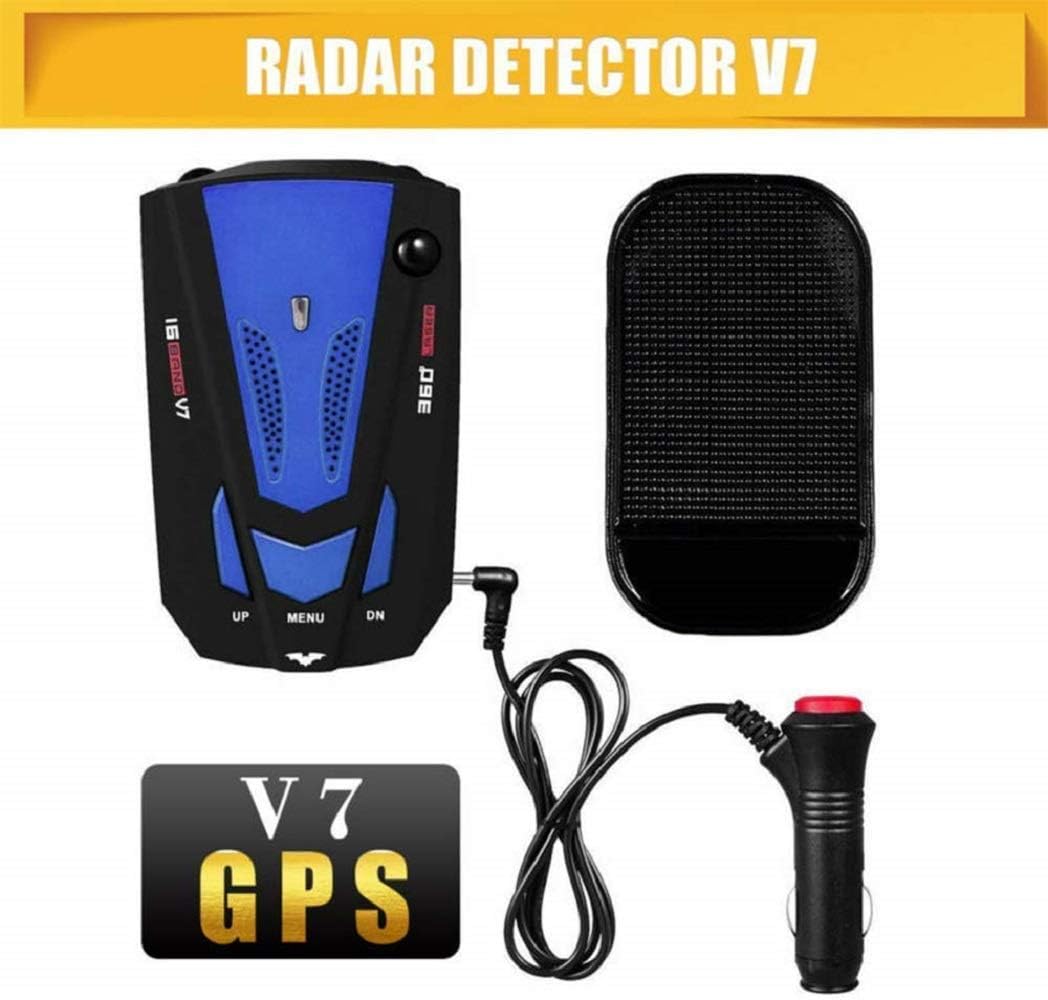
Image 4.1: Radar detector with anti-slip mat and power connection.
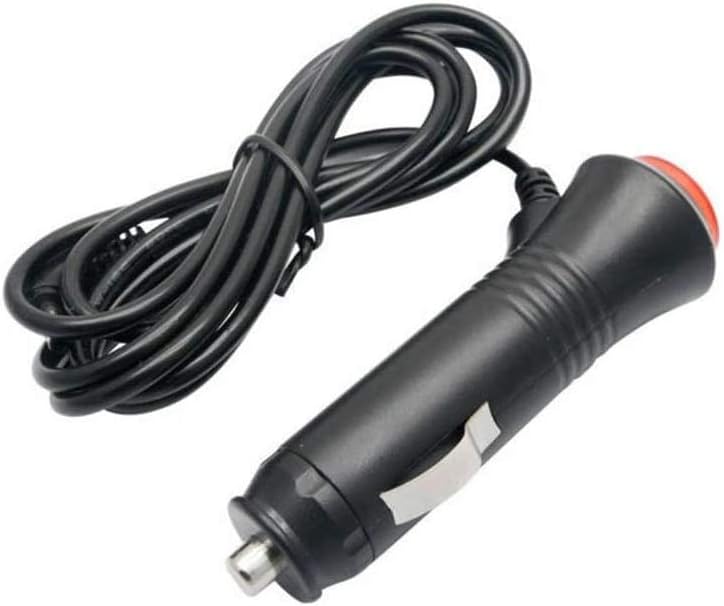
Image 4.2: Car power adapter (DC 12V).
5. Operating Instructions
The Maso V7 features three main buttons: UP, MENU, and DN (Down).

Image 5.1: Button functions and display indicators.
5.1 Basic Operation
- Power On/Off: The device typically powers on and off with your vehicle's ignition. There is no dedicated power button.
- Volume Adjustment:
- Press the "UP" button to increase the voice alert volume.
- Press the "DN" button to decrease the voice alert volume.
- Language Exchange: To switch between English and Russian voice alerts, press and hold the "MENU" button for approximately 10 seconds.
- Mode Selection (MENU button): Short press the "MENU" button to cycle through different operating modes (e.g., City/Highway modes, if available). Refer to the display for current mode indication.
5.2 Understanding Alerts
When a radar or laser signal is detected, the device will provide a voice alert and display the detected band (e.g., X, K, Ka, Ku, La for Laser) along with a digital signal strength meter. The signal strength meter indicates the proximity to the source:
- More bars on the display indicate a stronger signal and closer proximity to the source.
- Fewer bars indicate a weaker signal and greater distance from the source.
The automatic mute system will reduce the volume of alerts when the relative speed is low, helping to minimize false alarms in urban environments.
6. Understanding Radar Bands and Detection Ranges
The Maso V7 detector is capable of detecting various radar and laser bands. The typical detection ranges are:
- X-BAND: 10.525GHz ± 100MHz, detectable distance: 1500-2500m
- K-BAND: 24.150GHz ± 175MHz, detectable distance: 1200-2500m
- Trfor iPod K-BAND: 24.150GHz ± 175MHz, detectable distance: 250-1200m
- KU-BAND: 13.450GHz ± 125MHz, detectable distance: 450-1500m
- KA-BAND: 34.700GHz ± 1300MHz, detectable distance: 800-1500m
- Trfor iPod KA-BAND: 33.400GHz ± 1300MHz, detectable distance: 200-600m
- Laser Eye Detector: 360-degree detection for laser signals.
The actual detection range can vary based on terrain, weather conditions, and the type of radar/laser source.

Image 6.1: Illustration of typical mobile radar detection range (Scan-Alarm indicates warning zone).

Image 6.2: Illustration of 360-degree detection capability.
7. Maintenance
- Cleaning: Use a soft, dry cloth to clean the exterior of the device. Do not use abrasive cleaners or solvents.
- Lens Care: Keep the laser detection lens (front of the unit) clean and free from dust or smudges to ensure optimal performance.
- Storage: When not in use for extended periods, store the device in a cool, dry place, away from direct sunlight.
- Power Cable: Inspect the power cable regularly for any signs of damage. Replace if necessary.
8. Troubleshooting
| Problem | Possible Cause | Solution |
|---|---|---|
| Device does not power on. | No power from vehicle's 12V outlet; loose connection; faulty power adapter. | Check vehicle's 12V outlet (test with another device). Ensure power adapter is securely connected to both the device and the outlet. Inspect power adapter for damage. |
| No voice alerts. | Volume is too low; device is in mute mode. | Press the "UP" button to increase volume. Check device settings for any mute options. |
| Frequent false alerts. | Interference from other vehicle electronics; device in a sensitive mode. | Ensure the device is not placed near other electronic devices that might emit signals. Use the "MENU" button to switch to a less sensitive mode (e.g., City mode if available). The automatic mute system should help reduce false alerts at lower speeds. |
| Poor detection range. | Obstructed view; dirty lens; environmental factors. | Ensure the device has a clear line of sight to the front and rear. Clean the laser detection lens. Note that detection range can be affected by hills, curves, and weather. |
9. Specifications
| Feature | Detail |
|---|---|
| Brand | MASO |
| Model Number | H842125 |
| Power Source | DC Power (12 Volts) |
| Rechargeable Battery | No |
| Display Type | Digital |
| Supported Frequency Bands | 16 GHz (X, K, Ka, Ku, Laser) |
| Compatible Devices | Camera (as per manufacturer specification) |
| Spare Parts Availability | Information unavailable |
| Software Updates Guaranteed Until | Information unavailable |
10. Warranty and Support
For warranty information and customer support, please refer to the documentation provided at the time of purchase or contact your retailer. Specific warranty terms and support channels may vary by region and seller.