
ZEBRONICS AO28-ZEB BT100AR
Zebronics ZEB-BT100AR Wireless BT Receiver
Model: AO28-ZEB BT100AR
1. Introduction
The Zebronics ZEB-BT100AR is a compact USB-powered wireless Bluetooth receiver designed to add Bluetooth audio streaming capabilities to non-Bluetooth devices. It allows you to wirelessly connect your smartphone, tablet, or other Bluetooth-enabled devices to audio systems, speakers, or car stereos that have a 3.5mm audio input.
This device supports A2DP (Advanced Audio Distribution Profile) for high-quality stereo audio transmission and offers a plug-and-play experience for ease of use.
2. Safety Information
- Do not expose the device to water, moisture, or extreme temperatures.
- Avoid dropping or subjecting the device to strong impacts.
- Do not attempt to disassemble, repair, or modify the device. This will void the warranty.
- Keep the device away from direct sunlight and heat sources.
- Use only compatible USB power sources (e.g., USB port on a computer, USB wall adapter).
- Ensure proper ventilation when in use.
3. Package Contents
Please check the package for the following items:
- Zebronics ZEB-BT100AR Wireless BT Receiver
- 3.5mm Audio Cable
- User Manual (this document)
4. Product Overview
The ZEB-BT100AR is a compact device with a USB-A connector for power and a 3.5mm audio jack for output.
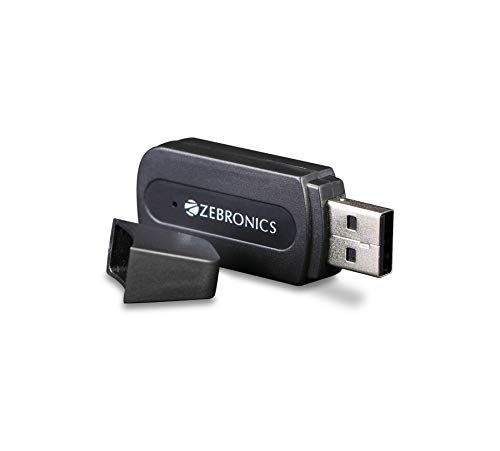
Figure 4.1: Front view of the ZEB-BT100AR receiver with its protective cap removed, showing the USB connector and the Zebronics logo.
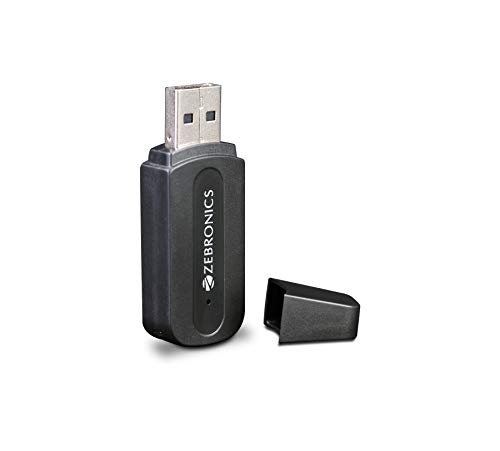
Figure 4.2: Side view of the ZEB-BT100AR receiver, highlighting its compact form factor and the USB connector.
Key Features:
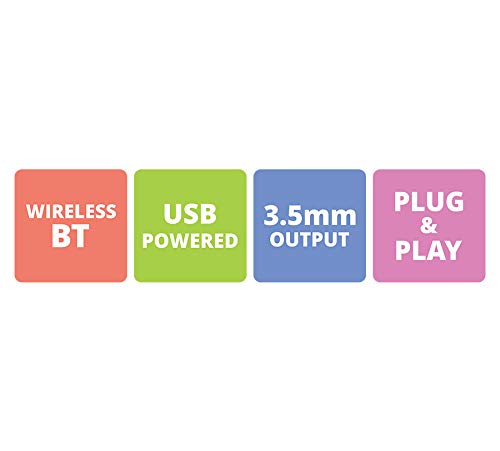
Figure 4.3: Visual representation of the key features: Wireless BT connectivity, USB Powered operation, 3.5mm Audio Output, and Plug & Play functionality.
Components:
- USB-A Connector: Used for drawing power from a USB port.
- 3.5mm Audio Jack: Output port for connecting to speakers or audio systems.
- LED Indicator: (Implicit from product type, usually indicates power/pairing status).
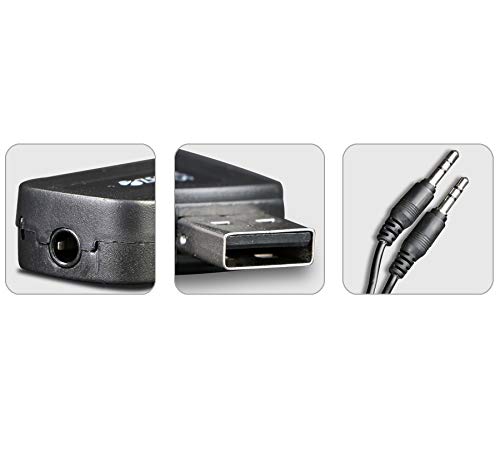
Figure 4.4: Detailed view showing the 3.5mm audio output port on the receiver, the USB connector, and the included 3.5mm audio cable for connection to external audio devices.
5. Setup
Follow these steps to set up your Zebronics ZEB-BT100AR receiver:
- Connect to Power: Insert the USB-A connector of the ZEB-BT100AR into any standard USB port for power. This can be a USB port on a computer, a USB wall adapter (5V), a car USB charger, or a USB port on an audio system. The device is USB powered and does not require batteries.
- Connect to Audio System: Connect one end of the provided 3.5mm audio cable to the 3.5mm audio jack on the ZEB-BT100AR receiver. Connect the other end of the 3.5mm audio cable to the AUX-in or 3.5mm audio input port of your desired audio system (e.g., home stereo, car stereo, wired speakers).
- Power On Audio System: Ensure your audio system is powered on and set to the correct input source (e.g., AUX, Line-in) where the ZEB-BT100AR is connected.
- Pairing Mode: Once powered, the ZEB-BT100AR will automatically enter Bluetooth pairing mode. The LED indicator (if present, typically a blue light) will blink rapidly, indicating it is ready to be paired.
6. Operating Instructions
6.1. Bluetooth Pairing
- Ensure the ZEB-BT100AR is powered on and in pairing mode (LED blinking).
- On your Bluetooth-enabled device (smartphone, tablet, laptop), go to the Bluetooth settings.
- Scan for available Bluetooth devices.
- Select "ZEB-BT100AR" (or similar name) from the list of found devices.
- Once successfully paired, the LED indicator on the ZEB-BT100AR will typically stop blinking and remain solid, indicating a stable connection.
- You can now play audio from your Bluetooth device, and it will be transmitted wirelessly to your connected audio system.
Note: The ZEB-BT100AR is designed for plug-and-play operation. It does not have physical controls for volume or track skipping; these functions must be controlled from your paired Bluetooth device.
6.2. Reconnecting
After initial pairing, the ZEB-BT100AR will attempt to automatically reconnect to the last paired device when it is powered on and the paired device is within range and has Bluetooth enabled.
- If automatic reconnection fails, manually select "ZEB-BT100AR" from your device's Bluetooth settings.
7. Maintenance
- Cleaning: Use a soft, dry cloth to clean the surface of the device. Do not use liquid cleaners or aerosols.
- Storage: When not in use for extended periods, store the device in a cool, dry place, away from direct sunlight and extreme temperatures.
- Handling: Handle the device with care. Avoid dropping it or exposing it to physical shock.
8. Troubleshooting
| Problem | Possible Cause | Solution |
|---|---|---|
| No sound from speakers. |
|
|
| Cannot pair with Bluetooth device. |
|
|
| Audio quality is poor or intermittent. |
|
|
9. Specifications
| Feature | Detail |
|---|---|
| Model Name | ZEB-BT100AR |
| Item Model Number | AO28-ZEB BT100AR |
| Connectivity Technology | Bluetooth, USB |
| Wireless Communication Technology | Bluetooth |
| Power Source | USB Powered |
| Audio Output Mode | Stereo |
| Audio Output Type | 3.5mm Jack (Speakers) |
| Compatible Devices | Smartphone, Tablet, Personal Computer, Television (with 3.5mm input) |
| Special Features | Built-In Bluetooth, Plug & Play, Supports A2DP |
| Wireless Range | Up to 10 meters (approx. 33 feet) |
| Item Weight | 59 g |
| Dimensions (Approx.) | 11.99 x 10.01 x 5 cm (Package Dimensions) |
10. Warranty and Support
10.1. Warranty Information
The Zebronics ZEB-BT100AR comes with a 1 Year Warranty from the date of purchase. This warranty covers manufacturing defects and issues arising from normal use. It does not cover damage caused by misuse, accidents, unauthorized modifications, or improper handling.
Please retain your purchase receipt as proof of purchase for warranty claims.
10.2. Customer Support
For technical assistance, warranty claims, or any product-related inquiries, please contact Zebronics customer support. Refer to the official Zebronics website or product packaging for the most current contact information.
When contacting support, please be prepared to provide your product model number (AO28-ZEB BT100AR) and a detailed description of the issue.
Related documentsAO28-ZEB BT100AR

Ask a question about this manual
Ask about setup, troubleshooting, compatibility, parts, safety, or missing instructions. Manuals+ will review the question and use this page’s manual context to help answer it.