
1. Introduction
The Sygonix SY-3779070 is a PRCD (Portable Residual Current Device) safety switch designed to enhance electrical safety. It detects hazardous residual currents and automatically disconnects the power supply to the connected device, protecting users from electric shock. This device is suitable for self-assembly and features an IP54 rating, indicating protection against dust and splashing water.
2. Safety Instructions
WARNING: Electrical installations should only be carried out by qualified personnel. Incorrect installation can lead to electric shock or fire.
- Always disconnect power before installation or maintenance.
- Do not use the device if it is damaged.
- Ensure the device is used within its specified voltage and current ratings.
- The IP54 rating provides protection against dust and splashing water, but the device is not suitable for immersion in water.
- Regularly test the PRCD switch as described in the operating instructions.
3. Product Overview
The Sygonix SY-3779070 PRCD switch is designed to be integrated into an existing power cord, replacing a standard plug. It features a robust black plastic housing and a test button for functional checks.
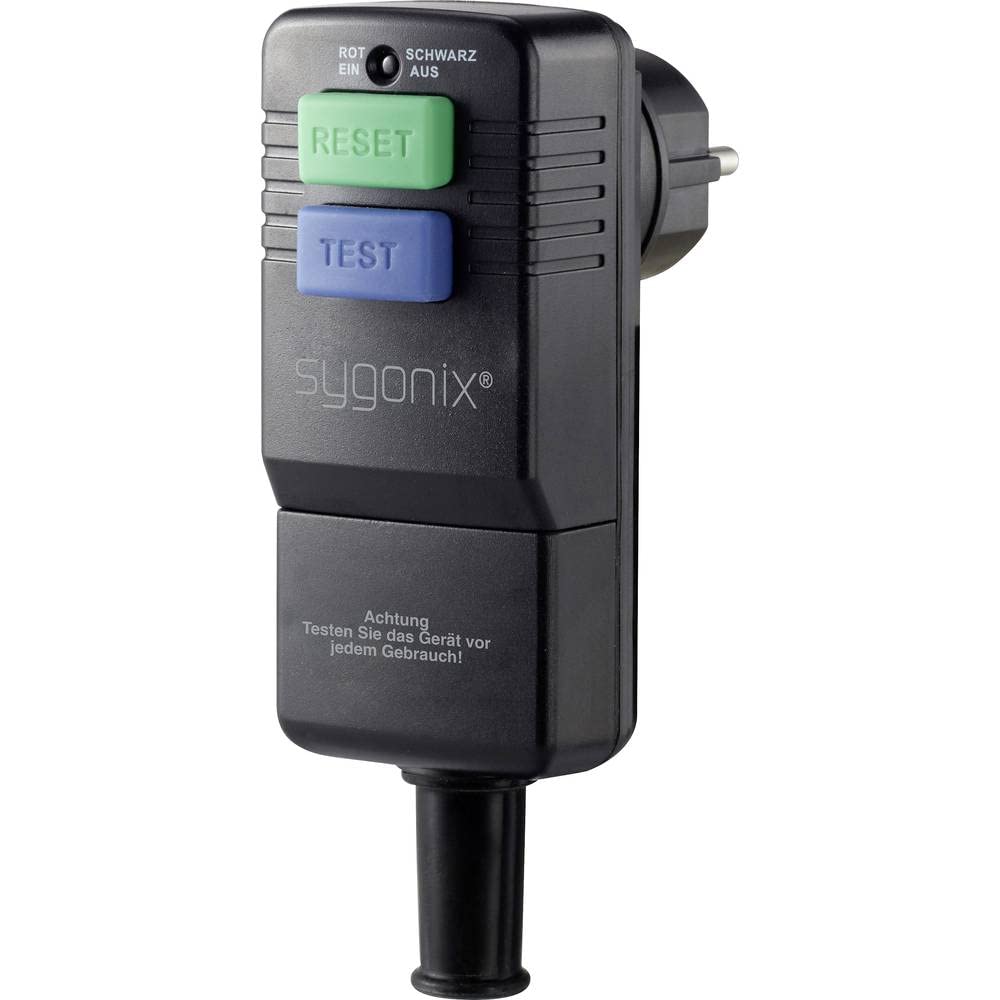
Figure 1: Sygonix SY-3779070 PRCD safety switch. This image shows the Sygonix SY-3779070 PRCD safety switch. It is a black, rectangular unit with a standard European (Schuko) plug on one end and a corresponding socket on the other, designed for inline installation on a power cable. The housing appears robust, and a test button is visible on the side.
4. Setup and Installation
The SY-3779070 PRCD switch is intended for self-assembly, replacing a standard plug on an appliance's power cord. This involves cutting the existing plug and wiring the PRCD switch into the cable.
Steps for Installation:
- Ensure the appliance is disconnected from any power source.
- Carefully cut off the existing plug from the appliance's power cord.
- Open the housing of the SY-3779070 PRCD switch according to the internal wiring diagram (refer to product-specific instructions if available, or consult a qualified electrician).
- Connect the appliance's power cable conductors (Live, Neutral, Earth) to the corresponding terminals within the PRCD switch. Ensure correct polarity and secure connections.
- Close the housing securely, ensuring the cable strain relief is properly engaged.
- Perform a functional test before initial use.
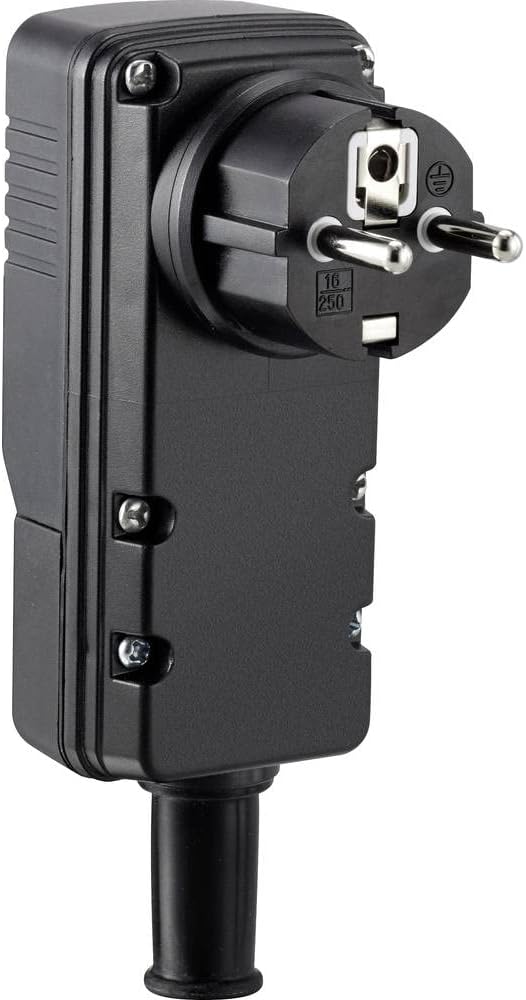
Figure 2: Side view of the PRCD switch. This image provides a side view of the Sygonix SY-3779070 PRCD safety switch, highlighting its durable black plastic construction and the screws that secure the housing. This view is relevant for understanding how the device might be opened for wiring.
5. Operating Instructions
After successful installation, plug the PRCD switch into a standard 230V wall socket. Then, plug your appliance into the socket provided on the PRCD switch.
Functional Test:
Before each use, or at regular intervals, press the 'Test' button on the PRCD switch. The device should immediately trip, cutting off power to the connected appliance. If it does not trip, the device may be faulty and should not be used. To reset the device after a trip or test, press the 'Reset' button (if available, or simply re-engage the switch mechanism). The PRCD switch continuously monitors for residual currents. If a fault occurs, it will automatically trip to protect the user.
6. Maintenance
- Keep the device clean and free from dust and moisture.
- Regularly inspect the cable and housing for any signs of damage.
- Do not attempt to repair the device yourself. Contact qualified service personnel for repairs.
7. Troubleshooting
Device does not power on:
- Check if the PRCD switch is properly plugged into the wall socket.
- Ensure the appliance is correctly plugged into the PRCD switch.
- Verify that the wall socket has power.
- Check if the PRCD switch has tripped. Press the 'Reset' button if necessary.
Device trips frequently:
- This indicates a potential fault in the connected appliance or its wiring. Disconnect the appliance and have it inspected by a qualified technician.
- Ensure the appliance is not drawing excessive current beyond the PRCD's rating.
8. Specifications
| Feature | Specification |
|---|---|
| Model | SY-3779070 |
| Brand | Sygonix |
| Part Number | SY-3779070 |
| Dimensions (L x W x H) | 14.7 x 5 x 9.1 cm |
| Weight | 189 g |
| Color | Black |
| Material | Plastic |
| Protection Class | IP54 |
| Rated Residual Current | 30 mA |
| Voltage | 230 V |
9. Warranty and Support
For warranty information and technical support, please refer to the documentation provided with your purchase or contact Sygonix customer service through their official channels. Keep your proof of purchase for warranty claims.


