
VMAI T690
VMAI Electric Mop User Manual
Model: T690
Brand: VMAI
1. Introduction
Thank you for choosing the VMAI Electric Mop. This cordless electric spin mop is designed to provide efficient and effortless cleaning for various hard floor surfaces, including vinyl, tile, hardwood, and marble. Featuring dual-spin motors, an LED headlight, and a built-in water tank with spray function, it simplifies your floor care routine. Please read this manual thoroughly before first use to ensure proper operation, maintenance, and to maximize the lifespan of your device.
2. Important Safety Information
Always follow basic safety precautions when using electrical appliances to reduce the risk of fire, electric shock, or injury.
- Read all instructions before using the appliance.
- Do not immerse the appliance in water or other liquids.
- Keep hair, loose clothing, fingers, and all parts of the body away from openings and moving parts.
- Use only as described in this manual. Use only manufacturer’s recommended attachments.
- Do not use with a damaged cord or plug. If the appliance is not working as it should, has been dropped, damaged, left outdoors, or dropped into water, return it to a service center.
- Do not pull or carry by cord, use cord as a handle, close a door on cord, or pull cord around sharp edges or corners. Keep cord away from heated surfaces.
- Do not unplug by pulling on cord. To unplug, grasp the plug, not the cord.
- Do not handle plug or appliance with wet hands.
- Do not put any object into openings. Do not use with any opening blocked; keep free of dust, lint, hair, and anything that may reduce airflow.
- Use extra care when cleaning on stairs.
- Do not use to pick up flammable or combustible liquids, such as gasoline, or use in areas where they may be present.
- Do not pick up anything that is burning or smoking, such as cigarettes, matches, or hot ashes.
- This appliance is for household use only.
- The battery is detachable. Charge the battery separately using the provided charger.
3. Package Contents
Please check the box for the following items:
- VMAI Electric Mop Unit (Handle, Main Body, Mop Head)
- Rechargeable Battery
- Power Adapter/Charger
- Microfiber Cleaning Pads (4 included: 2 blue, 2 pink)
- Measuring Cup
- User Manual

Image: VMAI Electric Mop with its components and cleaning pads.
4. Product Overview
Familiarize yourself with the main parts of your VMAI Electric Mop:
- Handle: Ergonomic design with power and spray buttons.
- Adjustable Pole: Allows for comfortable height adjustment.
- Main Body: Houses the motor and battery compartment.
- Water Tank: 300ml capacity for cleaning solution.
- Mop Head: Features dual-spin motors and LED headlight.
- Cleaning Pads: Reusable microfiber pads for various cleaning tasks.

Image: Fully assembled VMAI Electric Mop.

Image: Detailed view of the mop's handle, power button, pad attachment, and water tank filling mechanism.
5. Setup
5.1 Assembly
- Connect the handle to the adjustable pole.
- Connect the adjustable pole to the main body/mop head until it clicks into place.
- Adjust the handle height to your comfort by extending or retracting the pole and securing it.
5.2 Charging the Battery
The VMAI Electric Mop features a detachable battery for convenient charging.
- Remove the battery from the main body of the mop.
- Connect the power adapter to the battery charging port.
- Plug the adapter into a standard wall outlet.
- The battery indicator lights will show charging status. A full charge takes approximately 2.5 hours.
- Once fully charged, disconnect the adapter and reinsert the battery into the mop.

Image: Illustration of the detachable battery and its charging process.
5.3 Attaching Cleaning Pads
The mop comes with reusable microfiber cleaning pads. Ensure the pads are clean before attaching.
- Align the microfiber pads with the hook-and-loop fasteners on the bottom of the mop head.
- Press firmly to secure the pads in place.
5.4 Filling the Water Tank
The mop has a 300ml built-in water tank for wet mopping or waxing.
- Locate the water tank cap on the mop head.
- Open the cap and use the provided measuring cup to fill the tank with clean water or a suitable floor cleaning/waxing solution. Do not overfill.
- Securely close the water tank cap.

Image: Steps for filling the 300ml water tank of the electric mop.
6. Operating Instructions
6.1 Power On/Off
- To turn on the mop, press the power button located on the handle. The dual-spin motors will activate, and the LED headlight will illuminate.
- To turn off the mop, press the power button again.
6.2 Mopping and Waxing
The VMAI Electric Mop is designed for both dry and wet cleaning, as well as waxing.
- Dry Mopping: Use dry microfiber pads to pick up dust, pet hair, and light debris.
- Wet Mopping: Ensure the water tank is filled with water or a suitable cleaning solution. Press the 'spray' button on the handle to dispense liquid onto the floor as you mop.
- Waxing/Polishing: Fill the water tank with floor wax. Use the spray function to apply wax evenly while the spinning pads polish the surface.

Image: The mop's powerful dual-spin motors in action, illustrating efficient cleaning.
6.3 Using the LED Headlight
The integrated LED headlight helps illuminate dark areas and spot hidden dirt under furniture or in dimly lit spaces.
- The LED headlight automatically turns on when the mop is powered on.
- Direct the mop head towards the area you wish to illuminate for enhanced visibility.
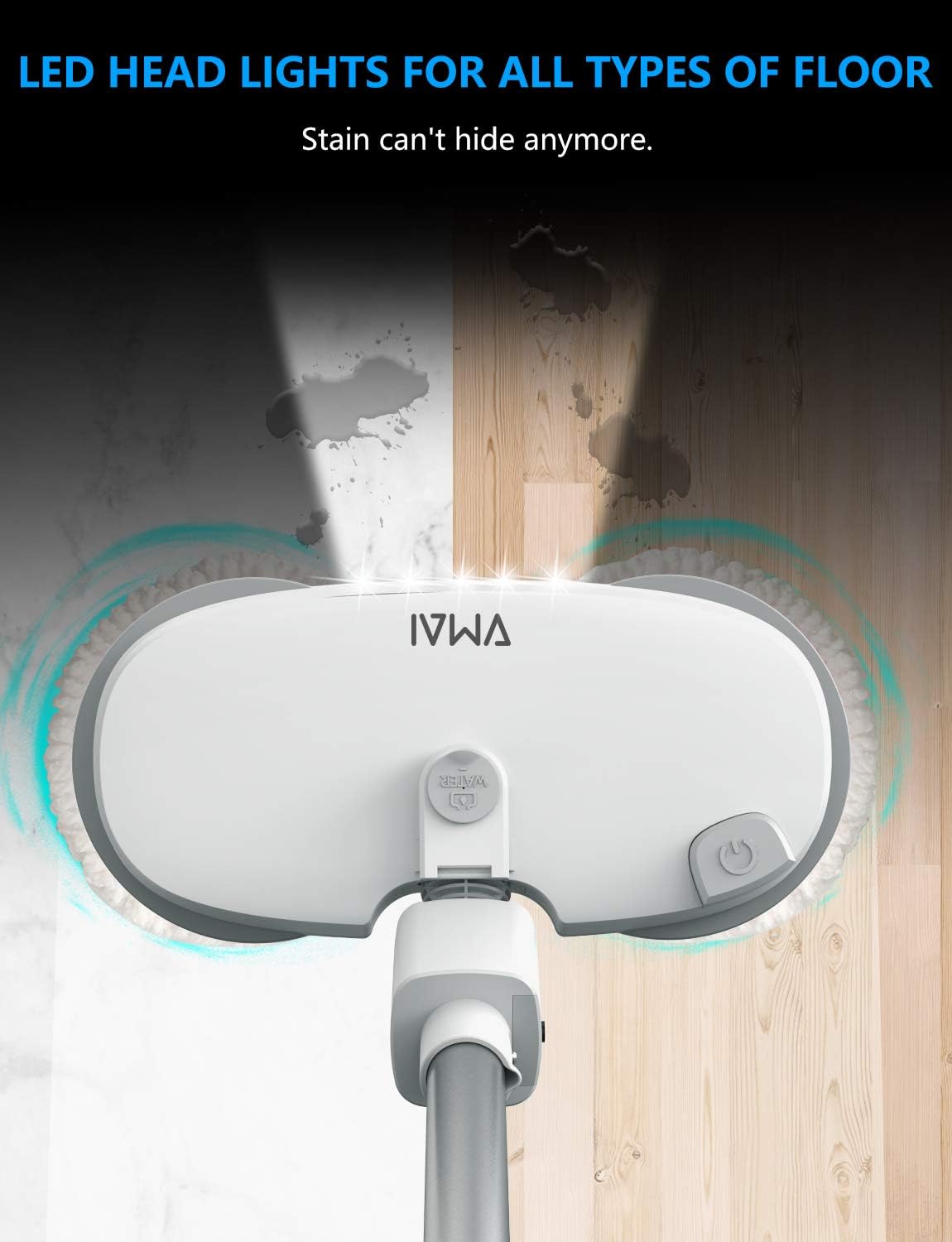
Image: The LED headlight of the mop illuminating a floor, highlighting its ability to reveal hidden dirt.
6.4 Maneuverability
The mop features swivel steering and a self-propelled design for easy navigation.
- The mop head can rotate up to 60 degrees, allowing you to clean around furniture legs and into tight corners with ease.
- The self-propelled action of the spinning pads reduces the effort required to push the mop.

Image: The mop demonstrating its swivel steering capability, cleaning effectively under furniture.
6.5 Free-Standing Design
The mop is designed to stand upright on its own for convenient storage and breaks during cleaning.

Image: The mop in its free-standing position, illustrating its compact storage and adjustable height.
7. Maintenance
7.1 Cleaning the Mop Pads
The microfiber cleaning pads are reusable and machine washable.
- After each use, detach the pads from the mop head.
- Rinse them thoroughly under running water or machine wash them with mild detergent.
- Allow pads to air dry completely before reattaching or storing.
7.2 Cleaning the Water Tank
Regularly clean the water tank to prevent residue buildup.
- Empty any remaining liquid from the tank after each use.
- Rinse the tank with clean water. For deeper cleaning, a mild soap solution can be used, followed by thorough rinsing.
- Allow the tank to air dry before reassembling or storing.
7.3 General Cleaning of the Unit
- Wipe down the main body and handle with a damp cloth.
- Do not use harsh chemicals or abrasive cleaners.
- Ensure all parts are dry before storage.
7.4 Battery Care
- Store the battery in a cool, dry place when not in use.
- Avoid fully discharging the battery frequently to prolong its lifespan.
- If the mop will not be used for an extended period, charge the battery to approximately 50% before storage.
8. Troubleshooting
| Problem | Possible Cause | Solution |
|---|---|---|
| Mop does not turn on. | Battery is not charged or not properly inserted. | Ensure battery is fully charged and correctly inserted into the mop. |
| Mop pads are not spinning. | Obstruction in the motor area; pads not attached correctly. | Check for any debris obstructing the spinning mechanism. Reattach pads firmly. |
| No spray from water tank. | Water tank is empty; spray nozzle is clogged. | Refill water tank. Check spray nozzle for blockages and clean if necessary. |
| Reduced cleaning performance. | Mop pads are dirty or worn out. | Clean or replace the microfiber cleaning pads. |
| Battery life is shorter than expected. | Battery not fully charged; battery degradation over time. | Ensure battery is fully charged before use. Consider replacing the battery if it's old. |
9. Specifications
| Feature | Detail |
|---|---|
| Model Number | T690 |
| Brand | VMAI |
| Product Dimensions | 47.2"L x 15.7"W x 3.2"H (47.2 x 15.7 x 3.2 inches) |
| Item Weight | 9.63 pounds |
| Head Material | Microfiber |
| Water Tank Volume | 300 Milliliters |
| Spin Speed | 250r/mins |
| Battery Type | Rechargeable (2 AAA batteries required for remote/handle, included) |
| Run Time (Dry Mopping) | Up to 35 minutes |
| Charge Time | Approx. 2.5 hours |
| Surface Recommendation | Floor, Tile (Vinyl, Hardwood, Marble, etc.) |
10. Warranty and Support
VMAI is confident in the quality of its electric mop and provides lifetime support. If you encounter any problems or have questions regarding your VMAI Electric Mop, please contact us via Amazon. Our customer support team is committed to resolving all your issues within 24 hours.
For further assistance, please visit the official VMAI Store on Amazon: VMAI Store
Ask a question about this manual
Ask about setup, troubleshooting, compatibility, parts, safety, or missing instructions. Manuals+ will review the question and use this page’s manual context to help answer it.