
1. Important Safety Instructions
Please read and save these instructions before operating your Elechomes SH8820 humidifier. Failure to follow these instructions may result in electric shock, fire, or serious injury.
- Always place the humidifier on a firm, flat, waterproof surface at least 12 inches (30 cm) away from walls and appliances.
- Do not immerse the humidifier in water or other liquids.
- Unplug the humidifier before filling, cleaning, or moving it.
- Do not operate the humidifier with a damaged cord or plug.
- Keep the humidifier out of reach of children and pets.
- Use only clean, cool tap water or distilled water. Do not use hot water.
- Do not add essential oils directly into the water tank; use the designated essential oil tray.
- Do not block the mist outlet or air intake vents.
2. Product Overview
2.1 Package Contents
- Elechomes SH8820 Humidifier
- Remote Control
- Cleaning Brush
- Anti-scale Plate
- Aromatherapy Plate
- User Manual

Image: Contents of the Elechomes SH8820 humidifier package, showing all included accessories.
2.2 Key Features
- Top-Fill Design: Easy and convenient water refilling without disassembly.
- Large Capacity: 5.5L water tank for extended operation up to 55 hours.
- Warm & Cool Mist: Provides both warm and cool mist options for year-round comfort.
- Ultra-Quiet Operation: Operates at 20-32 dB for minimal disturbance, ideal for bedrooms.
- Smart Humidity Control: Built-in humidity sensor and auto shut-off function.
- Remote Control: Convenient operation from a distance.
- LED Display: Clear display of settings and current humidity.
- Essential Oil Tray: Integrated tray for aromatherapy.
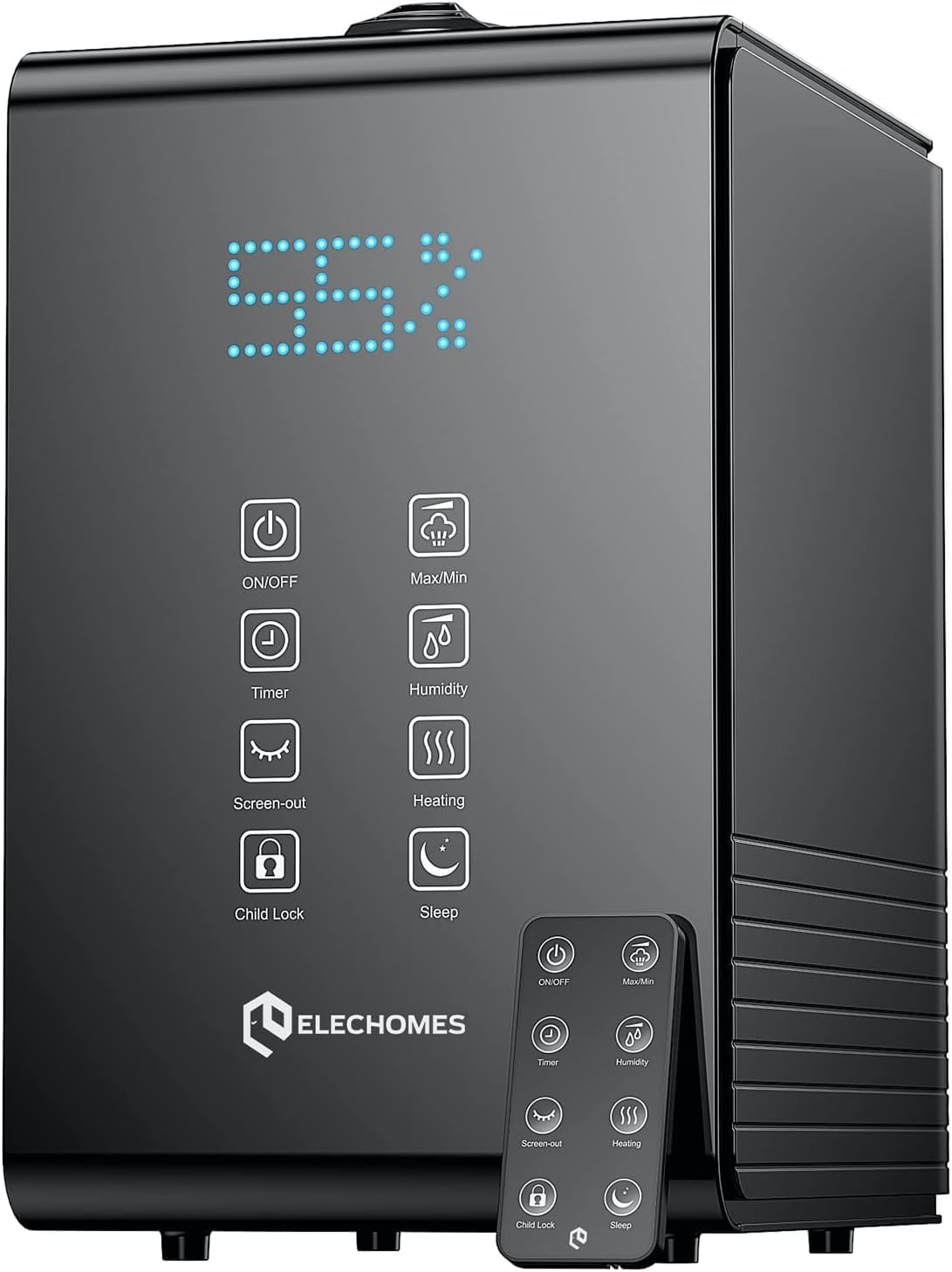
Image: The Elechomes SH8820 Humidifier, showcasing its digital display and control panel.
2.3 Specifications
| Feature | Specification |
|---|---|
| Model Number | SH8820 |
| Dimensions | 29.49 x 27.99 x 19.48 cm (11.6 x 11 x 7.7 inches) |
| Weight | 3 kg (6.6 lbs) |
| Water Tank Capacity | 5.5 Liters (1.45 Gallons) |
| Max Mist Output | 600 ml/h |
| Runtime | Up to 60 hours (on low setting) |
| Coverage Area | Up to 755 sq. ft. |
| Noise Level | 20-32 dB |
| Power/Voltage | 32.4 Watts / 120 Volts |
| Material | Plastic |

Image: Product dimensions of the Elechomes SH8820 Humidifier.
3. Setup
3.1 Unpacking
- Carefully remove the humidifier and all accessories from the packaging.
- Remove any plastic bags or protective materials.
- Inspect the humidifier for any damage. If damaged, contact customer support.
3.2 Placement
- Place the humidifier on a flat, stable, and waterproof surface.
- Ensure it is at least 12 inches (30 cm) away from walls, furniture, and electronic appliances to prevent moisture damage.
- Do not place it on carpet or a towel, as this may block the air intake.
- For optimal humidity sensing, avoid placing the humidifier directly under vents or near windows.

Image: Recommended placement of the humidifier in a room for effective coverage.
3.3 Filling the Water Tank
- Ensure the humidifier is unplugged from the power outlet.
- Open the top cover of the humidifier.
- Pour clean, cool tap water or distilled water directly into the water tank. Do not exceed the maximum fill line.
- Close the top cover securely.

Image: The top-fill feature of the humidifier, allowing for easy water replenishment.
4. Operating Instructions
The Elechomes SH8820 can be operated using the touch control panel on the unit or the included remote control.
4.1 Power On/Off
- Plug the power cord into a 120V electrical outlet.
- Press the ON/OFF button to turn the humidifier on or off. The LED display will illuminate.
4.2 Mist Modes (Cool/Warm)
- Press the Heating button to toggle between cool mist and warm mist.
- The warm mist function heats the water before atomization, which can help kill bacteria and provide a more comfortable mist in colder environments.

Image: Visual representation of the cool mist and warm mist functions.
4.3 Mist Level Adjustment
- Press the Max/Min button to cycle through three mist output levels (Low, Medium, High).
4.4 Humidity Setting
- Press the Humidity button to set your desired humidity level from 30% to 80% in 5% increments.
- The humidifier will automatically turn off when the set humidity is reached and restart when the humidity drops below the set level.
4.5 Timer Function
- Press the Timer button to set an operating time from 1 to 12 hours. The humidifier will automatically turn off after the set time.
4.6 Sleep Mode
- Press the Sleep button to activate sleep mode. In this mode, the LED display will turn off, and the humidifier will operate at a low, quiet mist level.
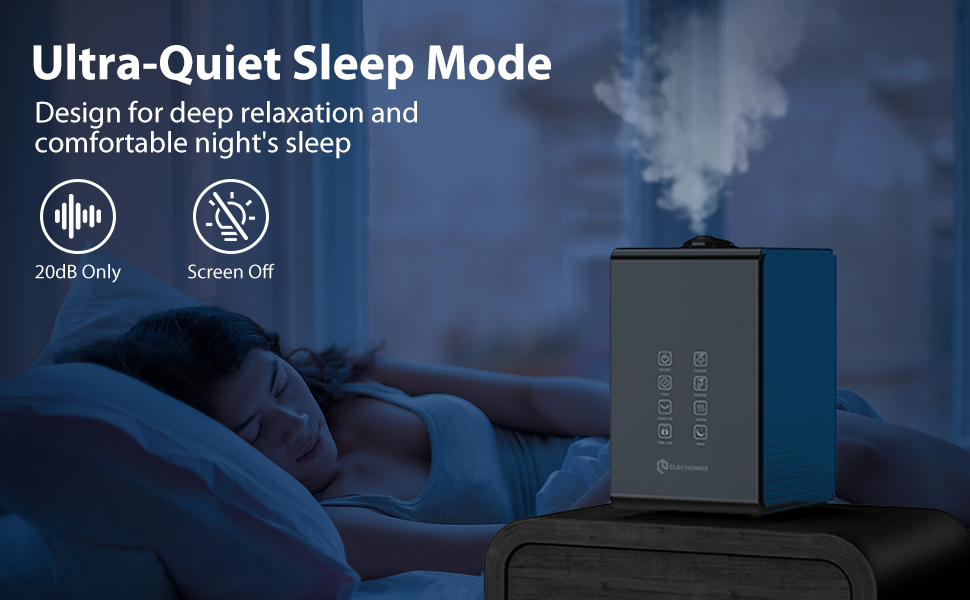
Image: The humidifier in sleep mode, designed for minimal disturbance during rest.
4.7 Child Lock
- Press and hold the Child Lock button for 3 seconds to activate or deactivate the child lock. When activated, the control panel buttons will be unresponsive.
4.8 Essential Oil Tray
- Locate the essential oil tray on the side or back of the humidifier.
- Pull out the tray and add a few drops of essential oil onto the aromatherapy pad.
- Slide the tray back into place. The mist will diffuse the aroma into the air.

Image: Using the essential oil tray for aromatherapy.
5. Maintenance
Regular cleaning is essential for optimal performance and longevity of your humidifier.
5.1 Daily Maintenance
- Unplug the humidifier.
- Empty any remaining water from the tank.
- Wipe the tank and base dry with a clean cloth.
5.2 Weekly Cleaning
- Unplug the humidifier and empty the water tank.
- Clean the Water Tank: Fill the tank halfway with water and add 2 tablespoons of white vinegar. Swish the solution around and let it sit for 30 minutes. Rinse thoroughly with clean water until the vinegar smell is gone.
- Clean the Atomizer/Transducer: Use the provided cleaning brush and a small amount of white vinegar to gently clean the ceramic disc (atomizer) at the bottom of the water tank. Do not scrub aggressively.
- Clean the Base: Wipe the inside of the base with a soft cloth dampened with white vinegar. Rinse with clean water and dry thoroughly.
- Clean the Air Outlet: Use a soft, dry cloth to wipe the mist outlet.
5.3 Filter Replacement
The Elechomes SH8820 uses replacement filters to lessen white dust. Search for "SH8820 filter" for compatible replacements. Follow the instructions provided with the replacement filter for installation.
5.4 Storage
- Before storing, perform a thorough weekly cleaning.
- Ensure all parts are completely dry to prevent mold and mildew growth.
- Store the humidifier in a cool, dry place, away from direct sunlight.
6. Troubleshooting
| Problem | Possible Cause | Solution |
|---|---|---|
| No mist or low mist output |
|
|
| White dust around humidifier | Hard water used | Use distilled or demineralized water. Replace filter if applicable. |
| Unpleasant odor from mist |
|
|
| Humidifier leaks water |
|
|
| Error Code (e.g., "002") | Internal malfunction or sensor issue (often related to cleanliness) | Unplug, clean the unit thoroughly (especially the atomizer and water sensor), and restart. If the error persists, contact customer support. |
7. Warranty and Support
Elechomes products come with a manufacturer's warranty. For specific warranty details, please refer to the warranty card included with your purchase or visit the official Elechomes website.
If you encounter any issues or have questions regarding your Elechomes SH8820 Humidifier, please contact Elechomes Customer Support:
- Website: www.elechomes.com
- Email: support@elechomes.com (Example, please refer to actual product for correct email)
- Phone: (Refer to product packaging or website for contact number)


