
1. Introduction
Thank you for choosing the M SANMERSEN Kids Piano Keyboard BF-430A1. This electronic keyboard is designed to provide an engaging musical experience for beginners, featuring 37 keys, multiple tones, rhythms, and sound effects. Please read this manual thoroughly before use to ensure proper operation and to maximize your enjoyment of the product.

Image: A child interacting with the M SANMERSEN Kids Piano Keyboard, highlighting its role in developing hand-eye coordination, music enlightenment, brain development, and memory training.
2. Safety Information
- Adult Supervision: Always ensure children use the keyboard under adult supervision.
- Power Source: Use only the specified power source (3 AA batteries or 5V USB adapter). Do not mix old and new batteries.
- Battery Handling: Remove batteries if the product will not be used for an extended period.
- Avoid Water: Keep the keyboard away from water and moisture to prevent electric shock or damage.
- Proper Handling: Avoid dropping or subjecting the keyboard to strong impacts.
- Microphone Care: Ensure the microphone cable is inserted correctly to prevent damage to the port.
3. Package Contents
Verify that all items are present in the package:
- 1x M SANMERSEN Kids Piano Keyboard (BF-430A1)
- 1x USB Cable
- 1x Microphone
- 1x Instruction Manual
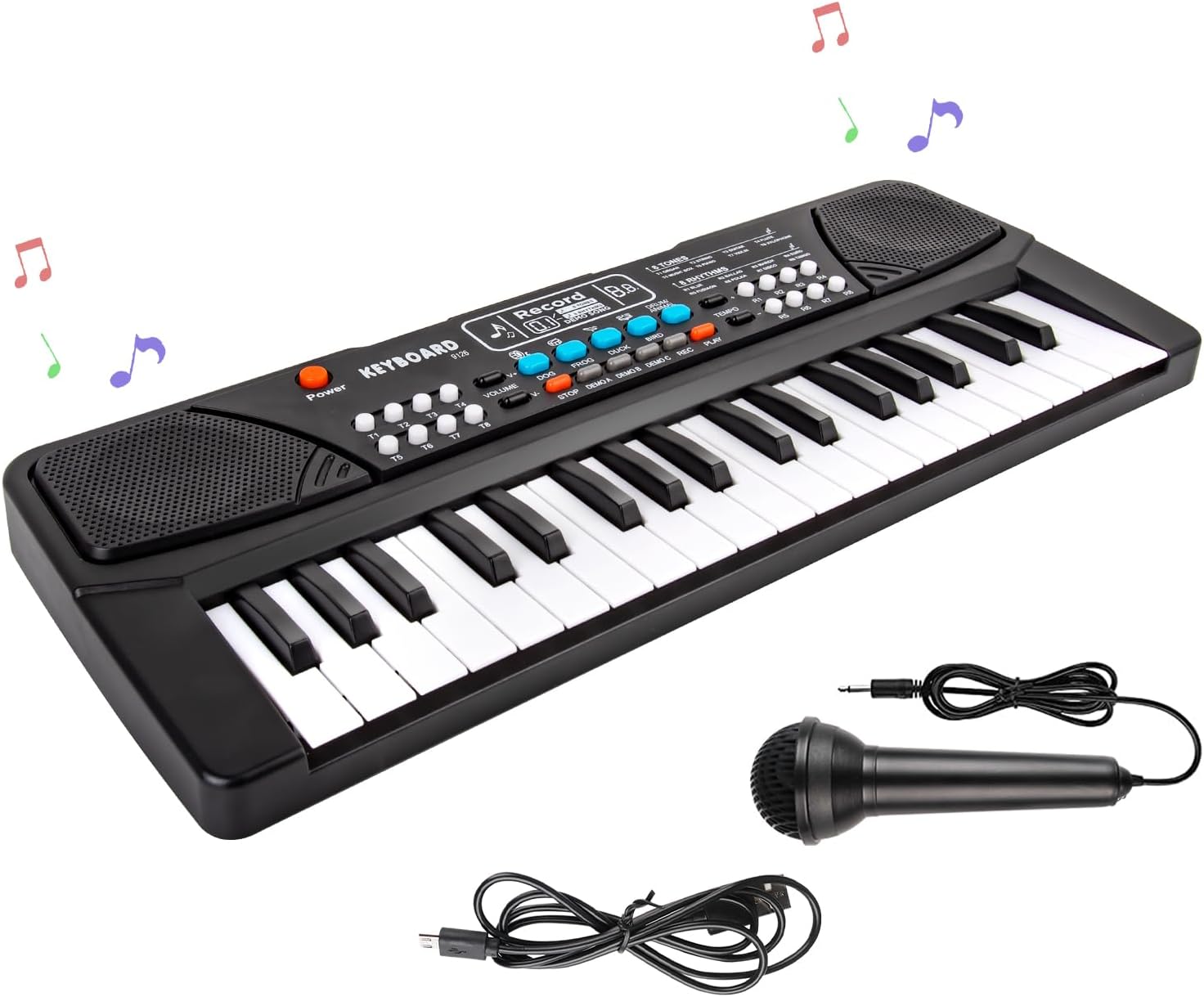
Image: The M SANMERSEN Kids Piano Keyboard, including the detachable microphone and USB power cable.
4. Product Overview
The M SANMERSEN Kids Piano Keyboard BF-430A1 is a versatile musical toy designed for young learners. It features 37 keys, dual speakers for stereo sound, and a range of functions to explore musical creativity.
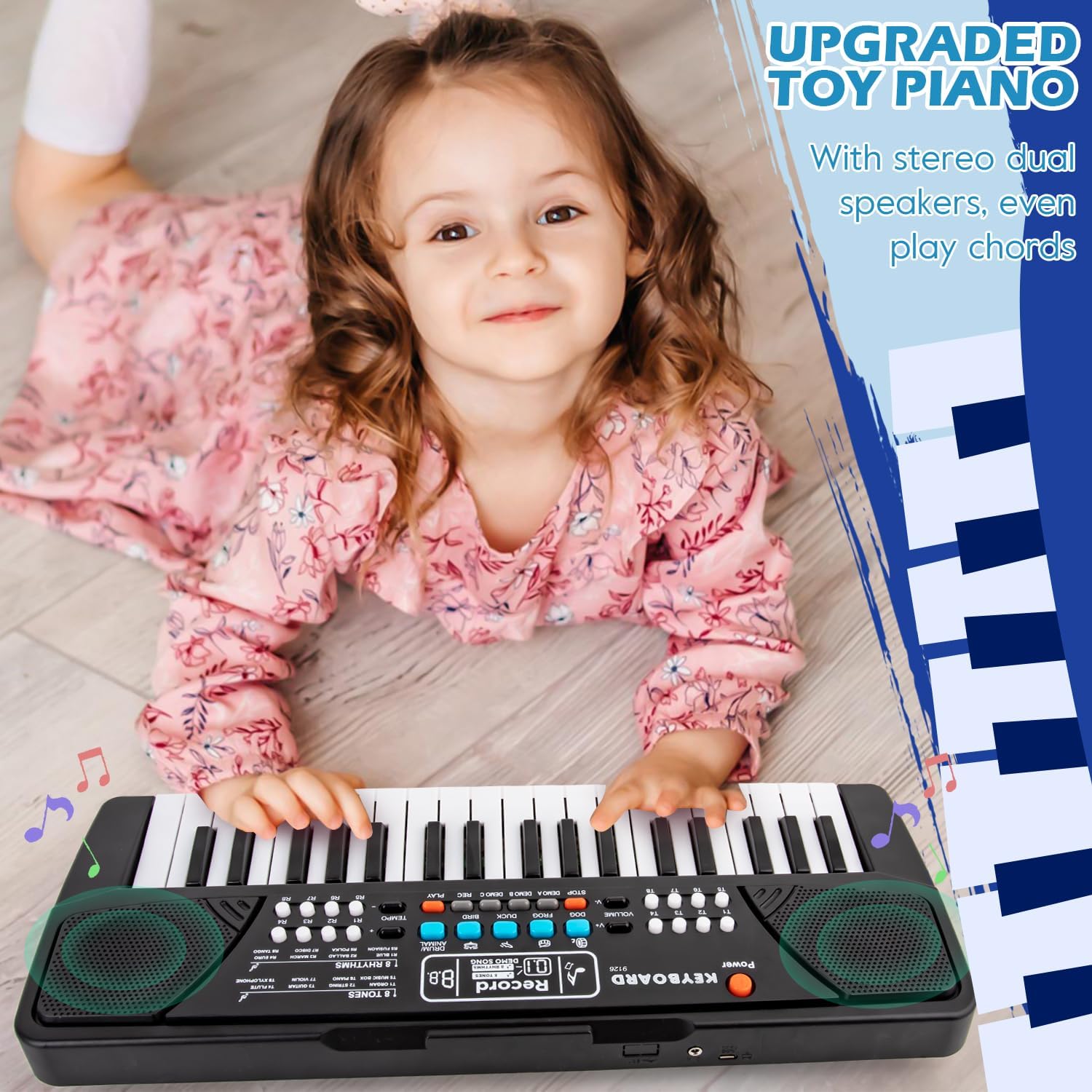
Image: Close-up of the M SANMERSEN Kids Piano Keyboard, showing the dual speakers and control panel with various buttons for functions.
Key Features:
- 37 Keys
- 19 Demo Songs
- 8 Tones (Piano, Organ, Violin, Trumpet, Banjo, Bell, Music Box, Guitar)
- 8 Rhythms (Rock, Slow Rock, Twist, Disco, March, Waltz, Samba, Blues)
- 4 Drum Sounds
- 4 Animal Sounds (Dog, Frog, Duck, Bird)
- Volume Control
- Tempo Control
- Record and Playback Function
- Microphone Input
- Dual Stereo Speakers
- Chord Support
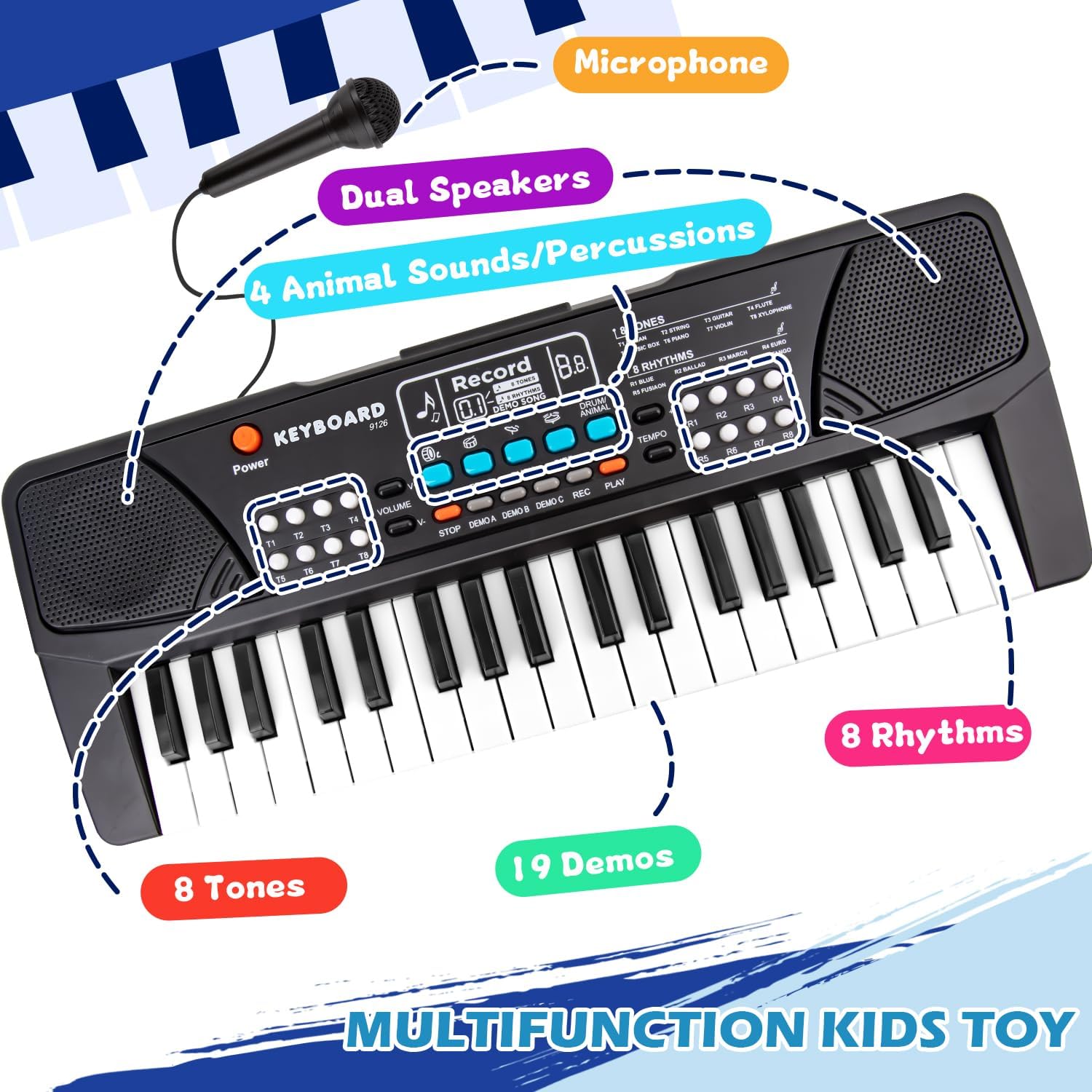
Image: The M SANMERSEN Kids Piano Keyboard with labels pointing to its various features like 8 Tones, 8 Rhythms, 19 Demos, 4 Percussions, 4 Animal Sounds, Microphone, and Dual Speakers.
5. Setup
Power Supply:
The keyboard can be powered by two methods:
- Batteries: Insert 3 new non-rechargeable AA batteries (not included) into the battery compartment located on the underside of the keyboard. Ensure correct polarity. Do not mix old and new batteries.
- USB Power: Connect the provided USB cable to the DC 5V power port on the keyboard and plug the other end into a 5V power adapter (not included) or a compatible USB port.

Image: The underside of the keyboard showing the battery compartment for 3 AA batteries and the DC 5V power input port for the USB cable.
Note: Please insert the power cord correctly. Applying too much force may damage the port.
Connecting the Microphone:
The microphone is stored in a dedicated slot on the underside of the keyboard. Gently remove it and plug its connector into the microphone jack on the keyboard's control panel.
6. Operating Instructions
6.1. Powering On/Off
Press the Power button (usually red) located on the top left of the control panel to turn the keyboard on or off.
6.2. Playing the Piano
Simply press the white and black keys to play musical notes. The keyboard supports chord playing: pressing three or more keys simultaneously will produce a richer harmonic sound.

Image: A hand playing chords on the M SANMERSEN Kids Piano Keyboard, illustrating the chord support feature.
6.3. Tones and Rhythms
- Tones: Use the T1-T8 buttons to select different instrument tones (e.g., Piano, Organ, Violin, Trumpet).
- Rhythms: Use the R1-R8 buttons to select various rhythm patterns (e.g., Rock, Disco, March).
6.4. Drum and Animal Sounds
Press the dedicated buttons for Drum/Animal sounds to add percussive elements or fun animal noises (Dog, Frog, Duck, Bird) to your music.
6.5. Volume and Tempo Control
- Volume: Adjust the overall sound level using the Volume +/- buttons.
- Tempo: Modify the speed of rhythms and demo songs using the Tempo +/- buttons.
6.6. Recording and Playback
To record your performance, press the REC button. Play your desired notes. To stop recording, press STOP. To listen to your recorded melody, press the PLAY button.
6.7. Using the Microphone
Once connected, the microphone allows you to sing along while playing the keyboard. Adjust the keyboard's volume to balance the sound of your voice with the music.

Image: A child happily singing into the microphone while playing the M SANMERSEN Kids Piano Keyboard.
Video: Official product video demonstrating the M SANMERSEN Portable Kids Piano with Microphone in use, showcasing its features and sound.
Video: Official product video titled "37 keys Keyboard Piano for Beginners Kids Girls Boys" by SANMERSEN Brands, providing a detailed overview of the keyboard's functions and suitability for young beginners.
7. Maintenance
- Cleaning: Wipe the keyboard with a soft, dry cloth. Do not use abrasive cleaners or solvents.
- Storage: Store the keyboard in a cool, dry place away from direct sunlight and extreme temperatures.
- Battery Replacement: Replace all batteries simultaneously when they are depleted.
8. Troubleshooting
| Problem | Possible Cause | Solution |
|---|---|---|
| Keyboard does not turn on. | No power, batteries depleted, or USB cable not connected properly. | Replace batteries or ensure USB cable is securely connected to a working power source. |
| No sound from speakers. | Volume too low or mute. | Increase volume using the Volume + button. |
| Microphone not working. | Microphone not plugged in correctly or faulty. | Ensure microphone is fully inserted into its jack. Test with another microphone if available. |
| Keys are unresponsive. | Low battery power or internal issue. | Replace batteries or try USB power. If problem persists, contact customer support. |
9. Specifications
- Model: BF-430A1
- Keys: 37
- Dimensions: 16.9 x 6.2 x 2.1 inches (43 x 15.7 x 5.3 cm)
- Item Weight: 1.45 pounds (0.66 kg)
- Power Supply: 3x AA batteries (not included) or DC 5V USB (adapter not included)
- Recommended Age: 3 years and up
- Material: ABS

Image: The M SANMERSEN Kids Piano Keyboard with key dimensions indicated as 16.9 inches in length and 6.3 inches in width.
10. Warranty and Support
For warranty information or technical support, please refer to the contact details provided with your purchase or visit the official M SANMERSEN website. Keep your purchase receipt as proof of purchase.