
1. Introduction
This manual provides essential instructions for the safe and efficient operation, setup, and maintenance of your GBC ShredMaster SX15-06 cross-cut paper shredder. This shredder is designed for office use, capable of destroying confidential documents and high volumes of paper. It features a P-4 security level cross-cut, a 15-sheet capacity, and a 23-liter pull-out waste bin.

Image 1.1: Front view of the GBC ShredMaster SX15-06 Cross-Cut Paper Shredder. This image displays the shredder's overall design, including the paper entry slot, control panel, and the transparent window for viewing shredded waste in the bin.
2. Safety Information
- Read all instructions before use.
- Keep hands, hair, and loose clothing away from the paper entry slot.
- Keep children and pets away from the shredder.
- Unplug the shredder when not in use or before cleaning.
- Do not shred metal objects, hard plastics, or adhesive labels that are not specified as shreddable.
- Do not spray aerosols or lubricants into the shredder.
- Do not operate the shredder if the power cord is damaged.
- Ensure the shredder is placed on a stable, level surface.
3. Product Overview
The GBC ShredMaster SX15-06 features an intuitive control panel and a robust design for efficient document destruction.

Image 3.1: Close-up of the GBC ShredMaster SX15-06 control panel. This image highlights the power button, reverse button, shredder in operation indicator, open door indicator, full bin indicator, overheating indicator, and automatic reverse indicator.
Control Panel Features:
- Power Button: Turns the shredder on/off.
- Reverse Button: Manually reverses the shredding mechanism to clear jams.
- Shredder in Operation Indicator: Illuminates when the shredder is actively shredding.
- Open Door Indicator: Alerts the user if the waste bin door is not properly closed.
- Full Bin Indicator: Illuminates when the waste bin is full and needs emptying.
- Overheating Indicator: Warns if the motor is overheating due to continuous use.
- Automatic Reverse Indicator: Shows when the anti-jam system is active.
4. Setup
- Unpack: Carefully remove the shredder from its packaging. Retain packaging for future transport or storage.
- Placement: Place the shredder on a flat, stable surface near a power outlet. Ensure there is adequate space around the unit for ventilation and access to the waste bin.
- Connect Power: Plug the power cord into a standard electrical outlet.
- Waste Bin: Ensure the pull-out waste bin is correctly inserted and the door is fully closed. The shredder will not operate if the bin is not properly seated or the door is open.
5. Operating Instructions
The ShredMaster SX15-06 is designed for automatic and efficient shredding.

Image 5.1: Key operational features of the GBC ShredMaster SX15-06, including an optimized motor for up to 120 minutes of continuous use, Whisper Shred Technology for quiet operation (below 58 dB), a 15-sheet capacity per pass, and an anti-jam system.
- Power On: Press the Power Button on the control panel. The shredder will enter standby mode.
- Shredding Documents: Insert up to 15 sheets of paper into the paper entry slot. The shredder will automatically detect the paper and begin shredding. The Shredder in Operation Indicator will illuminate.
- Shredding Staples and Paper Clips: The SX15-06 can shred standard staples and small paper clips. Avoid shredding oversized or heavy-duty clips.
- Continuous Operation: The shredder has a 120-minute continuous run time, suitable for large shredding tasks. After this period, allow the shredder to cool down if the Overheating Indicator illuminates.
- Anti-Jam System: The automatic anti-jam prevention system will reverse the shredding mechanism if too much paper is inserted, helping to clear jams. If a jam occurs, press the Reverse Button to manually clear it.
- Eco Power Save: The shredder will automatically enter Eco Power Save mode after 2 minutes of inactivity, conserving energy. It will reactivate when paper is inserted.
- Power Off: When finished, press the Power Button to turn off the shredder. For extended periods of non-use, unplug the unit from the power outlet.

Image 5.2: This image illustrates the high security level (P-4) of the GBC ShredMaster SX15-06, indicating that it produces super cross-cut particles of 4 x 38 mm. It also confirms the ability to shred standard staples and paper clips.
6. Maintenance
Regular maintenance ensures optimal performance and extends the life of your shredder.

Image 6.1: This image shows the 23-liter capacity pull-out waste bin of the GBC ShredMaster SX15-06, demonstrating how easily it can be accessed and emptied when full.
- Emptying the Waste Bin: When the Full Bin Indicator illuminates, pull out the waste bin and empty the shredded material. Reinsert the bin firmly until it clicks into place.
- Cleaning: Unplug the shredder before cleaning. Use a soft, dry cloth to wipe the exterior. Do not use abrasive cleaners or solvents.
- Oiling (Recommended): To maintain cutting performance, regularly oil the shredder blades. Apply shredder oil (not included) across a sheet of paper and shred it. Repeat this process after every 30 minutes of continuous shredding or when performance decreases.
7. Troubleshooting
| Problem | Possible Cause | Solution |
|---|---|---|
| Shredder does not turn on. | No power, waste bin not properly inserted, or door open. | Check power connection. Ensure waste bin is fully inserted and door is closed. |
| Shredder stops during operation. | Overheating, waste bin full, or paper jam. | Allow shredder to cool down. Empty waste bin. Clear paper jam using the Reverse Button. |
| Paper jam occurs frequently. | Overfeeding paper, dull blades, or lack of oiling. | Reduce sheet count per pass. Oil the shredder blades regularly. |
| Shredder is unusually noisy. | Blades require oiling or foreign object in cutting mechanism. | Oil the shredder blades. Unplug and carefully inspect for foreign objects. |
8. Specifications
| Feature | Specification |
|---|---|
| Model Number | SX15-06 |
| Manufacturer Part Number | 1758500 |
| Cut Type | Cross-cut |
| Security Level | P-4 (4 x 38 mm particles) |
| Sheet Capacity | 15 sheets (standard) |
| Waste Bin Capacity | 23 Liters (approx. 6 gallons) |
| Continuous Run Time | 120 minutes |
| Noise Level | Below 58 dB (Whisper Shred Technology) |
| Special Features | Automatic Start/Stop, Automatic Anti-Jam, Eco Power Save |
| Shreds | Paper, standard staples, small paper clips |
| Item Weight | 25.4 lbs (11.5 kg) |
| Recommended Use | Office, confidential document destruction, high volumes of paper |
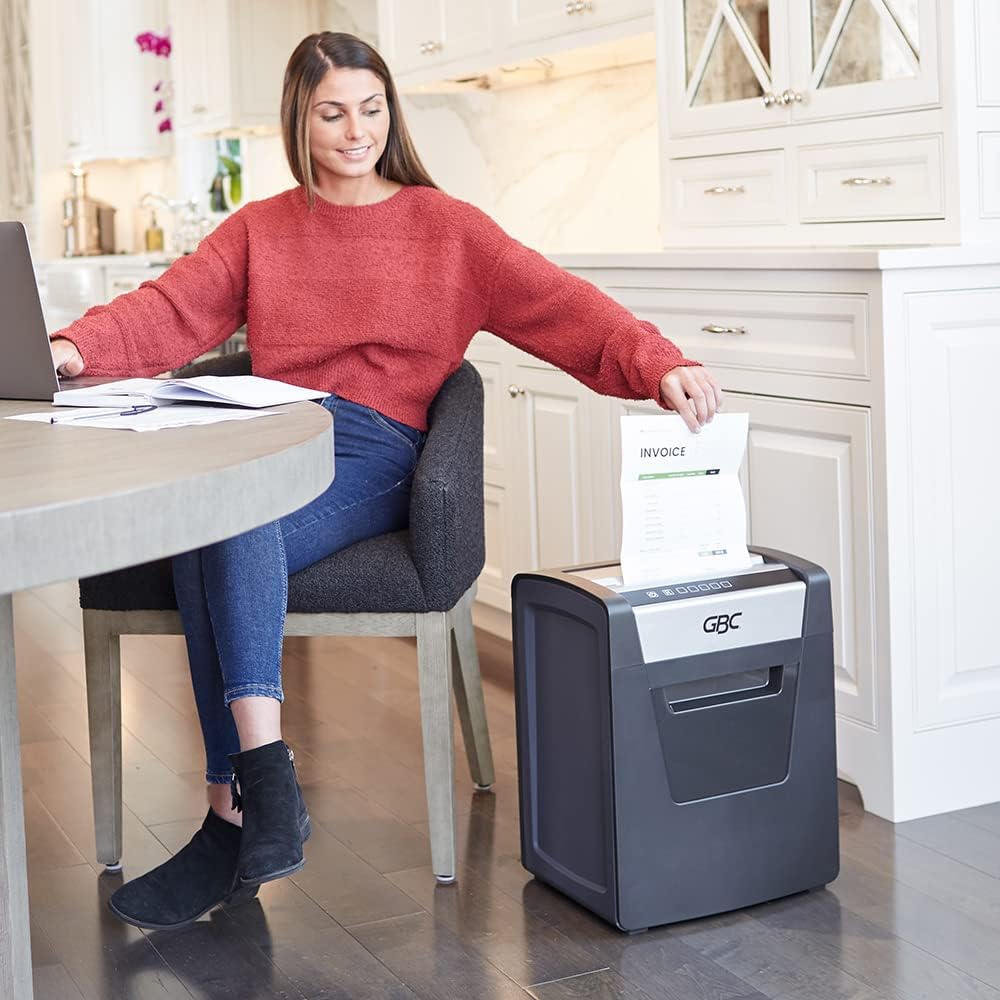
Image 8.1: Dimensions of the GBC ShredMaster SX15-06. The image shows the height as 50 cm, depth as 37 cm, and width as 29 cm.
9. Warranty and Support
Specific warranty information for the GBC ShredMaster SX15-06 is typically provided with the product packaging or available on the official GBC website. For technical support, service, or warranty claims, please refer to the contact information provided in your product documentation or visit the official GBC support portal.


