
1. Introduction
The LeeKooLuu F06 Wireless RV Backup Camera System provides a high-definition solution for enhanced rear visibility in RVs, trailers, trucks, and 5th wheels. This manual outlines the installation, operation, and maintenance of your system to ensure optimal performance and safety.

The LeeKooLuu F06 system includes a 7-inch monitor and a wireless camera, designed for vehicle rear view assistance.
2. Product Overview and Package Contents
The LeeKooLuu F06 system is designed for ease of use and reliable performance. Please verify all components are present upon unboxing.

This image displays all components included in the F06 system package, such as the monitor, camera, power cables, mounting hardware, and antennas.
Package Contents:
- 7-inch Wireless Monitor
- Wireless Backup Camera
- Cigarette Lighter Power Adapter
- Power Cords (x2)
- Furrion Bracket
- Antennas (x3)
- Test Wire
- Other Accessories (screws, cable clips)
- 3M Sticker
3. Setup and Installation
The F06 system offers straightforward installation options for various vehicle types.

This diagram illustrates two installation options: a general wiring method and a specific method for Furrion pre-wired RVs, emphasizing ease of setup.
3.1 General Installation
- Camera Power Connection: Connect the camera's power wire (red) to a 12V power source, such as your vehicle's reverse light, running light, or tail light circuit. Connect the ground wire (black) to a suitable chassis ground point.
- Monitor Power Connection: Plug the monitor's cigarette lighter adapter into your vehicle's 12V power outlet.
- Mounting: Securely mount the camera at the rear of your vehicle, ensuring a clear view. Mount the monitor on your dashboard or windshield using the provided bracket.
- Antenna Installation: Attach the antennas to both the camera and the monitor.
3.2 Furrion Pre-wired Installation
For RVs equipped with Furrion pre-wired systems, the F06 includes a compatible Furrion bracket and pigtail wire for simplified integration. Follow the general installation steps for power and ground, utilizing the Furrion adapter for the camera connection.
3.3 Wiring Diagram

A basic diagram showing how to connect the camera to a 12V power source (reverse light) and the monitor to a cigarette lighter.
4. Operating Instructions
Familiarize yourself with the monitor's functions and camera capabilities for effective use.

This image highlights the core features of the F06 system, including its high-definition resolution, wide viewing angle, and robust design.
4.1 Monitor Functions
- Touch Button Interface: The 7-inch monitor features touch-sensitive buttons for easy navigation and setting adjustments.
- Multi-Camera Support: The system supports up to four cameras. You can switch between single-screen, split-screen, or quad-screen views.
- Video Recording: The monitor has a recording function, allowing you to capture footage from the camera(s).

The F06 monitor supports up to four cameras, allowing for full-screen or split-screen viewing, enhancing monitoring flexibility.
4.2 Camera Features
- HD 1080P Resolution: Provides clear, high-definition images.
- IP69K Waterproof: The camera is designed to withstand harsh weather conditions, including rain, snow, fog, and high temperatures.
- 170° Viewing Angle: Offers a wide field of view for comprehensive rear coverage.
- Night Vision: Equipped with infrared lights and a CCD sensor for clear images in low-light conditions.
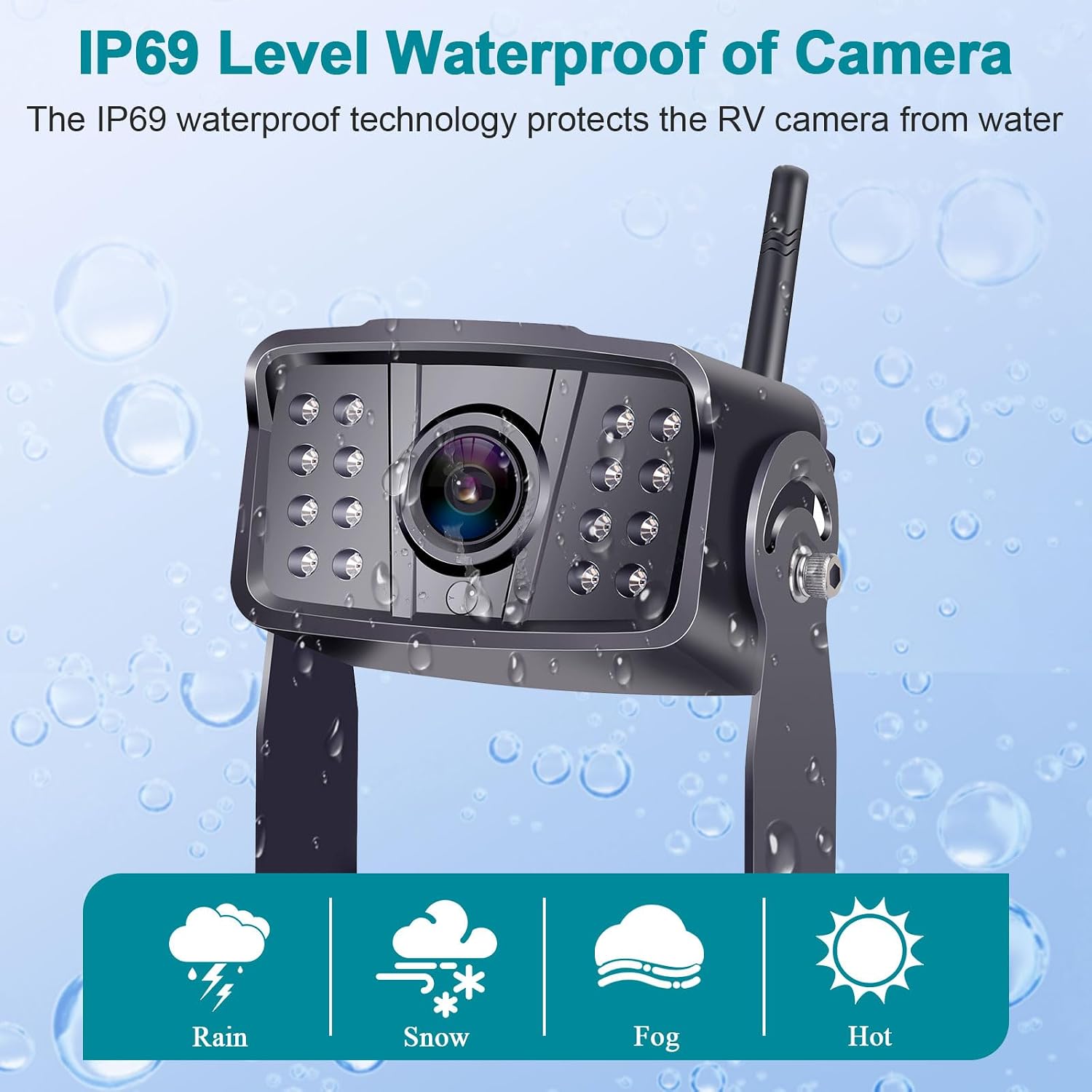
The F06 camera is rated IP69K waterproof, providing reliable performance in various weather conditions including rain, snow, fog, and high temperatures.
4.3 Signal Transmission
The F06 system utilizes a strong digital signal and a unique dual-antenna design for stable and rapid transmission. It can transmit digital signals up to 900ft in open areas and 320ft in vehicles.

The system utilizes dual antennas to ensure strong and stable digital signal transmission over long distances.
4.4 Guide Lines and Image Flip
- DIY Guide Lines: Customize the width and position of the parking guide lines displayed on the monitor.
- Image Flip: Adjust the image orientation to mirror, normal, vertical mirror, or vertical normal modes as needed.

Users can customize parking guide lines and adjust the camera's image orientation (mirror, normal, vertical flip) to suit their preference.
5. Troubleshooting
If you encounter issues with your LeeKooLuu F06 system, consider the following common solutions:
- No Signal/Intermittent Signal:
- Ensure both camera and monitor antennas are securely attached and unobstructed.
- Verify all power connections are secure and receiving adequate voltage.
- Minimize interference from other wireless devices.
- In heavy rain, signal strength may be temporarily reduced.
- Monitor Not Powering On:
- Check the cigarette lighter adapter connection and ensure the vehicle's 12V outlet is functional.
- Confirm the power button on the monitor is pressed.
- Unstable Mounting:
- Ensure mounting brackets are tightened and suction cups (if used) are applied to a clean, smooth surface. Consider alternative mounting solutions if stability issues persist.
6. Specifications
| Feature | Specification |
|---|---|
| Model Number | F06 |
| Screen Size | 7 Inches |
| Product Dimensions (Monitor) | 8.5"L x 6.29"W x 4.8"H |
| Item Weight | 14.1 ounces |
| Voltage | 24 Volts (System compatible with 12V-24V vehicles) |
| Optical Sensor Technology | CCD |
| Real Angle of View | 170 Degrees |
| Waterproof Rating (Camera) | IP69K |
| Special Features | 16 IR Night Vision, Wireless with digital stable signals, Long working range, Universal for RVs/Trucks/Trailers/5th wheel |
7. Warranty and Support
The LeeKooLuu F06 Wireless RV Backup Camera System comes with a 3-year warranty. For any technical assistance, troubleshooting, or warranty claims, please contact LeeKooLuu customer service. Our reliable customer service team is available to assist you.