
SECRUI M508+F55X2+black
SECRUI Wireless Doorbell Instruction Manual
Model: M508+F55X2+black
Introduction
Thank you for choosing the SECRUI Wireless Doorbell. This product is designed to provide a reliable and convenient solution for your home or office entry notification needs. Featuring a robust IP55 waterproof and dustproof design, it ensures durability in various outdoor conditions. With a long operating range and clear sound, you will always be alerted when someone is at your door. This manual provides detailed instructions for setup, operation, and maintenance to ensure optimal performance of your doorbell system.

Image: The SECRUI Wireless Doorbell kit, showing one plug-in receiver and two wireless push buttons.
What's Included
Your SECRUI Wireless Doorbell kit includes the following components:
- 2 × Transmitter (push button, battery included)
- 1 × Plug-in receiver
- 2 × Adhesive tape
- 4 × Screw
- 4 × Anchor
- 1 × User manual (this document)
Features
The SECRUI Wireless Doorbell offers a range of features designed for convenience and reliability:
- High Performance: IP55 waterproof and dustproof design, ensuring durability in outdoor conditions.
- Extended Range: Operates over 1000 feet (300 meters) in open areas, providing reliable signal transmission.
- Customizable Chimes: Choose from 52 distinct melodies to suit your preference.
- Adjustable Volume: 5 volume levels ranging from 0 to 110dB, allowing you to set the perfect alert level.
- Visual Alert: Features 7 multicolored LED flashing lights for an additional visual notification.
- Memory Function: Retains your selected chime and volume settings even after power loss.
- Versatile Use: Can be used as a traditional doorbell or as a pager for children, nurseries, or elderly care.
- Easy Installation: Simple DIY installation with included double-sided tape or screws, no wiring required.
- Expandable System: Each receiver can be paired with up to 20 doorbell transmitters.

Image: An illustration highlighting key features such as 1000 feet wireless range, 52 melodies, 5 volume levels, 0-120dB volume range, and LED indicator.
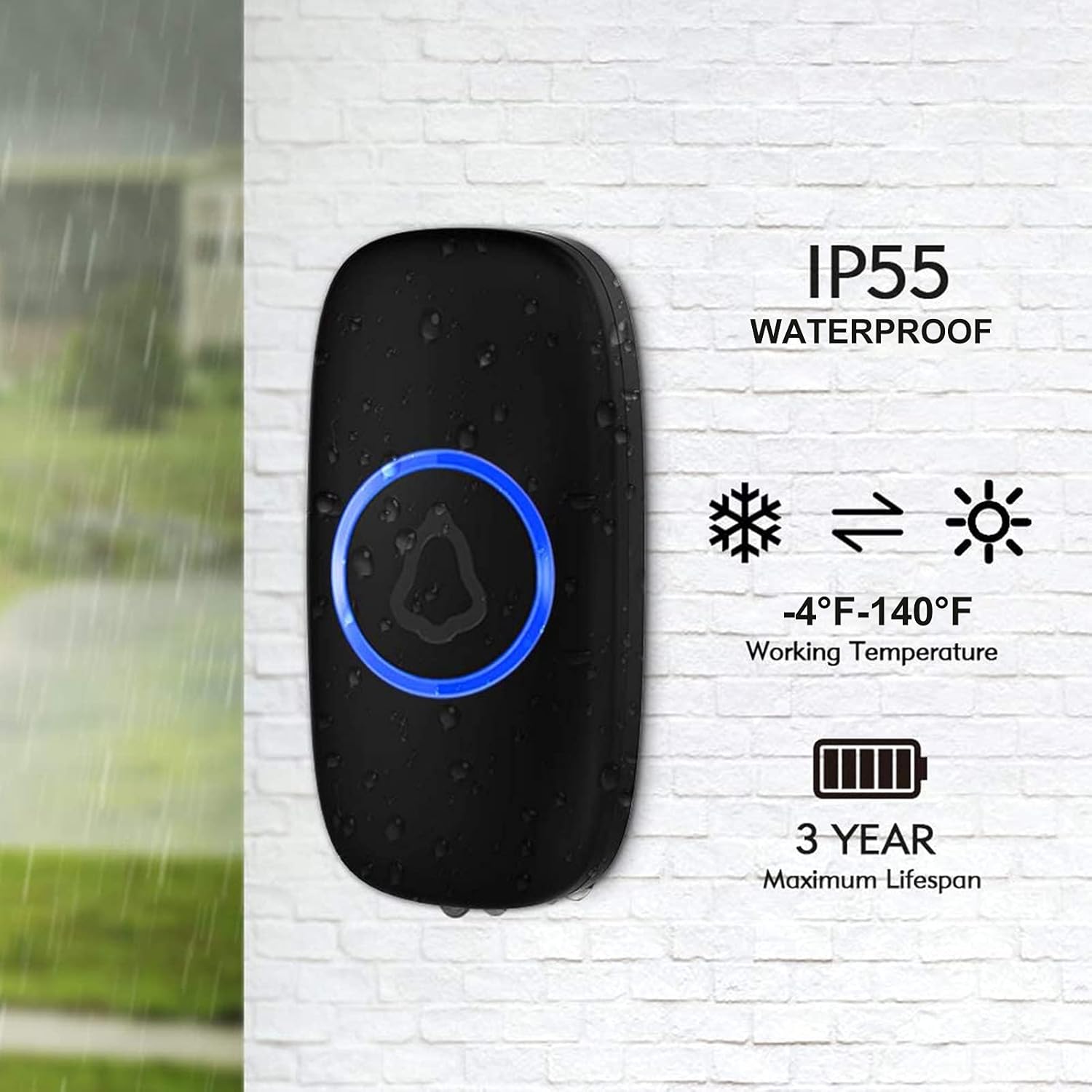
Image: A close-up of the doorbell push button in a rainy environment, emphasizing its IP55 waterproof rating, -4°F to 140°F working temperature, and 3-year maximum battery lifespan.
Setup
Safety Information
- Always follow the manufacturer's advice when using power tools and wear suitable protective equipment (e.g., safety goggles) when drilling holes.
- Before drilling holes in walls, check for hidden electricity cables and water pipes. The use of a cable/pipe locator is advisable if in doubt.
Transmitter (Push Button) Installation
The transmitter comes with a pre-installed CR2032 battery. Before installation, ensure you peel off the protective seal on the button cell inside the transmitter. The transmitter can be installed using either the included double-sided adhesive tape or screws.
- Adhesive Mounting: Clean the desired surface thoroughly. Peel off one side of the double-sided adhesive tape and apply it to the back of the transmitter. Peel off the other side and firmly press the transmitter onto the wall for at least 30 seconds.
- Screw Mounting: Open the back cover of the transmitter. Mark the desired drilling points on the wall using the screw holes on the back cover as a guide. Drill pilot holes, insert the anchors, and then secure the transmitter's back cover to the wall using the provided screws. Snap the front of the transmitter back onto the secured back cover.

Image: Step-by-step guide showing how to peel off the battery seal, and options for screw mounting and adhesive patch mounting for the doorbell transmitter.
Receiver Installation
The receiver is a plug-in unit and requires no additional wiring. Simply plug the receiver into any standard 120V AC electrical outlet within range of your transmitter. For optimal performance, avoid plugging the receiver into outlets near large metal objects or other electronic devices that may cause interference.

Image: The compact size of the receiver plugged into an outlet, demonstrating that it does not block other sockets, alongside the dimensions of both the receiver and the push button.

Image: A diagram illustrating the 1000ft wireless long range capability of the doorbell system within a multi-story house, showing signal transmission from outdoor push buttons to an indoor receiver.
Operating Instructions
Changing Chimes
To change the melody played by the receiver, press the 'Music' button (note icon) on the side of the receiver. Each press will cycle through the 52 available chimes. Stop pressing when you hear your desired melody.
Adjusting Volume
To adjust the volume level, press the 'Volume' button (speaker icon) on the side of the receiver. Each press will cycle through the 5 volume levels (0-110dB). Select the volume that best suits your environment.
The doorbell system features a memory function, so your chosen chime and volume settings will be saved even if the receiver is unplugged or experiences a power outage.

Image: A two-part image showing a person pressing the outdoor doorbell button, and another person in a kitchen hearing the chime from the indoor receiver, illustrating the practical use of the doorbell.

Image: A collage demonstrating various places where the doorbell can be used, including houses, classrooms, stores, and offices, highlighting its versatility.
Maintenance
Battery Replacement (Transmitter)
The transmitter uses a CR2032 battery, which has an average life of 3 years. When the doorbell button no longer lights up or the signal becomes weak, it's time to replace the battery. To replace, carefully open the back cover of the transmitter (you may need a small flat-head screwdriver to gently pry it open), remove the old battery, and insert a new CR2032 battery with the positive (+) side facing up. Close the cover securely.
Waterproof Rating (IP55)
The transmitter has an IP55 rating. The first '5' indicates protection against dust ingress, meaning a limited amount of dust may enter but will not interfere with the operation. The second '5' indicates protection against water jets from any direction, such as sprinklers or intermittent rain. This unit is not designed for complete submersion in water or prolonged contact with heavy water jets. Ensure the back cover is properly sealed after battery replacement to maintain its waterproof integrity.
Troubleshooting
| Problem | Possible Cause | Solution |
|---|---|---|
| Doorbell does not ring | Transmitter battery is low or dead. | Replace the CR2032 battery in the transmitter. |
| Receiver is unplugged or has no power. | Ensure the receiver is securely plugged into a working electrical outlet. | |
| Transmitter and receiver are out of range or signal interference. | Move the receiver closer to the transmitter. Avoid placing near large metal objects, concrete walls, or other electronic devices that may cause interference. | |
| Short operating range | Obstructions between transmitter and receiver. | Thick walls, metal structures, or other electronic devices can reduce range. Try relocating the receiver or transmitter. |
| Low battery in transmitter. | Replace the CR2032 battery. | |
| Chime/Volume settings reset | This model has a memory function, so settings should not reset. | If settings are not retained, ensure the receiver is receiving consistent power. If issues persist, contact customer support. |
Specifications
| Feature | Specification |
|---|---|
| Model Number | M508+F55X2+black |
| Power Source (Receiver) | AC-Powered (120 Volts) |
| Power Source (Transmitter) | Battery-Powered (1 CR2032 battery included) |
| Average Battery Life | 3 years |
| Wireless Range | Over 1000 feet (in open area) |
| Number of Chimes | 52 |
| Volume Levels | 5 (0-110 dB) |
| Waterproof Rating | IP55 |
| Operating Temperature | -4°F to 140°F (-20°C to 60°C) |
| Material | ABS |
| Installation Method | Self-Adhesive & Screw-In |
| Item Weight | 5 ounces |
| Package Dimensions | 4.76 x 2.83 x 2.52 inches |
Warranty and Support
SECRUI products are manufactured to high quality standards. For any questions, technical support, or warranty claims, please contact SECRUI customer service. Refer to the product packaging or the official SECRUI website for the most up-to-date contact information.
We are committed to providing excellent customer satisfaction and support for our products.
Ask a question about this manual
Ask about setup, troubleshooting, compatibility, parts, safety, or missing instructions. Manuals+ will review the question and use this page’s manual context to help answer it.