
1. Introduction
The KUFATEC 43394 Bluetooth AUX Adapter enables high-quality wireless music streaming from your smartphone, iPod, or iPad to your Audi vehicle's MMI 2G system. This adapter utilizes A2DP (Advanced Audio Distribution Profile) with EDR specification for superior audio transmission, supporting various formats including Wave, Flac, Lossless, and MP3. Designed for discreet installation, it offers automatic power-on and connection features for user convenience. The system remembers the last paired device and automatically reconnects. Music playback can be controlled directly from your mobile device, or via the MMI or Multi-Function Steering Wheel (MFL) if supported. The adapter integrates into the fiber optic system, allowing for a hidden installation without visible cables. While multiple devices can be connected, only one can stream music at a time. It is compatible with all Bluetooth-enabled mobile devices (e.g., iPhone, Android, Windows smartphones, iPad, iPod).
2. Safety Precautions
Observe standard safety precautions when using, handling, and disposing of the device and its components. Avoid interference with other wireless devices. Adhere to battery management guidelines and temperature/humidity restrictions. Always ensure the vehicle is turned off and the battery disconnected before beginning installation to prevent electrical damage or injury.
3. Package Contents
Verify that all items are present in the package:
- 1x KUFATEC 43394 Bluetooth AUX Adapter
- 1x Cable set with fiber optic connection
4. Product Overview
The KUFATEC 43394 adapter consists of a main control unit and a specialized cable set for integration into your vehicle's MMI system.

Figure 4.1: KUFATEC 43394 Bluetooth AUX Adapter main unit. This image shows the compact black rectangular adapter box with a USB port on one side.
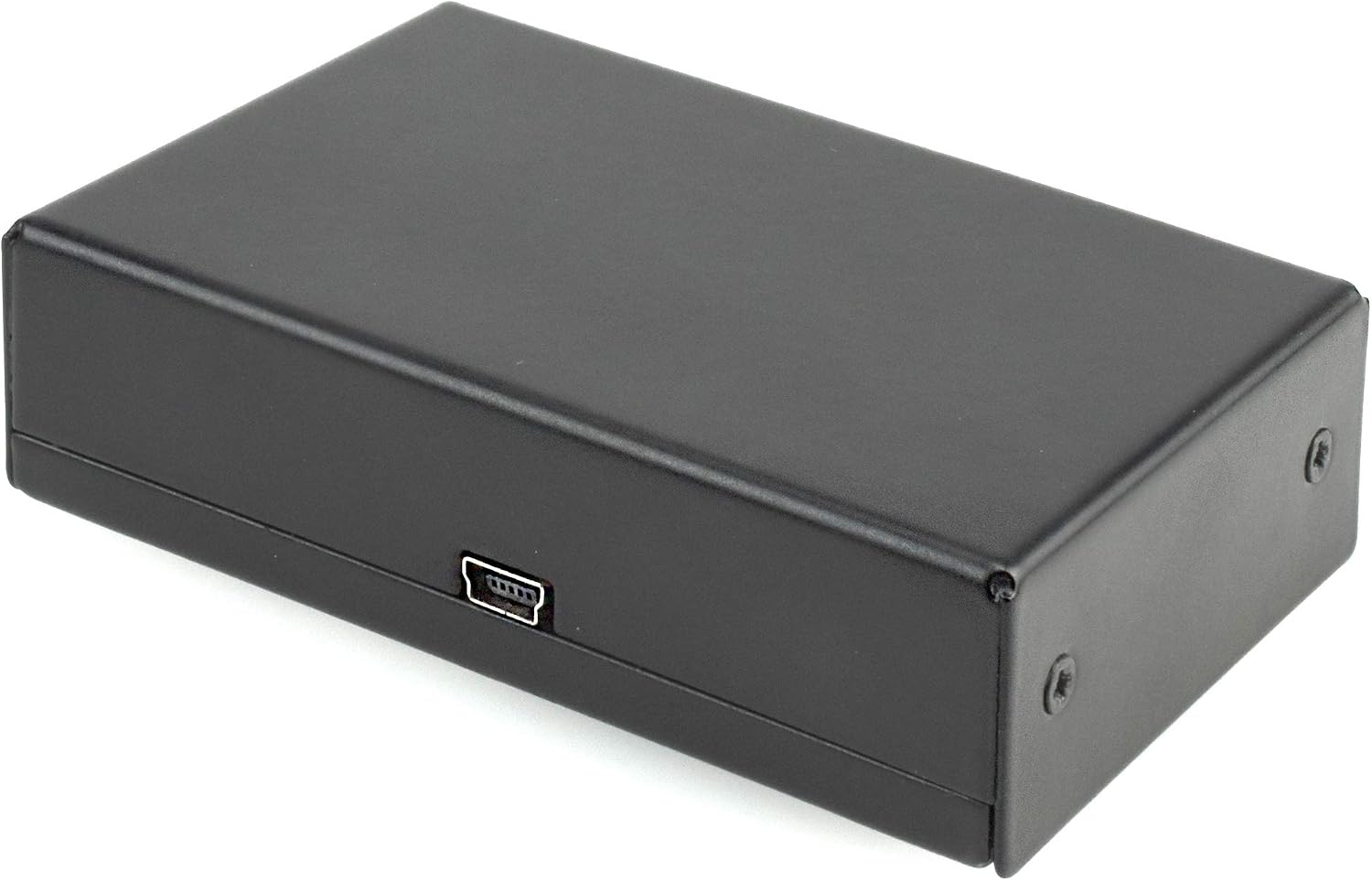
Figure 4.2: Fiber optic cable. This image displays the orange fiber optic cable with black connectors, used for integrating the adapter into the vehicle's optical network.
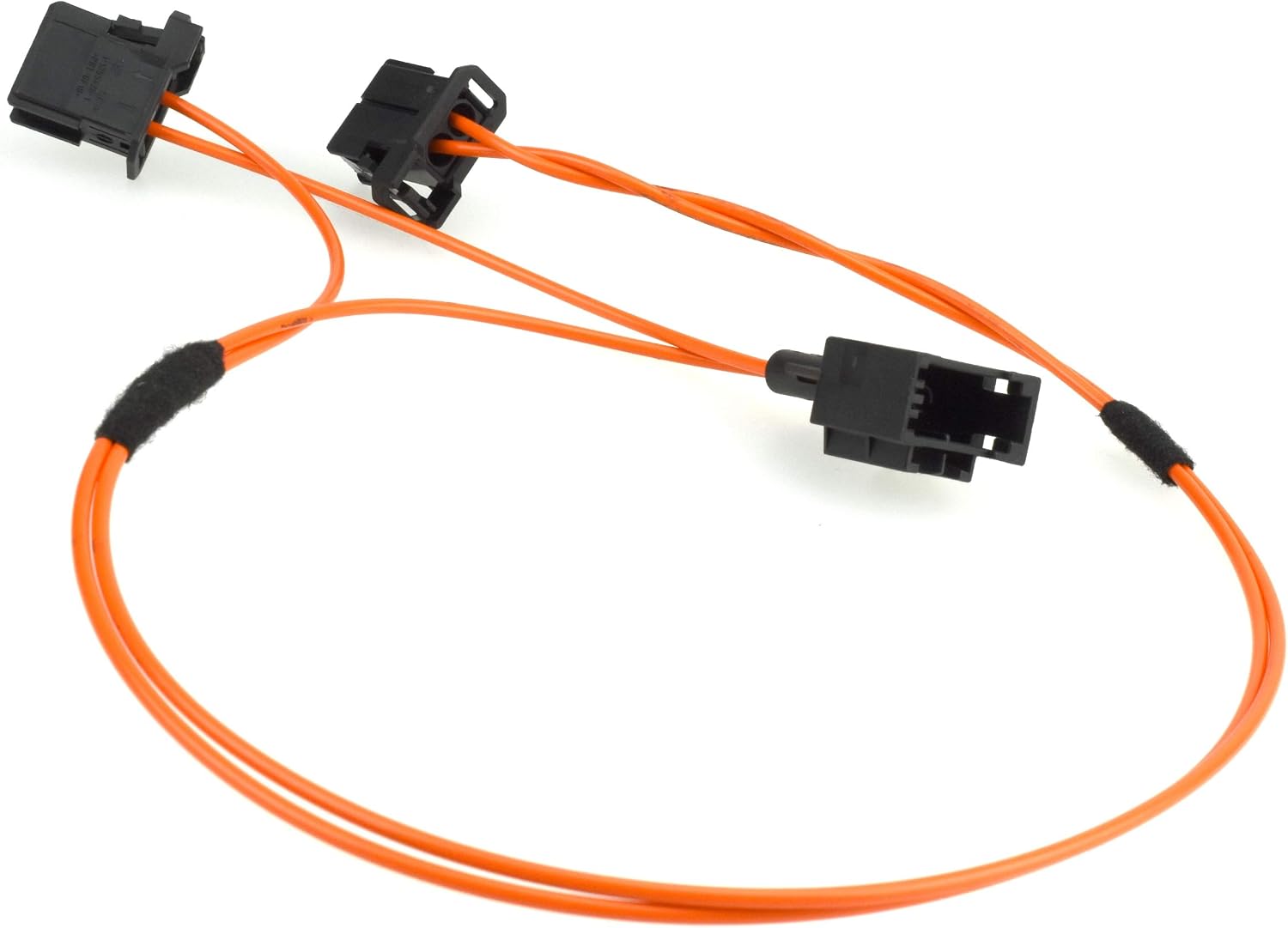
Figure 4.3: RCA and power cable. This image shows a black cable with red and white RCA connectors on one end and bare wires for power connection on the other, along with a multi-pin connector for the adapter.
5. Setup and Installation
The KUFATEC 43394 adapter is designed for a Plug & Play installation, typically behind the glove box. It integrates into the vehicle's fiber optic system. Professional installation is recommended.
5.1 Compatibility Notes
- Compatible with Audi A4, A5, A6, A8, Allroad, Q5, Q7 equipped with MMI 2G Low and High systems.
- For MMI 2G High systems with a second CD changer, or MMI 2G Low systems with a single CD changer, the existing CD changer must be uninstalled to accommodate the adapter.
5.2 Installation Steps (General Guidance)
- Disconnect Vehicle Battery: Before starting, disconnect the negative terminal of the vehicle's battery to prevent electrical shorts.
- Access MMI Unit: Locate and access the MMI control unit, often found behind the glove box or in the trunk, depending on the Audi model.
- Integrate Fiber Optic Cable: Connect the provided fiber optic cable into the MMI system's fiber optic loop. This typically involves removing an existing fiber optic connector and inserting the adapter's cable into the loop.
- Connect Power and RCA: Connect the power wires (red and black) to a suitable 12V power source (e.g., ignition switched power) and ground. Connect the RCA audio outputs from the adapter to the corresponding RCA inputs on your MMI system, if applicable.
- Mount Adapter: Securely mount the KUFATEC 43394 adapter in a hidden location, such as behind the glove box, ensuring it does not interfere with any moving parts or vehicle functions.
- Reconnect Battery: Once all connections are secure and the adapter is mounted, reconnect the vehicle battery.
- Test Functionality: Turn on the vehicle's ignition and MMI system to test the adapter's functionality.
Note: Specific installation steps may vary by vehicle model. Refer to your vehicle's service manual or consult a qualified technician for detailed instructions.
6. Operating Instructions
The KUFATEC 43394 adapter provides seamless wireless audio streaming once installed.
6.1 Pairing Your Device
- Power On: Turn on your vehicle's ignition. The adapter will automatically power on.
- Enable Bluetooth: On your mobile device (smartphone, tablet, etc.), enable Bluetooth.
- Search for Devices: Search for available Bluetooth devices. The adapter should appear as "KUFATEC" or a similar identifier.
- Connect: Select the adapter from the list to pair. No PIN is typically required.
- Automatic Reconnection: The system remembers the last paired device and will automatically connect to it when the ignition is turned on and the device is within range with Bluetooth enabled.
6.2 Music Streaming
- Once paired, select the appropriate AUX or external audio source input on your Audi MMI system.
- Begin playing music on your mobile device. Audio will be streamed wirelessly to your vehicle's sound system.
- Playback parameters, such as track selection and volume, can be controlled directly from your mobile device, or via the MMI controls/Multi-Function Steering Wheel (MFL) if supported by your MMI system and device.
- The adapter supports streaming from various applications like Spotify, Apple Music, YouTube Music, and High-RES audio streaming.
- The KUFATEC 43394 can be connected to multiple devices, but only one device can stream music at a time.

Figure 6.1: Example MMI 2G screen showing Bluetooth audio source. This image depicts an Audi MMI screen with "BT- iPhone" selected as the source, listing tracks from a connected device.
7. Maintenance
The KUFATEC 43394 Bluetooth AUX Adapter requires minimal maintenance. Keep the unit dry and free from dust. Do not attempt to open or repair the device yourself, as this will void the warranty and may cause damage.
- Cleaning: Use a soft, dry cloth to clean the exterior of the adapter if necessary. Avoid using liquid cleaners or solvents.
- Environmental Conditions: Ensure the adapter is installed in an area within the vehicle's normal operating temperature and humidity ranges.
8. Troubleshooting
If you encounter issues with your KUFATEC 43394 adapter, refer to the following common troubleshooting steps:
- No Power:
- Check all power connections to ensure they are secure and receiving 12V.
- Verify the vehicle's ignition is on.
- Cannot Pair Device:
- Ensure Bluetooth is enabled on your mobile device.
- Make sure the adapter is powered on.
- Try restarting your mobile device and the vehicle's MMI system.
- If previously paired, try "forgetting" the device on your phone and re-pairing.
- Ensure no other device is currently connected to the adapter.
- No Audio Output:
- Verify your mobile device is playing music and its volume is up.
- Check that the correct AUX or external audio source is selected on your MMI system.
- Ensure all audio connections (RCA, fiber optic) are correctly installed and secure.
- Adjust the volume on both your mobile device and the MMI system.
- Poor Audio Quality:
- Ensure your mobile device is close to the adapter to maintain a strong Bluetooth signal.
- Check for potential sources of interference (e.g., other wireless devices).
- Ensure the audio files being played are of good quality.
If the problem persists after attempting these steps, please contact KUFATEC customer support.
9. Specifications
| Feature | Specification |
|---|---|
| Brand | KUFATEC |
| Model Number | K14 |
| Connectivity Technology | Bluetooth |
| Wireless Communication Standard | Bluetooth |
| Bluetooth Compatibility | Yes |
| Supported Standards | A2DP |
| Power Source | Electric Cable (12 Volts DC) |
| Compatible Devices | Smartphone |
| Compatible Vehicle Type | Audi |
| Supported Media Types | MP3, WAV, AAC, FLAC |
| Hardware Interface | Bluetooth, RCA |
| Connector Type | RCA |
| Audio Output Type | Bluetooth, RCA |
| Audio Input | Bluetooth, RCA |
| Audio Output Mode | Stereo |
| Number of Channels | 2 |
| Supported Applications | Spotify, Apple Music, YouTube Music, High-RES audio streaming |
10. Warranty Information
KUFATEC products are covered by a manufacturer's warranty against defects in materials and workmanship. The specific duration and terms of the warranty may vary by region and retailer. Please retain your proof of purchase for warranty claims.
The warranty does not cover damage resulting from improper installation, misuse, unauthorized modifications, or normal wear and tear. Attempting to open or repair the device yourself will void the warranty.
11. Support
For technical assistance, installation queries, or warranty claims, please contact KUFATEC customer support through their official website or the retailer from whom you purchased the product.
Before contacting support, please have your product model number (K14) and proof of purchase readily available.