
1. Introduction
Thank you for choosing the WIWU Liberator Wireless Charging Car Mount II. This device is designed to provide a secure holder for your smartphone while offering convenient wireless charging in your vehicle. Please read this manual carefully before use to ensure proper installation and operation.
2. Product Overview
The WIWU Liberator Wireless Charging Car Mount II features 10W fast charging, integrated sensing for automatic clamping, and multiple safety protections. It supports both dashboard (suction mount) and air vent installations.
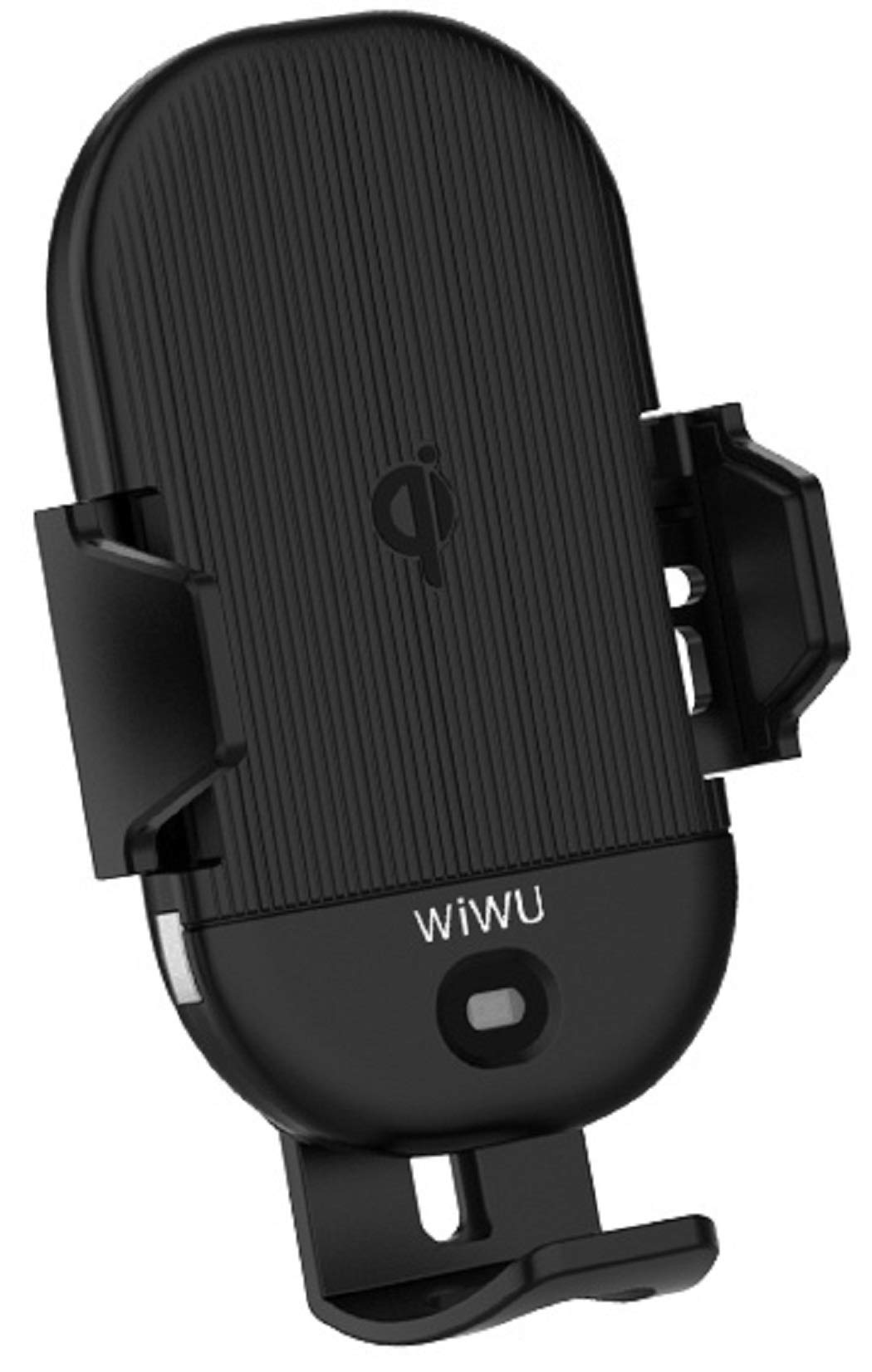
Image 1: WIWU Liberator Wireless Charging Car Mount II. The image displays the device with approximate dimensions of 7.2cm width and 12.5cm height, alongside its retail packaging. Below, a table outlines key specifications including brand, material, charging interface, and various output and wireless output voltages and currents.
3. Setup and Installation
The car mount offers two installation options: air vent or dashboard.
3.1 Air Vent Installation
- Attach the air vent clip to the back of the charging mount.
- Securely insert the air vent clip into a suitable air vent slat in your vehicle. Ensure it is stable and does not obstruct airflow or vehicle controls.
- Tighten the locking nut on the air vent clip to firmly secure the mount.
3.2 Dashboard/Windshield Installation
- Attach the suction cup mount to the back of the charging mount.
- Choose a clean, flat surface on your dashboard or windshield.
- Press the suction cup firmly against the surface and push down the locking lever to create a vacuum seal.
- Adjust the arm and angle of the mount for optimal viewing.
3.3 Power Connection
- Connect the provided USB Type-C cable to the charging port on the bottom of the car mount.
- Plug the other end of the cable into a car charger (not included) that supports Quick Charge 3.0 for optimal 10W fast charging.
4. Operating Instructions
4.1 Automatic Locking and Release
- When the mount is powered on, the clamp arms will automatically open.
- Place your Qi-enabled smartphone (4.5 to 6.4 inches) into the mount. The integrated sensor will detect the phone, and the clamp arms will automatically close, securing the phone and initiating wireless charging.
- To release the phone, gently touch the sensitive metal area on the side or bottom of the mount. The clamp arms will automatically open, allowing you to remove your device.
4.2 Wireless Charging
- Ensure your smartphone is Qi-compatible and placed correctly in the center of the charging pad for efficient charging.
- The mount supports 10W fast wireless charging when connected to a QC 3.0 compatible car charger.
- An indicator light on the mount will typically show the charging status. Refer to the product's specific LED indicators for details.
4.3 One-Hand Operation
The automatic clamping and release mechanism allows for easy one-handed operation, ensuring convenience and safety while driving.
5. Maintenance
- Keep the device clean by wiping it with a soft, dry cloth.
- Avoid using harsh chemicals or abrasive cleaners.
- Ensure the charging surface is free of dust and debris to maintain optimal charging efficiency.
- Periodically check the stability of the mount's installation (air vent clip or suction cup).
6. Troubleshooting
- Device not charging: Ensure the USB Type-C cable is securely connected to both the mount and the car charger. Verify that the car charger is functioning and provides sufficient power (QC 3.0 recommended). Check if your phone is Qi-compatible and properly aligned on the charging pad. Remove any thick phone cases that might interfere with wireless charging.
- Clamp arms not opening/closing: Ensure the mount is powered on. Check for any obstructions in the clamping mechanism. If the issue persists, try disconnecting and reconnecting the power.
- Mount is unstable: For air vent installation, ensure the clip is fully inserted and the locking nut is tightened. For suction cup installation, ensure the surface is clean, flat, and the locking lever is fully engaged.
- Slow charging: Confirm that your car charger supports Quick Charge 3.0 (or equivalent fast charging protocol) and that the cable is not damaged.
7. Specifications
| Brand | WiWU |
| Model Number | 6957815512065 |
| Material | PC (Polycarbonate) |
| Color | Black |
| Input Charging Type | Type-C |
| Output | 12V-1.6A, 9V-1.67A, 9V-1.34A |
| Wireless Output | 9V-1.67A, 9V-1.12A, 9V-0.83A, 5V-1A |
| Wattage | 10 Watts (Max) |
| Specification Met | Qi Standard |
| Compatible Devices | Qi-enabled Smartphones (4.5 to 6.4 inches) |
| Product Dimensions (Approx.) | 7.2 cm (Width) x 12.5 cm (Height) |
| Item Weight | 0.1 Kilograms |
8. Warranty and Support
WIWU products are manufactured to high-quality standards. For warranty information or technical support, please refer to the warranty card included with your purchase or visit the official WIWU website. Keep your purchase receipt as proof of purchase for any warranty claims.