
1. Product Overview
The OMRON 3 Series Wrist Blood Pressure Monitor (Model BP6100) is designed for easy and accurate blood pressure measurement at the wrist. This device is equipped with features to help users track their blood pressure and detect irregular heartbeats.
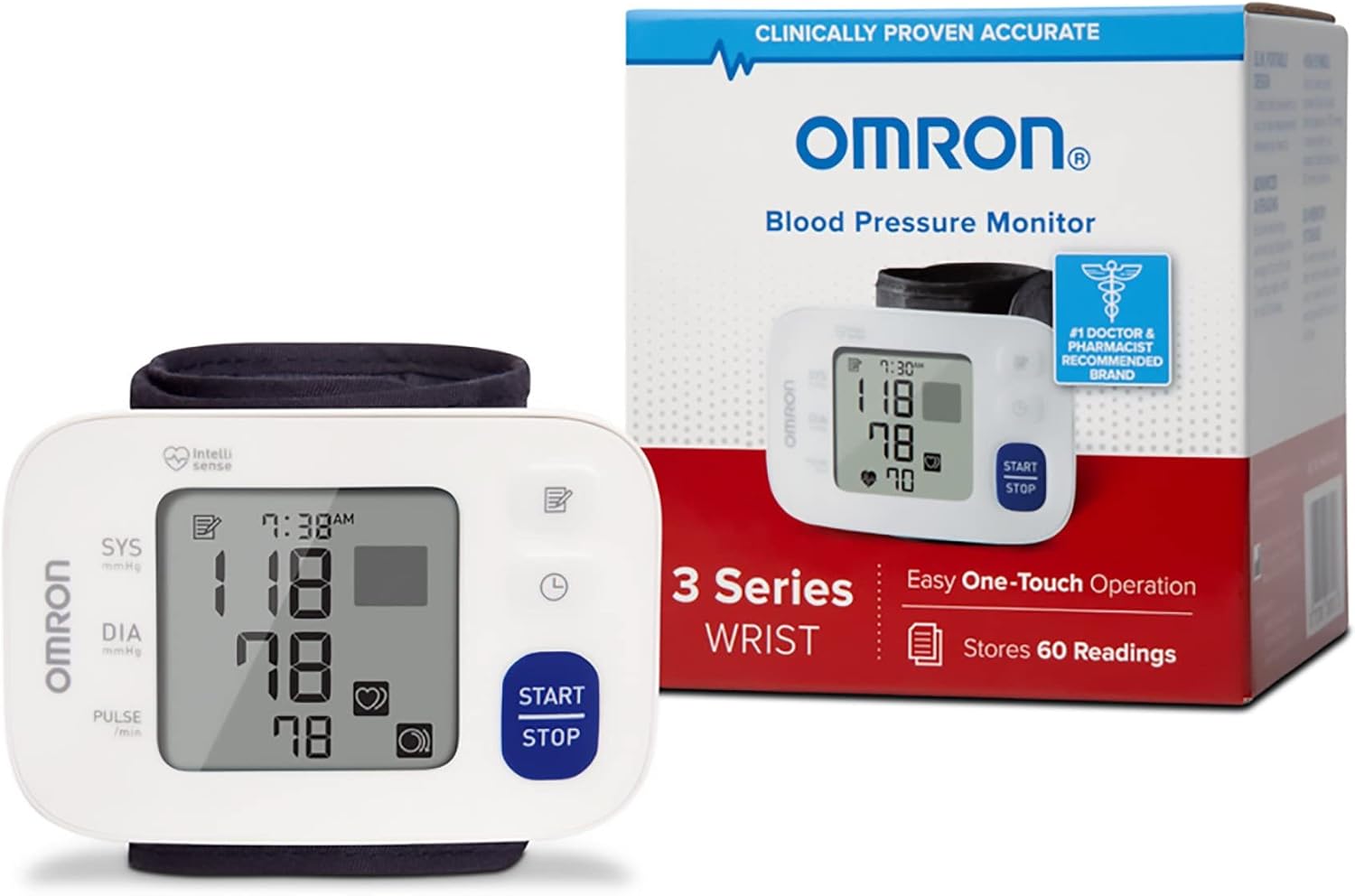
Image: The OMRON 3 Series Wrist Blood Pressure Monitor displayed alongside its retail packaging.
Key Features:
- One-Touch Operation: Simplifies the measurement process.
- 60-Reading Memory: Stores up to 60 readings with date and time stamps for one user.
- Hypertension Indicator: Displays a 'HIGH' symbol if systolic pressure is 130 mmHg or above, or diastolic pressure is 80 mmHg or above.
- Irregular Heartbeat Detection: Alerts the user to irregular heartbeats during measurement.
- Advanced Averaging: Calculates the average of up to the last three readings taken within a 10-minute period.
- Comfortable Cuff: Soft, wide-range wrist cuff (fits 5.3”–8.5” wrists) with a Cuff Wrap Guide.
2. Safety Information
Please read and understand all safety information before using this device. Improper use may result in inaccurate readings or injury.
- Keep the device out of reach of children.
- Consult your physician before using this device if you have any medical conditions, including but not limited to pregnancy, arrhythmias, or arteriosclerosis.
- Do not use this device on an injured wrist or a wrist undergoing medical treatment.
- Do not use this device in conjunction with other medical electrical (ME) equipment simultaneously.
- Avoid taking measurements in a moving vehicle or on an airplane.
- Do not disassemble or attempt to repair the monitor.
3. Package Contents
Verify that all components are present in the package:
- OMRON 3 Series Wrist Blood Pressure Monitor (Model BP6100) with attached wrist cuff
- Storage Case
- 2 AAA Batteries
- Instruction Manual (this document)

Image: The OMRON 3 Series Wrist Blood Pressure Monitor shown with its protective storage case.
4. Setup
4.1. Battery Installation
- Open the battery cover on the back of the monitor.
- Insert the two AAA batteries according to the polarity markings (+/-) inside the battery compartment.
- Close the battery cover securely.
4.2. Setting Date and Time
After installing batteries, the display will flash the year. Follow the instructions in the full manual to set the correct year, month, day, and time. This ensures accurate date/time stamps for your readings.
5. Operating Instructions
5.1. Applying the Wrist Cuff
- Remove any tight-fitting clothing from your left wrist.
- Place the monitor on your left wrist with the display facing you. The cuff should be positioned approximately 1-2 cm (0.5-1 inch) from the bottom of your palm.
- Wrap the cuff snugly around your wrist. Ensure there is no gap between the cuff and your wrist. The Cuff Wrap Guide symbol on the display will indicate if the cuff is applied correctly.

Image: The OMRON 3 Series Wrist Blood Pressure Monitor properly positioned on a user's wrist.
5.2. Taking a Measurement
- Sit comfortably with your feet flat on the floor. Rest your elbow on a table so that the monitor is at heart level.
- Press the START/STOP button. The cuff will begin to inflate automatically.
- Remain still and do not talk during the measurement.
- Once the measurement is complete, your systolic pressure, diastolic pressure, and pulse rate will be displayed.
- Press the START/STOP button again to turn off the monitor. The reading will be automatically stored in memory.

Image: A close-up view of the monitor's display showing a blood pressure reading and pulse rate.
5.3. Memory Function
To review past readings:
- With the monitor off, press the Memory button (usually indicated by a book icon).
- The most recent reading will be displayed first. Press the Memory button repeatedly to scroll through older readings.
- The monitor stores up to 60 readings with date and time.
5.4. Hypertension Indicator
If your systolic blood pressure is 130 mmHg or higher, and/or your diastolic blood pressure is 80 mmHg or higher, the Hypertension Indicator symbol (a heart with a 'HIGH' text) will appear on the display after the measurement. This indicates a potentially elevated blood pressure reading.
5.5. Irregular Heartbeat Detection
If the monitor detects an irregular heartbeat two or more times during a measurement, the Irregular Heartbeat Symbol (a heart icon with wavy lines) will appear on the display with your measurement values. If this symbol appears frequently, consult your physician.
6. Maintenance and Care
6.1. Cleaning
- Wipe the monitor and cuff with a soft, dry cloth.
- Do not use abrasive cleaners or immerse the device in water.
6.2. Storage
- Store the monitor in its protective storage case when not in use.
- Keep the device in a clean, dry place, away from direct sunlight, extreme temperatures, and humidity.
- Remove batteries if the unit will not be used for an extended period.

Image: The OMRON 3 Series Wrist Blood Pressure Monitor placed inside its open storage case, which includes a visual guide for proper wrist placement.
7. Troubleshooting
| Problem | Possible Cause | Solution |
|---|---|---|
| No power / Display blank | Batteries are dead or incorrectly inserted. | Replace batteries with new ones, ensuring correct polarity. |
| Error message (e.g., E1, E2) | Cuff not applied correctly, movement during measurement, or other technical issue. | Reapply cuff correctly, remain still, or refer to the full manual for specific error codes. |
| Inaccurate readings | Improper cuff placement, incorrect body position, or talking during measurement. | Ensure correct cuff placement at heart level, sit still and quietly. Avoid caffeine, alcohol, or exercise 30 minutes prior. |
8. Specifications
| Specification | Detail |
|---|---|
| Model | BP6100 (OMRBP6100) |
| Display | LCD Digital Display |
| Measurement Range | Pressure: 0 to 299 mmHg; Pulse: 40 to 180 beats/min |
| Accuracy | Pressure: ±3 mmHg; Pulse: ±5% of display reading |
| Memory | 60 measurements with date and time for 1 user |
| Cuff Size | Fits wrists 5.3 to 8.5 inches (13.5 to 21.5 cm) |
| Power Source | 2 AAA 1.5V batteries |
| Battery Life | Approximately 300 measurements with new alkaline batteries |
| Product Dimensions | 3.66"L x 0.78"W x 2.44"Th (approx. 93 x 20 x 62 mm) |
| Item Weight | 0.19 lbs (approx. 86 g) without batteries |
9. Warranty and Support
9.1. Warranty Information
The OMRON 3 Series Wrist Blood Pressure Monitor (Model BP6100) is backed by a 2-year limited warranty from the date of purchase. This warranty covers defects in materials and workmanship. Please retain your proof of purchase for warranty claims.
9.2. Customer Support
For technical assistance, troubleshooting, or warranty inquiries, please contact OMRON customer support:
- Website: www.omronhealthcare.com
- Phone: 1 (800) 634-4350


