
Introduction
This instruction manual provides essential information for the proper installation and maintenance of your ReplacementScrews Wall Mount Screws, specifically designed for compatibility with the Element ELEFW328 television model. Adhering to these instructions will help ensure a secure and stable wall mounting for your television.
Package Contents
Your ReplacementScrews kit includes the following components:
- 8 x M5 Machine Screws (Black Oxide Plated)
- 8 x Flat Washers
- 8 x Split Lock Washers
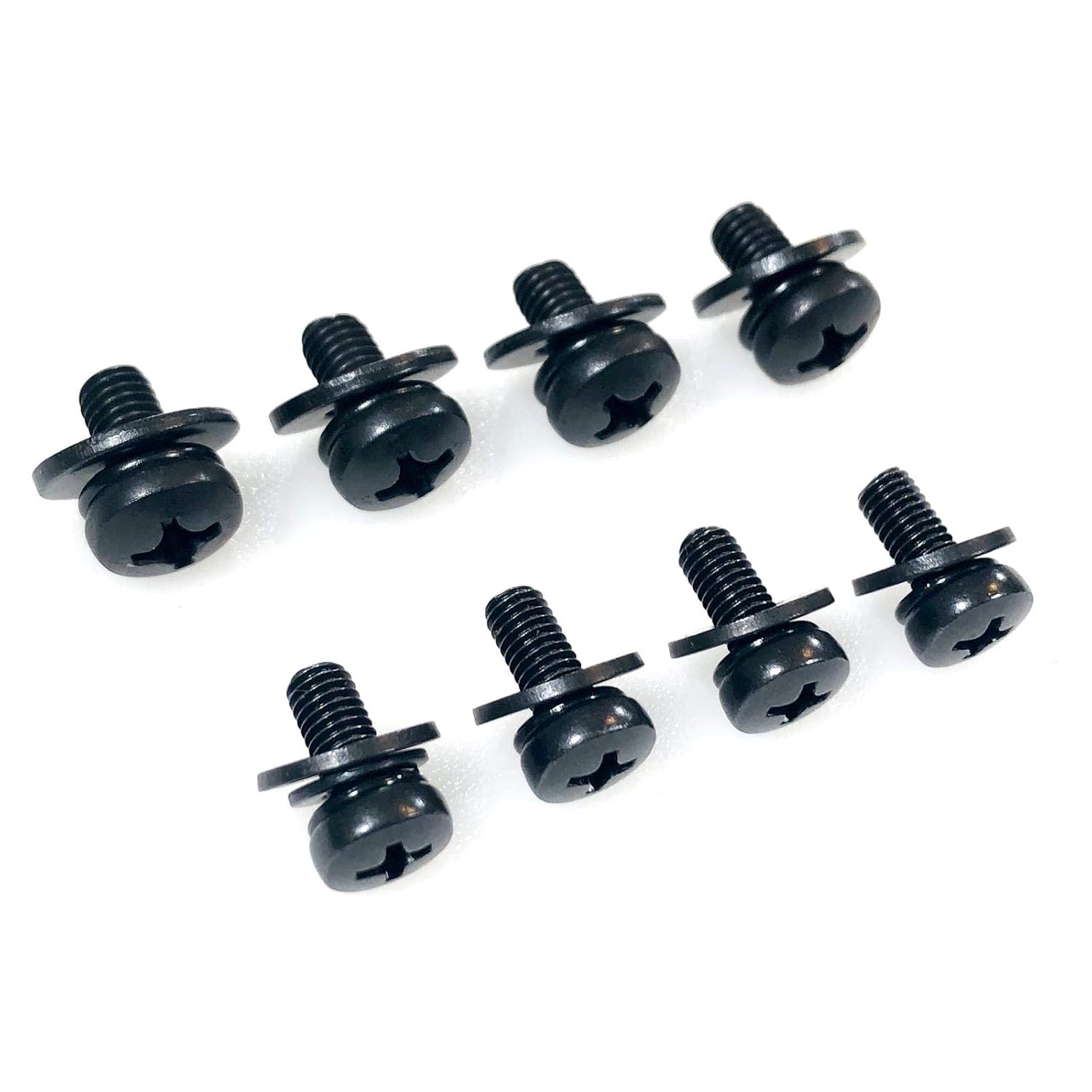
Image: The complete set of eight black M5 machine screws, each with a flat washer and split lock washer, as included in the package.
Installation Instructions
Before beginning installation, please ensure you have the correct tools and have consulted your Element ELEFW328 television's instruction manual for specific mounting requirements and safety guidelines. These screws are designed for VESA-compatible wall mounts.
- Verify Compatibility: Confirm that your wall mount bracket is VESA compatible and designed for M5 screws. Refer to your TV's manual for the exact VESA pattern and screw specifications.
- Prepare the TV: Carefully place your Element ELEFW328 TV face down on a soft, clean surface to protect the screen. Locate the VESA mounting holes on the back of the television.
- Attach Washers: For each screw, place a flat washer first, followed by a split lock washer. The flat washer distributes pressure, and the split lock washer helps prevent loosening due to vibration.
- Secure the Mount: Align the wall mount bracket with the VESA holes on the back of the TV. Insert the prepared screws through the mount and into the TV's mounting holes.
- Tighten Screws: Using an appropriate screwdriver, carefully tighten all screws. Do not overtighten, as this can damage the TV or the screws. Ensure all screws are snug and the mount is securely attached to the television.
- Final Check: Before hanging the TV on the wall, double-check that all screws are securely fastened and the mount is stable on the television.

Image: A detailed view of an M5 screw with both a flat washer and a split lock washer correctly positioned.

Image: An individual in the process of mounting a television onto a wall bracket, demonstrating the final step of installation.
Maintenance
Once installed, these screws require minimal maintenance. Periodically, it is recommended to:
- Inspect: Visually inspect the screws and mounting points for any signs of loosening or damage.
- Tighten: If any screws appear loose, gently tighten them. Avoid overtightening.
- Clean: If necessary, wipe the screws with a dry, soft cloth to remove dust. Avoid abrasive cleaners.
Troubleshooting
If you encounter issues during installation or use, consider the following:
- Screws do not fit: Ensure you are using the correct M5 screws. Consult your TV's manual for the exact screw size required. While these screws are compatible with Element ELEFW328, some TV models may have variations.
- Mount feels unstable: Double-check that all screws are fully tightened and that the wall mount itself is securely installed on the wall according to its own instructions.
- Missing components: If any parts are missing from your package, please contact ReplacementScrews customer support.
Product Specifications
| Brand | ReplacementScrews |
| Model Compatibility | Element ELEFW328 |
| Screw Type | M5 Machine Screws |
| Head Style | Phillips Head |
| Material | Stainless Steel |
| Exterior Finish | Black Oxide Plated |
| VESA Compatibility | Standard M5 VESA mounting pattern |
| Package Dimensions | 7.05 x 4.92 x 1.1 inches |
| Item Weight | 1.72 ounces |
Warranty and Support
For any questions, concerns, or support regarding your ReplacementScrews product, please contact the manufacturer directly. Information regarding specific warranty terms may be available through the point of purchase or the manufacturer's official website.
Manufacturer: ReplacementScrews