
Introduction
This manual provides essential information for the safe and effective operation, maintenance, and troubleshooting of your RUQIJI 17''x33'' XXXL King Size Heating Pad. Please read this manual thoroughly before first use and retain it for future reference.
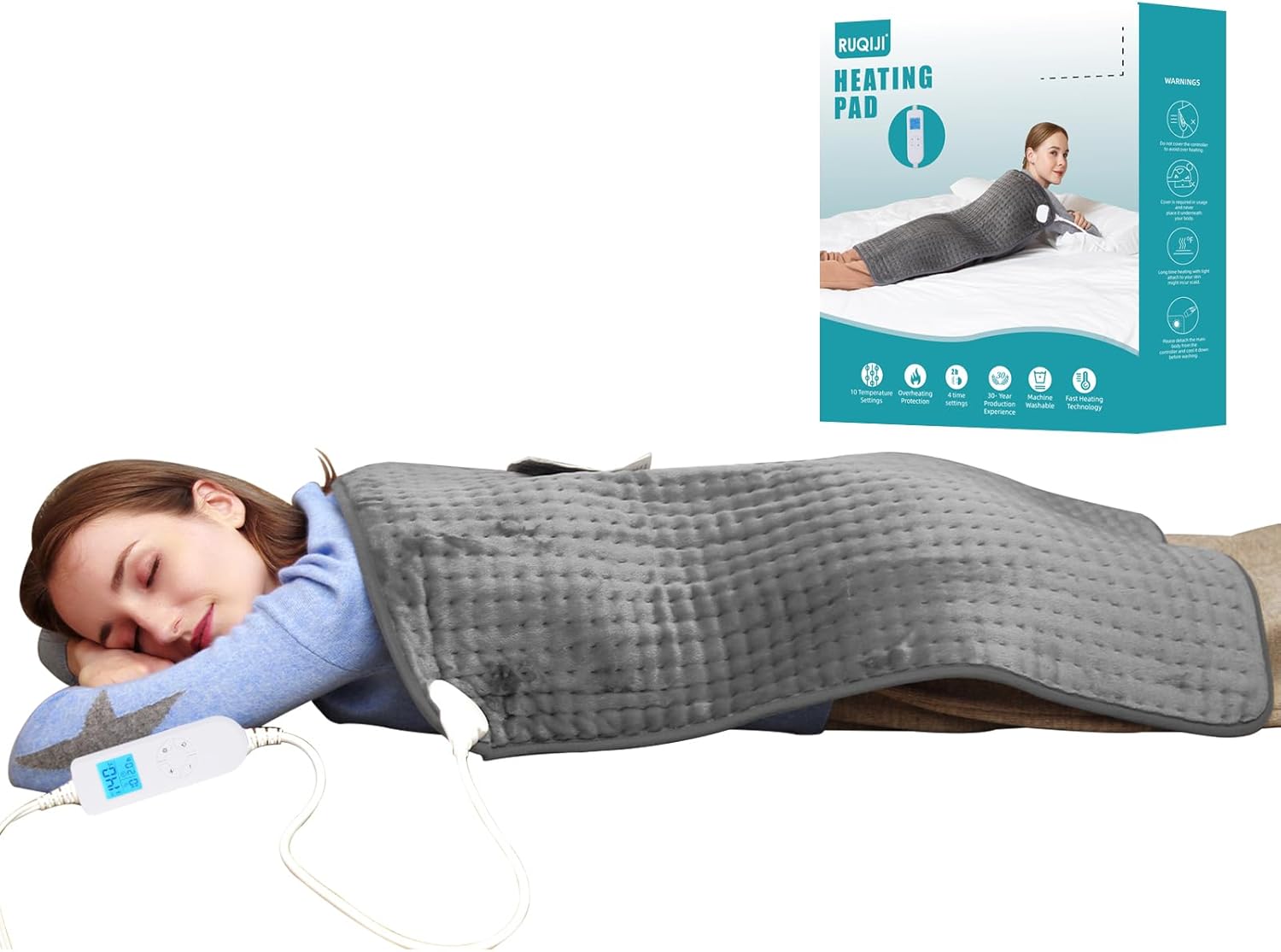
Figure 1: Ruqiji XXXL King Size Heating Pad in use, demonstrating its large coverage.
Important Safety Information
Adherence to these safety guidelines is crucial to prevent injury or damage to the product.
- Keep out of reach of children.
- Avoid contact with skin and eyes.
- Do not sit on the heating pad or place it underneath the body during operation.
- Do not sharply fold the heating pad while it is in use.
- Always follow all instructions provided in this user manual for safe operation.
- The heating pad is UL certified and includes built-in overheat protection for enhanced safety.
Product Features
The RUQIJI heating pad is designed for comprehensive pain relief and comfort, featuring:
- XXXL King Size (17''x33''): Provides extensive coverage for the back, neck, shoulders, legs, arms, waist, and abdomen.
- LED Large Screen Controller: Allows for easy temperature and timer adjustments, suitable for all users.
- Fast-Heating Technology: Warms up within seconds due to an extended heating coil.
- 10 Temperature Settings: Adjustable heat levels ranging from 95℉ to 140℉ (35℃ to 60℃) for personalized comfort.
- 4 Auto-Off Countdown Timers: Selectable shut-off times (0.5H, 1H, 1.5H, 2H) for safety and energy efficiency.
- Machine Washable: Features a removable controller for easy cleaning and maintenance of the microfiber material.
- UL Certification: Ensures product safety and reliability.

Figure 2: Detailed view of the LED controller and its functions.
Setup
Follow these steps to set up your heating pad:
- Unpack the heating pad and its controller from the packaging.
- Ensure the controller is securely connected to the heating pad. The connection point is typically located at one corner of the pad.
- Place the heating pad on a flat, dry surface or drape it over the desired body area. Ensure the pad is not folded or bunched up during use.
- Plug the power cord into a standard 120V AC electrical outlet.

Figure 3: The heating pad laid out, illustrating its size and controller attachment.
Operating Instructions
Operating your heating pad is straightforward:
- Power On: Press the Power Button (⏻) on the LED controller to turn on the heating pad. The LED screen will illuminate.
- Adjust Temperature: Use the Temperature+ (+) and Temperature- (-) buttons to select your desired heat level from the 10 available settings (95℉ to 140℉). The current temperature setting will be displayed on the LED screen.
- Set Timer: Press the Time Changed Button (⏷) to cycle through the 4 auto-off timer settings: 0.5 hours, 1 hour, 1.5 hours, or 2 hours. The selected timer duration will be shown on the LED screen. The pad will automatically shut off after the set time.
- Power Off: To manually turn off the heating pad, press the Power Button (⏻) again. Unplug the unit from the wall outlet when not in use.

Figure 4: User comfortably operating the heating pad.
Maintenance and Cleaning
Proper care ensures the longevity and hygiene of your heating pad:
- Always remove the controller and disconnect the power cord before washing.
- Wash the heating pad using a mild detergent, cool water, and a gentle or delicate cycle in a washing machine.
- Line dry or lay the pad flat to dry. Do not tumble dry.
- Ensure the product is completely dry before its next use to prevent electrical hazards.
- Do not iron the heating pad.
- Store the heating pad in a cool, dry place when not in use.
Troubleshooting
If you encounter issues with your heating pad, refer to the following common solutions:
| Problem | Possible Cause | Solution |
|---|---|---|
| Heating pad does not turn on. | Not plugged in, loose connection, power outage. | Ensure power cord is securely plugged into a working outlet. Check connection between pad and controller. Verify power supply. |
| Heating pad is not heating. | Incorrect temperature setting, auto-off timer activated, internal fault. | Increase temperature setting. Reset timer or power cycle the unit. If problem persists, contact customer support. |
| Controller display is blank or erratic. | Loose connection, power issue, controller malfunction. | Check all connections. Unplug and re-plug the unit. If issue continues, contact customer support. |
For issues not listed above, or if troubleshooting steps do not resolve the problem, please contact RUQIJI customer support.
Specifications
- Model: 17''x33'' XXXL King Size Heating Pad
- Dimensions: 17 inches x 33 inches (approx. 43cm x 84cm)
- Material: Flannel (Microfiber)
- Color: Dark Grey
- Power Input: 120 Volts, 60 Hz
- Wattage: 100 Watts
- Temperature Settings: 10 levels (95℉ ~ 140℉ / 35℃ ~ 60℃)
- Auto-Off Timers: 0.5H, 1H, 1.5H, 2H
- Special Feature: Automatic Shut Off, Overheat Protection
- Certification: UL certified
- Manufacturer: Ruqiji
- Country of Origin: China
Warranty and Support
Your RUQIJI heating pad is manufactured with high-quality standards and is UL certified for safety. In the event of any quality problems or concerns, please contact our customer service support. Refer to your purchase documentation for specific warranty terms and contact information.
For further assistance, please visit the official RUQIJI website or contact the retailer from whom you purchased the product.