
1. Introduction
Thank you for purchasing the MYLEK MY48BW Oscillating Tower Fan. This manual provides important information for the safe and efficient use of your new appliance. Please read these instructions carefully before use and retain them for future reference.
The MYLEK MY48BW is a modern, bladeless tower fan designed to provide cooling airflow in various indoor environments such as homes, offices, and bedrooms. It features multiple speed settings, oscillation, an ionizer function, and a programmable timer, all controllable via an integrated panel or remote control.
2. Safety Information
Always observe the following safety precautions to reduce the risk of fire, electric shock, or injury.
- Ensure the fan is placed on a stable, level surface to prevent tipping.
- Do not insert fingers or foreign objects into the fan's grilles. The fan features a narrow grill design and bladeless operation for enhanced safety, but caution is still advised, especially around children and pets.
- Keep the fan away from water or other liquids. Do not operate in damp or wet conditions.
- Always unplug the fan from the power outlet before cleaning, maintenance, or when not in use.
- Do not operate the fan with a damaged cord or plug. If the power cord is damaged, it must be replaced by the manufacturer, its service agent, or similarly qualified persons to avoid a hazard.
- This appliance is equipped with a BS Standard 3-Pin Safety Plug. Ensure it is plugged into a compatible earthed socket.
- The fan is constructed from Safety ABS Plastic. Do not attempt to modify or disassemble the unit beyond what is described in this manual.
- Do not cover the fan during operation. Ensure adequate ventilation around the unit.

Image: Safety features of the MYLEK Tower Fan, highlighting its bladeless design, narrow grill, BS standard 3-pin safety plug, and ABS plastic construction for user protection.
3. Package Contents
Please check the package contents upon opening. If any items are missing or damaged, contact your retailer.
- MYLEK MY48BW Oscillating Tower Fan Unit
- Remote Control
- User Manual (This document)
4. Product Overview
Familiarize yourself with the components of your MYLEK Tower Fan.

Image: The MYLEK Tower Fan in a living room, illustrating its modern design and highlighting features such as remote control, three speed settings, three wind modes, and a 12-hour shutdown timer.
Control Panel and Remote Control
The fan can be operated using the touch buttons on the top panel or the included remote control.

Image: Detailed view of the fan's user-friendly touch buttons on the top panel and the included remote control, showing functions like On/Off, Timer, Ion, Swing, Speed, and Screen Off.
- ON/OFF Button: Powers the fan on or off.
- SPEED Button: Cycles through 3 speed settings (Low, Medium, High).
- SWING Button: Activates or deactivates the oscillation function.
- ION Button: Turns the ionizer function on or off.
- TIMER Button: Sets the automatic shutdown timer (up to 12 hours).
- TURN OFF SCREEN Button: Turns off the LED display for night mode.
5. Setup
The MYLEK Tower Fan requires minimal assembly. Follow these steps to set up your fan:
- Carefully remove all packaging materials from the fan unit and its components.
- Place the fan base on a flat, stable surface.
- Align the main fan body with the base and secure it according to the instructions provided in the quick start guide (if separate) or by ensuring the power cable passes through the designated slot in the base before connecting the two halves.
- Ensure the fan is securely assembled and stable before plugging it into a power outlet.
- Insert the BS Standard 3-Pin Safety Plug into a suitable earthed electrical socket.
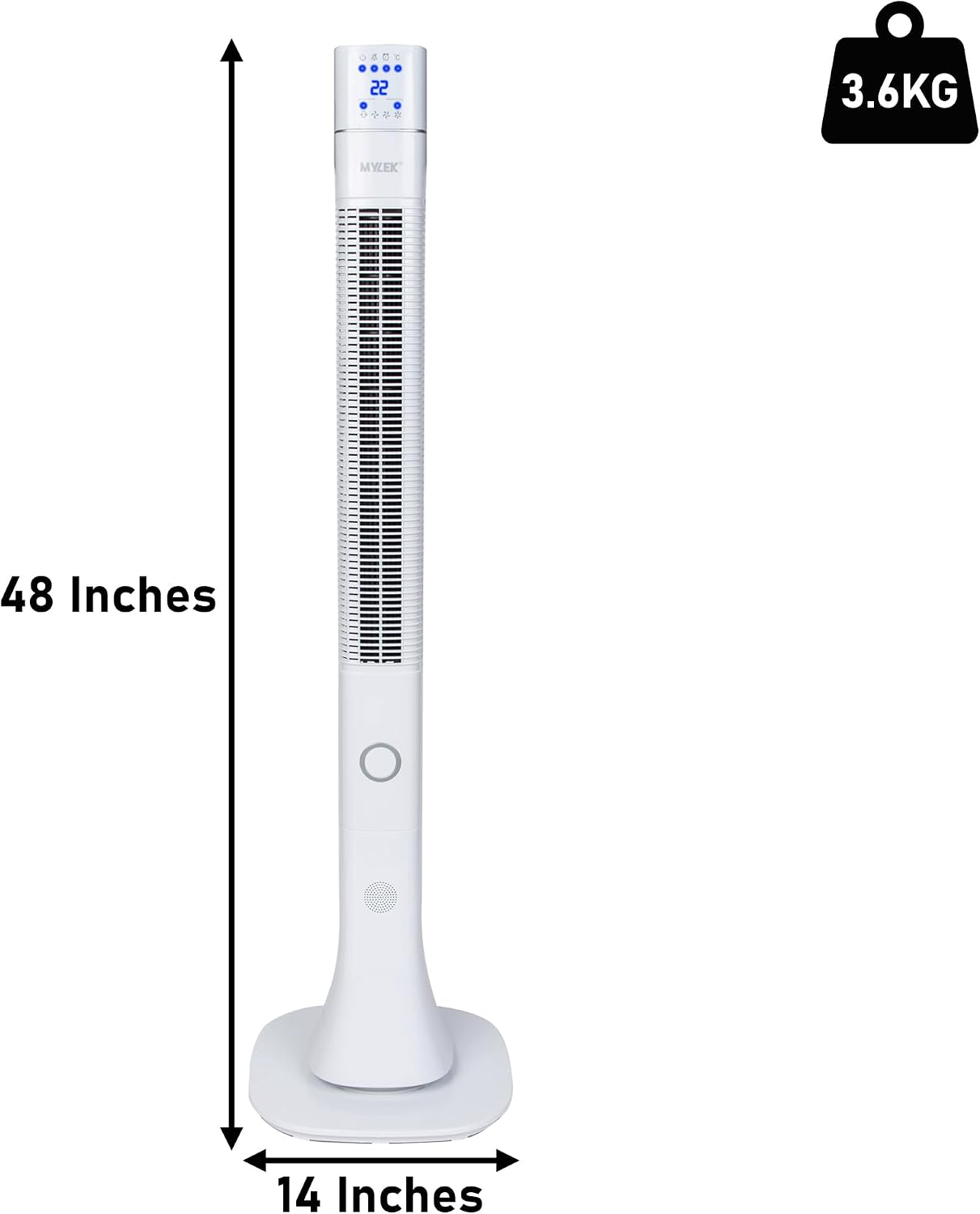
Image: Dimensions of the MYLEK Tower Fan, showing its height of 48 inches (122 cm) and base width of 14 inches (35.5 cm), with a total weight of 3.6 kg.
6. Operating Instructions
Your MYLEK Tower Fan can be operated using the control panel on the unit or the remote control.
6.1 Power On/Off
- Press the ON/OFF button on the control panel or remote control to turn the fan on. The fan will typically start on a medium speed setting.
- Press the ON/OFF button again to turn the fan off.
6.2 Adjusting Fan Speed
- Press the SPEED button repeatedly to cycle through the three available speed settings: Low, Medium, and High.
6.3 Oscillation Function
- Press the SWING button to activate the oscillation (rotating) function, which distributes airflow across a wider area.
- Press the SWING button again to stop the oscillation at the current position.
6.4 Ionizer Function
The ionizer function releases negative ions into the air, which can help to refresh the air quality and create a natural-feeling breeze.
- Press the ION button to turn the ionizer on.
- Press the ION button again to turn the ionizer off.

Image: The ionizer function of the MYLEK Tower Fan, illustrating its ability to add refreshing negative ions to the air for a natural breeze and pollen filtration.
6.5 Timer Function
The timer allows you to set the fan to automatically turn off after a specified period, up to 12 hours.
- With the fan on, press the TIMER button repeatedly to select the desired shutdown time in 1-hour increments. The selected time will be displayed on the LED screen.
- To cancel the timer, cycle through the settings until the timer display is off, or turn the fan off and then on again.
6.6 Night Mode (LED Display Off)
For undisturbed sleep, the LED display can be turned off while the fan continues to operate.
- Press the TURN OFF SCREEN button on the control panel or remote control to turn off the LED display.
- Press any button (except ON/OFF) to temporarily illuminate the display for adjustment, or press TURN OFF SCREEN again to reactivate the display permanently.

Image: The MYLEK Tower Fan operating in a bedroom, highlighting its low noise level (25dB) which makes it suitable for quiet environments like bedrooms and offices.
7. Maintenance
Regular cleaning and maintenance will ensure the longevity and efficient operation of your fan.
- Always unplug the fan from the power outlet before cleaning.
- Wipe the exterior surfaces of the fan with a soft, damp cloth. Do not use abrasive cleaners or solvents.
- Use a vacuum cleaner with a brush attachment to gently remove dust from the air intake and exhaust grilles.
- Ensure the fan is completely dry before plugging it back in and operating.
- Store the fan in a cool, dry place when not in use, preferably in its original packaging.
8. Troubleshooting
If you experience issues with your fan, please refer to the following common problems and solutions:
| Problem | Possible Cause | Solution |
|---|---|---|
| Fan does not turn on. | Not plugged in; power outlet not working; power button not pressed. | Ensure the fan is securely plugged into a working power outlet. Press the ON/OFF button. |
| Weak airflow. | Low speed setting; blocked air grilles. | Increase the fan speed. Clean any dust or obstructions from the air intake and exhaust grilles. |
| Oscillation not working. | Oscillation function not activated. | Press the SWING button to activate oscillation. |
| Remote control not working. | Batteries depleted; obstruction between remote and fan; remote not aimed correctly. | Replace remote control batteries. Ensure there are no obstructions and aim the remote directly at the fan's receiver. |
| LED display remains on in night mode. | Night mode not activated or reactivated. | Press the "TURN OFF SCREEN" button. Note that the display may temporarily illuminate if other buttons are pressed. |
If the problem persists after trying these solutions, please contact MYLEK customer support.
9. Specifications
| Brand | MYLEK |
| Model Number | MY48BW |
| Dimensions (L x W x H) | 26 x 26 x 110 cm (10.2 x 10.2 x 43.3 inches) |
| Weight | 3.6 kg (7.9 lbs) |
| Color | White |
| Power Source | Electric Cable |
| Power Consumption | 60 Watts |
| Number of Speeds | 3 |
| Noise Level | 25 Decibels |
| Special Features | Oscillation, Ionizer, Timer (up to 12 hours), Remote Control, LED Display Off (Night Mode) |
| Mounting Type | Freestanding |
| Recommended Uses | Bedroom, Home, Office |

Image: The MYLEK Tower Fan in a living room setting, illustrating its energy-efficient operation (60W) to help users stay cool and save on electricity bills.


