
Introduction
This manual provides detailed instructions for the setup, operation, maintenance, and troubleshooting of your L8star Fitness Tracker Smart Watch. This device is designed to help you monitor your daily activities, heart rate, and sleep patterns, supporting a healthier lifestyle. Please read this manual thoroughly before using the device to ensure proper function and longevity.
What's in the Box
Upon opening the package, please verify that all the following items are included:
- 1 x L8star Fitness Tracker Smart Watch
- 1 x Charging Cable (USB)
- 1 x User Manual (this document)
Setup Guide
1. Charging the Device
Before initial use, fully charge your L8star Fitness Tracker. Connect the charging cable to the designated port on the tracker and plug the USB end into a standard USB power adapter (not included) or a computer's USB port. The device will display a charging indicator. A full charge typically takes approximately 1-2 hours.
2. Downloading the Companion App
To unlock all features and synchronize data, download the official L8star companion application from your smartphone's app store (App Store for iOS or Google Play Store for Android). Search for "L8star" or refer to the QR code provided in the quick start guide (if applicable).

Image: The L8star companion app interface, showing various tracking metrics and settings. This app is essential for managing your fitness tracker and viewing detailed health data.
3. Pairing with Your Smartphone
- Ensure Bluetooth is enabled on your smartphone.
- Open the L8star companion app.
- Follow the in-app instructions to search for and connect to your fitness tracker. The device name will typically appear as "L8star" or a similar identifier.
- Confirm the pairing request on both your phone and the tracker if prompted.
4. Initial Settings
After successful pairing, set up your personal profile within the app, including age, gender, height, and weight, for accurate data calculation. You can also customize notification preferences, alarm settings, and display options.
Operating Instructions
1. Basic Navigation
The L8star Fitness Tracker features a touch-sensitive screen for navigation. Tap the screen or the designated touch button to cycle through different display modes and functions. Long-press to select or confirm actions.
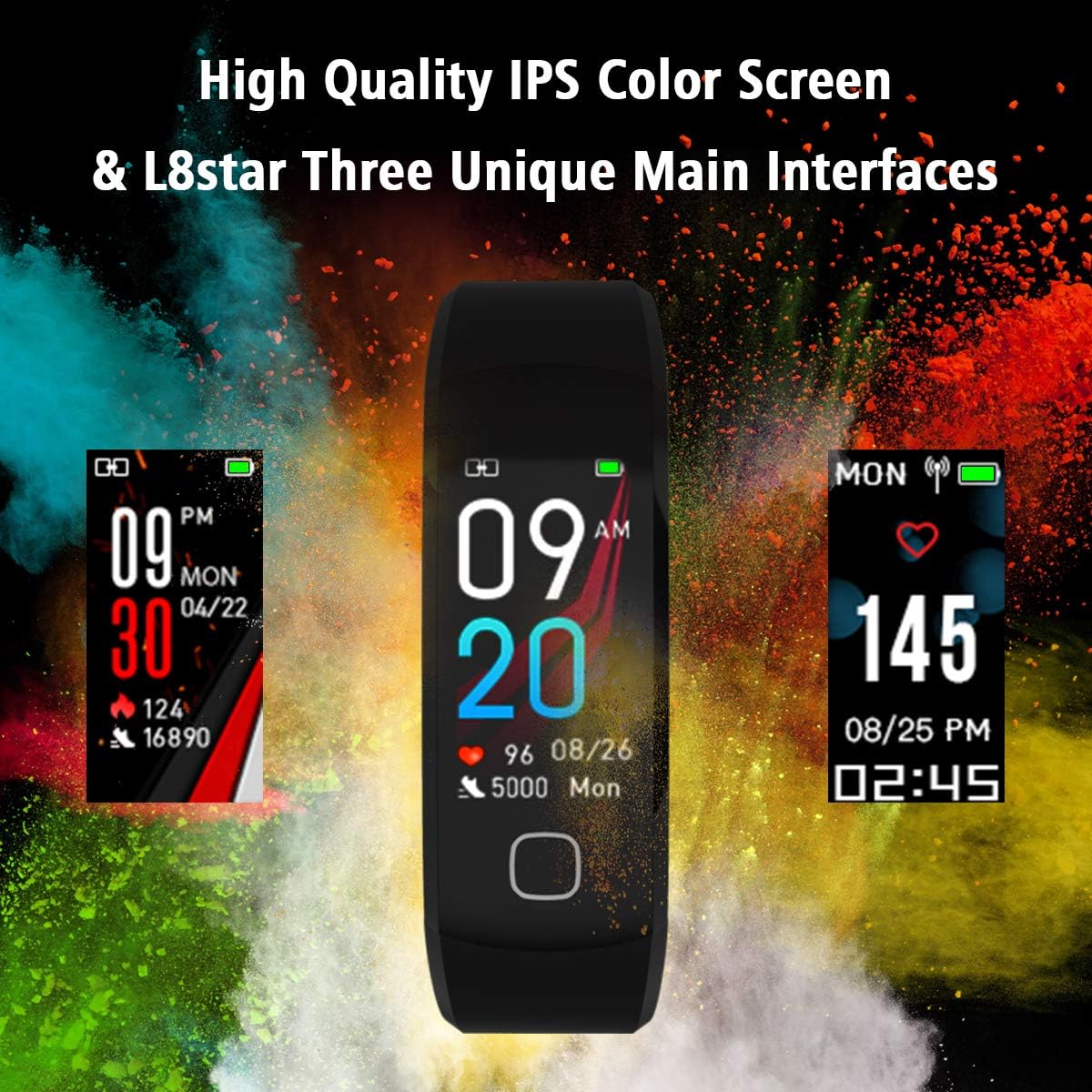
Image: Examples of the L8star Fitness Tracker's high-quality IPS color screen displaying different main interfaces, including time, date, steps, and heart rate. Users can customize their preferred interface.

Image: A visual comparison highlighting the 0.96-inch IPS HD color screen of the L8star Fitness Tracker against a smaller 0.66-inch OLED screen, demonstrating the larger display area for better content visibility.
2. Heart Rate Monitoring
The tracker continuously monitors your heart rate using its built-in optical sensor. To view your current heart rate, navigate to the heart rate interface on the device. For detailed historical data and analysis, check the companion app.

Image: The L8star Fitness Tracker displaying continuous heart rate data, indicating the device's ability to track heart rate throughout the day. The image shows the green light sensor on the back of the tracker.
3. Sleep Monitoring
Wear the tracker to bed, and it will automatically monitor your sleep patterns, including deep sleep, light sleep, and awake times. Synchronize with the app to view comprehensive sleep reports and insights.

Image: A visual representation of the L8star Fitness Tracker's sleep monitoring function, showing how it tracks deep and light sleep durations. The image also illustrates the silent alarm feature.
4. Activity Tracking (Pedometer)
The device automatically tracks your steps, distance traveled, and calories burned throughout the day. View your daily progress directly on the tracker or in the app.
5. Sport Modes
The L8star Fitness Tracker supports multiple sport modes, including Running, Pingpong, Riding, Ropeskipping, Tennis, and Badminton. Select the appropriate mode before starting an activity to get more accurate tracking data. The device can also connect to your phone's GPS for route tracking during outdoor activities.
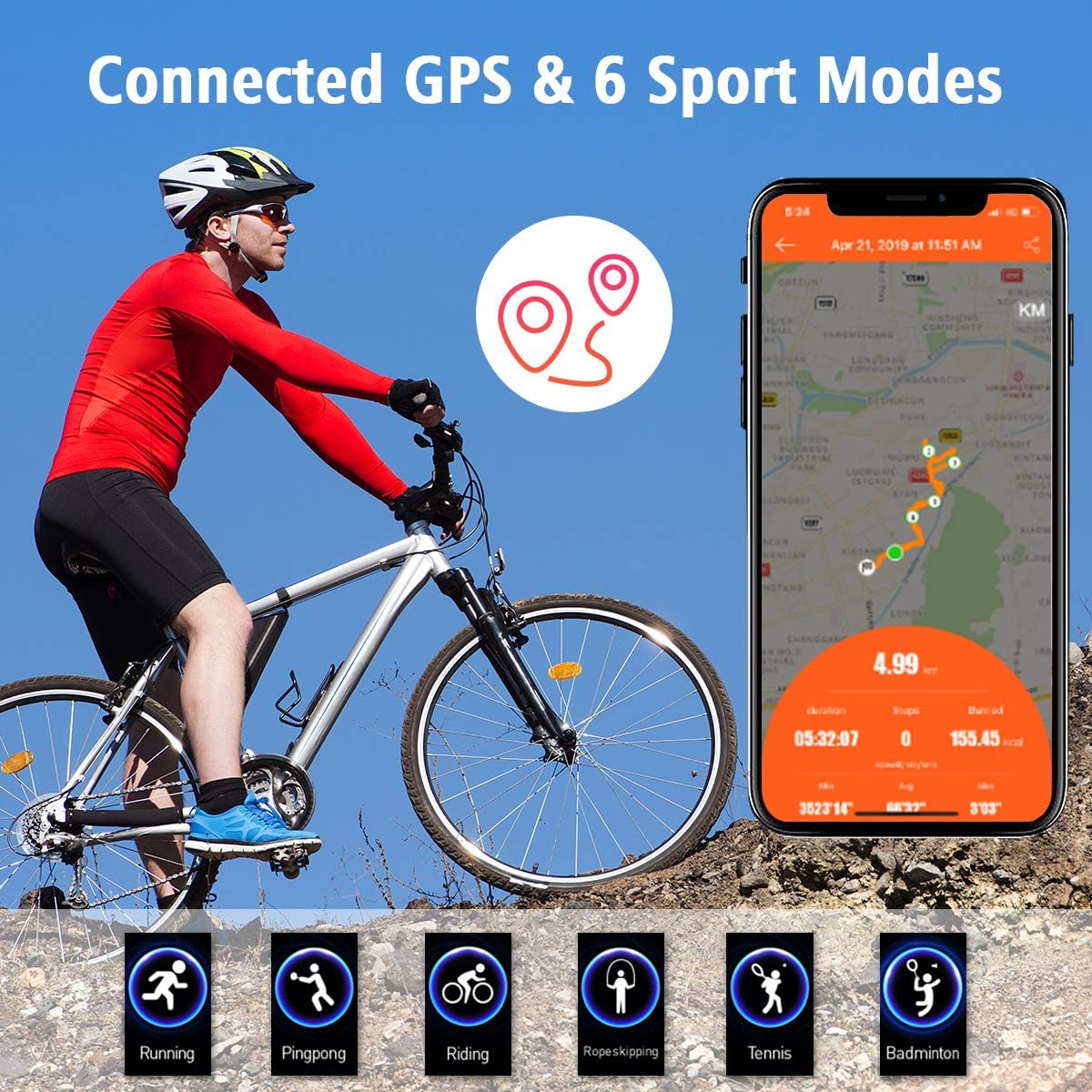
Image: An illustration of the L8star Fitness Tracker's connected GPS feature and its six distinct sport modes: Running, Pingpong, Riding, Ropeskipping, Tennis, and Badminton. The image shows a cyclist using the tracker with a map displaying the route.
6. Notifications and Alarms
Once paired, the tracker can display notifications for incoming calls, messages, and app alerts from your smartphone. Set silent alarms through the app, and the tracker will vibrate to wake you up or remind you without disturbing others.
Maintenance
1. Cleaning
Regularly clean your fitness tracker and wristband with a soft, damp cloth. Avoid using harsh chemicals or abrasive materials, as these can damage the device. Ensure the charging contacts are clean and dry before charging.
2. Water Resistance
The L8star Fitness Tracker is IP67 waterproof, meaning it is resistant to dust and can withstand immersion in water up to 1 meter for 30 minutes. It is suitable for daily use, such as washing hands or light rain. However, it is not recommended for swimming, diving, or prolonged submersion in water, especially hot water or steam, as this may compromise the seal.
3. Battery Care
To maximize battery life, avoid fully discharging the device frequently. Charge it when the battery level is low. The tracker offers an ultra-long playtime of up to 10 days on a single charge, depending on usage.
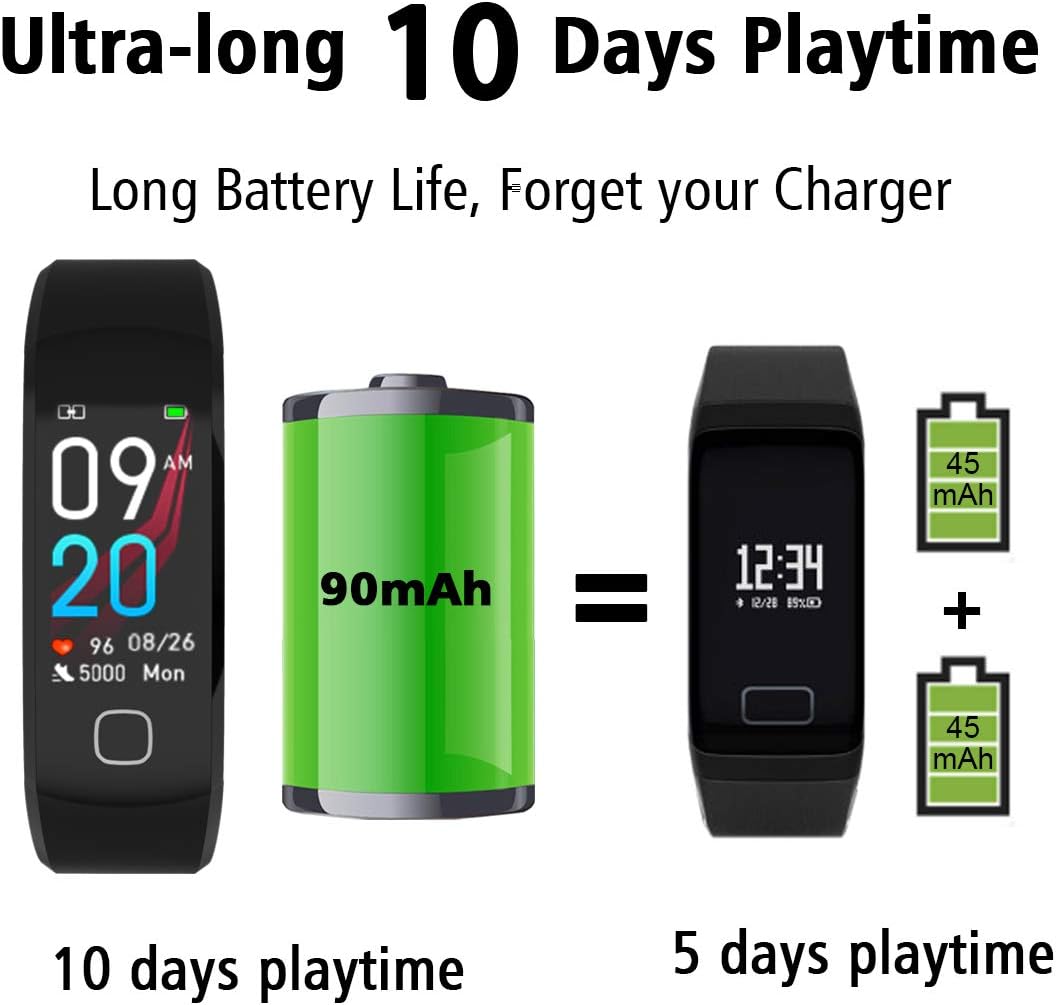
Image: An illustration demonstrating the L8star Fitness Tracker's extended battery life, highlighting its capability for up to 10 days of playtime on a single charge, compared to devices with smaller battery capacities.
Troubleshooting
Device Not Turning On
- Ensure the device is fully charged. Connect it to the charger for at least 30 minutes.
- Try resetting the device by long-pressing the touch button (if applicable) or by connecting it to the charger.
Unable to Pair with Smartphone
- Make sure Bluetooth is enabled on your smartphone and the tracker is within range.
- Restart both your smartphone and the fitness tracker.
- Clear the Bluetooth cache on your phone or forget the device in your phone's Bluetooth settings, then try pairing again through the app.
- Ensure the L8star app is updated to the latest version and is compatible with your phone's operating system.
Inaccurate Readings (Heart Rate, Steps, Sleep)
- Heart Rate: Ensure the tracker is worn snugly on your wrist, about one finger's width above your wrist bone. The sensor should be in direct contact with your skin.
- Steps: Ensure your personal information (height, weight) is accurately entered in the app. Arm movements during certain activities might affect step count.
- Sleep: Ensure the tracker is worn consistently throughout the night.
App Not Syncing Data
- Check your phone's internet connection.
- Ensure the app has all necessary permissions enabled (e.g., Bluetooth, location).
- Close and reopen the app, then try syncing again.
Specifications
| Feature | Detail |
|---|---|
| Model Number | L8star |
| Brand | L8star |
| Connectivity Technology | Bluetooth, USB |
| Wireless Communication Standard | Bluetooth |
| Screen Size | 1.3 Inches |
| Water Resistance Level | Waterproof (IP67) |
| Water Resistance Depth | 1 Meters |
| Battery Cell Composition | Lithium Ion |
| Battery Average Life | 10 days |
| Battery Power | 80 Milliamp Hours |
| Band Material Type | Silicone |
| Supported Application | Alarm, Camera, Fitness Tracker, Heart Rate Monitor, Messages, Pedometer, Phone, Reminders, Sleep Monitor |
| Metrics Measured | Heart Rate, Sleep Duration |
| Target Audience | Men, Women |
| Human Interface Input | Buttons |
| ASIN | B07RY75TFR |
| UPC | 740385137426 |
Warranty Information
The L8star Fitness Tracker Smart Watch comes with a Limited Warranty. For specific terms and conditions, including coverage duration and claim procedures, please refer to the warranty card included in your product packaging or contact L8star customer support.
Customer Support
If you encounter any issues not covered in this manual or require further assistance, please contact L8star customer support. Contact details can typically be found on the product packaging, the official L8star website, or within the companion application.