
1. Introduction
This manual provides instructions for the proper installation, use, and maintenance of your Spigen Tough Armor case for the OnePlus 7 Pro (2019) smartphone. The Tough Armor case is engineered to provide robust protection for your device while maintaining functionality and a sleek profile.
The Spigen Tough Armor case features a dual-layer design, combining a flexible Thermoplastic Polyurethane (TPU) inner layer with a rigid Polycarbonate (PC) outer shell. This construction is designed to absorb shocks and resist impacts, meeting MIL-STD 810G-516.6 certification for drop protection. It also includes Air Cushion Technology in the corners for enhanced shock absorption and a built-in kickstand for convenient media viewing.
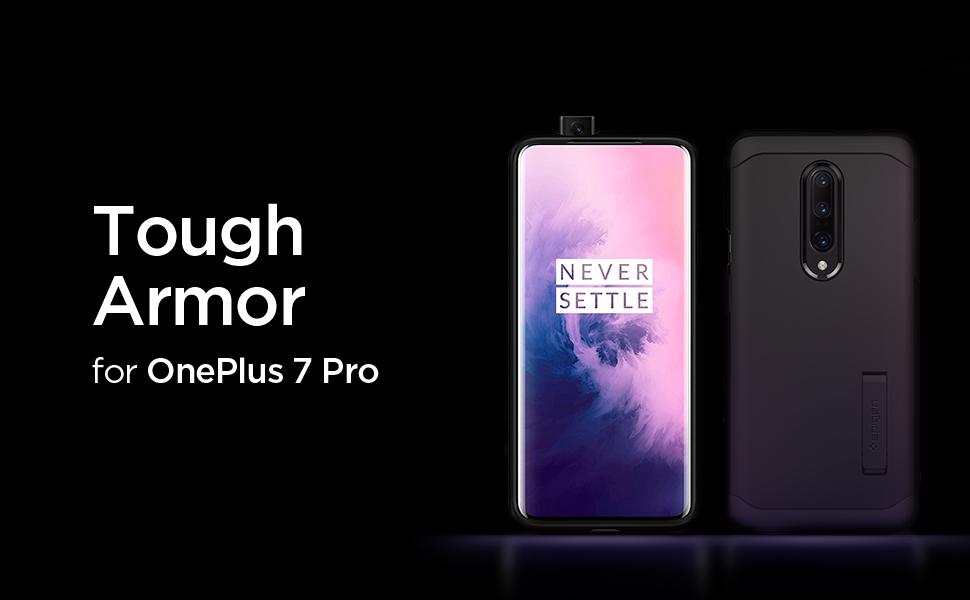
Image 1.1: Spigen Tough Armor case for OnePlus 7 Pro, showcasing its design and compatibility.
2. Setup and Installation
Follow these steps to correctly install the Spigen Tough Armor case on your OnePlus 7 Pro:
- Prepare Your Device: Ensure your OnePlus 7 Pro is clean and free of dust or debris. If you have a screen protector, ensure it is properly applied and cured according to its instructions.
- Separate the Case Components: The Tough Armor case consists of two main parts: a soft TPU inner layer and a hard PC outer shell. Gently separate these two components.
- Install the TPU Layer: Carefully place your OnePlus 7 Pro into the flexible TPU inner layer. Ensure all edges and corners of the phone are securely seated within the TPU.
- Attach the PC Outer Shell: Align the hard PC outer shell with the TPU-covered phone. Snap the PC shell onto the back of the TPU layer, starting from one side and working your way around until it is fully secured. Ensure all cutouts align with the phone's ports, buttons, and camera.
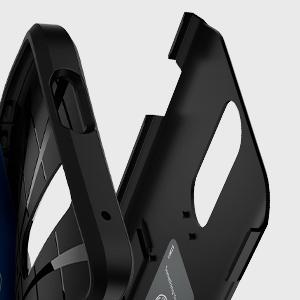
Image 2.1: Illustration of the two-part design of the Spigen Tough Armor case, showing the inner TPU and outer PC layers.
3. Operating the Case Features
3.1 Kickstand Functionality
The Spigen Tough Armor case includes a built-in kickstand for hands-free viewing. To use the kickstand:
- Locate the Kickstand: The kickstand is integrated into the back of the PC outer shell.
- Extend the Kickstand: Gently pull the kickstand outwards from its recessed position until it clicks into place.
- Position Your Device: Place your OnePlus 7 Pro horizontally on a flat surface, resting on the extended kickstand. This provides an optimal viewing angle for videos or video calls.
- Retract the Kickstand: When not in use, push the kickstand back into its recessed slot until it is flush with the case to prevent damage.

Image 3.1: The Spigen Tough Armor case with its integrated kickstand extended, supporting the phone in landscape orientation.
3.2 Button and Port Access
The case features precise cutouts and tactile button covers:
- Power and Volume Buttons: The case has integrated button covers that maintain the tactile feedback of your phone's power and volume buttons.
- Alert Slider: A precise cutout provides access to the OnePlus 7 Pro's alert slider. Depending on finger size, a fingernail may be required to operate the slider.
- Charging Port and Speakers: Dedicated cutouts ensure full access to the USB-C charging port and bottom-firing speakers.
- Pop-up Camera: The case is designed with a precise cutout to allow the pop-up selfie camera to function without obstruction.

Image 3.2: Detail view of the Spigen Tough Armor case, highlighting the precise cutout for the OnePlus 7 Pro's pop-up camera.
4. Maintenance
To keep your Spigen Tough Armor case in optimal condition:
- Cleaning: Wipe the case regularly with a soft, damp cloth to remove dust and fingerprints. For stubborn dirt, a mild soap solution can be used, followed by rinsing and air-drying.
- Avoid Harsh Chemicals: Do not use abrasive cleaners, solvents, or harsh chemicals, as these can damage the case material and finish.
- Inspect Periodically: Occasionally remove the case to clean your phone and inspect the case for any signs of wear or damage.
5. Troubleshooting
- Case Does Not Fit Properly: Ensure you have the correct case model for your phone (OnePlus 7 Pro). Re-install the case, making sure the TPU layer is fully seated before attaching the PC shell.
- Buttons Are Stiff: New cases may have slightly stiffer buttons. They typically soften with use. Ensure the phone is correctly aligned within the case.
- Kickstand Not Staying Open/Closed: Check for any debris obstructing the kickstand mechanism. Ensure it is fully extended or retracted until it clicks into place. Avoid excessive force.
6. Specifications
| Feature | Detail |
|---|---|
| Brand | Spigen |
| Model Name | Tough Armor |
| Compatible Phone Model | OnePlus 7 Pro |
| Material | Thermoplastic Polyurethane (TPU), Polycarbonate (PC) |
| Color | Black |
| Item Weight | 49 g |
| Item Dimensions | 6.61 x 3.2 x 0.5 inches |
| Protection Standard | MIL-STD 810G-516.6 Certified |
| Special Features | Built-in Kickstand, Air Cushion Technology |

Image 6.1: Comparison showing the slim profile added by the Spigen Tough Armor case to the OnePlus 7 Pro.
7. Warranty and Support
Spigen products are designed for durability and quality. For information regarding product warranty, please refer to the official Spigen website or contact their customer support directly. Keep your purchase receipt as proof of purchase for any warranty claims.
For further assistance, technical support, or to report any issues with your Spigen Tough Armor case, please visit the Spigen official website or contact their customer service department through the contact information provided on their site.
