
1. Important Safety Information
Please read all instructions carefully before using your MYLEK Tower Fan. Retain this manual for future reference.
- This appliance is designed for indoor use only.
- Ensure the power supply matches the rating label on the fan.
- Always unplug the fan from the power outlet before cleaning, maintenance, or if it will not be used for an extended period.
- Do not operate the fan with a damaged cord or plug. If the cord is damaged, it must be replaced by the manufacturer, its service agent, or similarly qualified persons to avoid a hazard.
- Keep hands, hair, clothing, and other objects away from the fan's grilles during operation to prevent injury or damage.
- Do not insert any objects into the fan's openings.
- Position the fan on a stable, flat surface to prevent it from tipping over.
- This fan features a bladeless design and narrow grills, making it suitable for households with children and pets.
- Equipped with a fused BS Standards 3-Pin safety plug to prevent damage from over-voltage and power surges.
- Constructed with ABS safety plastic for durability and peace of mind.

Image: Safety features of the MYLEK Tower Fan, highlighting its bladeless design, narrow grill, BS standard 3-pin safety plug, and ABS safety construction, making it safe for children and pets.
2. Product Features
The MYLEK 34-inch Tower Fan is designed to provide efficient and comfortable cooling for your home or office. Key features include:
- 3 Speed Settings: Choose between Low, Medium, and High airflow.
- 3 Wind Modes: Normal (constant airflow), Natural (simulates a natural breeze), and Sleep (quieter operation with reduced airflow).
- 70° Smooth Oscillation: Distributes cool air across a wider area.
- 8-Hour Shutdown Timer: Program the fan to turn off automatically.
- Ioniser Function: Releases negative ions to refresh the air.
- Remote Control: Convenient operation from a distance.
- LED Display: Clear indication of settings and room temperature.
- Low Noise Operation: Operates at approximately 25dB, ideal for bedrooms and offices.
- Lightweight with Carry Handle: Easy to move and position.

Image: The MYLEK Tower Fan in a modern living room, illustrating its key features such as remote control, three speed settings, three wind modes, and an 8-hour shutdown timer.

Image: The MYLEK Tower Fan positioned in a bedroom, highlighting its oscillation function, fresh air ioniser, 1.5-meter cable length, and quiet 25dB noise level.
3. Setup
- Unpacking: Carefully remove the fan from its packaging. Ensure all components are present and undamaged.
- Placement: Place the fan on a firm, level surface. Ensure there is adequate space around the fan for proper airflow and oscillation. Avoid placing it directly against walls or furniture.
- Power Connection: Plug the fan's 3-pin power cord into a suitable 230V AC electrical outlet.
4. Operating Instructions
The MYLEK Tower Fan can be operated using the touch control panel on top of the unit or the included remote control.

Image: Detailed view of the MYLEK Tower Fan's user-friendly touch buttons and the included remote control, illustrating the various function buttons such as On/Off, Mode, Speed, Swing, Ion, and Timer.
4.1 Control Panel & Remote Control Functions
- Power On/Off ( U ): Press to turn the fan on or off.
- Speed ( FAN ): Press repeatedly to cycle through Low, Medium, and High-speed settings.
- Mode ( WAVE ): Press repeatedly to select Normal, Natural, or Sleep wind modes.
- Oscillation ( SWING ): Press to activate or deactivate the 70° oscillation function.
- Ioniser ( ION ): Press to turn the ioniser function on or off. The ioniser helps to refresh the air by releasing negative ions.
- Timer ( CLOCK ): Press repeatedly to set the auto-off timer from 1 to 8 hours. Each press adds one hour.
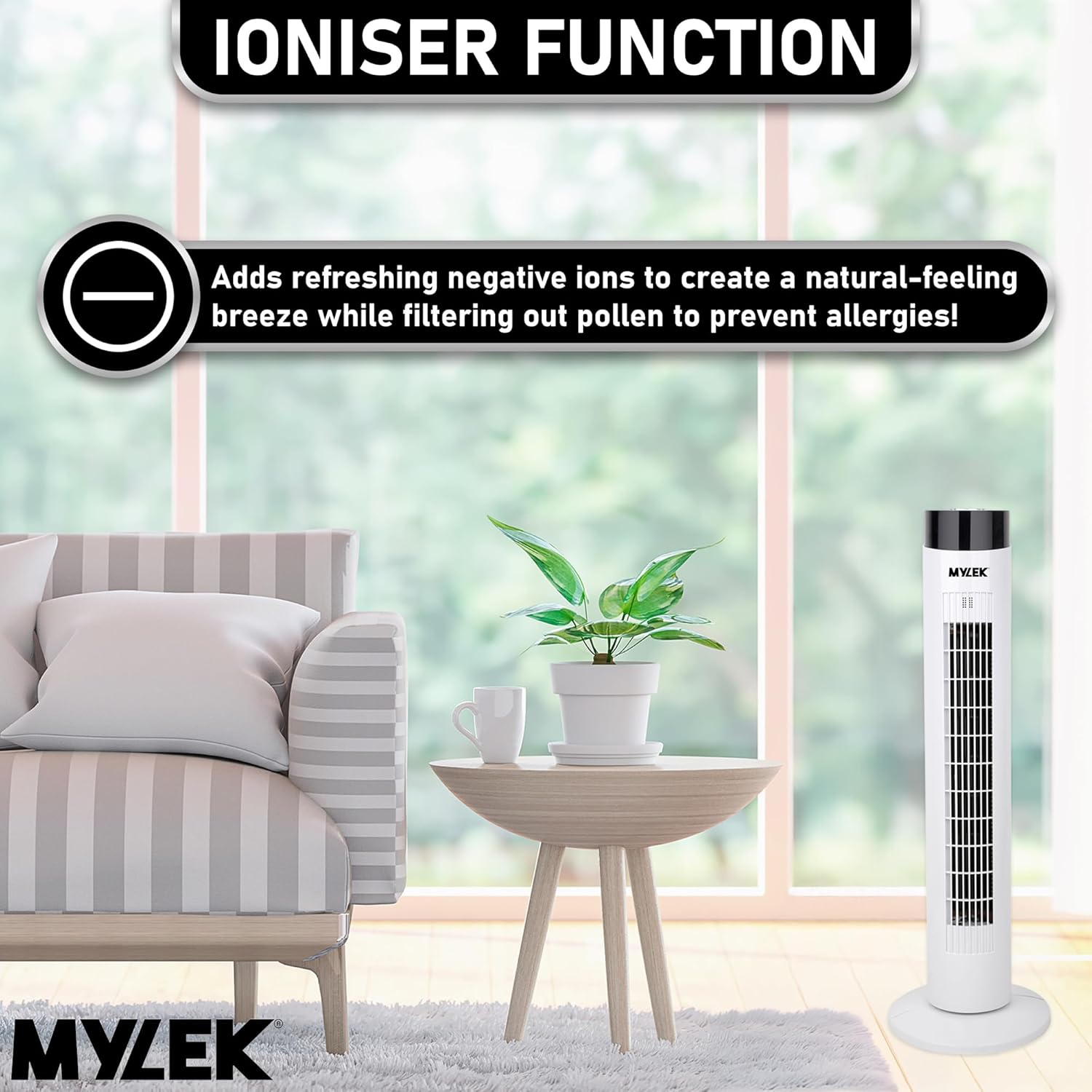
Image: The MYLEK Tower Fan in a living room setting, illustrating the ioniser function which adds refreshing negative ions to the air, creating a natural breeze effect and filtering out pollen.
5. Maintenance
Regular cleaning and maintenance will ensure optimal performance and extend the lifespan of your MYLEK Tower Fan.
- Cleaning the Exterior: Wipe the exterior surfaces of the fan with a soft, damp cloth. Do not use abrasive cleaners or solvents.
- Cleaning the Air Inlet/Outlet: Use a soft brush or vacuum cleaner with a brush attachment to gently remove dust from the air inlet and outlet grilles.
- Storage: When not in use, store the fan in a cool, dry place, preferably in its original packaging, to protect it from dust and damage.
- Always unplug the fan before performing any cleaning or maintenance.
6. Troubleshooting
If you encounter any issues with your MYLEK Tower Fan, please refer to the following common troubleshooting steps:
- Fan does not turn on:
- Ensure the power cord is securely plugged into a working electrical outlet.
- Check if the power outlet is functioning by plugging in another appliance.
- Verify that the fan's power button has been pressed.
- Weak or no airflow:
- Check if the air inlet or outlet grilles are obstructed by dust or debris. Clean as per maintenance instructions.
- Ensure the fan is set to a higher speed setting.
- Fan is making unusual noise:
- Ensure the fan is placed on a stable, flat surface.
- Check for any foreign objects that may have fallen into the fan's grilles. Unplug the fan before inspecting.
- Remote control not working:
- Check and replace the batteries in the remote control if necessary.
- Ensure there are no obstructions between the remote control and the fan's receiver.
If the problem persists after trying these steps, please contact MYLEK customer support.
7. Specifications
| Specification | Detail |
|---|---|
| Brand | MYLEK |
| Model Number | MY34W |
| Colour | White |
| Dimensions (H x D x W) | 86.36 cm (34 inches) x 36 cm x 36 cm |
| Item Weight | 3 Kilograms |
| Power Source | Corded Electric |
| Wattage | 60 Watts |
| Voltage | 230 Volts |
| Noise Level | 25 Decibels |
| Number of Speeds | 3 |
| Special Features | Bladeless, Lightweight, Oscillating, Portable, Timer, Ioniser |
| Control Method | Remote Control, Touch Buttons |
| Cable Length | 1.5 meters |

Image: The MYLEK Tower Fan with its key dimensions and weight clearly marked, showing a height of 34 inches and a weight of 3.4 kilograms.
8. Warranty and Support
Your MYLEK Tower Fan comes with a 2-year warranty from the date of purchase. This warranty covers manufacturing defects under normal use.
For warranty claims, technical assistance, or any other inquiries, please contact MYLEK customer service. Our team provides excellent UK customer service support to assist you.
Please have your model number (MY34W) and proof of purchase ready when contacting support.


